Best Pedometer App in 2026: 8 Apps Compared
Compare 8 best pedometer apps for iPhone and Android, including Pacer, StepsApp, Fitbit, Apple Health, and Samsung Health, with free plans and premium prices.

- Editor's choice
 Pacer
Phone-only step counting with challenges
Starts atFreeVisit mypacer.comFull review - Great alternative
 StepsApp
Clean daily step view
Starts atFreeVisit stepsapp.appFull review - Also consider
 Fitbit
Wearable step tracking with health data
Starts atFreeVisit fitbit.comFull review
TL;DR:
- Pacer is the strongest phone-only pick, with challenges and wearable sync on a free plan.
- Apple Health and Samsung Health are the best free built-in options, with no extra app needed.
- StepsApp suits users who want a clean daily view without a busy social feed.
- Phone step counts vary by where you carry the phone, so a wearable gives steadier totals.
Quick comparison
| Tool | Best for | Starts at | Free plan? | |
|---|---|---|---|---|
| Pacer | Phone-only step counting with challenges | Free | Yes | Visit |
| StepsApp | Clean daily step view | Free | Yes | Visit |
| Fitbit | Wearable step tracking with health data | Free | Yes | Visit |
 Apple Health | Free built-in iPhone step counting | Free | Yes | Visit |
 Samsung Health | Free built-in Android step counting | Free | Yes | Visit |
 Google Fit | Free Android step and activity tracking | Free | Yes | Visit |
 Strava | Walkers who also run or cycle | Free | Yes | Visit |
 MapMyWalk | GPS walking routes | Free | Yes | Visit |
The best pedometer apps
A good pedometer app should count steps in the background, show trends without fuss, and not push a subscription for basic counting. The apps below cover built-in phone tools, social step challenges, and wearable companions, so you can pick based on your phone, your watch, and how much motivation you want.

Pacer counts steps using only your phone, which makes it the easiest starting point if you do not own a wearable. The free plan covers daily steps, distance, and calories, while group challenges and guided plans add motivation for people who walk more with friends or coworkers. Sync with Fitbit and Garmin also means Pacer can sit on top of a wearable later without losing history.
The free experience includes ads and limits on some custom goals and plans, which sit behind Premium at $9.99 per month or $49.99 per year in recent listings. Battery use can also rise if GPS routes are on all day. If you want pure counting with no social features, a built-in app may feel calmer. If challenges help you move, Pacer is a strong pick.
- Step counting without a wearable
- Group challenges
- Syncs with Fitbit and Garmin
- Premium paywall for some goals and plans
- Ads on free tier
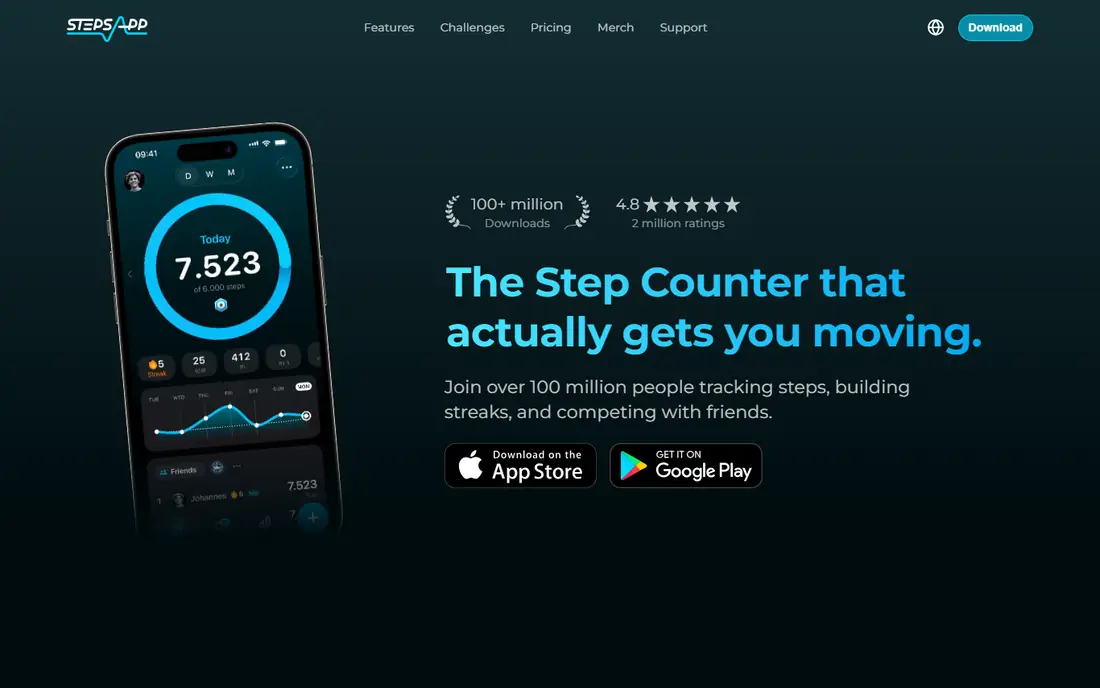
StepsApp stands out for design. Daily steps, distance, and active time appear in a calm layout, with weekly trends that are easy to read at a glance. It syncs with Apple Health, Google Fit, Garmin, and Fitbit, so it works as a nicer front end for data your phone or watch already collects. Widgets also put the daily total on your home screen, which helps a habit stick.
Pro adds deeper history and extra features, and the free Android version includes ads. StepsApp is not a social challenge app, so walkers who need group motivation may prefer Pacer. For a clean, private-feeling pedometer that stays out of the way, StepsApp is one of the best options in this list.
- Simple daily and weekly views
- Syncs with Apple Health, Google Fit, and wearables
- Widgets
- Some features need Pro
- Free Android version includes ads
Fitbit is the natural pick if you already wear a Fitbit tracker or a Pixel Watch, because steps, sleep, and heart rate flow into one app without phone carrying tricks. The free app covers daily steps, trends, and basic health data, while community challenges add a social layer for friends or coworkers. For people who want one health hub rather than several apps, Fitbit keeps the picture together.
The catch is hardware. Phone-only step counting in the Fitbit app is less central than on a wrist device, and Premium insights cost $9.99 per month or $79.99 per year. If you do not want a wearable, Pacer or a built-in app will serve you better. If you already wear one, Fitbit is the obvious home for your step data.
- Automatic tracking from Fitbit devices
- Sleep and heart rate in one app
- Community challenges
- Best with Fitbit hardware
- Premium at $9.99 per month for deeper insights
Apple Health is already on every iPhone, and it counts steps in the background with no subscription, ads, or extra account. Daily, weekly, and monthly trends sit next to other health data, and an Apple Watch makes totals steadier because the watch counts when the phone sits on a desk. For iPhone users who want a private, zero-cost pedometer, there is no reason to install anything else first.
The limits are platform and motivation. Apple Health works only on iPhone, and it has no built-in step challenges or social feed. Accuracy also depends on carrying the phone or wearing a watch. If you want challenges, add Pacer on top. If you want simple, free counting, Apple Health already does the job.
- Built in on iPhone
- No extra app or account
- Step trends and health records in one place
- IPhone only
- No social challenges
- Step accuracy depends on carrying the phone
Samsung Health is the built-in answer for many Android users, especially on Samsung phones, with step counting, challenges, and global rankings in one free app. It syncs with Galaxy Watch devices, which improves accuracy when the phone is not in a pocket. Group challenges and step competitions give it a social edge over a bare pedometer, without requiring a paid plan for basic counting.
Availability and features vary by phone model and region, and the app feels most complete inside the Samsung ecosystem. Users on other Android phones can still use it, but the experience may differ. If you want a free, capable pedometer with challenges, Samsung Health is a strong first try before paying for another app.
- Built in on many Samsung phones
- Challenges and global rankings
- Wearable sync
- Best on Samsung devices
- Some features vary by phone and region
Google Fit tracks steps, Move Minutes, and Heart Points for free, with no subscription needed for basic activity data. On Android and Wear OS, it pulls steps from the phone or watch into a simple daily view, and it can share data with other fitness apps. For Android users who want a light, Google-linked activity record, it remains a useful free baseline.
The iOS version is more limited, and Google has shifted focus across its health products in recent years, so long-term feature support is less certain than with Apple Health or Samsung Health. Google Fit also lacks the challenge depth of Pacer. As a free counter, it works. As a long-term social fitness hub, it is thinner than the leaders here.
- Free with no subscription
- Heart Points and Move Minutes
- Wear OS sync
- IOS experience is limited
- Google Fit development has slowed in recent years
Strava is best known for running and cycling, but it also records walks with route maps, pace, and distance, and it connects to a wide range of watches. The community side, with kudos and clubs, motivates people who like sharing routes and seeing friends stay active. If walking is part of a broader training routine, Strava keeps all activities in one place.
Strava is not a pure pedometer. Daily step totals are not its main view, and the full training analysis sits behind a subscription at $11.99 per month. If you only want a daily step count, a dedicated pedometer will be simpler. If you walk, run, and cycle and like route data, Strava adds value beyond steps.
- Route maps and segments
- Strong community
- Works with many watches
- Subscription at $11.99 per month for full training features
- Step focus is weaker
MapMyWalk records walking routes with GPS, so you can see distance, pace, elevation, and calories for each walk, not just a daily total. That route view helps people who train for events, explore new paths, or want proof of a long weekend walk. It also connects to a range of wearables and to other Under Armour apps for a wider fitness record.
GPS tracking uses more battery than phone-sensor counting, and some training and analysis features sit behind a paid plan. MapMyWalk also feels more like a workout app than a quiet daily counter. For route-focused walkers, that trade is worth it. For all-day step totals, a sensor-based pedometer will be gentler on battery.
- GPS route tracking
- Distance and pace
- Works with Under Armour connected shoes
- Premium features need a subscription
- GPS use drains battery faster
How we picked these
We compared official app listings, pricing pages, and feature descriptions for pedometer apps that still operate on iPhone or Android in 2026. We favored apps with a usable free tier for basic step counting, background counting without constant GPS, and clear sync with Apple Health, Google Fit, or common wearables. We did not claim lab testing of step accuracy, because accuracy depends on phone placement and device sensors.
How to pick a pedometer app
Start with your phone. iPhone users should try Apple Health first, and Samsung users should try Samsung Health, because both are free and already installed. Next, decide whether challenges motivate you. If they do, Pacer is the stronger social pick. If you own a wearable, use its companion app as the main record, and let a pedometer app display the data. Finally, carry the phone in a pocket or wear the watch consistently for a week, and compare totals against your normal routine before judging accuracy.
FAQ
What is the best free pedometer app?
Apple Health on iPhone and Samsung Health on many Android phones are the best free built-in options. Pacer and StepsApp also count steps for free, with optional paid upgrades.
Do pedometer apps work without a smartwatch?
Yes, most apps in this list count steps from phone sensors. A watch gives steadier totals when the phone is left on a desk, but it is not required.
Why do two apps show different step totals?
Apps read different sensors, apply different filters, and count only when the device moves with you. A phone in a bag, a watch on a desk, and a tracker on a wrist will often disagree by a small margin.
Are step counter apps accurate?
Phone and watch counters are useful for trends and daily goals, though they are not medical devices. Consistent placement and a regular routine matter more than chasing an exact number.
Should I pay for a pedometer app?
Most people do not need to pay for basic step counting. Pay only if you want challenges, deeper history, guided plans, or an ad-free experience that you will actually use.