Best Payroll Software for Large Business in 2026: 9 Tools Compared
Compare the best payroll software for large business needs, from global payroll to compliance. We checked scale, tax handling, and pricing for large firms.
- Editor's choice
 Workday Payroll
Global enterprises
Starts atSee websiteVisit workday.comFull review - Great alternative
 ADP Workforce Now
Compliance depth at scale
Starts atSee websiteVisit adp.comFull review - Also consider
 UKG Pro
Large hourly workforces
Starts atSee websiteVisit ukg.comFull review
TL;DR:
- Workday leads for global enterprises that want HR, payroll, and finance on one platform.
- ADP leads for payroll depth and compliance infrastructure across many countries and company sizes.
- UKG Pro and Dayforce suit large hourly and shift-based workforces where scheduling and time matter.
- Rippling is the only option here with clear published pricing, at $8 per employee per month plus a base fee.
- Implementation often takes 6 to 18 months at enterprise scale, so plan parallel payroll runs before go-live.
Quick comparison
| Tool | Best for | Starts at | Free plan? | |
|---|---|---|---|---|
| Workday Payroll | Global enterprises | See website | No | Visit |
| ADP Workforce Now | Compliance depth at scale | See website | No | Visit |
| UKG Pro | Large hourly workforces | See website | No | Visit |
 Dayforce | Payroll, time, and talent in one system | See website | No | Visit |
 Oracle HCM Payroll | Oracle ERP shops | See website | No | Visit |
 SAP SuccessFactors Payroll | SAP shops | See website | No | Visit |
 Rippling | Growing firms unifying HR and IT | $8 per employee per month | Free trial | Visit |
 Paycom | Single-database payroll and HR | See website | No | Visit |
 Paylocity | Mid-large firms wanting modern payroll | See website | No | Visit |
The best payroll software for large businesses
Large business payroll is not just about paying people. It covers multi-state and global tax rules, benefits, time tracking, audits, and reporting across thousands of employees. This article is general information only, not tax or legal advice, and you should confirm tax and legal questions with a qualified professional. These nine tools cover that range.
Workday Payroll sits inside Workday HCM, so employee, pay, and finance data share one system. That unity helps global firms with consistent reporting, workforce planning, and audit trails. Global payroll is handled through Workday and its partners, which suits firms with staff in many countries.
The cost and timeline are enterprise-scale. Implementation needs a dedicated internal team, clean data, and parallel runs. For a large firm that wants one governed platform, the investment is often justified.
- Unified HR, payroll, and finance data
- Strong reporting and analytics
- Global payroll partners
- Quote-based pricing
- Implementation often takes 12 to 18 months
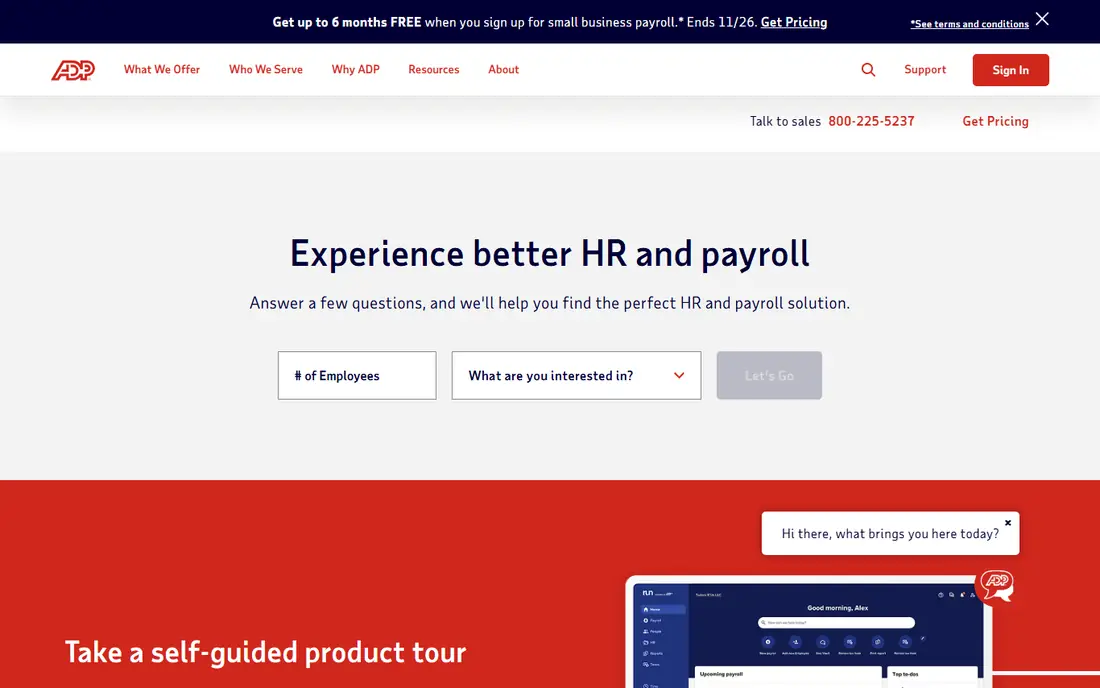
ADP has the deepest payroll heritage in this list, with tax filing, multi-state rules, and managed services built over decades. Workforce Now suits mid to large employers that want a service-heavy payroll backbone, with options to add benefits, time, and talent tools. Global payroll extends to many countries through ADP products and partners.
Pricing is not published, and the all-in-one model runs at a premium. Firms that prioritize compliance certainty over a modern interface often pick ADP for that reason.
- Deep tax and compliance infrastructure
- Wide product range
- Global payroll reach
- Pricing is quote-based
- Support quality can vary by account

UKG Pro suits large organizations with hourly, shift-based, and distributed workforces. Scheduling, time tracking, absence, and payroll live in one platform, which helps managers control labor costs and fill shifts. Recruiting, learning, and analytics are also included, so the system covers more than payroll alone.
Setup is not plug-and-play, and reporting takes training to use well. For a firm where workforce complexity is the main problem, that depth is worth the effort.
- Strong workforce management
- Scheduling and time tools
- Configurable HCM platform
- Setup asks a lot of your team
- Reporting can feel technical
Dayforce, from Ceridian, calculates pay continuously as time and schedule data change, rather than only at the end of a pay period. That design helps managers see labor costs in real time and catch errors before payroll closes. HR, time, talent, and payroll share one database, which reduces the reconciliation work of separate systems.
Like other enterprise suites, Dayforce needs a planned rollout with data migration and testing. For a mid to large firm that wants payroll and workforce management tightly linked, it is a strong contender.
- Continuous payroll calculations
- Single database for HR, time, and pay
- Strong compliance tools
- Quote-based pricing
- Implementation needs careful planning
Oracle Cloud HCM Payroll suits firms already standardized on Oracle ERP and HCM. Payroll, finance, and HR data share the Oracle cloud, which simplifies reporting and reduces integration work. Global payroll and compliance tools cover many countries, and the system scales to very large workforces.
Firms outside the Oracle world will find less reason to choose it over Workday or ADP. For an Oracle shop, the native integration is a clear advantage.
- Native Oracle ERP and HCM integration
- Global payroll coverage
- Strong compliance and reporting
- Quote-based pricing
- Best value only inside an Oracle stack
SAP SuccessFactors with Employee Central Payroll suits global firms running SAP for finance and operations. HR, time, and payroll data stay in the SAP world, which helps with reporting and compliance across countries. The system handles complex pay rules, unions, and multi-country requirements.
Implementation is a major project, and the system rewards firms with SAP expertise in-house or through a partner. For a SAP-standardized enterprise, it is the logical payroll choice.
- Native SAP HCM integration
- Employee Central Payroll for complex needs
- Global coverage
- Quote-based pricing
- Implementation is a major project
Rippling is the modern option in this list, with HR, payroll, IT device management, and spend tools on one platform. Pricing is published, starting at $8 per employee per month plus a monthly base fee, which makes budgeting far easier than with quote-based rivals. Onboarding, offboarding, and payroll automations reduce manual work for growing firms.
Very large global firms may still need Workday, Oracle, or SAP depth for complex cases. For a growing firm that wants one platform for HR, payroll, and IT, Rippling is the clearest value in this list.
- Published pricing
- HR, payroll, IT, and spend in one platform
- Fast setup for its class
- Base fee applies on top of per-employee price
- Enterprise depth is less than Workday
Paycom runs HR, payroll, time, and talent on a single database, which cuts the errors that come from syncing separate systems. Employees can review and verify their own payroll data before payday, which catches mistakes early. Automation covers onboarding, benefits, and time-off workflows.
Pricing is quoted, and the platform is built for mid-market and enterprise firms rather than small teams. For a firm that values data accuracy and employee self-service, the single-database design is a real strength.
- Single database for HR and payroll
- Employee-driven payroll checks
- Strong automation
- Quote-based pricing
- Interface and pricing suit mid to large firms, not small teams
Paylocity suits mid to large firms that want modern payroll with a clean employee experience. Payroll, time tracking, benefits, and HR tools live in one system, and employees get mobile access to pay, schedules, and documents. That usability helps adoption, which matters when a rollout covers thousands of staff.
Global payroll depth is thinner than at ADP, Workday, or SAP, so firms with large international headcounts should check coverage country by country. For a mainly US workforce, Paylocity is a strong, user-friendly choice.
- Modern interface
- Payroll, time, and benefits in one system
- Strong employee tools
- Quote-based pricing
- Global payroll depth is less than ADP or Workday
How we picked these
We compared official product pages, payroll scope, global coverage, time and workforce tools, and published pricing, plus public user feedback on implementation and support. We favored tools with proven large-employer deployments, tax filing, and audit reporting. We did not run payroll for a live company on each tool, so ask vendors for a parallel-run plan and customer references in your industry before signing.
What to check before you buy large business payroll software
Tax, compliance, and audit needs
List every state and country where you employ staff, plus union, shift, and benefits rules that affect pay. Confirm tax filing, year-end forms, and audit trails are covered, and ask who is liable if a filing is late. This is general information only, not tax or legal advice, so have your tax and legal advisers review the contract.
Implementation and data migration
Ask for a realistic timeline, a data migration plan, and a parallel-run schedule. Large payroll projects often take 6 to 18 months, and the main risks are dirty data, missed pay rules, and poor training. Insist on parallel runs until results match your old system.
Total cost over three years
License fees are only part of the bill. Add implementation, integrations, training, support, and any per-payroll charges. Quote-based vendors should give a three-year total in writing, so you can compare Rippling published pricing fairly against enterprise quotes.
FAQ
What is the best payroll software for large business?
Workday leads for global enterprises, ADP leads for compliance depth, and UKG Pro and Dayforce lead for large hourly workforces. Rippling leads for growing firms that want published pricing and HR plus IT in one platform. The best payroll software for large businesses follows your ERP, workforce type, and global footprint.
How much does enterprise payroll software cost?
Most enterprise vendors are quote-based, while Rippling publishes $8 per employee per month plus a base fee. Expect first-year total cost, including implementation, to run well above the license fee alone. Always get a three-year total cost in writing.
Should large businesses use a PEO?
A professional employer organization suits fast-growing firms that want to outsource HR compliance, benefits, and payroll administration. The trade-off is control, since the PEO becomes the employer of record for tax and benefits. Firms with established HR teams usually prefer direct HCM software.
How long does enterprise payroll implementation take?
Mid-market platforms often take around 6 months, while Workday, Oracle, and SAP projects often take 12 to 18 months. Data migration, integrations, parallel runs, and change management drive the timeline, so budget a dedicated internal team.
What is the difference between Workday and ADP?
Workday is a unified cloud HCM with finance and planning, best for global firms that want one system. ADP is the payroll specialist with the deepest tax and compliance infrastructure. Workday leads on unified analytics, while ADP leads on payroll processing depth.