Best Payroll Software for Construction Company in 2026: 8 Tools Compared
Finding the best payroll software for construction company work? We compare 8 tools for certified payroll, union pay, and field time tracking needs. Learn more.
- Editor's choice
 Foundation Software
Established contractors on union and public work
Starts atSee websiteVisit foundationsoft.comFull review - Great alternative
 Payroll4Construction
Owners who want payroll fully handled
Starts atSee websiteVisit payroll4construction.comFull review - Also consider
 Deltek ComputerEase
Mid-size contractors wanting accounting plus payroll
Starts atSee websiteVisit deltek.comFull review
TL;DR:
- Construction payroll is not generic payroll, because certified payroll, prevailing wage, and union fringe rules change the math on every job.
- Contractors on public work should shortlist tools with built-in certified payroll reporting, not tools that need a spreadsheet workaround.
- Field time tracking that feeds job costing directly into payroll saves more time than any single payroll feature.
- General payroll tools suit small residential crews on private work, but they rarely handle Davis-Bacon reporting on their own.
- Always get a written first-year total, because construction vendors often quote rather than publish prices.
Quick comparison
| Tool | Best for | Starts at | Free plan? | |
|---|---|---|---|---|
| Foundation Software | Established contractors on union and public work | See website | No | Visit |
| Payroll4Construction | Owners who want payroll fully handled | See website | No | Visit |
| Deltek ComputerEase | Mid-size contractors wanting accounting plus payroll | See website | No | Visit |
 Miter | Field-heavy crews with compliance needs | See website | No | Visit |
 Lumber | Public-works contractors | See website | No | Visit |
 Gusto | Small residential trade shops | $49 per month | Free trial | Visit |
 QuickBooks Payroll | Contractors already on QuickBooks | $50 per month | Free trial | Visit |
 OnPay | Small firms wanting one flat rate | $49 per month | Free trial | Visit |
The best payroll software for construction companies
A construction crew is rarely in one place, on one rate, or on one job in a pay period. Workers move between jobs, earn different rates, and may fall under union or prevailing-wage rules. The tools below are ranked by how well they handle that reality, not just by how simple the payroll run looks.
Foundation Software
Best for: Established contractors on union and public work
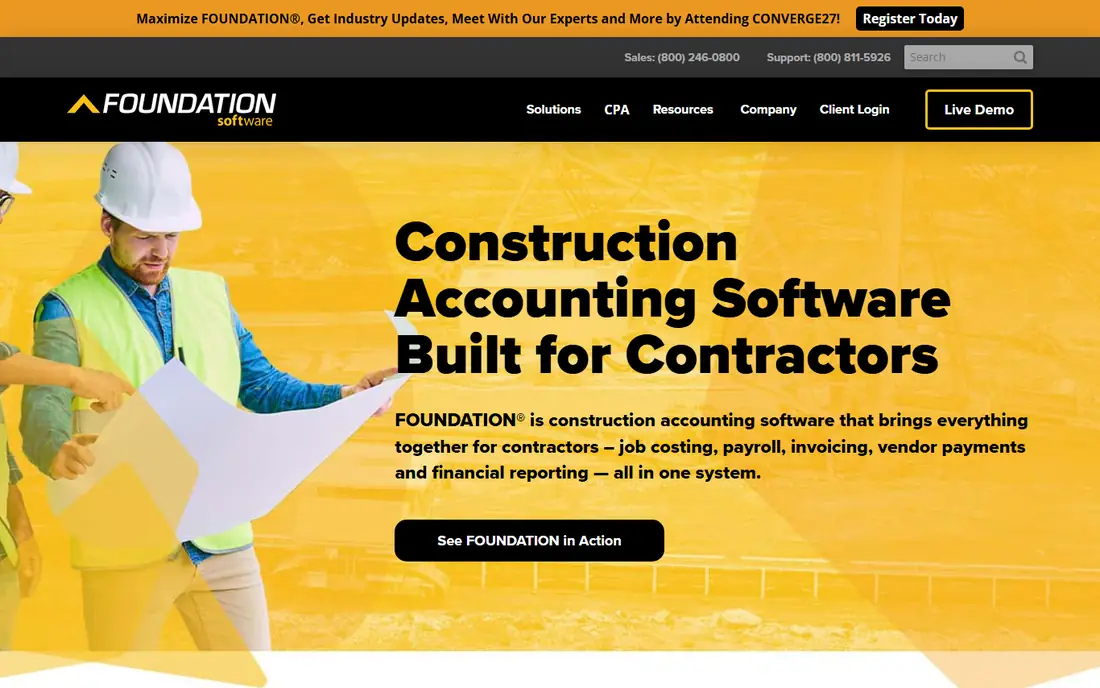
Foundation Software is the safe pick for contractors whose work includes government or union jobs. Certified payroll reports, fringe calculations, and job cost tracking are core features, not add-ons you bolt on later. That matters when an audit asks for a clean paper trail by job, worker, and pay period.
The trade-off is a heavier setup. Pricing is quoted, training takes time, and the interface will not win design awards. For an established contractor with complex pay rules, that is a fair exchange. For a two-person residential crew, it is more system than you need.
- Built-in certified payroll and union fringe handling
- Job costing tied to payroll
- Long history with contractors
- Quote-based pricing
- Implementation takes planning
- Interface feels dated next to newer tools

Payroll4Construction suits owners who would rather hand payroll to specialists than hire another office employee. The service is built around construction pay rules, including prevailing wage and union reporting, and the team handles filings and calculations on your behalf. That removes a major source of errors for small offices.
The catch is control. A managed service means changes go through the vendor team, and pricing is quoted per company. If you like to run payroll yourself at midnight, a software-only tool fits better. If you want payroll off your desk, this is one of the strongest specialist options.
- Specialist service for construction payroll
- Handles certified payroll and tax filings
- Dedicated support from construction specialists
- Quote-based pricing
- Less self-serve control than software-only tools
- Relies on the vendor team for changes

Deltek ComputerEase appeals to mid-size contractors who are tired of reconciling payroll with a separate accounting system. When payroll, job costs, and project billing live in one system, month-end close gets cleaner and job profitability becomes easier to trust. Certified payroll support helps firms that mix private and public work.
It is not a light tool. Implementation and training take real time, and small crews may not use enough of the system to justify it. Firms upgrading from spreadsheets or a generic accounting tool, with several concurrent jobs, are the natural fit.
- Accounting and payroll from one vendor
- Job costing and project tracking
- Certified payroll support
- Quote-based pricing
- Learning curve for new users
- Best value at mid-size scale
Miter is built for crews that spend their days on site, not in an office. Workers log time from the field, managers approve it, and payroll picks up job codes, rates, and fringe rules without retyping. For multi-state union contractors, that flow, plus federal and state certified payroll reports, is the core selling point.
Being newer than Foundation or Deltek cuts both ways. The interface feels modern and the mobile experience is strong, but long-term track record is shorter. Ask for references from contractors with a similar mix of union and public work, and confirm which accounting systems it connects with out of the box.
- Modern field time tracking
- Certified payroll and union fringe support
- Labor cost data sent to accounting systems
- Quote-based pricing
- Newer vendor than the established names
- Some accounting integrations depend on setup
Lumber targets public-works contractors directly, with certified payroll and fringe handling at the center rather than the edge. Built-in time tracking feeds payroll, and integrations with accounting tools such as QuickBooks, Sage, and Procore help keep job costs in sync. That focus makes evaluation simpler: if public work dominates your book, Lumber deserves a demo.
The limit is breadth. Firms that also want deep general HR, benefits administration, and performance tools may need a second system. Price is quoted by active employees, so get a written estimate based on your peak crew size, not your average.
- Built-in time tracking
- Federal and state certified payroll reports
- Union and non-union fringe handling
- Quote-based pricing
- Focused on construction, so general HR features are thinner
- Newer vendor
Gusto is our pick for small residential shops doing mostly private work. Setup is fast, the employee experience is polished, and tax filings, new hire reporting, and contractor payments are handled without specialist knowledge. The Simple plan starts at 49 dollars per month plus 6 dollars per person, with higher tiers adding multi-state payroll and time tracking.
The honest limit is construction depth. Certified payroll and complex prevailing-wage reporting are not Gusto strengths, so public-works firms should look higher on this list. If your jobs are private, your crew is small, and you value simplicity over specialist reporting, Gusto is hard to beat.
- Simple setup and clean interface
- Full-service tax filings
- Contractor payments and 1099s in one place
- Certified payroll is not a core feature
- Multi-state and job costing needs grow costly
- Limited construction-specific reporting
QuickBooks Payroll makes sense when the accounting system is already QuickBooks. Payroll data flows into job costs and books without an extra integration, and most bookkeepers already know the interface. The Workforce Core plan starts at 50 dollars per month plus a per-employee fee, with a free trial to test the flow.
For public work, be careful. Federal certified payroll reporting exists but needs project, timesheet, and pay-type setup, plus manual completion in some cases. Union fringe handling is not as deep as in specialist tools. Test your actual certified payroll output during the trial before committing.
- Payroll inside the accounting system you already use
- Time tracking and job costing links
- Familiar interface for bookkeepers
- Certified payroll reporting needs setup and manual completion
- Per-employee fees add up
- Union fringe handling is limited
OnPay suits very small contractors who want predictable pricing and a clean payroll run. The rate is 49 dollars per month plus 6 dollars per worker, and the first month is free on trial terms, which makes it easy to compare with Gusto on total cost. Tax filings, direct deposit, and new hire reporting are included.
As with other general tools, construction-specific reporting is the gap. If you take on a public job, you may need a separate certified payroll process, which erases the simplicity advantage. For private residential work with a stable crew, OnPay is a solid, budget-friendly choice.
- One flat monthly rate plus per-worker fee
- Full-service tax filings
- Simple interface for small teams
- No construction-specific certified payroll depth
- Limited job costing
- Fewer integrations than larger platforms
How we picked these
We compared vendor pricing pages, product documentation, and recent construction payroll comparisons, focusing on certified payroll, union fringe handling, field time tracking, and job costing. We favored tools with a genuine construction focus for public and union work, and included general payroll tools only where they clearly fit small private crews. We did not run payroll ourselves, and construction pricing is often quoted, so we show published prices where available and a quote note elsewhere.
How to choose construction payroll software
Start by listing your non-negotiables: certified payroll or not, union fringes or not, number of states, and whether field time must flow into job costs. That list alone will cut most tools. Next, test the actual reports your jobs require, not a demo report, and ask who owns tax filings and corrections if a report is wrong.
Then price the first year honestly. Add per-employee fees, state registration, time tracking, and any certified payroll module, and compare at peak crew size. Finally, check the switch: how historical payroll data moves over, how long training takes, and whether support understands construction pay rules or just general payroll. A vendor that cannot explain prevailing wage in plain terms is a warning sign.
FAQ
What is the best construction payroll software?
For public and union work, specialist tools such as Foundation Software, Payroll4Construction, and Miter lead, because certified payroll and fringe handling are built in. For small private crews, Gusto, QuickBooks Payroll, and OnPay are simpler and cheaper. Match the tool to your job mix, not to the longest feature list.
Does Gusto handle certified payroll for construction?
Gusto does not advertise certified payroll as a core feature, and public-works contractors should not assume it covers Davis-Bacon reporting. It handles general payroll, taxes, and multiple pay rates well for private work. If certified payroll is required, shortlist a construction specialist and test its reports first.
What is certified payroll, and why does it matter?
Certified payroll is a weekly report, often on federal form WH-347, showing workers, hours, rates, and deductions on public works jobs. Agencies use it to check prevailing-wage compliance, and errors can lead to penalties or payment holds. Tools that generate it directly from time and pay data cut error risk sharply.
How much does construction payroll software cost?
General tools publish prices from about 49 dollars per month plus a per-worker fee, while specialist construction tools usually quote per company. Total cost depends on crew size, states, and whether certified payroll or managed service is included. Always request a written first-year total at peak headcount.
Should a small contractor outsource payroll or use software?
Outsourcing suits owners with no office staff and complex pay rules, because a specialist team handles filings and compliance. Software suits owners who want control, have a bookkeeper, and run mostly private work. A managed construction service is a middle path worth pricing against both options.
Can field time tracking feed directly into payroll?
Yes, on the specialist tools in this list and on higher tiers of general tools. Workers log hours by job and cost code from a phone, managers approve, and payroll imports the approved hours. That flow reduces retyping errors and keeps job costs current, which is why we weight it heavily.