Best Payroll Services for Self Employed in 2026: 8 Products Compared
Find the best payroll service for self employed workers in 2026, with clear pricing, tax filing, and contractor pay compared for solo owners in detail.
- Editor's choice
 Gusto
All round payroll and HR
Starts at$40 per month plus $6 per personVisit gusto.comFull review - Great alternative
 OnPay
One simple plan
Starts at$40 per month plus $6 per workerVisit onpay.comFull review - Also consider
 Patriot Software
Low cost full service payroll
Starts at$37 per month plus $4 per personVisit patriotsoftware.comFull review
TL;DR:
- Self employed owners usually need contractor pay, tax filing, and simple pay runs more than full HR tools.
- Gusto and OnPay give the broadest all round cover, while Patriot keeps monthly costs lower.
- Check whether tax filing is included, since a low headline price can rise fast with add-ons.
- If you pay only contractors, a contractor-only plan can cost less than a full employee plan.
Quick comparison
| Tool | Best for | Starts at | Free plan? | |
|---|---|---|---|---|
| Gusto | All round payroll and HR | $40 per month plus $6 per person | Free trial | Visit |
| OnPay | One simple plan | $40 per month plus $6 per worker | Free trial | Visit |
| Patriot Software | Low cost full service payroll | $37 per month plus $4 per person | Free trial | Visit |
 Square Payroll | Retail, food, and hourly teams | $35 per month plus $6 per person | Free trial | Visit |
 SurePayroll | Simple payroll and household payroll | $29 per month plus $7 per employee | No | Visit |
 QuickBooks Payroll | QuickBooks accounting users | $50 per month plus $6 per employee | Free trial | Visit |
 Wave Payroll | Wave accounting users | $20 per month plus $6 per employee | No | Visit |
 Homebase | Hourly teams and scheduling | See website | Free trial | Visit |
The best payroll services for self employed
We compared payroll services that work for a solo owner, a tiny team, or a mix of employees and contractors, with tax filing and pay run ease at the front of the list.

For solo owners who want payroll and basic HR in one place, Gusto is a practical starting point. Its payroll runs, tax filings, and contractor payments sit in one dashboard, which saves time at month end. Gusto also handles direct deposit, pay stubs, and year end forms, which keeps the basics covered without extra tools. The trade-off is some useful HR features sit on higher priced plans, so the starting plan may feel thin as a team grows Check the plan limits before you commit, and run a short trial with real work so you can see whether the daily workflow fits your team.
- Automatic tax filing
- Clean setup
- Contractor pay included
- Higher tiers needed for some HR tools
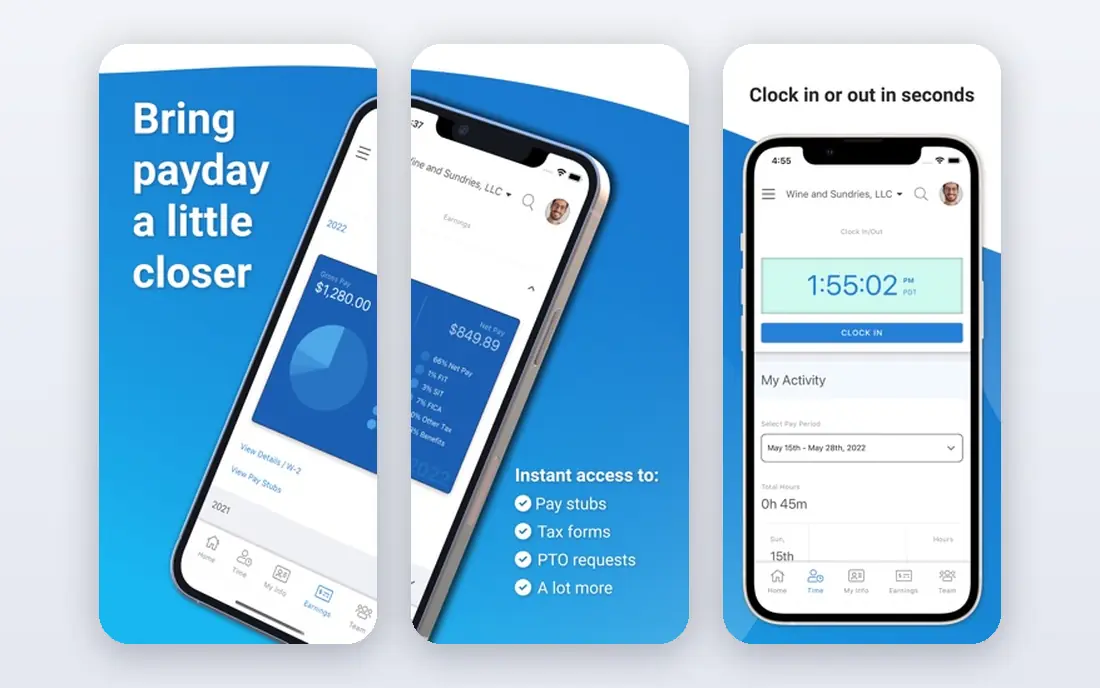
If you want one simple payroll plan, OnPay deserves a close look. Its single plan includes federal and state tax filing, which makes the monthly bill easy to predict. OnPay supports employee and contractor payments in the same run, plus direct deposit and tax forms. The trade-off is it offers fewer built-in HR extras than larger platforms, so growing teams may add other tools later Check the plan limits before you commit, and run a short trial with real work so you can see whether the daily workflow fits your team.
- Single plan with tax filing included
- Multi-state pay runs
- Clear pricing
- Fewer HR extras than larger suites
Owners who need low cost payroll will find Patriot Software a solid fit. Its full service plan keeps the monthly base fee below most rivals, which helps when headcount is small. Patriot also covers direct deposit and year end forms, and the setup is straightforward for a first payroll system. The trade-off is the cheapest tier does not include full service tax filing, so read the tier details before you buy Check the plan limits before you commit, and run a short trial with real work so you can see whether the daily workflow fits your team.
- Low starting cost
- Unlimited pay runs
- US based support
- Full service tax filing is a step up from the basic tier
Square Payroll stands out for hourly team payroll, and it suits shops and cafes paying hourly staff. Its time tracking and team tools fit shift based work well, and tax filing is included in the plan. Square Payroll handles tips, overtime, and contractor payments, which matters for food and retail schedules. The trade-off is owners who do not use Square may find less reason to choose it over a general payroll service Check the plan limits before you commit, and run a short trial with real work so you can see whether the daily workflow fits your team.
- Strong fit for hourly staff
- Time tracking included
- Tax filing included
- Best value if you already use Square tools
When simple payroll is the priority, SurePayroll is worth shortlisting. Its full service plan is easy to run, and the dedicated household plan is a rare option for nanny and caregiver payroll. SurePayroll includes direct deposit and year end forms, and it suits owners who do not need a wide HR suite. The trade-off is multi-state payroll adds a monthly fee, and HR tools are thinner than on larger platforms Check the plan limits before you commit, and run a short trial with real work so you can see whether the daily workflow fits your team.
- Simple pay runs
- Household payroll option
- Tax filing on the full plan
- Multi-state payroll costs extra
- Limited HR tools
A good match for owners already running QuickBooks Online, QuickBooks Payroll keeps the setup simple. Payroll posts straight into the books, which cuts manual entry and keeps wage costs visible in reports. QuickBooks Payroll supports same day direct deposit on higher tiers and handles federal and state filings. The trade-off is the price is higher than lean rivals, and owners outside QuickBooks get less benefit from the integration Check the plan limits before you commit, and run a short trial with real work so you can see whether the daily workflow fits your team.
- Deep QuickBooks integration
- Automatic tax filing
- Contractor pay
- Higher cost than simpler rivals
- Best value inside QuickBooks
Teams focused on low cost Wave payroll often land on Wave Payroll first. Its self serve plan is cheap for Wave users, and the interface stays simple for a solo owner. Wave Payroll covers pay runs, direct deposit, and tax forms, with the full service option for owners who want filings handled. The trade-off is full service tax filing is an add-on, so the total can rise once that service is added Check the plan limits before you commit, and run a short trial with real work so you can see whether the daily workflow fits your team.
- Low base price for Wave users
- Simple interface
- Contractor pay
- Full service tax filing costs extra
- Support is mainly by email
For a no-fuss route to payroll plus scheduling, Homebase is a strong option. Its scheduling, time clock, and hiring tools sit beside payroll, which suits shift based businesses. Homebase also offers team messaging and hiring posts, which helps small shops manage staff in one place. The trade-off is owners who only need payroll may find the wider platform more than they need Check the plan limits before you commit, and run a short trial with real work so you can see whether the daily workflow fits your team.
- Scheduling and time tracking built in
- Hiring tools
- Payroll add-on
- Payroll is part of a wider platform, so pure payroll buyers may pay for extras
How we picked these
We compared official feature pages, pricing pages, app store listings, privacy policies, and public user reviews for each product, and we kept only products that are available and working in October 2026 and that truly fit the topic. Where a vendor did not publish a clear starting price, we wrote See website rather than guessing a number. We also weighed ease of setup, the cost of the plan most small buyers would actually start on, and whether the core features work without a long list of paid add-ons. Products that looked strong on paper but failed on basic fit, current availability, or clear pricing were left out. We also checked whether free plans and trials let a buyer test the core workflow before paying, and whether support is reachable by phone, chat, or email during business hours. A product that scored well on features but hid pricing, renewal terms, or support limits was marked down in our comparison.
Choosing payroll when you work for yourself
Start with how you pay people
If you pay only yourself through an LLC or S corporation, or only contractors, you may not need a full employee plan. List who gets paid, how often, and in how many states, then match that list to a plan. A contractor-only option can save money, but check that it still files the 1099 forms you need.
Read the tax filing line closely
Full service tax filing means the vendor files federal and state payroll taxes for you, while a self serve plan leaves that work with you. For most solo owners, full service filing is worth the extra monthly cost, since a missed filing can bring penalties. Confirm which states are included and whether year end W-2 and 1099 forms cost extra.
Price the first year, not just month one
Add the base fee, the per person fee, state fees, and any add-ons for time tracking or multi-state payroll. Promotional months can hide the renewal price, so ask what you will pay in month 13. A slightly higher monthly plan with filing included often beats a cheap plan with filing sold separately.
Before you buy, run a short trial with your real workload, invite the people who will use the tool daily, and note any friction in setup, billing, or support. A tool that feels easy in a demo can still slow a team down if daily tasks take extra clicks, so the trial is the best test of fit.
FAQ
Do self employed people need payroll software?
If you have employees, or you pay yourself a salary through a corporation, payroll software helps with tax withholding, filings, and pay records. Sole proprietors with no employees and only contractor payments may manage with a contractor plan or a simpler payment tool, but filings still need care.
What is the difference between full service and self serve payroll?
Full service payroll files payroll taxes for you and usually handles year end forms. Self serve payroll calculates pay and taxes but leaves filing and payment to you, which saves money and adds work and risk.
Can payroll software pay contractors?
Yes, most services on this list pay contractors and file 1099 forms, though some charge a per contractor fee. If contractors are your only payees, ask about a contractor-only plan before paying for a full employee plan.
How much does payroll cost for one person?
Costs vary by plan and state, but a solo owner should expect a base fee plus a per person fee each month, plus state filing fees where they apply. The table above shows starting prices, and the final bill depends on add-ons and headcount.
Is direct deposit included?
Yes, direct deposit is standard on the services listed here. Check the deposit timing, since some plans offer faster deposit only on higher tiers, which matters if your team expects pay on a fixed day.