Best Paper Trading Platforms in 2026: 8 Platforms Compared
Searching for the best paper trading platform? We compared 8 free and low-cost simulators for stocks, options, and futures practice in 2026 before you start.
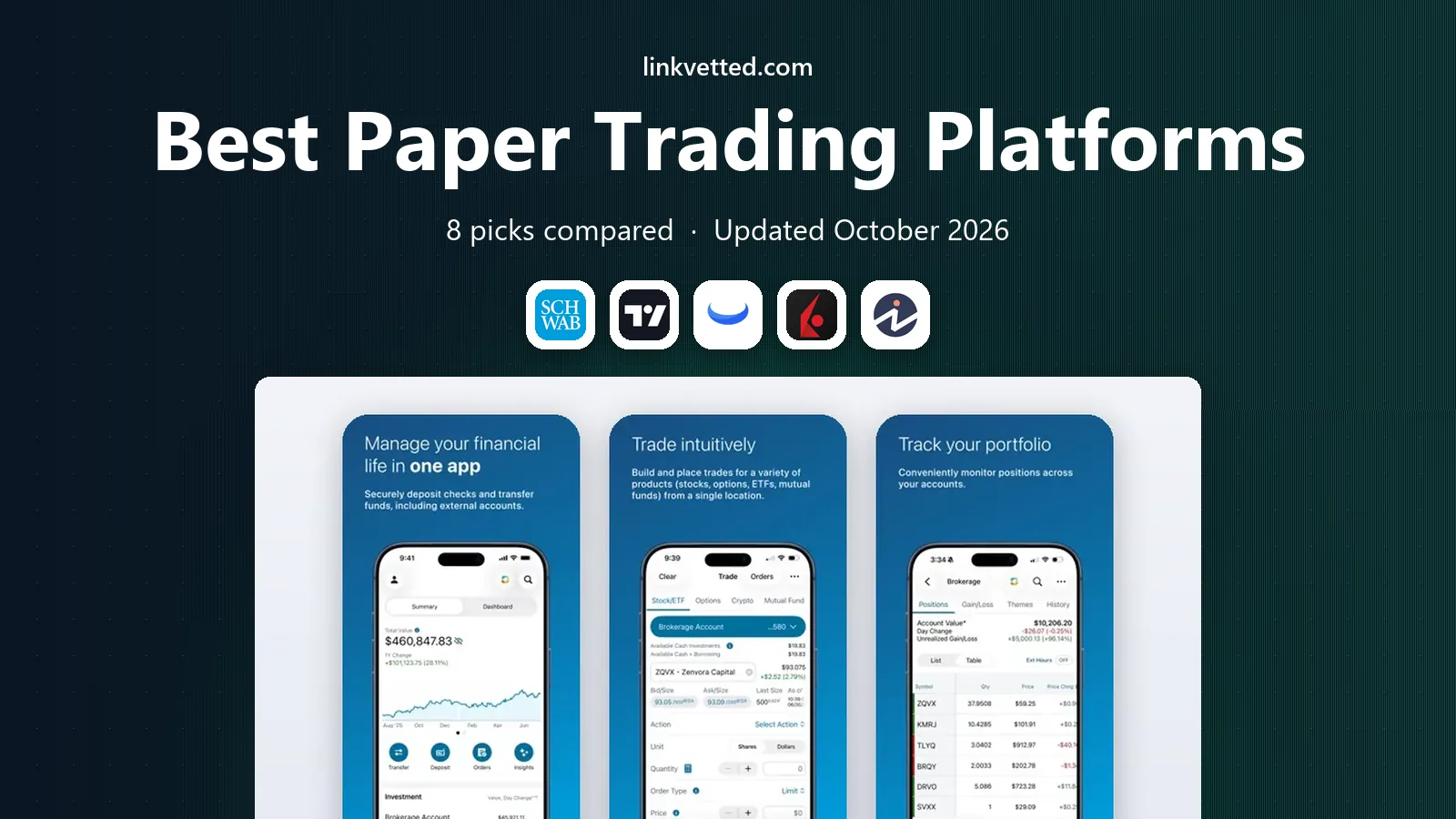
- Editor's choice
 thinkorswim paperMoney
Options and futures practice on a live-style platform
Starts atFreeVisit schwab.comFull review - Great alternative
 TradingView
Practicing entries and exits directly on charts
Starts atFreeVisit tradingview.comFull review - Also consider
 Webull
Mobile-first beginners learning order basics
Starts atFreeVisit webull.comFull review
TL;DR:
- thinkorswim paperMoney is the strongest all-round simulator for options and futures practice, because it mirrors the live platform.
- TradingView is the best pick for chart-based practice, while Webull is the easiest mobile-first starting point.
- Investopedia and MarketWatch suit slow, education-focused practice and classroom-style games.
- Paper profits do not prove live results, since fills, fees, emotions, and slippage all differ when real money is at stake.
Quick comparison
| Tool | Best for | Starts at | Free plan? | |
|---|---|---|---|---|
| thinkorswim paperMoney | Options and futures practice on a live-style platform | Free | Yes | Visit |
| TradingView | Practicing entries and exits directly on charts | Free | Yes | Visit |
| Webull | Mobile-first beginners learning order basics | Free | Yes | Visit |
 Interactive Brokers | Traders who plan to use a professional platform live | Free | Yes | Visit |
 Investopedia Simulator | Slow, education-focused stock practice | Free | Yes | Visit |
 MarketWatch Virtual Stock Exchange | Trading games and friendly competitions | Free | Yes | Visit |
 eToro Demo Account | Practice with a social trading interface | Free | Yes | Visit |
 NinjaTrader | Futures practice and historical replay | Free | Yes | Visit |
The best paper trading platforms
This is not financial advice; trading carries risk. The platforms below use virtual money, so they are a safe way to learn mechanics and test a plan before any real capital is involved.
thinkorswim paperMoney
Best for: Options and futures practice on a live-style platform

paperMoney stands out because practice and live trading share the same platform. You learn the order ticket, the options chain, and the charting tools in the same place you would later use for real trades. That transfer matters, since a simulator that looks nothing like the live platform teaches less than it appears to.
The learning curve is real. New traders should start with simple stock orders, then move to one options strategy at a time, using the built-in education and analysis tools. Keep a written plan for each practice trade, including entry, exit, and maximum loss, or the simulator becomes a game rather than training.
- Mirrors the live thinkorswim platform
- $100,000 in virtual buying power
- Supports stocks, options, futures, and forex practice
- Requires a Schwab account for full access
- Interface can feel dense for absolute beginners
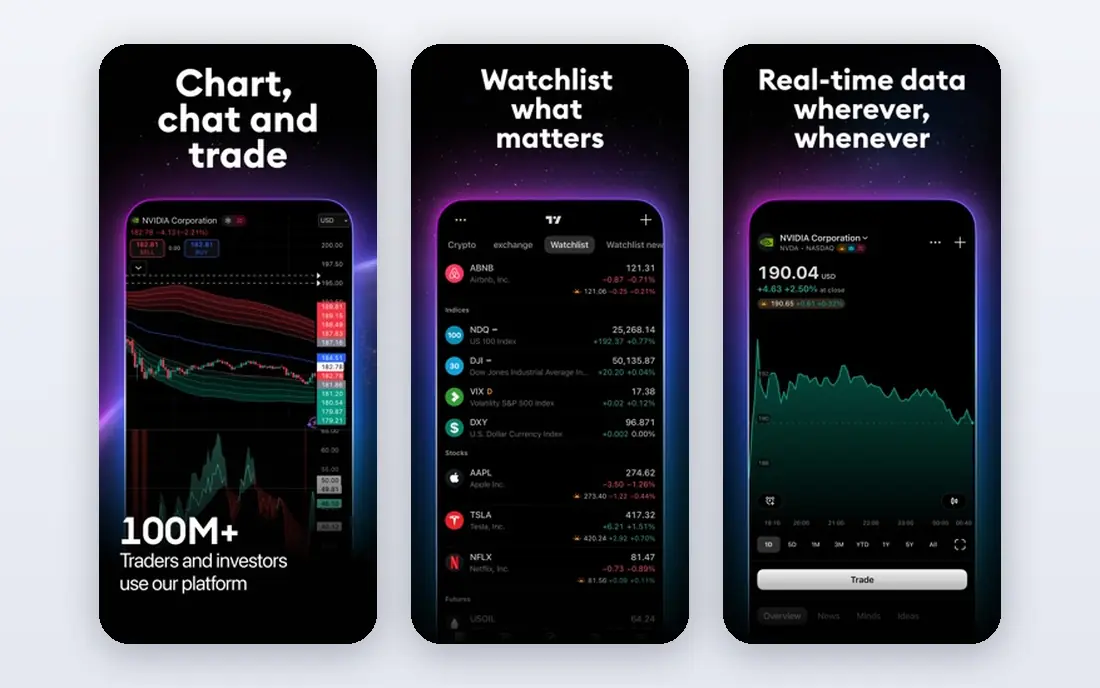
TradingView suits traders who think in charts first. You can place simulated orders from the chart itself, set stop-loss and take-profit levels visually, and review the trade against the same indicators you used to enter it. That loop is excellent for testing chart setups and position sizing.
It is less complete as a broker simulator. Options practice is missing from the built-in paper account, and fill modeling is simpler than a live broker. Use TradingView to validate chart ideas, and use a broker simulator to learn order types and execution.
- Paper trading built into the chart
- $100,000 virtual balance by default
- Works across stocks, forex, crypto, futures, and indices
- No options paper trading in the built-in simulator
- Some live market data requires a paid data add-on

Webull is the friendliest on-ramp on this list. The paper trading mode sits inside the same app as live trading, and you can start with virtual funds without funding an account for practice alone in many cases. Charts, indicators, and price alerts are included, which helps beginners connect analysis to execution.
Ignore the leaderboard. Chasing the highest simulated return teaches the opposite of good risk habits, since oversized trades that win once in practice often lose badly live. Set a fixed risk per trade, keep position sizes small, and review losing trades as carefully as winning ones.
- Free paper trading on mobile, desktop, and web
- Real-time quotes and charting tools
- Virtual balance can be reset
- Community leaderboards can encourage risky oversizing
- Some advanced features differ from the live ticket
Interactive Brokers
Best for: Traders who plan to use a professional platform live
Interactive Brokers is a serious choice for traders who already know they want a professional-grade platform. Practicing there teaches the exact order types, routing options, and account screens you would use live, including markets beyond US stocks. That depth is valuable, but it can overwhelm a first-time trader.
Beginners should not start here unless they have a clear reason to. If you do use it, begin with a small set of symbols and simple orders, and learn one tool at a time. A free trial paper account is also available with delayed data for a first look.
- Paper account mirrors the live platform and data subscriptions
- $1,000,000 virtual balance on a full paper account
- Broad global market coverage
- Platform is complex for beginners
- Full paper access follows a live account application
Investopedia is best for learning how a portfolio behaves over weeks and months. You can join a public game or create a private game with friends, classmates, or colleagues, setting your own starting cash and rules. The education articles on the same site make it easy to look up a concept right after a trade confuses you.
The delay is the main limit. Because quotes and fills lag the live market, this simulator cannot teach fast intraday timing. Use it for position building, diversification, and patience, and use a faster simulator for day-trading practice.
- Free with no deposit needed
- Custom games with your own rules
- Covers thousands of US stocks, ETFs, and options to buy
- Quotes and fills are delayed by about 20 minutes
- No dedicated mobile app
- Not suited to intraday chart practice
MarketWatch Virtual Stock Exchange
Best for: Trading games and friendly competitions
MarketWatch Virtual Stock Exchange has been a classroom staple for years, and its strength is social learning. You can set up a private game, agree on rules with a group, and compare portfolios over a set period. That structure helps beginners stay engaged longer than solo practice often does.
Do not expect broker-grade tools. The game format is simpler than thinkorswim or Interactive Brokers, and it is not the best place to test complex options strategies. It works best as a first step, paired with reading about risk, diversification, and position sizing.
- Easy to create private games
- Long-running community and classroom use
- Simple portfolio tracking
- Focused on games rather than pro order tools
- Less useful for options or futures strategy testing
eToro demo account gives beginners a clean way to practice in an app that also shows how other traders are positioned. Seeing other portfolios can spark ideas, but it should not replace your own plan. The demo is most useful when you treat it as a private test account and ignore the social feed for most sessions.
Be careful about borrowed-money trading and crypto if you later move to live trading, since both can produce losses larger than a beginner expects. In practice, keep to simple, no-borrowing trades until you can explain the risks of a product in plain language.
- Demo account with virtual funds
- Broad asset coverage including stocks and crypto
- Social features let you observe other traders
- Social and copy features can distract from independent testing
- Crypto and borrowed-money products carry extra risk live
NinjaTrader is the futures specialist here. Its simulator lets you practice futures orders without a deposit, and Market Replay lets you rewind and trade through past sessions at faster speeds. That combination is rare, and it is the main reason futures learners pick it.
Stock-only beginners may find the futures focus narrow, and the platform assumes some trading vocabulary. If futures interest you, start with one contract type, learn margin and tick values first, and use replay to practice the same setup many times before trading live.
- Free simulated trading with no time limit on the download
- Market Replay for practicing on past price action
- Strong futures charting and order tools
- Futures focus means less breadth for stock-only beginners
- Live data may be delayed without a subscription or funded account
How we picked these
We compared official platform pages, help centers, and current simulator guides for platforms available in October 2026. We favored simulators that are free to start, cover at least one major asset class well, and are still actively maintained. We did not claim hands-on testing, and we treated paper results as practice only, since simulated fills do not carry the same costs or emotions as live trading.
How to practice so it actually helps
Write your plan before you trade. A useful plan names the setup, the entry trigger, the stop level, the target, and the maximum risk per trade. Without those rules, paper trading rewards bold trades that would be reckless live, and you learn little from the result.
Keep a simple trade journal. Record the reason for each trade, the outcome, and what you would change next time. After 20 to 30 trades, patterns usually appear, such as entering too early, moving stops, or trading too often after a loss. Those patterns are the real lesson, not the final virtual balance.
Move to live trading slowly, if you move at all. Start with a small amount you can afford to lose, keep the same position sizing rules you practiced, and expect emotions to change your behavior. This is not financial advice; trading carries risk, and past paper performance does not predict live results.
FAQ
What is the best paper trading platform for beginners?
Webull is the easiest starting point for most beginners, because it is free, mobile-friendly, and simple to open. TradingView is a close alternative if you prefer chart-based practice. Start with one platform and simple stock orders before adding options or futures.
What is the best paper trading app for options?
thinkorswim paperMoney is the best pick for options practice, since it mirrors the live platform and supports multi-leg strategies. Webull also offers options paper trading on mobile. Practice one strategy at a time, and learn how time decay and volatility affect an options position before trading live.
What is the best app for paper trading stocks and ETFs?
Webull, TradingView, and Investopedia all cover stocks and ETFs well, but they suit different styles. Webull suits mobile practice, TradingView suits chart practice, and Investopedia suits slow portfolio learning. Pick the style you will actually use each week.
What is the best platform for paper trading futures?
NinjaTrader is the strongest futures simulator here, thanks to its free simulated trading and Market Replay feature. thinkorswim paperMoney is a good alternative for traders who also want stocks and options in one platform. Learn futures margin and contract sizes before placing any practice trade.
Is there a best paper trading platform for options on mobile?
Webull is the most practical mobile option for options paper trading, with a full app and resettable virtual funds. thinkorswim also has a mobile app, but its desktop platform is where the deeper options tools live. Test both on a phone before choosing, since screen size affects order entry.
How long should I paper trade before trading live?
There is no fixed number of weeks that fits everyone. A useful standard is 20 to 30 journaled trades following a written plan, with consistent risk sizing and a review of mistakes. Even then, start live with a small amount, since real money changes decision-making in ways practice cannot fully reproduce.