Best Outreach Link Building Tools in 2026: 9 Tools Compared
Compare the best outreach link building tools for finding contacts, sending pitches and tracking replies, with current pricing and honest limits for teams.
- Editor's choice
 Pitchbox
Agency-scale outreach campaigns
Starts atSee websiteVisit pitchbox.comFull review - Great alternative
 BuzzStream
Outreach CRM for small teams
Starts atSee websiteVisit buzzstream.comFull review - Also consider
 Postaga
Guided outreach campaigns for small businesses
Starts atSee websiteVisit postaga.comFull review
TL;DR:
- BuzzStream is the most practical outreach CRM for small teams, while Pitchbox suits agencies running many campaigns at once.
- Hunter and Snov.io solve the first step well, which is finding and verifying an editor's email address before you pitch.
- Cold email tools such as Lemlist, Mailshake and Smartlead handle sending, but they are not link building CRMs on their own.
- Good outreach still depends on a relevant pitch and a real page worth linking to, and no tool fixes a weak offer.
Quick comparison
| Tool | Best for | Starts at | Free plan? | |
|---|---|---|---|---|
| Pitchbox | Agency-scale outreach campaigns | See website | No | Visit |
| BuzzStream | Outreach CRM for small teams | See website | Free trial | Visit |
| Postaga | Guided outreach campaigns for small businesses | See website | Free trial | Visit |
 Hunter | Finding and verifying email addresses | $49 per month | Yes, limited | Visit |
 Lemlist | Personalised cold email at scale | $69 per month | Free trial | Visit |
 Mailshake | Simple cold email sequences | See website | Free trial | Visit |
 Woodpecker | Deliverability-focused email sending | See website | Free trial | Visit |
 Smartlead | High-volume sending across inboxes | See website | Free trial | Visit |
 Instantly | Cold email with a lead database | See website | Free trial | Visit |
The best outreach link building tools
Outreach tools cover different stages of the same job. Some find contacts, some store relationships, and some send follow-ups. We compared official feature and pricing pages, then picked tools that help with at least one stage without promising links that a tool alone cannot earn.
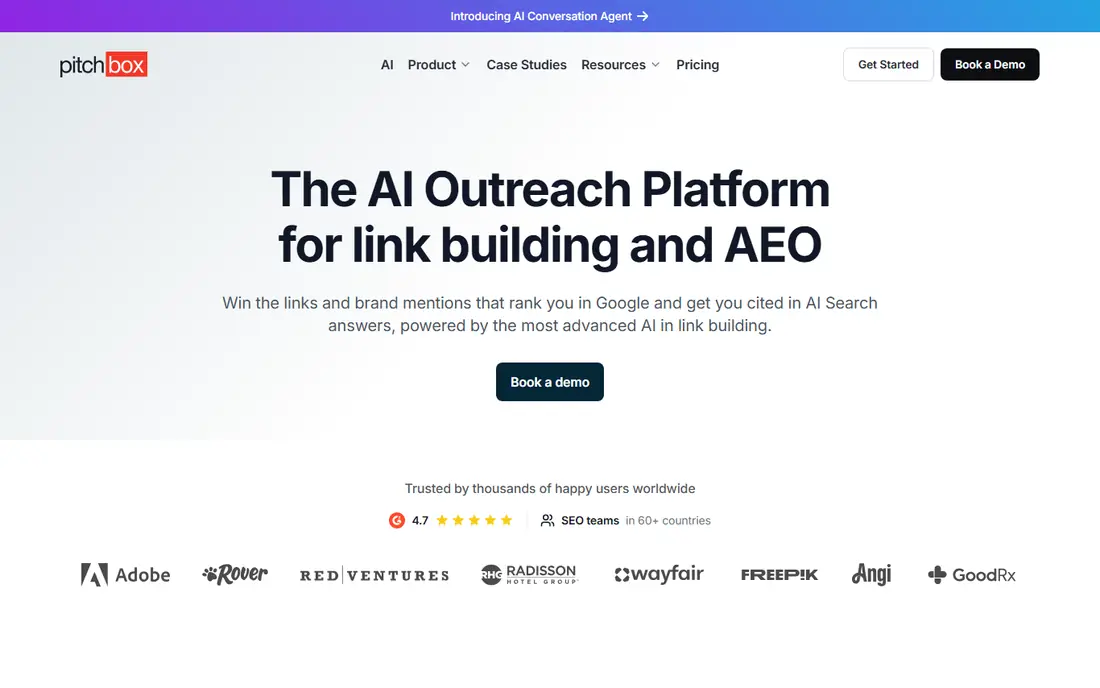
Pitchbox is built for teams that run outreach every day. It finds prospects, runs multi-step sequences, collects replies in one inbox and monitors links once they go live. For an agency with several clients, that single workflow saves hours of spreadsheet work each week.
The price is the barrier. Pitchbox is priced for agencies, and its plans carry a longer commitment than most small teams want. If you send only a few dozen pitches a month, a lighter CRM plus an email finder will do the same job for less.
- Prospecting, sequences and link monitoring in one place
- Integrations with major SEO data providers
- Team workflows and reporting
- High price and annual commitment
- More tool than a solo builder needs
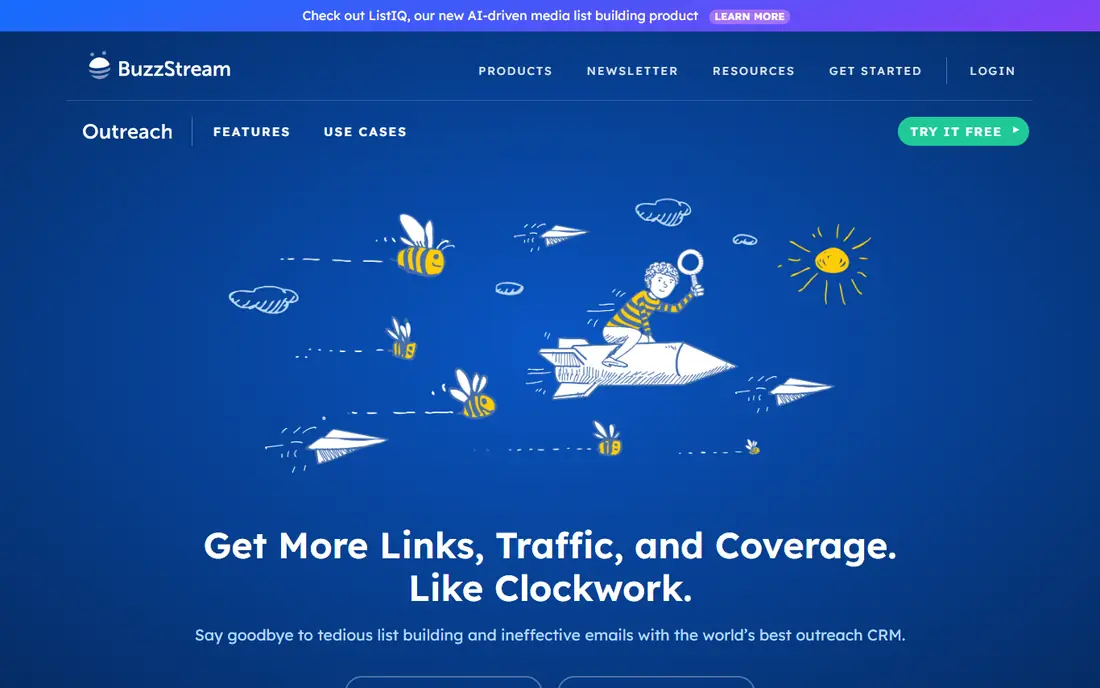
BuzzStream works like a CRM for relationships with editors and bloggers. You can store a site, its contacts, your pitch history and the current stage of each conversation, so two team members never pitch the same person twice. That record matters when outreach runs for months.
Its weakness is finding contacts in the first place. Most teams pair BuzzStream with Hunter or a similar finder to fill in email addresses. Higher plans add bulk sending and SEO integrations, so check which tier covers the sending volume you actually need.
- Keeps prospects, contacts and reply history in one place
- Link monitoring included
- Easy to avoid duplicate pitches
- Contact discovery is limited
- Advanced sending features sit on higher plans
Postaga suits a small business that wants guidance, not a blank CRM. It offers campaign templates for common link building tactics, finds prospects for each one, and walks you through sending and follow-ups. That structure helps a first-time outreach effort stay organised.
Larger teams may find it limiting. Custom workflows, deep reporting and multi-client management are weaker here than in Pitchbox or BuzzStream. For one site and a steady pace of pitches, though, the simplicity is a strength.
- Campaign types for guest posts, reviews and resource pages
- Built-in prospecting
- Simple setup for beginners
- Less flexible for complex agency workflows
- Smaller integration set than Pitchbox
Hunter answers the most common outreach question, which is who to email. Its domain search lists addresses found for a site, and its verifier checks whether an address is likely to accept mail. That check protects your sender reputation before a campaign starts.
Hunter also offers simple campaigns, but most teams use it as a finder and send from a CRM or a cold email tool. The free plan covers only a small number of searches and verifications each month, so regular outreach needs a paid plan.
- Domain search finds addresses tied to a site
- Email verifier reduces bounces
- Simple browser extension
- Not a full outreach CRM
- Free plan credits run out fast on large lists
Lemlist is a sending tool with strong personalisation. You can tailor each pitch with prospect details, add custom images, and run follow-ups automatically while keeping replies in one inbox. Its warm-up features help new domains build sending reputation gradually.
It does not replace an outreach CRM. Link status, prospect history across campaigns and editorial relationships are harder to manage here than in BuzzStream. Use Lemlist for sending, and keep a separate record of sites and links earned.
- Personalisation fields and images in emails
- Deliverability tools including warm-up
- Multichannel steps on higher plans
- Not built for link relationship tracking
- Costs rise with seats and add-ons
Mailshake keeps cold email simple. You build a sequence, add prospects, set follow-up timing, and watch replies, bounces and unsubscribes in one dashboard. That clarity suits a small team that wants to start pitching this week without learning a complex platform.
Prospecting is the gap. Mailshake does not find editors or judge site quality for you, so you need a separate list source. It also tracks email replies, not links, so record placements in a CRM or spreadsheet once a pitch succeeds.
- Easy sequence builder
- Built-in email warm-up
- Clear reply and bounce reporting
- Limited prospecting features
- Link tracking needs another tool
Woodpecker is a steady choice when deliverability matters more than flashy features. It paces sending, handles bounces, and keeps client campaigns separate, which helps agencies avoid mixing lists. Its reporting shows opens, replies and bounces without extra clutter.
The trade-off is scope. Woodpecker will not find prospects or score link opportunities, and its design is functional rather than modern. If you already have a good prospect list, that focus is fine. If you need prospecting too, pair it with Hunter or a CRM.
- Careful sending controls and bounce handling
- Good for agency client separation
- Clear campaign reporting
- Smaller feature set for prospect research
- Interface is plain compared with newer tools
Smartlead suits teams sending a large number of pitches across several inboxes. Its warm-up and inbox rotation features are designed to protect deliverability at volume, and its unified inbox gathers replies from all connected accounts. For agencies with heavy sending, that infrastructure helps.
Volume is also its risk. Sending more pitches does not improve results if the pitches are generic, and high volume raises complaint risk if lists are poor. Use it with a targeted list, a relevant offer and strict list hygiene, not as a way to blast every site in a niche.
- Unlimited warm-up on many plans
- Multiple inboxes per campaign
- Central inbox for replies
- Built for volume, not relationship depth
- Setup takes care to avoid spam complaints
Instantly combines a lead database with sending, which shortens the path from idea to first pitch. You can search for leads, build a sequence, warm up inboxes and track replies in one account. For a team starting outreach without an existing list, that bundle is convenient.
Lead quality still needs checking. Database entries can be outdated or off-topic, especially in small niches, so verify each prospect before pitching. Instantly also tracks emails, not links, so keep a separate record of earned placements and their status.
- Lead database for prospecting
- Warm-up and analytics included
- Fast campaign setup
- Lead data quality varies by niche
- Link relationship tracking is limited
How we picked these
We compared official feature pages, pricing pages and public documentation, and kept only tools that are actively sold in October 2026. We favoured tools that cover finding contacts, managing relationships or sending follow-ups, and we left out services that sell placements, since those are vendors, not tools you operate yourself. Each pick had to have a clear job and a stated limit.
How to run outreach without harming your site
Good outreach starts with a page worth linking to. Before you pitch, check that the page answers a real question, loads well and adds something the target site does not already have. Editors link to useful resources, not to pages that exist only to collect links.
Personalise, then follow up once or twice
Open with a specific reason you chose that site, name a page where a link would fit, and keep the first email short. One or two polite follow-ups are normal. More than that, or the same pitch sent to hundreds of unrelated sites, damages your reputation and your domain.
Protect your sender reputation
Warm up new inboxes, verify addresses before sending, and stop mailing domains that bounce or complain. Use a separate sending domain for outreach if your main domain carries important business mail. A damaged main domain affects far more than link building.
FAQ
What is the best outreach link building tool for a small team?
BuzzStream is the safest starting point for a small team, because it stores prospects and reply history in one place and includes link monitoring. Pair it with Hunter for finding emails. Larger teams that run many campaigns at once should trial Pitchbox, but only if the volume justifies its price.
Do outreach tools guarantee links?
No. A tool sends pitches and tracks replies, but an editor decides whether to link. Results depend on the quality of your page, the fit with the target site, and the relevance of your pitch. Any vendor that promises a set number of links for a tool subscription should be treated with care.
How many follow-ups should I send?
Two follow-ups after the first pitch is a common and polite limit. Space them several days apart, add a new reason to reply each time, and stop if there is no response. Continuing past that point rarely wins a link and often earns a spam complaint.
Is cold email for links against Google rules?
Google discourages manipulative link schemes, including paying for links that pass ranking signals and large-scale, low-quality outreach. Editorial links earned because a page is genuinely useful are different from bought or exchanged links at scale. Keep pitches relevant, avoid paying for links, and do not use misleading anchor text.
Should I buy a list of prospects?
A bought list usually hurts more than it helps, since it contains outdated addresses and unrelated sites. Build your own list from sites that already cover your topic, check each one for relevance, and verify its contact before pitching. A smaller, well-chosen list beats a large, generic one.
What metrics should I track in outreach?
Track pitches sent, reply rate, positive replies, links earned and links still live after three months. Reply rate shows pitch quality, while live links show real value. Also watch bounce and complaint rates, since high numbers signal list or sending problems that need fixing first.