Best Outbound Call Center Software in 2026: 8 Tools Compared
Our guide to the best outbound call center software in 2026 compares 8 dialers and contact centers, with power dialing, compliance tools, prices and tradeoffs.
- Editor's choice
 JustCall
Small outbound sales teams
Starts at$29 per monthVisit justcall.ioFull review - Great alternative
 Aircall
Simple SMB outbound calling
Starts at$30 per monthVisit aircall.ioFull review - Also consider
 CloudTalk
Growing teams on a budget
Starts at$25 per monthVisit cloudtalk.ioFull review
TL;DR:
- JustCall and CloudTalk are the easiest entry points for small outbound teams, while Five9 and NiCE CXone suit large centers with complex campaigns.
- Dialer type matters more than headline price: power, predictive and preview dialing fit different list sizes and call types.
- Do-not-call handling, time zone rules and consent records are not optional extras for outbound work in the US.
- Quote-only enterprise tools can cost far more than the per-seat figure suggests once minimums and usage fees are added.
Quick comparison
| Tool | Best for | Starts at | Free plan? | |
|---|---|---|---|---|
| JustCall | Small outbound sales teams | $29 per month | Free trial | Visit |
| Aircall | Simple SMB outbound calling | $30 per month | Free trial | Visit |
| CloudTalk | Growing teams on a budget | $25 per month | Free trial | Visit |
 Dialpad Sell | AI-assisted sales calling | $39 per month | Free trial | Visit |
 Talkdesk | Mid-size contact centers | $85 per month | Free trial | Visit |
 NiCE CXone | Enterprise outbound programs | $110 per month | Free trial | Visit |
 Five9 | Large high-volume centers | See website | Free trial | Visit |
 Convoso | Lead-driven dialing teams | See website | Free trial | Visit |
The best outbound call center software
Outbound software lives or dies on dialing speed, list quality and compliance controls. We compared tools on dialer modes, CRM links, reporting and published starting prices, and the eight below cover small sales teams through to large centers running many campaigns at once.
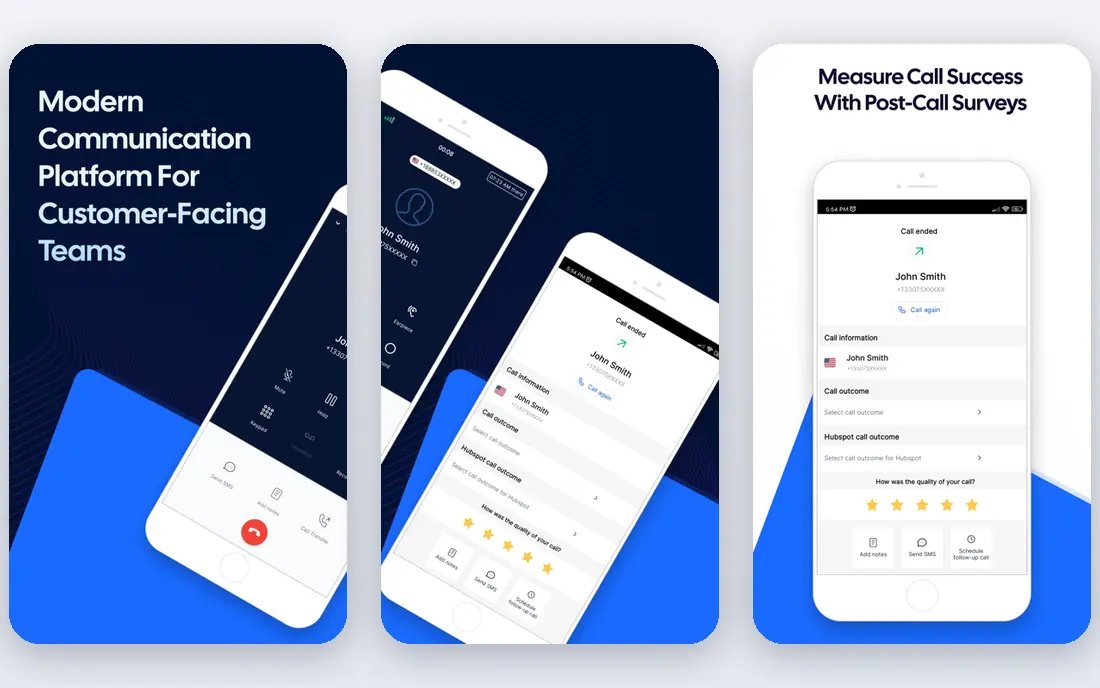
JustCall is a practical first dialer for a small team that needs to work a list every day without enterprise overhead. Agents get click-to-call, call notes, SMS and basic automation in one workspace, and managers can watch live activity and review recordings. The power dialer on Pro plans moves through a list faster than manual dialing, which matters when a team makes hundreds of calls a week.
The limits appear as a team grows. The fastest parallel dialing sits on higher plans that are priced on request, and compliance features still depend on keeping your own do-not-call lists clean. For a team of a few to a few dozen agents, JustCall hits a good balance of price and speed. Larger centers with strict pacing rules should compare it with Five9 or NiCE before committing.
- Power dialer on Pro plans
- SMS and calling in one place
- CRM links for common tools
- Advanced parallel dialing needs higher plans
- Minimum license count applies
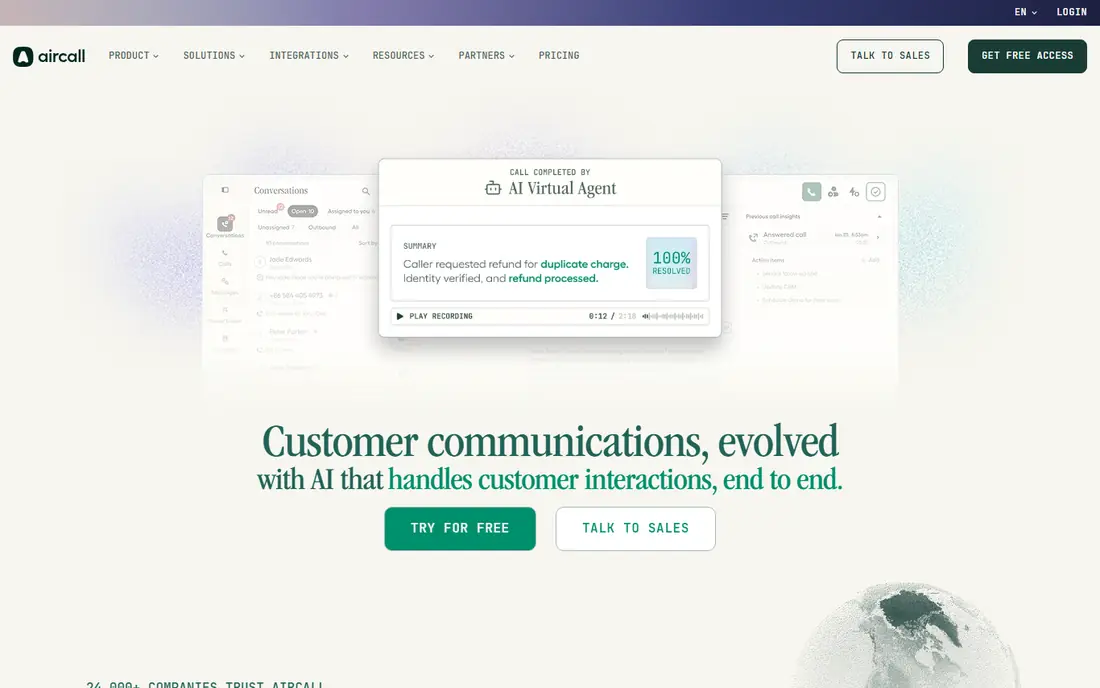
Aircall suits teams that want reliable cloud calling without a long implementation. Numbers, routing, call recording and CRM links are easy to set up, and the shared inbox keeps follow-up visible across a team. For outbound work that is closer to warm follow-up than to cold list dialing, that simplicity is an advantage, since agents spend less time fighting the tool.
Pure high-volume cold calling is not Aircall's strongest job. It lacks the deep predictive dialing and campaign pacing found in specialist outbound platforms, and the richer features sit on the $50 Professional plan. Choose Aircall when outbound calls support sales and support together. Choose a dedicated dialer when the list itself is the main job.
- Fast setup
- Shared inbox and call routing
- Wide CRM and help desk links
- Power dialing features are limited
- Professional plan needed for deeper tools

CloudTalk is one of the few outbound-capable tools that will sell to a single agent, which helps freelancers and very small teams start without a seat minimum. Queues, IVR and a smart dialer cover the basics of an outbound campaign, and the interface is easy for new agents to learn. International numbers and CRM links make it useful for teams calling across countries.
The catch is that the full picture costs more than the entry price. Monitoring, wallboards and advanced analytics sit on higher plans, and a power dialer add-on can add to the monthly total. Even so, CloudTalk remains a strong value pick for a growing team that wants outbound features now and room to add coaching tools later.
- Smart dialer and call queues
- Sold to single agents
- Good CRM links
- Monitoring tools need higher plans
- Dialer add-ons can raise the bill
Dialpad Sell brings AI transcription, summaries and coaching into the outbound workflow, so managers can spot talk patterns and follow-up gaps without listening to every call. The power dialer helps agents move through lists, and CRM links keep notes and outcomes tied to each record. For sales teams that already use Dialpad for phone service, staying in one system reduces app switching.
Pricing needs care, because Dialpad Sell is separate from its general business phone plans, and the $79 Premium tier is where the deeper sales features sit. Small teams should map which AI and dialer features are on the $39 plan before they buy. If coaching and call insight matter as much as dialing speed, Dialpad Sell is a strong contender.
- AI transcripts and call summaries
- Power dialer on higher plans
- Coaching tools
- Sell plans are separate from phone plans
- Premium AI features cost more
Talkdesk works well for a contact center that handles both inbound and outbound work and wants one platform for both. Routing, reporting and workforce tools are mature, and the app marketplace covers most CRM and help desk links a center needs. Outbound campaigns benefit from that same reporting depth, since managers can track contact rates and agent time in detail.
Talkdesk is not the cheapest outbound-only choice, and some dialer features require higher plans or a quote. A small team that only makes outbound calls may pay for inbound and workforce features it rarely uses. For a mid-size center with mixed traffic and growth plans, that breadth is a fair trade.
- Strong routing and reporting
- Outbound dialer options
- Large app marketplace
- Dialer depth varies by plan
- Enterprise pricing can rise with add-ons
NiCE CXone is built for large centers that run many campaigns, channels and teams at once. It combines outbound dialing with inbound routing, quality management, workforce planning and analytics in one enterprise platform. That depth helps a center enforce do-not-call groups, pacing rules and agent schedules across a large operation without stitching tools together.
The price and complexity reflect that scope. Starting at about $110 per agent per month, with outbound capability often priced as an add-on, NiCE is a poor fit for a five-person sales team. It earns its place for organizations where compliance, forecasting and quality control are daily requirements and where a failed campaign costs far more than the software.
- Deep campaign and workforce tools
- Omnichannel routing
- Strong analytics
- High starting price
- Outbound features often priced as add-ons
Five9 has long been a reference point for high-volume outbound dialing, with predictive pacing, list management and compliance controls that large centers rely on. Do-not-call handling, time zone rules and caller ID tools help a center run campaigns that respect calling windows and suppression lists. Analytics cover dialer performance and lead penetration in detail.
The barrier is scale. Published material points to a 50-seat minimum on core plans, which puts Five9 out of reach for small teams even before usage fees. If your center has the volume to justify it, Five9 is a serious option. If not, the same money buys a full year of a smaller tool, so do not let brand recognition pull you past the minimums.
- Mature predictive dialing
- Do-not-call list management
- Time zone dialing rules
- High seat minimums
- Pricing is not transparent for small teams
Convoso is designed around leads, not general phone service. It dials lead lists, checks internal, federal and state do-not-call lists before dialing, and gives managers campaign and lead performance views that suit lead buyers and sellers. For teams whose day is working fresh leads fast, that focus shows in the workflow.
Convoso prices by quote, mostly on annual terms, and does not publish a free trial, so budgeting takes a sales conversation and a careful read of carrier and usage fees. That opacity is a real drawback for a small team comparing tools on price alone. For a lead-driven operation with steady volume, the compliance checks and lead tools may still make it worth a demo.
- Built for lead dialing
- Checks do-not-call lists
- Strong lead management
- Quote-only pricing
- No free trial published
- Carrier fees can be extra
How we picked these
We compared official pricing and feature pages, plus current third-party comparisons, for tools that offer real outbound dialing in October 2026, not only general phone service. We kept tools with published starting prices or clear quote models, and we noted seat minimums and add-on costs where they change the true bill. General phone apps without a dialer, and tools with no verifiable current offering, were left out.
What to check before you buy
Start with your list and your calling rules. Ask how the tool handles do-not-call lists, consent records, time zone windows, call frequency caps and opt-outs, and whether it scrubs federal and state lists or only your internal list. In the US, outbound calling carries legal duties under telemarketing rules, and this article is not legal advice. Get compliance advice for your campaigns before you dial at scale.
Next, test the dialer with your real data. A power dialer suits small, high-value lists where agents need context before each call. Predictive dialing suits large lists with short calls, but it can create silent calls if pacing is wrong. Run a trial campaign, measure contact rate and agent talk time, and check how the tool handles voicemail, bad numbers and callbacks.
Finally, price the whole system. Add seat minimums, dialer add-ons, phone numbers, minutes, SMS and CRM links to the headline seat price. Ask what happens when a campaign pauses, whether unused seats can be reduced, and how long a contract runs. A cheap seat price with a long term and high usage fees can cost more than a higher seat price with flexible terms.
FAQ
What is the difference between a power dialer and a predictive dialer?
A power dialer calls one number at a time per agent and moves to the next number when the call ends, which keeps agents in control. A predictive dialer uses algorithms to call several numbers ahead of agent availability, which raises contact rates on large lists but needs careful pacing. Small teams usually start with power dialing, while large centers use predictive dialing for volume.
Do I need outbound software if I already have a phone system?
A general phone system can place calls, but it often lacks campaign lists, pacing, do-not-call checks and outbound reporting. Outbound software adds those campaign tools and ties outcomes back to CRM records. If you only make a few follow-up calls a day, a phone system may be enough. If you work lists daily, a dialer pays for itself in time saved.
How much does outbound call center software cost?
Entry tools here start around $25 to $30 per user per month, mid-size platforms start around $85, and enterprise tools start around $110 or by quote. Seat minimums, dialer add-ons, minutes and SMS can raise the total well above the seat price. Always ask for a written quote that includes those items before you sign.
Is outbound calling legal?
Outbound calling is legal when it follows telemarketing, do-not-call, consent and calling-hour rules that apply to your industry and location. Tools help by managing suppression lists and time zones, but the caller remains responsible for compliance. This article is not legal advice, so check current rules or speak with a qualified adviser before running campaigns.
Can small teams use enterprise tools like Five9?
Technically yes, but seat minimums and contract terms often make enterprise tools impractical for small teams. Five9 material points to a 50-seat minimum on core plans, which is a large fixed cost for a small team. Smaller tools such as JustCall and CloudTalk offer dialing without that minimum, and they are a better starting point.