Best Open Source Project Management Software in 2026: 8 Tools Compared
Compare the best open source project management software for self-hosting, agile teams and planning, with free editions and cloud pricing details. (2026 guide)
- Editor's choice
 OpenProject
Full planning and portfolios
Starts at$7.25 per user per monthVisit openproject.orgFull review - Great alternative
 Taiga
Scrum and Kanban teams
Starts atSee websiteVisit taiga.ioFull review - Also consider
 Plane
Modern product development
Starts at$6 per user per monthVisit plane.soFull review
TL;DR:
- OpenProject is the most complete open source project management software for planning, Gantt charts and budgets in one system.
- Taiga and Plane suit agile software teams, while Redmine suits teams that want deep customization and long-term stability.
- Self-hosting saves license fees but adds server, backup and update work, so count that time before choosing a free edition.
- Most tools here have a free community edition plus paid cloud or enterprise tiers, so you can start free and pay only when you need support or hosting.
Quick comparison
| Tool | Best for | Starts at | Free plan? | |
|---|---|---|---|---|
| OpenProject | Full planning and portfolios | $7.25 per user per month | Yes | Visit |
| Taiga | Scrum and Kanban teams | See website | Yes | Visit |
| Plane | Modern product development | $6 per user per month | Yes | Visit |
 Redmine | Custom issue tracking | Free | Yes | Visit |
 Leantime | Goals linked to tasks | See website | Yes | Visit |
 ProjectLibre | Microsoft Project replacement | Free | Yes | Visit |
 Wekan | Simple Kanban boards | Free | Yes | Visit |
 Odoo Project | Projects inside an ERP suite | Free | Yes | Visit |
The best open source project management software
Open source project management tools give you control over your data, your hosting and your workflow. The trade is that you, or a hosting partner, must keep the system running. These eight cover the main styles, from classic planning to modern agile boards.
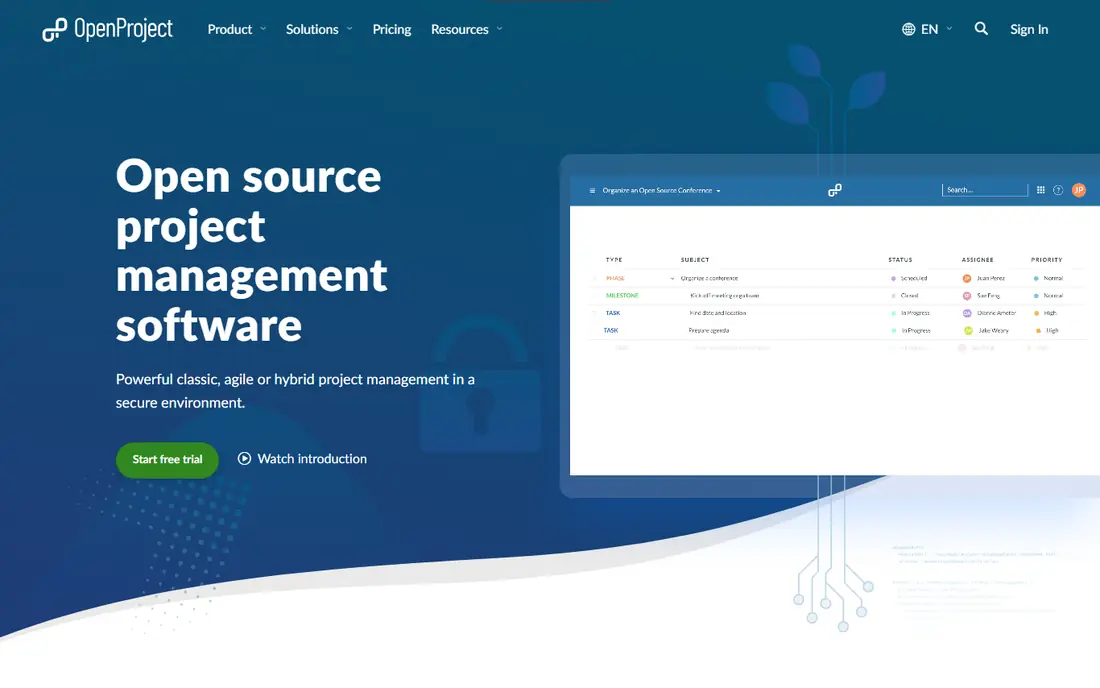
OpenProject is our pick for most teams that need real planning, not just a board of cards. It combines Gantt charts, work package tracking, time and cost tracking, and agile boards, so a project manager can plan a schedule, track spend and run sprints without switching tools. The community edition is free and open source, which makes it a low-risk way to test a serious planning system.
The catch is complexity. New users can feel lost among work packages, baselines and custom fields, and the best reporting and support features sit in paid enterprise and cloud plans. If your team only needs a simple Kanban board, a lighter tool below will be faster to adopt. For teams juggling several projects with deadlines and budgets, OpenProject earns its learning curve.
- Gantt charts, budgets and agile boards
- Unlimited projects in community edition
- Strong permission controls
- Interface feels busy for very small teams
- Enterprise features need a paid plan

Taiga is built for agile teams that think in backlogs, sprints and user stories. Its boards are clear, its story point and sprint tools feel natural, and epics help product teams group related work across projects. Teams that run Scrum properly will appreciate that Taiga does not force a generic task list into an agile shape.
Taiga is weaker for traditional project planning, where Gantt charts, resource histograms and critical path matter most. It also has a smaller plugin ecosystem than Redmine, so unusual workflows may need custom work. For a software team that lives in sprints, though, Taiga is one of the most pleasant open source options available.
- Clean Scrum and Kanban workflows
- Epics, user stories and points
- Self-hosting available
- Less strong for classic Gantt planning
- Cloud pricing varies by tier
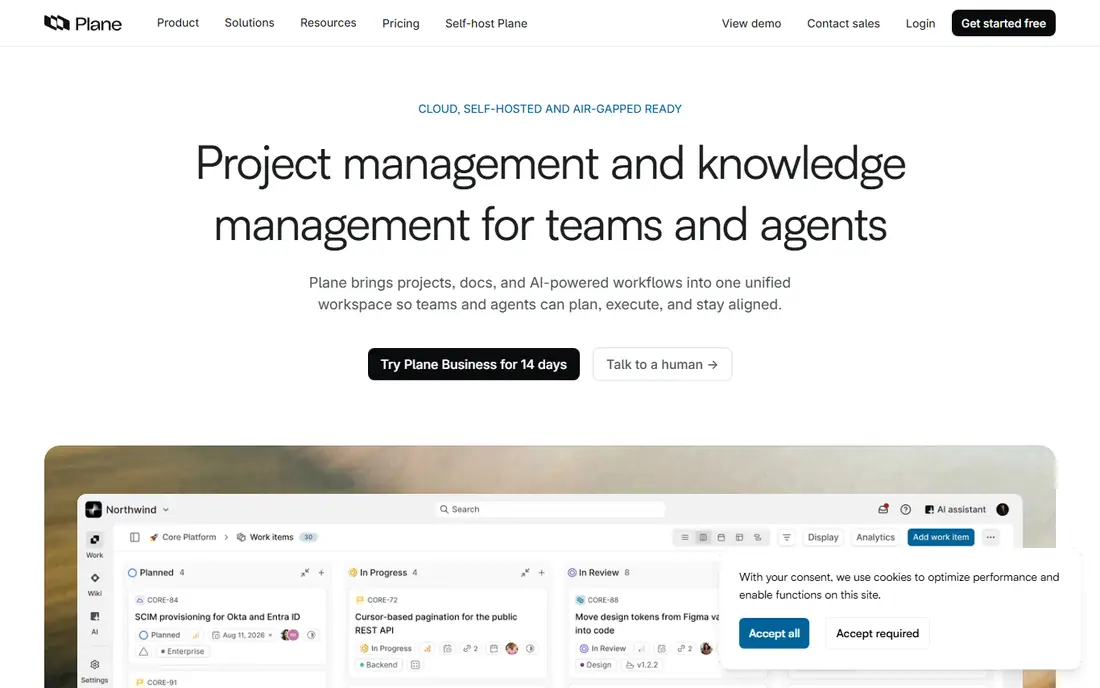
Plane feels like a modern issue tracker that happens to be open source. Product teams can plan cycles, group work into modules, track issues and view progress without the clutter of a full enterprise suite. The interface is fast, which matters when engineers update issues dozens of times a day.
The trade-off is maturity. Plane is newer than the veterans on this list, so its reporting, portfolio planning and integration depth are still growing. Teams that need strict Gantt scheduling or long-term on-premise support history may prefer OpenProject. For a startup or product team that wants a Jira-style tool it can self-host, Plane is a strong modern pick.
- Fast modern interface
- Cycles, modules and issues for product teams
- Self-hosted community edition
- Newer than OpenProject and Redmine
- Some advanced planning features are still maturing
Redmine has been around for years, and that history is both its strength and its weakness. It is fully free, highly customizable and supported by a large plugin community, so almost any issue tracking workflow can be built with it. Organizations that need strict permissions, custom fields and long-term stability often keep Redmine running for a decade or more.
The interface looks dated next to Plane and Taiga, and initial setup is not a one-click job for non-technical teams. You will need someone comfortable with servers, databases and updates, or a hosting partner. If you have that skill in-house and want maximum control at zero license cost, Redmine remains hard to beat.
- Completely free
- Thousands of plugins
- Granular permissions and custom fields
- Dated interface
- Setup and maintenance need technical skill
Leantime takes a different angle from most tools here. Instead of starting with tasks, it starts with goals, milestones and strategy, then links tasks and Kanban boards to those goals. That makes it a good fit for small businesses, startups and non-technical teams that want to see why work matters, not just what is due.
Engineering teams that need deep issue tracking, code integration and complex sprint reporting may find Leantime too light. Its strength is clarity for mixed teams, where marketing, operations and leadership share one plan. If your team struggles to connect daily work to company goals, Leantime is worth a trial.
- Connects goals and strategy to daily tasks
- Friendly for non-technical users
- Self-hosted option
- Less suited to heavy engineering issue tracking
- Paid cloud tiers add cost
ProjectLibre is the closest free desktop alternative to Microsoft Project. It opens a familiar planning view, with Gantt charts, task dependencies, resource allocation and critical path scheduling, which helps project managers who learned their craft in Project. For a single planner working on a detailed schedule, it is a practical free tool.
Collaboration is the limit. The free desktop app is not built for a whole team editing one plan in real time, and the paid cloud version is needed for that kind of shared work. Small teams that need shared boards should look at OpenProject or Taiga instead. For solo planners and cost-sensitive firms, ProjectLibre fills a clear gap.
- Familiar Project-style interface
- Gantt, resource and critical path views
- Free desktop app
- Desktop focus limits real-time collaboration
- Cloud version is paid
Wekan does one job well: simple Kanban boards you can host yourself. Cards, lists, labels, checklists and attachments cover most everyday team work, and the system runs on modest hardware. That simplicity makes it a good choice for small teams, clubs and internal boards that do not need a full project suite.
The limit is scope. Wekan has no serious Gantt planning, budgeting or portfolio views, and reporting is basic. Teams that outgrow boards will need to move to OpenProject, Plane or Leantime. If your need is a private Trello-style board with no monthly fee, Wekan is the leanest option here.
- Very simple Kanban boards
- Free and self-hosted
- Low server requirements
- No Gantt or portfolio planning
- Limited reporting
Odoo Project makes sense when projects are part of a wider business system. Tasks can link to sales orders, timesheets, invoices and customer records, which saves double entry for service firms and agencies. The community edition is free, and the wider Odoo app library covers accounting, inventory and HR when a company grows.
As a standalone project tool, Odoo Project is less deep than OpenProject for scheduling and less agile-focused than Taiga. It also tempts teams into a full ERP migration, which is a bigger project than picking a task tool. If you already use Odoo, or plan to, its project app is a natural fit. If you only need project tracking, a dedicated tool will be simpler.
- Projects linked to CRM, sales, invoicing and HR
- Free community edition
- Large app ecosystem
- Project features alone are less deep than dedicated tools
- Enterprise pricing adds up
How we picked these
We compared official product pages, pricing pages and documentation for open source project management tools, and checked which ones are actively maintained in October 2026. We favored tools with a real free or community edition, a clear hosting choice and a distinct workflow, so this list covers planning, agile, simple boards and ERP-linked projects. We also checked paid cloud prices where vendors publish them, and used See website where pricing is quoted or tiered by deployment.
We did not claim hands-on server testing for every tool. Our method was to compare official features, pricing, hosting options and public reviews, which is enough to build a shortlist. Before committing, install or trial your top two choices with a real project, and confirm backup, update and permission needs with your IT team.
How to choose the right open source project management tool
Start with your planning style, not with feature lists. A team that runs sprints needs Taiga or Plane. A team that manages deadlines, budgets and dependencies needs OpenProject or ProjectLibre. A team that just needs shared boards needs Wekan. Matching the tool to the workflow matters more than collecting features you will never use.
Hosting, support and total cost
Self-hosting looks free, but server time, backups, security updates and user support are real costs. A paid cloud plan can be cheaper than staff time for a small team, while a larger firm with IT staff may save money by self-hosting. Check update frequency, security advisories and whether paid support is available, because an unmaintained tool can become a risk even when the license is free.
Migration and adoption
Test imports from spreadsheets or your current tool before you commit, and run a pilot with one team for two to four weeks. Watch for friction in daily updates, because a tool that managers love but staff avoid will fail. Pick the tool your team actually updates, even if a rival has a longer feature list.
FAQ
What is the best open source project management software overall?
OpenProject is the best overall pick for most teams because it covers Gantt planning, agile boards, time and cost tracking in one free community edition. For pure agile work, Taiga and Plane are often easier to adopt.
What are the best open source project management tools for agile teams?
Taiga is the strongest Scrum choice, with backlogs, sprints and story points built in. Plane is the best modern alternative for product teams that want a fast issue tracker they can self-host.
Is open source project management software really free?
The software license is often free, but hosting, maintenance, backups and support can cost money or staff time. Community editions of OpenProject, Redmine and Wekan are free to run, while paid cloud and enterprise plans add hosting and support.
Can I self-host open source project management software?
Yes, OpenProject, Taiga, Plane, Redmine, Leantime, Wekan and Odoo all offer self-hosting, though setup difficulty varies. Redmine and Wekan are lighter to run, while OpenProject and Odoo need more server care and planning.
How does OpenProject compare with Taiga?
OpenProject suits classic planning with Gantt charts, budgets and portfolios, while Taiga suits Scrum teams that work from backlogs and sprints. Choose OpenProject for deadline and budget control, and Taiga for agile delivery speed.