Best On-Premise Deployment for Database Software in 2026: 8 Tools Compared
Our guide to the best on-premise deployment for database software in 2026 compares 8 databases you can run on your own servers, with costs and tradeoffs.

- Editor's choice
 PostgreSQL
General on-premise work
Starts atFreeVisit postgresql.orgFull review - Great alternative
 MySQL
Web apps and e-commerce
Starts atFreeVisit mysql.comFull review - Also consider
 MariaDB
MySQL-compatible workloads
Starts atFreeVisit mariadb.orgFull review
TL;DR:
- PostgreSQL, MySQL, MariaDB and SQLite give you a full database with no license fee, while SQL Server, Oracle and Db2 charge for enterprise features and support.
- On-premise control means you own upgrades, backups and security patching, so staff time is part of the true cost even when the license is free.
- Check free edition limits before you commit, since size, memory and CPU caps can force a paid upgrade later.
- Test backup, restore and failover on your own hardware, not only in a vendor demo, before you put production data on a new database.
Quick comparison
| Tool | Best for | Starts at | Free plan? | |
|---|---|---|---|---|
| PostgreSQL | General on-premise work | Free | Yes | Visit |
| MySQL | Web apps and e-commerce | Free | Yes | Visit |
| MariaDB | MySQL-compatible workloads | Free | Yes | Visit |
 SQLite | Embedded and local apps | Free | Yes | Visit |
 Microsoft SQL Server | Windows-based enterprises | See website | Yes | Visit |
 Oracle Database | Large enterprise workloads | See website | Yes | Visit |
 IBM Db2 | Enterprise data and analytics | See website | Yes | Visit |
 MongoDB | Flexible document data | Free | Yes | Visit |
The best on-premise deployment for database software
On-premise deployment means the database runs on servers you control, whether in your own data center or on virtual machines you manage. We compared databases on on-premise install options, licensing, limits, tooling and support, and the eight below cover relational, embedded and document workloads.
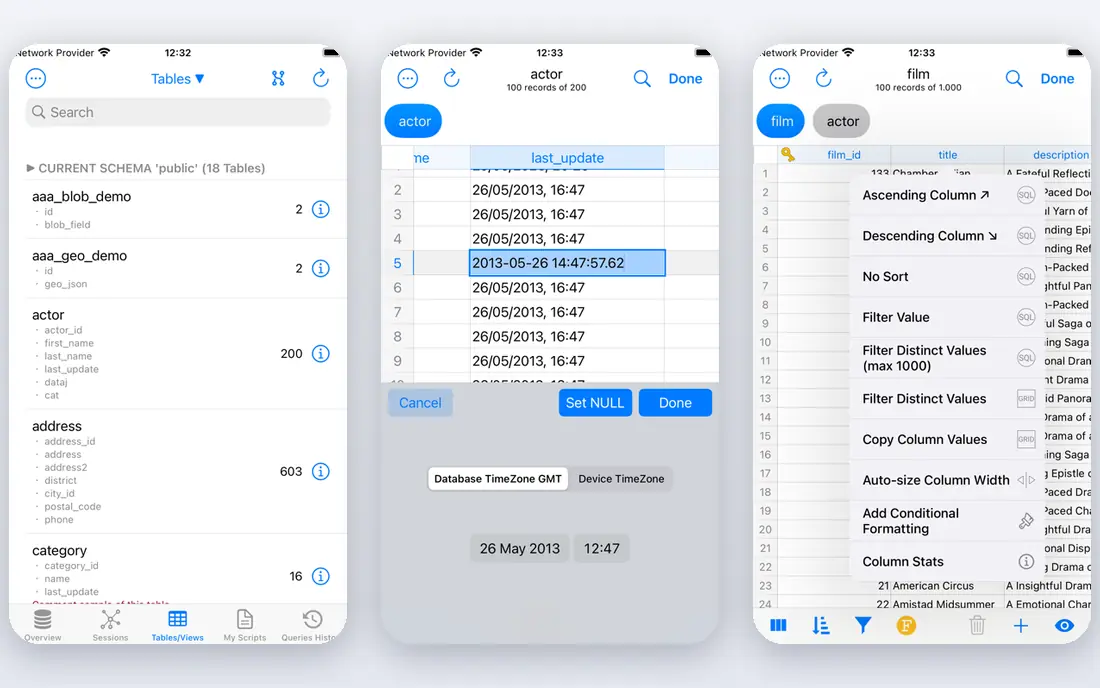
PostgreSQL is the default on-premise choice for many teams because the full database is free under the PostgreSQL License, with no enterprise edition holding features back. It handles structured and JSON data, offers logical replication, partitioning, parallel query and full-text search, and runs on Linux, Windows and macOS. Extensions add geospatial, time-series and other capabilities without a license change.
The cost is operational, not licensing. Someone must handle installation, upgrades, backups, vacuum, connection limits and failover, either on staff or through a support vendor. For a team with database skills, PostgreSQL gives enterprise capability at hardware cost alone. For a team without that skill, a managed service or a paid support contract may be cheaper than learning on production data.
- No license fee
- Full feature set included
- Strong replication and extensions
- Needs skilled administration
- Managed support comes from third parties

MySQL Community Edition is free and remains one of the most widely used databases for web apps, content systems and e-commerce. It is easy to install on-premise, well documented, and supported by a huge pool of developers and hosting tools. Most common web stacks assume MySQL or a compatible database, which shortens setup time.
Oracle also sells MySQL Enterprise Edition, with monitoring, backup and security tools that Community users must replace with third-party tools. Some procurement teams worry about Oracle ownership and long-term direction, which is one reason MariaDB exists. For a standard web workload, Community Edition is a proven and low-cost on-premise choice.
- Free Community Edition
- Huge web ecosystem
- Easy to hire for
- Enterprise tools need a paid edition
- Oracle ownership worries some teams

MariaDB began as a community fork of MySQL and remains compatible with many MySQL apps and tools. It is free, open source and community-led, which appeals to teams that want MySQL compatibility without Oracle licensing questions. On-premise installation is straightforward, and it covers the same web, CMS and e-commerce workloads as MySQL.
Compatibility is strong but not perfect. Some MySQL Enterprise features and newer MySQL changes differ in MariaDB, so test your specific app and queries before migrating. For a team moving from MySQL, or starting a new web project that wants an open governance model, MariaDB is a credible and low-cost alternative.
- Free and open source
- MySQL-compatible
- Community-led development
- Some MySQL Enterprise features differ
- Smaller vendor support base
SQLite is not a server database at all. It is a compact library that stores a whole database in a single file inside your app, which makes it ideal for mobile apps, desktop tools, embedded devices and prototypes. There is no server to install, no admin account to manage, and the license is public domain, so you can use it in commercial software without a fee.
The limits are real. SQLite handles concurrent reads well but concurrent writes poorly, and it lacks stored procedures, user roles and network access controls found in server databases. A single-file design also creates bottlenecks as data grows. Use SQLite when the database lives inside one app. Move to PostgreSQL or MySQL when many users and services must share data.
- No server to run
- Single-file database
- Public domain license
- Limited concurrent writes
- Not suited to large multi-user systems
SQL Server suits firms already built on Windows, .NET and Microsoft BI tools, since it links closely with that stack. It offers strong reporting, analytics and integration services, plus high availability options for enterprise workloads. SQL Server Express is free for small workloads, with limits on database size, memory and CPU that suit development and small apps.
Licensing is the main drawback. Standard and Enterprise editions are priced per core, and Enterprise costs can reach five figures per server before support. A typical production server needs careful license planning, and Software Assurance adds an annual cost for updates and support. For a Microsoft-based enterprise, SQL Server is a natural fit. For a cost-sensitive team, PostgreSQL often does the same job for far less.
- Deep Microsoft integration
- Strong BI and reporting tools
- Express Edition free
- Licensing is complex and costly
- Enterprise features are expensive
Oracle Database remains a standard for very large enterprise workloads, data warehousing and applications that demand high availability and partitioning at scale. It offers deep analytics, advanced security and a broad toolset for DBAs managing complex systems. Oracle Express Edition is free for small workloads with size and resource limits.
Cost and complexity are the barriers. Oracle licensing is famously complex, with per-core pricing, options priced separately and support costs that add up each year. Small and mid-size teams rarely need Oracle scale, and they will pay far more than with PostgreSQL or MySQL. For a large enterprise with Oracle apps and staff, it can be justified. For most others, it is overkill.
- Proven at very large scale
- Strong partitioning and analytics
- Broad enterprise tooling
- High licensing and support costs
- Complex pricing
IBM Db2 serves enterprise data, analytics and transaction workloads, with AI-assisted features for query tuning and data management. It runs on-premise on Linux, Unix and Windows, plus IBM Z mainframes, which matters for firms with legacy IBM systems. Db2 Community Edition is free for development and small workloads, with resource limits.
The hiring pool for Db2 is smaller than for PostgreSQL or MySQL, which can make staffing harder and support more expensive. Enterprise pricing is by quote and depends on cores, options and support terms. For an IBM-based enterprise or a firm with heavy analytics on Db2, it is a strong platform. For a new project without IBM ties, a more common open source database is easier to staff.
- Strong analytics and AI features
- Enterprise reliability
- Community Edition free
- Smaller hiring pool
- Enterprise pricing by quote
MongoDB Community Server can be installed on-premise for free and stores data as flexible JSON-like documents, which suits apps where records vary in shape. Catalogs, content, user profiles and event data fit well, and sharding and replica sets support scaling across servers. The document model lets developers change fields without a full schema migration.
Flexibility can become a liability without discipline. Loose schemas lead to inconsistent data if a team does not enforce validation and indexing rules. Enterprise features such as advanced security, auditing and support need a paid subscription, and managed Atlas hosting is a separate product. For document workloads run on your own servers, MongoDB Community is a capable and low-cost starting point.
- Flexible document model
- Community Server free on-premise
- Strong scaling options
- Data modeling needs care
- Enterprise tools need a paid subscription
How we picked these
We compared official product pages, licensing terms and current database comparisons for databases that offer a real on-premise install in October 2026. We favored databases with a downloadable server or embedded library, clear free editions or open source licenses, and active support. Cloud-only databases with no on-premise option were left out.
What to check before you buy
Start with workload and data shape. Relational databases suit structured data with strict relationships, SQLite suits embedded single-app data, and MongoDB suits flexible documents. Match the database to the data, not to a brand, and test with your real queries and data volume before you commit.
Next, price the full deployment. Add license fees, support contracts, hardware, storage, backup software and staff time for patching and monitoring. Check free edition limits on size, memory and CPU, since hitting a cap mid-project forces an upgrade. Ask vendors for a written license quote that covers your core count and failover servers, not only the primary server.
Finally, test operations on your own hardware. Install the database, load a realistic dataset, run backups and restores, test failover, and practice an upgrade. On-premise control is only an advantage if your team can operate the system safely. If operations feel fragile in testing, a managed service or support contract may be the cheaper choice in practice.
FAQ
What does on-premise deployment mean for a database?
It means the database software runs on servers you control, in your own data center or on virtual machines you manage, rather than on a vendor cloud service. You control versions, patches, network access and data location. You also take on backup, security patching, monitoring and hardware duties that a managed service would handle.
Is PostgreSQL really free for on-premise use?
Yes. PostgreSQL is distributed under the PostgreSQL License at no license cost, with the full feature set included. Your costs are hardware, storage, backups and staff or support time. Third-party vendors sell support and managed services for PostgreSQL, but the database itself carries no license fee.
Which on-premise database is cheapest for a small business?
SQLite costs nothing for embedded apps, and PostgreSQL, MySQL and MariaDB cost nothing in license fees for server workloads. Hardware and staff time still cost money, so the cheapest choice depends on your skills. A team that can run PostgreSQL will spend less than a team that must buy enterprise support for a commercial database.
When should I choose SQL Server or Oracle over PostgreSQL?
Choose SQL Server when your stack is Microsoft-based and you need its BI and integration tools. Choose Oracle when you run Oracle enterprise apps at very large scale or need its specific partitioning and availability features. For most new projects, PostgreSQL covers the same relational workload at far lower license cost.
Can I run these databases on my own hardware and in the cloud later?
Yes, in most cases. PostgreSQL, MySQL, MariaDB, SQL Server, Oracle, Db2 and MongoDB all run on-premise and on cloud virtual machines, which makes migration possible. Check licensing terms, since some commercial licenses differ between on-premise and cloud use. Plan data migration, backup and cutover testing before you move production data.