Best Nonprofit Software for Small Business in 2026: 8 Tools Compared
Find the best nonprofit software for small business, with donor records, fundraising, events, memberships and simple reporting for nonprofit teams in 2026.
- Editor's choice
 Little Green Light
Budget-conscious small nonprofits
Starts at$45 per monthVisit littlegreenlight.comFull review - Great alternative
 DonorSnap
Focused donor database
Starts at$50 per monthVisit donorsnap.comFull review - Also consider
 Bloomerang
Donor retention
Starts at$125 per monthVisit bloomerang.coFull review
TL;DR:
- Little Green Light and DonorSnap are the lowest-cost paid starting points for a small nonprofit moving off spreadsheets.
- Givebutter and Zeffy let a small nonprofit start fundraising with no platform fee, funded instead by optional donor tips or donor-covered costs.
- Bloomerang and Neon CRM suit teams that want donor retention and membership tools, not just a list of names.
- Aplos is the pick to check first if you also need fund accounting in the same system as donations.
Quick comparison
| Tool | Best for | Starts at | Free plan? | |
|---|---|---|---|---|
| Little Green Light | Budget-conscious small nonprofits | $45 per month | Free trial | Visit |
| DonorSnap | Focused donor database | $50 per month | Free trial | Visit |
| Bloomerang | Donor retention | $125 per month | Free trial | Visit |
 Neon CRM | Membership organizations | $99 per month | No | Visit |
 DonorPerfect | Multi-channel fundraising | See website | No | Visit |
 Givebutter | Free fundraising and CRM | Free | Yes | Visit |
 Zeffy | Zero-fee donations | Free | Yes | Visit |
 Aplos | Donations plus fund accounting | See website | Free trial | Visit |
The best nonprofit software for small business
The phrase small business in this keyword can be confusing, so we read it as software for small nonprofit organizations, including charities, clubs and community groups with small teams. The tools below help with donor records, online giving, events and reporting, without requiring a large IT team. Prices are mostly monthly and scale with records or contacts, so check what counts toward your limit before you sign up.
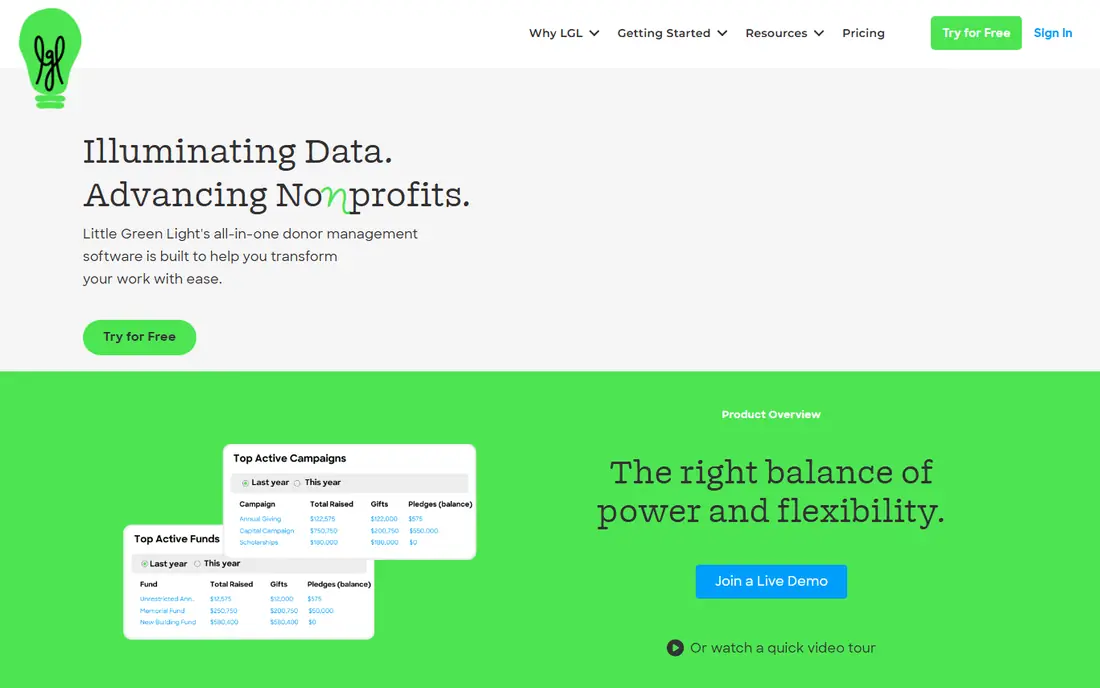
Little Green Light is often the first real database a small nonprofit buys after outgrowing a spreadsheet. It stores constituents, gifts, notes and communications in one place, and it offers donation forms through Stripe or PayPal. Unlimited users help when volunteers and board members all need access, without paying per seat.
The limits show up as you grow. Form design is basic, and you will not get the same crowdfunding, peer-to-peer or ticketing depth as a larger fundraising platform. For a small team that mainly needs clean records, thank-you letters and simple reports, those limits may not matter. Start here if budget is the main constraint and your fundraising is straightforward.
- Low starting price for up to 2,500 records
- Unlimited users
- Simple donor records and forms
- Basic form customization
- No built-in crowdfunding or event ticketing depth
DonorSnap keeps the focus narrow, which is a benefit for a team that does not want a large suite to learn. You get donor records, donation forms, basic events and auctions through related tools, and reporting that covers the questions a small nonprofit asks most often. The $50 per month starting point, for up to 1,000 contacts, is easy to compare with Little Green Light.
Growth is the main question to ask. As contact counts rise, pricing steps up, and teams that later need deep marketing automation or complex grant tracking may outgrow it. For a first system, or a replacement for spreadsheets, DonorSnap gives a clear upgrade without a large monthly bill. Test imports early, because clean donor data matters more than any single feature.
- Affordable for up to 1,000 contacts
- Unlimited users
- Built-in donation forms and event tools
- Smaller ecosystem than larger CRMs
- Design and reporting are more basic
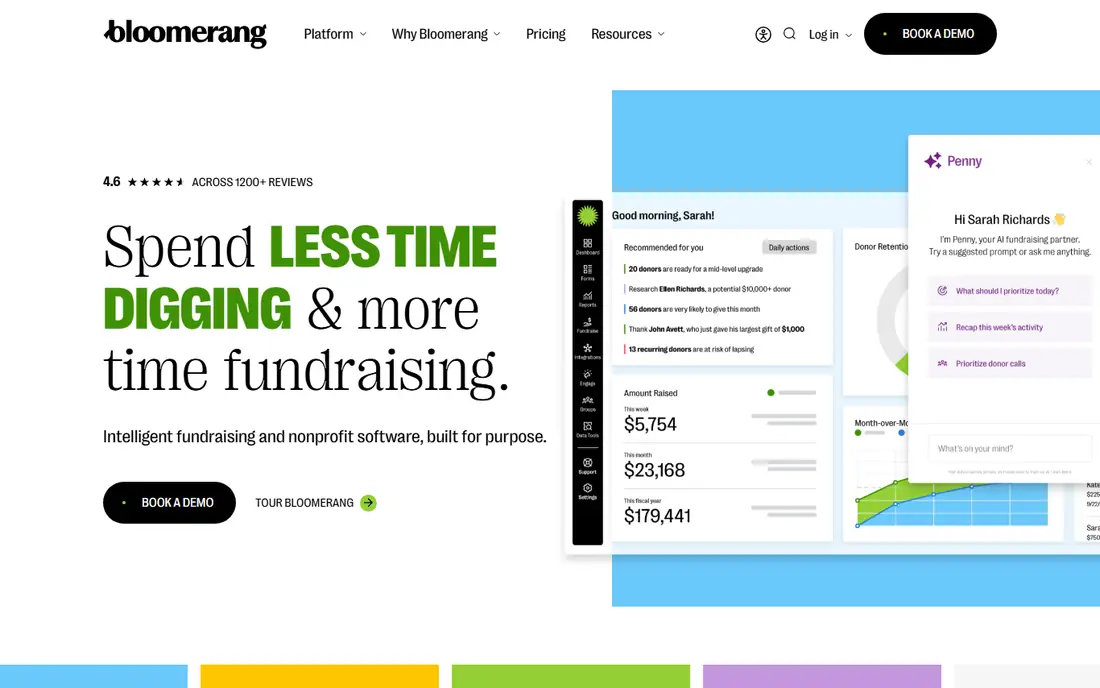
Bloomerang is built around a simple idea: keeping a donor matters as much as finding one. Engagement scoring, retention dashboards and donor timelines help a small team see who is drifting away and who might give again. That view is useful for annual appeals, because you can focus effort on donors most likely to respond, rather than mailing everyone the same message.
The $125 per month CRM starting price, billed annually, is higher than Little Green Light or DonorSnap, and fundraising tools can add cost. Small teams should check the combined price for CRM plus fundraising before comparing it with a cheaper database. If donor retention is your main weakness, Bloomerang is worth that premium. If you only need records, a cheaper tool will do.
- Strong retention and engagement insights
- Clear donor timelines
- Fundraising tools available
- Higher price than budget tools
- Some fundraising features are add-ons
Neon CRM, from Neon One, suits nonprofits that juggle members, donors, event attendees and volunteers at the same time. Membership renewals, event registration and donations sit in one record, so a person who is both a member and a donor does not appear as two separate contacts. That single view saves time for small teams that wear many hats.
New users often need time to learn the system, and onboarding costs can add to the first year. The $99 per month Essentials starting point is competitive for what it covers, but confirm what is included in your tier before you buy. If your nonprofit runs memberships or frequent events, Neon CRM is a strong shortlist pick. If you only take occasional donations, a simpler tool may be enough.
- Membership, events and donations in one system
- Unlimited records on many plans
- Email tools included
- Learning curve for new users
- Onboarding fees may apply
DonorPerfect has been used by nonprofits for many years, and that history shows in its reporting and fundraising automation. It handles direct mail, online giving, events and pledges, with tools to segment donors and track campaigns over time. Teams with complex, multi-channel fundraising often value that depth, even if the interface is not as modern as newer rivals.
Pricing is quote based and scales with constituent count, so published comparisons often list around $99 per month as a starting guide, but you should get a written quote for your database size. Smaller nonprofits may find the sales process heavier than a self-serve signup. Choose DonorPerfect when your fundraising has outgrown a simple database and you need flexible reporting to prove what works.
- Long track record
- Flexible reporting and automation
- Handles many fundraising channels
- Pricing is quote based
- Interface feels dated in places
Givebutter lets a small nonprofit start fundraising with no platform fee, which changes the decision for a new or very small organization. Campaign pages, donation forms, events, auctions and peer-to-peer fundraising sit in one place, with a basic CRM to track donors. Donors can choose to leave an optional tip to support Givebutter, which is how the free tier is funded.
The trade-off is transparency with donors and depth. Some donors may notice the tip prompt, and teams that need advanced donor analytics will still want a dedicated CRM later. For a small nonprofit that needs to run a campaign this month, without a monthly bill, Givebutter is a practical starting point. Check processing fees separately, because payment processing is not the same as a platform fee.
- Free platform funded by optional donor tips
- Campaigns, events and auctions
- Basic CRM included
- Tip prompts shown to donors
- Advanced CRM depth is limited
Zeffy goes further on fees than most rivals, offering fundraising with zero platform and transaction fees, funded by optional donor contributions. That model appeals to small nonprofits, schools and community groups where every dollar of a donation matters. Forms, event ticketing, raffles and memberships cover many common needs without a subscription.
The CRM side is basic compared with Bloomerang or DonorPerfect, so larger teams may still pair Zeffy with a separate database. For a small team, that split can be acceptable if fundraising is the priority and records are simple. Read how donor contributions are presented at checkout, so your donors understand the choice they are making.
- No platform or transaction fees on its free model
- Forms, events and raffles
- Simple setup
- Basic CRM compared with paid tools
- Costs shift to optional donor contributions
Aplos is different from the other tools here because it pairs donor management with fund accounting, which is how nonprofits track money by purpose, such as a building fund or a restricted grant. That matters at audit time and for board reporting, because donations tied to a purpose stay separate from general funds. Online giving and donor records sit alongside that accounting, so gifts flow into the right fund without retyping.
Very small teams that only need donations may find the accounting side more than they need, and pricing requires checking current plans on the vendor site. For a nonprofit that struggles with spreadsheets for both donors and books, Aplos can replace two systems at once. Ask for a demo that follows a restricted gift from donation page to fund report before you commit.
- Fund accounting built in
- Donor management and online giving
- Designed for nonprofits
- Pricing is less transparent on the homepage
- Accounting depth may exceed very small teams
How we picked these
We compared official pricing pages, product documentation and current nonprofit software comparisons, focusing on tools a small team can run without a dedicated IT hire. We favored tools with clear small-nonprofit pricing, donation forms and donor records, and we included both free and paid models so cost is not the only filter. Enterprise-only platforms were left out, because their implementation and price do not fit the small organizations this article serves.
What to check before you buy
Count your records honestly, including lapsed donors, volunteers and event attendees, because many tools price by that total. A tool that looks cheap at 1,000 contacts can jump sharply at 5,000. Also check who can use the system, since unlimited users help volunteer teams, while per-user pricing can surprise a small nonprofit that shares logins.
Test a full gift journey, from donation page to receipt, thank-you note and report. Look at how recurring gifts, refunds and offline gifts, such as checks and cash, are handled. Those everyday tasks matter more than a long feature list, and they reveal whether a tool fits your workflow or forces you to change it.
Donations, events and data
Confirm payment processing fees separately from platform fees, because free platform tools still involve payment costs in some cases. Check data export too, so you can leave with your donor history intact if you switch later. A tool that locks your data in is a risk for a small nonprofit with limited staff time.
Accounting and compliance
If you need fund accounting, grant tracking or audit reports, shortlist Aplos or a dedicated accounting tool alongside your CRM. If you only need donor records, do not pay for accounting depth you will not use. Either way, keep donor privacy in mind, limit access to sensitive data, and follow your local rules for receipts and tax statements.
FAQ
What is the best nonprofit software for a small nonprofit?
There is no single winner, because budget and fundraising style decide the fit. Little Green Light and DonorSnap are strong low-cost databases, Givebutter and Zeffy are strong free fundraising starts, and Bloomerang or Neon CRM suit teams focused on retention or membership.
Is free nonprofit software really free?
Free usually means no platform fee, not no cost at all. Givebutter is funded by optional donor tips, Zeffy by optional donor contributions, and payment processing fees may still apply, so read the checkout and fee pages before you launch a campaign.
How much should a small nonprofit budget for software?
Many small nonprofits start at $45 to $125 per month for a paid CRM, plus payment processing. Add onboarding, training and any fundraising add-ons to that monthly figure, and check how pricing changes as your contact count grows.
Can one tool handle donations and accounting?
Aplos is designed to handle both donor management and fund accounting in one system. Most other tools on this list focus on donors and fundraising, so they pair with a separate accounting tool such as QuickBooks or a nonprofit accounting system.
How do we move donor data from spreadsheets?
Export your spreadsheet, clean duplicate names and old addresses, and map columns to the new system during a trial import. Run a small test import first, check gift history and contact records, and only then import the full file.