Best Noise Suppression Software in 2026: 8 Tools Compared
We compared the best noise suppression software for live calls, streams, and recordings, so you can sound clear at home without buying a new microphone.

- Editor's choice
 Krisp
Remote workers on any call app
Starts at$8 per user per monthVisit krisp.aiFull review - Great alternative
 NVIDIA Broadcast
RTX GPU owners wanting free AI cleanup
Starts atFreeVisit nvidia.comFull review - Also consider
 Adobe Podcast
Podcasters rescuing bad recordings
Starts atFreeVisit podcast.adobe.comFull review
TL;DR:
- Krisp suits remote workers who need noise removal across every call app, while NVIDIA Broadcast suits RTX owners at no extra cost.
- Live call tools and recording cleanup tools solve different problems, so pick the type that matches your noise.
- Free tools such as NVIDIA Broadcast, NoiseGator, and Audacity cover many needs without a subscription.
- Check hardware needs first, since NVIDIA Broadcast needs an RTX GPU and some tools need a modern CPU.
- Voice quality matters more than noise removal alone, so test each tool on your own voice and room before paying.
Quick comparison
| Tool | Best for | Starts at | Free plan? | |
|---|---|---|---|---|
| Krisp | Remote workers on any call app | $8 per user per month | Free trial | Visit |
| NVIDIA Broadcast | RTX GPU owners wanting free AI cleanup | Free | Yes | Visit |
| Adobe Podcast | Podcasters rescuing bad recordings | Free | Yes | Visit |
 Audacity | Free manual noise reduction for recordings | Free | Yes | Visit |
 iZotope RX | Audio pros doing detailed cleanup | $99 | Free trial | Visit |
 Waves Clarity Vx | Producers cleaning dialogue in a DAW | See website | No | Visit |
 SoliCall Pro | Call centres filtering noise on every call | See website | No | Visit |
 NoiseGator | Gamers and streamers wanting a free noise gate | Free | Yes | Visit |
The best noise suppression software
We compared vendor pages, pricing disclosures, and public reviews to cover both live noise suppression and recording cleanup. The tools below suit remote workers, streamers, podcasters, and audio pros, so start with whether your noise is live or already recorded.
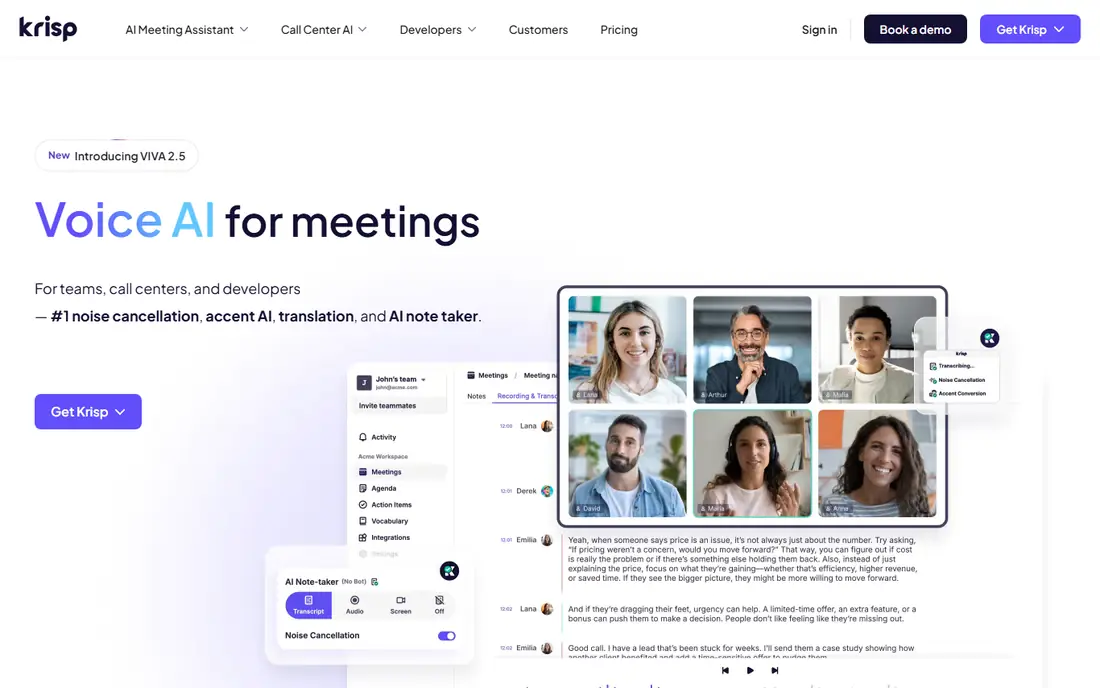
Krisp is the best overall pick for remote workers because it works as a virtual audio layer across almost any call app. It removes background noise from your microphone and, on paid plans, from the other side of the call too, so a barking dog or a coffee shop hum stays out of the meeting. Processing for noise cancellation runs on device, which helps privacy, while newer meeting assistant features add notes and summaries for teams that want them.
The pricing change matters. Older free tiers offered daily minutes, but current pricing shows a seven-day trial and paid plans from $8 per user per month billed annually, with no permanent free tier on the live pricing page. Meeting assistant features also store recordings and transcripts in Krisp Cloud, so check retention controls before enabling them. For cross-app live cleanup, Krisp remains our top paid pick.
- Works across Zoom, Teams, Meet, and Discord
- On-device processing
- Two-way noise removal
- No permanent free tier on current pricing
- Meeting assistant features store data in the cloud

NVIDIA Broadcast is the free pick for anyone who already owns a compatible RTX graphics card on Windows. Its AI noise removal and echo removal clean up a microphone in real time, and the same app adds background blur, eye contact, and other video effects for streamers and callers. Since the tool is free and runs on hardware you already own, it costs nothing extra to try.
The limits are hardware and platform. You need an RTX GPU, and the app runs on Windows only, so Mac users and older PCs must look elsewhere. Performance cost also varies by GPU, so test with your own games or calls running. If you own an RTX card, start here before paying for any other live tool.
- Free for RTX owners
- Strong AI noise and echo removal
- Also adds video effects
- Needs a compatible RTX GPU on Windows
- No Mac version

Adobe Podcast, including its Enhance Speech feature, suits creators who need to rescue a recording made in a noisy room. Upload audio, let the AI reduce noise and echo, and download a cleaner voice track that sounds closer to a studio recording. The web-based flow needs no install, and the free tier covers limited use, which suits occasional podcasters.
Adobe Podcast does not clean live calls, so remote workers should pick Krisp or NVIDIA Broadcast instead. Heavy users also need a paid Creative Cloud plan for larger limits. For a podcaster with one bad recording to save, Adobe Podcast is the easiest rescue tool on this list.
- Free limited tier
- Strong speech enhancement
- Web-based and easy
- Not a live call tool
- Paid features need a Creative Cloud plan
Audacity is the free, open-source editor that many creators use for manual noise reduction on recordings. Select a section of pure noise, build a noise profile, then apply reduction to the full track, with control over sensitivity and frequency smoothing. That manual control suits creators who want to tune the result rather than trust a fully automatic filter.
The process takes time and practice, and Audacity does not offer live AI suppression for calls. For a recorded podcast, interview, or voiceover, though, it delivers solid cleanup at no cost and runs on Windows, Mac, and Linux. Pair it with a good microphone technique and it covers most recording needs.
- Free and open-source
- Cross-platform
- Manual control over noise profiles
- Manual process takes time
- No live AI suppression
iZotope RX is the pro tool for audio repair, from removing hum and clicks to rescuing dialogue buried under noise. The Elements edition starts near $99, while higher editions add spectral repair, dialogue isolation, and batch tools that post-production teams rely on. For a film, broadcast, or podcast team that must save a critical recording, RX offers control that simpler tools cannot match.
The learning curve is real, and the full editions cost far more than Elements, so casual creators should start with Adobe Podcast or Audacity. Audio pros, though, will find RX worth the investment for its precision and repair depth. Test the trial on your hardest recording before buying a higher tier.
- Forensic-level repair tools
- Elements starts at $99
- Strong dialogue cleanup
- Learning curve
- Higher tiers cost far more
Waves Clarity Vx suits producers who clean dialogue inside a digital audio workstation, such as Pro Tools, Logic, or Cubase. The plug-in separates voice from background noise in real time, with controls for neural network processing that help on location recordings, interviews, and broadcast dialogue. That DAW fit matters, since it keeps cleanup inside the editing session rather than forcing a separate app.
Clarity Vx needs host software and a compatible system, and pricing varies by sale and bundle, so check the current Waves price before budgeting. Casual creators will find it more complex than Adobe Podcast. Producers who already work in a DAW will find it a fast, high-quality dialogue tool.
- Real-time dialogue cleanup in a DAW
- Strong voice isolation
- Pro workflow fit
- Needs host software
- Price varies and is not always published
SoliCall Pro is built for call centres and enterprises that need noise filtering on every call, not just one worker's laptop. It combines echo cancellation with reference-based noise reduction, so agents in noisy rooms sound clear to customers and customers sound clear to agents. That two-way, enterprise-wide approach suits contact centres where call quality affects satisfaction scores.
Licensing is quote-based, and the tool is overkill for a solo remote worker who can use Krisp or NVIDIA Broadcast. IT teams should also check deployment and support terms for their phone system. For a call centre that needs consistent audio quality across many seats, SoliCall Pro is a proven enterprise pick.
- Built for call centres
- Echo cancellation plus noise reduction
- Reference-based filtering
- Quote-based licensing
- Overkill for solo remote workers
NoiseGator is a free noise gate, which works differently from AI tools such as Krisp. Instead of identifying noise, it opens the microphone only when sound passes a volume threshold, so keyboard clicks and fan hum below that level stay silent. Gamers and streamers like it because it is free, light, and easy to route through virtual audio tools.
A gate is not AI suppression. It will not remove loud background noise that passes the threshold, and it needs tuning so quiet speech still opens the gate. The interface is also older than modern rivals. For a streamer on a budget who mainly needs to cut low-level noise between sentences, NoiseGator remains a useful free tool.
- Free
- Simple noise gate
- Works on Windows and Mac
- A gate, not AI suppression
- Needs tuning
- Older interface
How we picked these
We compared vendor pages, pricing disclosures, and public reviews, and we checked that each homepage belongs to the product named. We favoured tools that are still available in 2026, that handle a clear job, and that publish or disclose pricing. We gave weight to the live versus recording distinction, since a tool that cleans recordings cannot help a live call, and vice versa.
We did not claim hands-on testing that did not happen. Instead, we weighed hardware needs, platform support, processing method, privacy handling, and price, and we matched each tool to the user type it serves best. That keeps the list useful for a remote worker, a streamer, and an audio pro alike.
What to check before you buy
Start with the noise you actually have. A barking dog during a live call needs a live tool such as Krisp or NVIDIA Broadcast. A noisy podcast recording needs a cleanup tool such as Adobe Podcast, Audacity, or iZotope RX. Buying the wrong type wastes money even if the tool is good.
Test on your own voice and room
Record or call with the tool in your real room, with your real microphone, and listen back on the other side. AI filters can thin a voice or clip quiet words, and only a test on your setup shows whether the trade-off is worth it. Check CPU or GPU load during the test too.
Check privacy and data handling
Live tools differ on where audio goes. Krisp processes noise cancellation on device, but meeting assistant features store data in the cloud. Cloud-based recording tools upload your audio for processing. Read the privacy policy for the features you enable, and check retention and deletion controls.
Try free tools first
NVIDIA Broadcast, NoiseGator, Audacity, and Adobe Podcast free tiers cover many needs at no cost. Try those before paying, and check the built-in suppression in Zoom, Teams, or Meet as well. Many workers already own a good-enough filter inside their call app.
FAQ
What is the best noise suppression software for live calls?
Krisp is the best paid pick for live calls across apps, while NVIDIA Broadcast is the best free pick for RTX owners on Windows. Zoom, Teams, and Meet also include built-in suppression that suits single-app users. Test each on your own calls before paying.
Is there free noise suppression software?
Yes. NVIDIA Broadcast is free for RTX owners, NoiseGator is free, Audacity is free for recordings, and Adobe Podcast offers a free limited tier. Discord also includes a Krisp toggle for voice chats. Start with free tools before buying.
What is the difference between noise suppression and a noise gate?
Noise suppression uses AI or signal processing to identify and remove noise from voice audio. A noise gate simply mutes the microphone when sound falls below a set volume. AI suppression handles loud noise better, while a gate is simpler and free but needs tuning.
Does noise suppression work on Mac?
Yes. Krisp, Adobe Podcast, Audacity, iZotope RX, and Waves plug-ins work on Mac, while NVIDIA Broadcast is Windows only. NoiseGator also offers a Mac version. Check platform support for your exact tool before buying.
Will noise suppression hurt my voice quality?
It can, if the filter is too aggressive or your microphone is poor. AI tools sometimes thin a voice or clip quiet words, especially in noisy rooms. Test the tool on your voice, adjust strength if the tool allows it, and use the lightest setting that removes the noise.
What is the best noise cancelling software for streaming?
Streamers with an RTX card should use NVIDIA Broadcast, which is free and handles live audio and video effects. Streamers without RTX hardware can use OBS Studio with its built-in RNNoise filter, plus Discord Krisp for voice chats. Both routes cost nothing extra.