Best Noise Meter Apps in 2026: 7 Apps Compared
Looking for the best noise meter apps? We compared 7 free and paid decibel meter apps for iPhone and Android, checking accuracy, features and limits in detail.
- Editor's choice
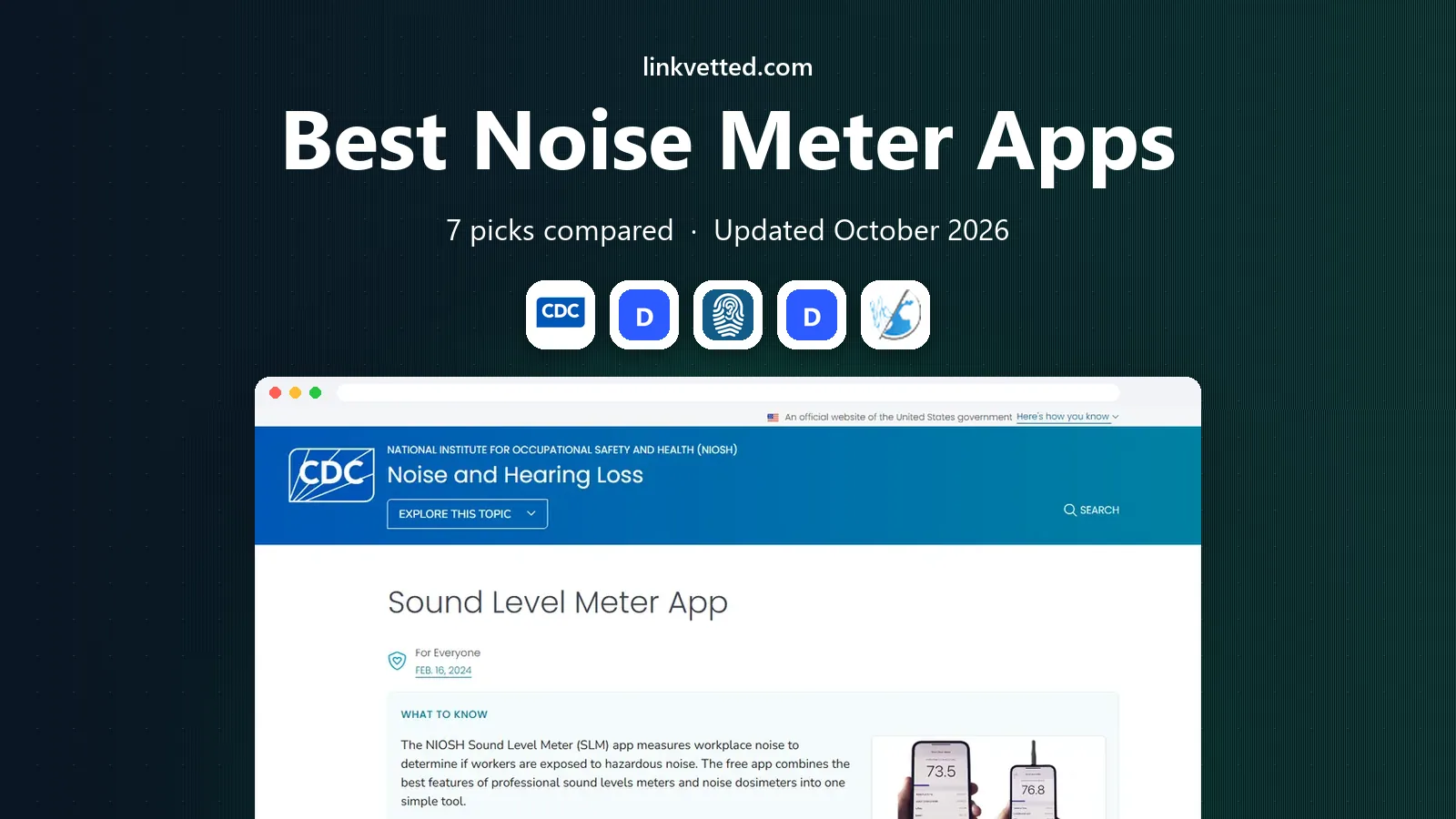
 NIOSH Sound Level Meter
Credible free readings
Starts atFreeVisit cdc.govFull review - Great alternative
 Decibel X
Everyday measuring and history
Starts atFreeVisit skypaw.comFull review - Also consider
 SoundPrint
Finding quiet venues
Starts atFreeVisit soundprint.coFull review
TL;DR:
- NIOSH Sound Level Meter is our pick for most people who want a free, credible reading, because it was built with hearing researchers and reports dose and time-weighted average.
- Phone microphones vary, so no app here replaces a calibrated professional meter for legal or workplace compliance work.
- Decibel X is the strongest all-rounder for everyday use, with history records, exports and several weighting options.
- SoundPrint and NoiseCapture add value beyond a single reading, by helping you find quiet places or contribute to community noise maps.
- If you need evidence for a noise dispute, Decibel Meter Pro is built around logs, video overlays and exports rather than a simple live number.
Quick comparison
| Tool | Best for | Starts at | Free plan? | |
|---|---|---|---|---|
| NIOSH Sound Level Meter | Credible free readings | Free | Yes | Visit |
| Decibel X | Everyday measuring and history | Free | Yes | Visit |
| SoundPrint | Finding quiet venues | Free | Yes | Visit |
 Decibel Meter Pro | Documenting noise evidence | Free | Yes | Visit |
 NoiseCapture | Community noise mapping | Free | Yes | Visit |
 AudioTools | Serious audio work on iOS | See website | No | Visit |
 Decibel Meter: Sound Meter | Simple Android readings | Free | Yes | Visit |
The best noise meter apps
We compared official feature pages, app store listings and published accuracy research for the best noise meter apps, the best decibel meter app options and the best free decibel meter app choices. Treat every reading as an estimate, and use a professional meter when a decision affects health, safety or a legal case.

NIOSH Sound Level Meter stands out because it comes from a public health research background rather than a general app studio. Its listing states that it was tested and validated in a reverberant chamber, with accuracy within about 2 dBA in its laboratory checks, and it meets Type 2 requirements when used with a suitable external microphone. That background does not make a phone a certified meter, but it gives this app a stronger basis than most free rivals.
The app reports the metrics that matter for exposure, not just a single live number. You can see run time, average level, maximum level, peak level and dose, and you can save and share results. It also includes plain information about hazardous noise and hearing protection, which helps a reader who is checking a workshop, a classroom or a loud event for the first time. For a free app with no ads, that combination is hard to beat.
- No ads or in-app purchases
- Reports LAeq, time-weighted average and dose
- Supports internal or external microphones
- IPhone only
- Interface feels more technical than casual apps
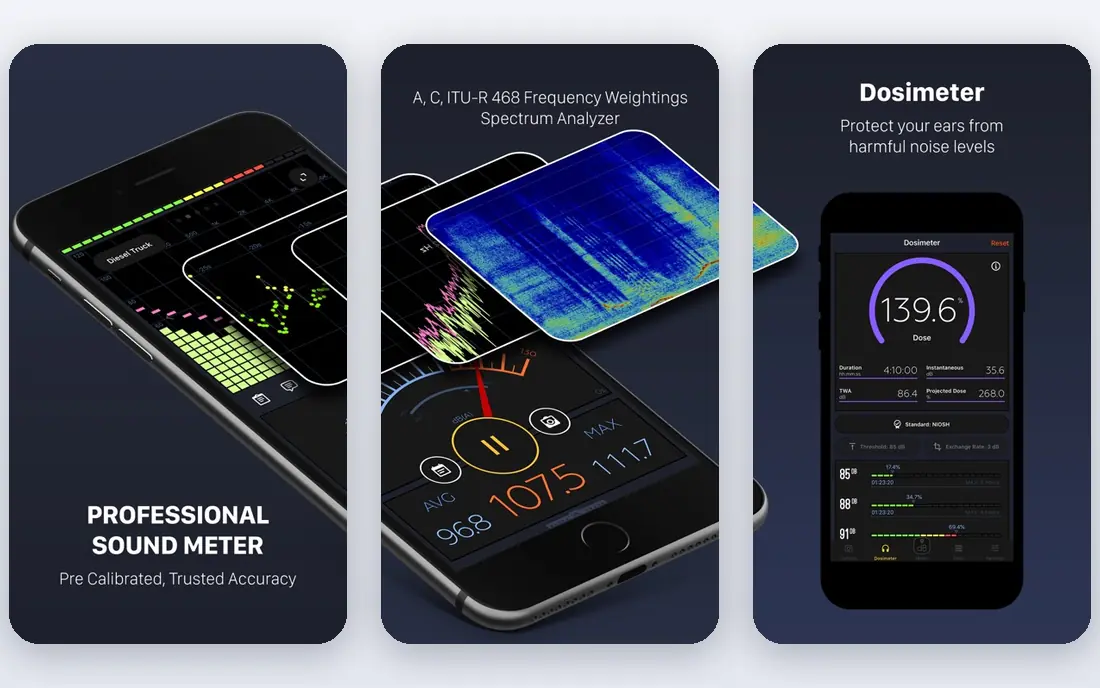
Decibel X is the app we would suggest first to someone who just wants a clear meter on both iPhone and Android. It shows a live reading, lets you switch weighting, and keeps a history of past sessions so you can compare rooms, routes or times of day. The export options matter here, because a saved record is far more useful than a number you glanced at once.
The design is also friendlier than a technical tool, with themes and a full-screen history view. Calibration controls and frequency analysis will appeal to musicians and audio hobbyists, while casual users can ignore them and stick to the main meter. The catch is the paywall: some of the more useful export and analysis features require the Pro version, so check what the free version includes before you rely on it for a project.
- A, C and other weighting options
- Saved history with CSV and image export
- Apple Watch support
- Pro features sit behind a purchase
- Vendor accuracy claims are not independently verified in the same way as NIOSH

SoundPrint answers a different question from the rest of this list. Instead of asking how loud your current room is, it helps you ask how loud a restaurant, bar or cafe is likely to be before you go. Users submit readings tied to venues, and the app builds a searchable database that other people can browse. For people with hearing loss, tinnitus or sound sensitivity, that planning step can matter more than a precise number.
Its own FAQ is clear that its readings are approximate and are not a replacement for a professional sound level measuring device. That honesty is a strength, and it sets the right expectation. The main limit is coverage: in a city with many contributors you will find plenty of venues, while in a smaller town the database may be thin. Still, as a free tool for choosing a quieter place to meet, it earns its place here.
- Crowdsourced database of venue noise levels
- Helps people with hearing sensitivity plan outings
- Simple to contribute a reading
- Readings are approximate, not professional measurements
- Coverage depends on users in your area
Decibel Meter Pro is aimed at people who need more than a quick check, such as a tenant dealing with a noisy neighbour or a homeowner tracking a recurring sound. It offers live dBA and dBZ readings, a waveform and spectrum view, and statistics for maximum, minimum and average levels. The standout tools are voice-activated recording, which starts when sound passes a threshold you set, and video recording with a decibel watermark, timestamp and location burned into the frame.
That evidence focus is useful, but it also raises a practical point: check local rules before you record other people or use a clip in a dispute, and keep the app's own disclaimer in mind. The developer states that the app is for reference-level measurements and is not a certified sound level meter. Used with that limit in view, it is a strong choice for keeping an organised record over days or weeks rather than relying on memory.
- Video evidence with decibel overlays
- Voice-activated recording
- CSV export of measurement logs
- IOS only
- Evidence features need camera and location permissions to work fully
NoiseCapture comes from a research collaboration, and its purpose is wider than personal curiosity. It measures sound on an Android phone, with GPS, and lets you contribute anonymous acoustic indicators to a community noise map. The project states that it does not record audio, which is a welcome privacy point for a mapping tool, and it supports an external calibrated microphone for better results.
For everyday use, the interface is less polished than Decibel X, and the mapping workflow asks more of you than a one-tap reading. That trade-off makes sense if you care about your neighbourhood or a local noise issue, because your readings join a larger picture instead of sitting alone on your phone. If you only want to check one room, a simpler app will feel faster.
- Built by research laboratories
- Contributes to public noise maps
- No audio recording, only acoustic indicators
- Android only
- Mapping focus makes it less handy as a simple personal meter
AudioTools is not a casual noise app, and that is exactly why it belongs on a list for readers who do audio work. Studio Six Digital sells a suite of measurement tools, including sound level metering, real-time analysis and related modules, and it also makes measurement microphones and interfaces for iOS devices. For a sound engineer, a venue technician or a serious hobbyist, that depth goes well past a free meter.
The downside is price and complexity. Modules are sold separately, so the full suite can cost far more than a single app purchase, and the interface assumes some audio knowledge. A casual user checking a noisy apartment will find it overkill. For a reader who already works with microphones and wants repeatable, better-controlled measurements on an iPhone or iPad, it is the most capable option here.
- Professional audio measurement modules
- Supports measurement microphones and interfaces
- Wide range of analysis tools
- Costs add up across modules
- IOS only and aimed at audio professionals
Decibel Meter: Sound Meter, from GeniusToolsLabs, is a plain option for Android users who want a quick reading without a technical setup. It shows live levels and summary values, which is enough to compare a quiet room with a busy street or to spot a sudden spike. The developer site gives a clear product page and privacy policy, which is a basic check we like to see before recommending a free meter.
As with every Android meter, results vary by phone model, because different makers use different microphones and processing. Use it for comparisons on the same device, and be cautious about comparing a reading from one phone with a reading from another. If you need a log for a dispute or a workplace check, pick NIOSH Sound Level Meter on iPhone or Decibel Meter Pro instead.
- Straightforward live meter
- Min, average and maximum display
- Works without an account for basic use
- Accuracy depends heavily on the phone microphone
- Advanced features sit behind purchases
How we picked these
We started with official feature pages, app store listings and published research on smartphone sound measurement, including work by NIOSH researchers on how phone apps compare with reference meters. We kept only apps that are available now, that clearly measure sound levels, and that have a working official page or developer site. We favoured apps with stated weighting options, calibration support or a clear statement of limits, and we left out apps that only play sounds or that could not be tied to a real product page.
What to check before you trust a reading
A phone meter is a useful guide, not a certified instrument. Start by checking the weighting: A-weighted readings match human hearing more closely for everyday noise, while C and Z weightings capture more low-frequency energy. If an app offers calibration, use it against a known source or a calibrated meter when you can, and repeat the measurement in the same spot to see how stable the result is.
Phone placement matters as much as the app. Keep the microphone unobstructed, hold the phone away from your body, and avoid covering the mic with a case or your hand. Background wind, a phone call or a notification can skew a session, so run longer averages for room checks rather than trusting a single peak. For hearing health, the pattern over time matters: repeated exposure above about 85 dBA is the level at which hearing protection and shorter exposure become worth discussing with a qualified professional.
When a free app is enough
A free app is enough for comparing rooms, checking whether a concert or a power tool sounds dangerously loud, and deciding when to move or use hearing protection. It is also enough for choosing a quieter cafe with SoundPrint or for getting a rough sense of a neighbourhood with NoiseCapture. In those cases, a ballpark reading plus your own judgement is the point.
When you need a professional meter
Hire or buy a calibrated meter, or speak to an acoustics professional, when a result will be used for a workplace assessment, a planning complaint, a tenancy dispute or any formal report. A phone app can support that process with logs and notes, but its readings alone are unlikely to carry the same weight. Keep your logs, note the phone model and app version, and record the time, place and conditions for each session.
FAQ
What is the best free decibel meter app?
NIOSH Sound Level Meter is our pick for a free app, because it has no ads or purchases and reports exposure metrics such as average level and dose. Decibel X is a strong free alternative on both iPhone and Android if you want history and exports. Both are estimates, so use a professional meter for formal decisions.
Are phone noise meter apps accurate?
They can be close on some phones and off by several decibels on others, because microphones and audio processing differ by model. Published research found that some iOS apps stayed within about 2 dB of a reference meter in lab tests, while Android results varied more. Use the same phone for comparisons, calibrate when the app allows it, and treat single readings with care.
What is the best sound meter app for iPhone?
NIOSH Sound Level Meter is the best free iPhone pick for credible readings, while Decibel X suits everyday use and AudioTools suits audio professionals. If you need documented evidence with video, Decibel Meter Pro is built for that job. The right choice depends on whether you want a quick check, a log or a professional tool.
What is the best db meter app for Android?
Decibel X and NoiseCapture are our main Android picks, for different reasons. Decibel X is the simpler everyday meter, while NoiseCapture adds community mapping and supports an external calibrated microphone. Decibel Meter: Sound Meter is a plain backup if you want a minimal live reading.
Can a noise meter app replace a professional sound level meter?
No. A phone app is useful for screening, comparison and personal awareness, but it is not a certified meter and is not suitable on its own for compliance or legal use. For workplace exposure, formal complaints or safety decisions, use a calibrated meter or an acoustics professional, and keep the app as a supporting record.
How do I measure noise in my home with an app?
Place the phone with its microphone exposed, away from soft furnishings that block sound, and run the meter for a few minutes rather than a few seconds. Note the average and maximum values, the time of day and what was making the sound. Repeat the test at the same spot on another day to see whether the pattern holds.