Best Mobile-Friendly HRIS Software in 2026: 9 Platforms Compared
Find the best mobile-friendly hris software for teams on the go. We compare 9 platforms on mobile apps, self-service, payroll, pricing, support, and trials.

- Editor's choice
 BambooHR
Small and mid-size teams wanting simple mobile HR
Starts at$250 per month for up to 25 employeesVisit bamboohr.comFull review - Great alternative
 Rippling
Growing teams wanting HR, IT, and payroll in one app
Starts atFrom $8 per employee per monthVisit rippling.comFull review - Also consider
 Gusto
Very small US teams wanting payroll-first HR
Starts at$49 per month plus $6 per employeeVisit gusto.comFull review
TL;DR:
- BambooHR and Rippling lead for small and mid-size teams that want staff to handle time off, onboarding, and documents from a phone.
- Gusto suits very small US teams that want payroll-first HR with a simple mobile experience.
- HiBob, Personio, and Deel suit growing or global teams, with mobile self-service plus broader HR and payroll coverage.
- Workday and Paylocity suit larger employers, but mobile value depends on which modules and licenses you buy.
Quick comparison
| Tool | Best for | Starts at | Free plan? | |
|---|---|---|---|---|
| BambooHR | Small and mid-size teams wanting simple mobile HR | $250 per month for up to 25 employees | No | Visit |
| Rippling | Growing teams wanting HR, IT, and payroll in one app | From $8 per employee per month | No | Visit |
| Gusto | Very small US teams wanting payroll-first HR | $49 per month plus $6 per employee | No | Visit |
 HiBob | Growing companies wanting modern mobile self-service | See website | No | Visit |
 Personio | European and UK growing teams | See website | No | Visit |
 Zoho People | Budget teams already using Zoho tools | See website | Free trial | Visit |
 Deel | Global teams hiring across countries | See website | No | Visit |
 Paylocity | Mid-market teams wanting engagement plus payroll | See website | No | Visit |
 Workday HCM | Large enterprises needing unified HR and finance | See website | No | Visit |
The best mobile-friendly HRIS software
A mobile-friendly HRIS means staff can do real HR work from a phone: request time off, check pay, complete onboarding, update details, and managers can approve requests without a desktop. The tools below differ on mobile depth, payroll coverage, and price, so test the mobile app with your actual staff workflows, not just the marketing screenshots.
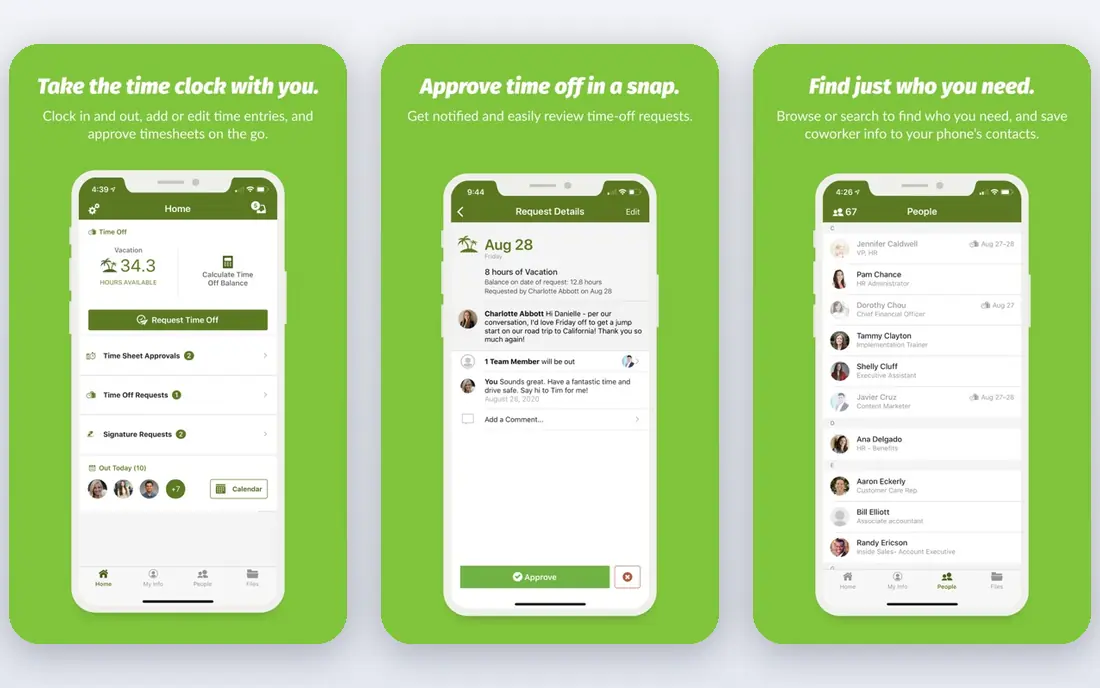
BambooHR is our pick for a small or mid-size team that wants HR staff and employees to use the system without training. Its mobile app covers time-off requests, employee records, onboarding tasks, and approvals, and Core pricing is published at a flat $250 per month for up to 25 employees, then $10 per employee per month above that. Pro and Elite tiers add performance and advanced features.
Payroll, benefits, time, and global hiring are add-ons, so the total price rises with scope. Mobile features also vary by module, so check that the tasks your staff do most often work well on a phone. For a US team that wants simple, mobile-friendly core HR, BambooHR is a dependable starting point.
- Published pricing
- Clean mobile self-service for time off and records
- Applicant tracking included on Core
- Payroll, benefits, and time are add-ons
- Mobile depth varies by module
- Larger enterprises may outgrow it
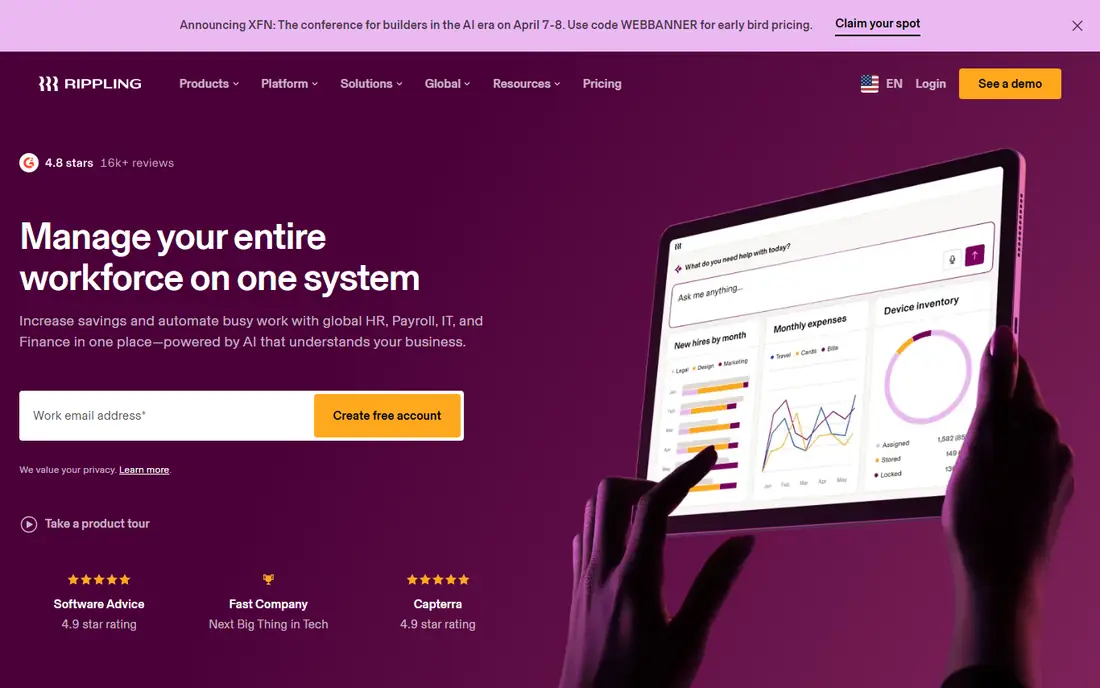
Rippling suits a growing tech-forward team that wants one mobile app for HR, device, and payroll tasks. Employees can handle onboarding, time off, pay, and benefits from a phone, while managers approve requests and IT tasks flow from the same record. The platform starts from $8 per employee per month, with payroll, benefits, IT, and other modules quoted on top.
The modular model is both the strength and the catch. A full stack costs more than the entry price, so price the exact modules you need before comparing. Implementation is usually faster than a large HCM suite. For a team that wants HR and IT to move together on mobile, Rippling is a strong choice.
- Unified HR, IT, payroll, and spend in one system
- Strong mobile app for employees and managers
- Fast implementation for small businesses
- Pricing is quoted beyond the entry platform price
- Modules add cost quickly
- Setup needs care as you add apps
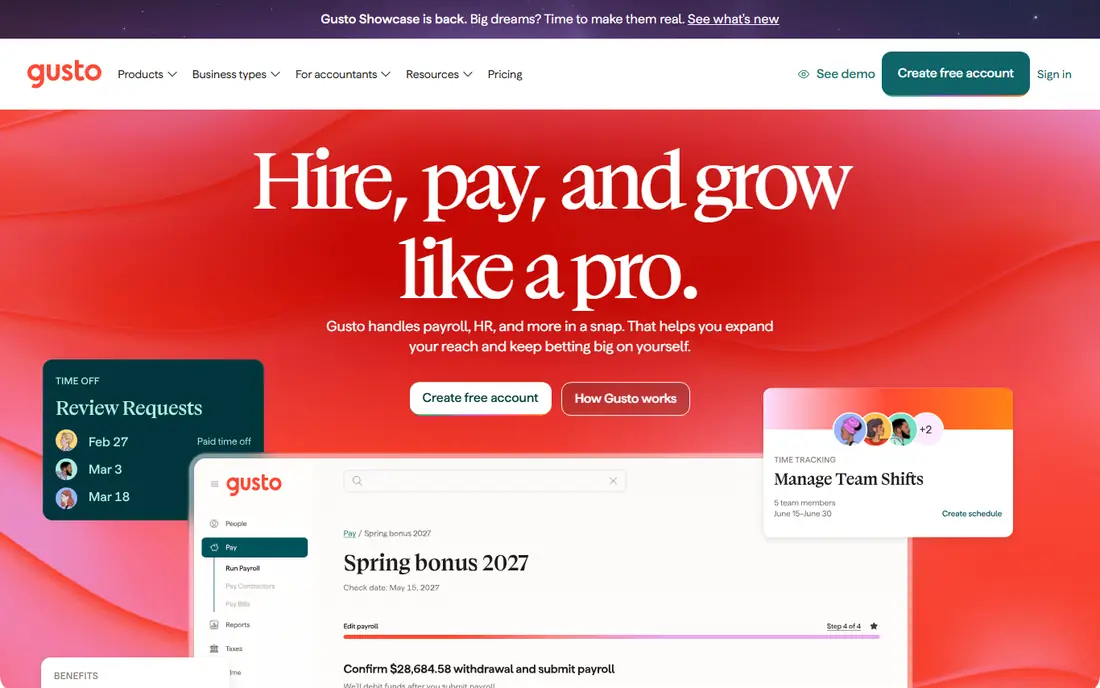
Gusto is the easiest mobile HRIS for a very small US business that starts with payroll. Its Simple plan is published at $49 per month plus $6 per employee per month, covering payroll, employee profiles, and basic HR admin, with time tracking as an add-on. Staff can check pay, request time off, and complete onboarding from a phone without a complex setup.
Gusto is lighter on HR depth than BambooHR or Rippling, and it is US-focused, so global teams should look at Deel or Rippling instead. Higher tiers add multi-state payroll and advanced HR tools at higher prices. For a team of under 100 people that wants payroll done right with simple mobile HR, Gusto is hard to beat.
- Simple payroll-first setup
- Clear published pricing
- Mobile access for pay, time off, and onboarding
- HR depth is lighter than BambooHR or Rippling
- US-focused
- Advanced HR features sit on higher tiers
HiBob, known as Bob, suits a growing company that wants a modern, mobile-first HR experience without moving to a heavy enterprise suite. Employees can manage time off, onboarding, performance, and personal details from a phone, and managers get clear approval and team views. The platform scales from mid-size teams to larger companies, which helps if you plan to grow.
Pricing is quoted per employee, so budgeting needs a sales conversation. Payroll coverage also varies by region, with partners used outside core markets. For a company that values employee experience on mobile and plans to scale, HiBob is a strong modern choice.
- Modern mobile experience for employees and managers
- Strong onboarding, time off, and performance tools
- Scales to enterprise
- Quote-based pricing
- US payroll is native but global payroll needs partners in some regions
- Implementation takes planning
Personio is built for growing teams in Europe and the UK, where labor rules, document handling, and local compliance shape HR work. Its mobile app lets staff request time off, access documents, and complete onboarding tasks, while managers approve and track team data. Recruiting and onboarding are integrated, which helps teams hiring steadily.
Pricing is quoted, and US teams will find payroll and compliance depth weaker than with Gusto, Rippling, or BambooHR. Mobile coverage also varies by module, so test your key workflows. For a European or UK team that wants a local, mobile-friendly HRIS, Personio is a natural fit.
- Strong fit for European labor and compliance needs
- Mobile self-service for time off and documents
- Good recruiting and onboarding
- Quote-based pricing
- US payroll depth is less than US-first rivals
- Mobile features vary by module
Zoho People suits a budget team already using Zoho Mail, CRM, or Books, since it shares sign-in and data with the Zoho suite. Its mobile app covers attendance, time-off requests, approvals, and employee records, which covers the daily needs of many small and mid-size teams. Published plans make it one of the more affordable HRIS options on this list.
Payroll is separate or partner-based in many regions, so teams that want payroll and HR in one bill should check coverage first. The interface is functional rather than polished, and advanced performance or learning features sit on higher tiers. For a Zoho team on a budget, Zoho People is a practical mobile HRIS.
- Budget-friendly published plans
- Mobile app for attendance, time off, and approvals
- Works well with other Zoho apps
- Payroll is separate or partner-based in many regions
- Interface is functional rather than polished
- Advanced HR needs higher tiers
Deel suits a team hiring employees and contractors across many countries, where payroll, compliance, and contracts differ by location. Its mobile experience lets global staff access pay, documents, and time-off tools, while HR teams manage hiring and payroll from one system. That global coverage is Deel's main advantage over US-first HRIS tools.
Pricing is quoted, and a single-country team will find deeper core HR in BambooHR or HiBob. Global setup also needs planning per country, since contracts and benefits vary. For a distributed team that needs compliant global hiring on mobile, Deel is a leading choice.
- Strong global hiring, payroll, and compliance coverage
- Mobile access for contractors and employees
- Handles many countries
- Quote-based pricing
- HRIS depth for a single-country team is less than BambooHR
- Setup needs country-by-country planning
Paylocity serves mid-market US teams that want payroll, HR, and employee engagement in one system. Its mobile app covers pay, time off, schedules, and internal communication, which helps deskless and shift-based staff stay connected. Engagement tools, such as recognition and surveys, add value beyond basic HR records.
Pricing is quoted, and implementation for a mid-size team takes planning. Mobile depth also varies by module, so test the tasks your frontline staff use most. For a mid-market employer that wants payroll plus engagement on mobile, Paylocity is a solid choice.
- Integrated payroll and HR with engagement tools
- Mobile app for pay, time off, and communication
- Strong mid-market fit
- Quote-based pricing
- Implementation can be involved
- Mobile experience varies by module
Workday HCM suits a large enterprise that needs HR, payroll, talent, and finance on one platform with global compliance. Its mobile app lets a large workforce handle time off, pay, expenses, and approvals, while managers and HR teams work from the same data. For a multinational company, that unified record is the main reason to choose Workday.
Workday is not a small-team tool. Pricing is quoted at enterprise levels, and implementation commonly takes months, with internal project resources needed. Small and mid-size teams will get faster value from BambooHR, Rippling, or HiBob. For a large enterprise standardizing on one HCM, Workday remains a leading platform.
- Unified HR, payroll, talent, and finance data
- Strong global compliance
- Mature mobile app for large workforces
- Quote-based enterprise pricing
- Implementation often takes months
- Overkill for small teams
How we picked these
We compared official product pages, vendor documentation, and 2026 comparisons of HRIS platforms, focusing on mobile app coverage, self-service depth, payroll, and pricing transparency. We favored tools that are live today, offer a real mobile app for employees and managers, and serve a distinct team size or region. We did not claim hands-on use with every workforce type, and we treated quoted pricing as quoted.
How to test mobile HRIS before you buy
Give the mobile app to real staff, not just HR admins, during a trial. Ask employees to request time off, check pay, upload a document, and complete an onboarding task on a phone, and ask managers to approve each step. If any common task forces staff back to a desktop, that gap will show up daily after launch.
Check offline and deskless needs
Ask how the app handles poor connectivity, shift workers, and staff without a company email address. Some tools work well for office staff but poorly for warehouse, retail, or field teams. Confirm clock-in, schedule, and pay access for deskless roles before you sign.
Price the modules your staff actually use
Compare quotes on the same scope: core HR, payroll, benefits, time, recruiting, and performance. A low entry price can hide add-on costs for the modules your staff need on mobile. Get the full per-employee cost, including implementation, in writing.
FAQ
What makes an HRIS mobile-friendly?
A mobile-friendly HRIS offers a real app, not just a mobile website, where employees can request time off, check pay, update details, and complete onboarding, and managers can approve requests. The best apps also work for deskless staff, with simple sign-in and clear tasks.
Is BambooHR good on mobile?
Yes, BambooHR offers a mobile app for time off, records, onboarding, and approvals, and it suits small and mid-size teams well. Check that the specific modules you buy, such as payroll or benefits, offer the mobile depth your staff need, since coverage varies by module.
Can small teams use Workday?
Workday is built for large enterprises, with enterprise pricing and long implementation, so it is usually overkill for a small team. BambooHR, Gusto, or Rippling will launch faster and cost less for a team under a few hundred employees.
Does mobile HRIS replace payroll software?
Many HRIS tools include payroll or integrate with it, but coverage varies by country and plan. Gusto and Rippling bundle payroll in many US plans, while Zoho People and Personio may use separate or partner payroll in some regions. Confirm payroll scope for your countries before you buy.
How do I roll out a mobile HRIS to deskless staff?
Provide simple sign-in, short training in the staff's own language where needed, and a help contact for the first weeks. Test clock-in, schedule, and pay access on the devices staff actually use, and collect feedback after the first pay cycle to fix gaps quickly.