Top 5 Meeting Scheduler for Recruiting Teams for 2026 (Prices and Free Plans)
5 best meeting scheduler for recruiting teams, with entry costs, free tiers and the buyer each one serves. Prices and drawbacks included. Reviewed this month.
- Editor's choice
 Cal.com
Adaptable online booking system
Starts at$12 per user a monthVisit cal.comFull review - Great alternativeXoyondo
Straightforward poll-based date finding
Starts at$29 a yearVisit xoyondo.comFull review - Also consider
 Calendly
All-in-one recruiting scheduling and follow-up
Starts at$10 per seat per monthVisit calendly.comFull review
Direct answer
Cal.com comes first here, mainly for flexible online booking system. Listed starting prices: Cal.com from $12 per user a month, Xoyondo from $29 a year and Calendly from $10 per seat per month. Xoyondo is better for straightforward poll-based date finding, and Calendly is better for all-in-one recruiting scheduling and follow-up. Prices, free plans and limits for all 5 tools follow.
TL;DR:
- Cal.com takes the first slot, best suited to adaptable online booking system.
- Calendly is the lowest-priced starter here at $10 per seat per month.
- Only 3 of the 5 tools have a free plan (Cal.com, Xoyondo, Calendly), so check the caps.
- Chili Piper comes with a trade-off: centred on marketing and sales pipeline.
- For embedding calendar sync in your product, Cronofy is worth a look.
Last checked November 2026. Prices and plan details were read from the vendors' own pages in November 2026; vendors change plans often, so confirm the current price on the vendor site before you buy.
Quick comparison
| Tool | Best for | Starts at | Free plan? | |
|---|---|---|---|---|
| Cal.com | Adaptable online booking system | $12 per user a month | Yes | Visit |
| Xoyondo | Straightforward poll-based date finding | $29 a year | Yes | Visit |
| Calendly | All-in-one recruiting scheduling and follow-up | $10 per seat per month | Yes | Visit |
| Chili Piper | High-volume inbound meeting routing | $12 per user a month | Not stated | Visit |
| Cronofy | Embedding calendar sync in your product | $819 a month | Free trial | Visit |
The 5 tools in detail
LinkVetted compared 5 meeting scheduler for recruiting teams. The goal is a practical shortlist: published prices, free plan facts, best-fit use cases and honest limits for every entry.
For adaptable online booking system, Cal.com is a natural candidate. Teams that require scheduling inside a full hiring system may prefer a different choice.
Also, consider Cal.com when adaptability and online booking are the primary requirements. On top of that, Cal.com is a scheduling system for online bookings that helps you grow your business and better find time. The starting price for Cal.com: $12 per user per month. Cal.com offers a free plan.
Drawbacks to consider: General-purpose instead of recruiting-specific.
- Aims to help grow your business
- Scheduling system for online bookings
- May need setup for hiring workflows
Xoyondo
Best for: Straightforward poll-based date finding
Xoyondo works best for straightforward poll-based date finding. Xoyondo is poll-based and does not offer the interview scheduling features of dedicated tools. Pick it for straightforward date polling instead of full recruiting scheduling.
Recruiting teams can use it for fast group coordination, like finding a time for a panel or team discussion. From a buyer's view, teams that require automatic booking, reminders, or hiring integration will outgrow it rapidly. Xoyondo starts at: $29 per year. Xoyondo has a free plan.
Best features of Xoyondo: Simple poll-based scheduling.
Where it is weaker: Limited to poll-style coordination.
- Also supports surveys
- No registration required
- Not aimed at interview workflows
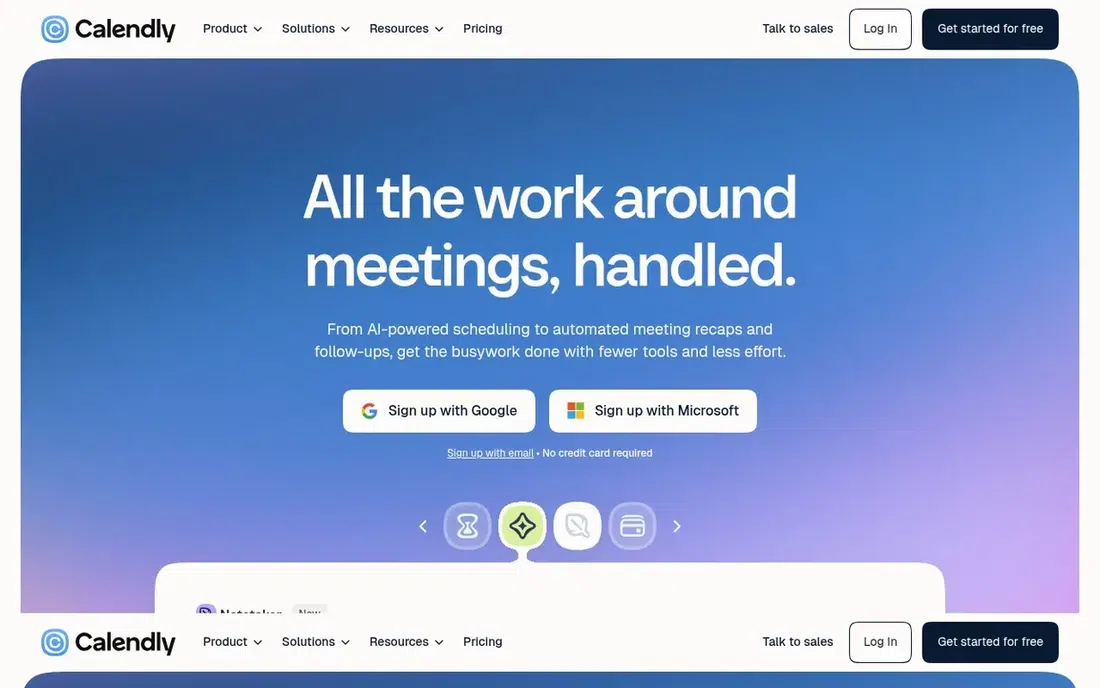
Calendly serves all-in-one recruiting scheduling and follow-up. Calendly is a meeting scheduling system that links and simplifies the work around meetings, from booking and payments to meeting prep, notetaking, contact management, and follow-up. On top of that, for recruiting teams, that means interview scheduling and candidate communication can live in one place.
Honest limits: May be more than small teams need.
It also may not match the automation depth of routing-focused tools for very high inbound volume. Consider it when you want a flexible scheduler with meeting follow-up features. Calendly pricing: $10 per seat per month. Calendly includes a free tier.
- Supports payments and contact management
- Eases work around meetings
- Less concentrated on deep ATS integration
Chili Piper
Best for: High-volume inbound meeting routing

Chili Piper works best for high-volume inbound meeting routing. Recruiting teams with heavy inbound interest can use similar routing to direct candidates to the right recruiter.
From a buyer's view, teams that chiefly schedule one-to-one interviews may find it more than necessary. Chili Piper starts at: $12 per user per month. As for free access: Not stated.
Drawbacks to consider: Concentrated on marketing and sales pipeline.
- Follows up if visitors leave
- Books meetings automatically
- May be complicated for straightforward interview scheduling
Cronofy
Best for: Embedding calendar sync in your product
Cronofy makes the most sense for embedding calendar sync in your product. It is the infrastructure behind numerous SaaS products.
Where it is weaker: Infrastructure focus.
Choose Cronofy when you have to embed calendar sync and scheduling into your own product. More specifically, Cronofy is infrastructure, so it is not a ready-made scheduler for recruiters to use from day one. Cronofy cost at the entry level: $819 per month. Free plan details: Free trial.
- Native calendar sync and scheduling
- One integration for several features
- Needs development work to implement
What went into this list
We compared the tools on published pricing, free plan or trial availability, feature coverage for meeting scheduler for recruiting teams, and the limits each vendor documents. Plan names, prices and limits change often. Treat the figures here as a starting point and verify them with the vendor. The ranking is editorial: typical fit first, then clear pricing, then free access. If your needs are unusual, read the profiles rather than relying on position.
A buyer's checklist
- Check the vendor page for the current price: Calendly starts at $10 per seat per month here, and seats or billing terms can move it.
- Look at free plan limits closely: Cal.com, Xoyondo and Calendly have one, and the caps decide whether it is usable for real work.
- Use real work to test the free trial from Cronofy, rather than a demo project.
- Read the limits listed for Cal.com first: general-purpose instead of recruiting-specific.
- Look at the renewal terms for Chili Piper: auto-renewal, notice periods and price changes can matter more than the first-year price.
- Price Xoyondo for your actual team size; headline prices rarely include add-ons or overage.
FAQ
Can I try these tools before paying?
Often, yes. Cal.com, Xoyondo and Calendly have a free plan and Cronofy offers a free trial. Use your own data and a real task during the test, and check what the free tier or trial limits before you rely on it.
How are the tools for meeting scheduler for recruiting teams ordered?
Cal.com sits first and Cronofy last because the order follows typical fit for meeting scheduler for recruiting teams, then price clarity and free access. It is a judgement call, so read each profile for fit and limits.
Which options for meeting scheduler for recruiting teams have a free plan?
Cal.com, Xoyondo and Calendly offer a free plan in this list. Free plans usually cap users, projects or features, so check the limits on the vendor page. One other tool offers a trial instead.
Do these tools publish their prices?
Yes. Every tool from Cal.com to Cronofy shows a starting price, though seats, add-ons and billing terms still change the final cost.
What should recruiting teams look for in a meeting scheduler?
Look for simple booking links, calendar overlay for invitees, and controls over availability and buffers. The right choice relies on whether you need a standalone scheduler or scheduling inside a bigger hiring system.
Sources
- https://cal.com
- https://xoyondo.com
- https://calendly.com
- https://www.chilipiper.com
- https://www.cronofy.com