Best Medical Dictation Software in 2026: 8 Tools Compared
Best medical dictation software compared: 8 tools for clinicians, from classic dictation to ambient notes, with EHR support, pricing and privacy notes.
- Editor's choice
 Dragon Medical One
Dictating into major EHRs
Starts atSee websiteVisit nuance.comFull review - Great alternative
 Philips SpeechLive
Dictate and transcribe teams
Starts atSee websiteVisit dictation.philips.comFull review - Also consider
 nVoq
Multi-site outpatient groups
Starts atSee websiteVisit nvoq.comFull review
TL;DR:
- Dragon Medical One remains the reference choice for clinicians who dictate directly into an EHR on Windows.
- Ambient tools such as DeepScribe, Suki and Abridge draft notes from the visit conversation, which suits clinicians who dislike dictating aloud.
- Price and deployment differ sharply: classic dictation is often quoted per clinician, while ambient tools usually price by practice or organization.
- Confirm HIPAA safeguards, a business associate agreement and EHR compatibility before buying anything.
- This article is general information only and is not medical advice; always review every note before signing it.
Quick comparison
| Tool | Best for | Starts at | Free plan? | |
|---|---|---|---|---|
| Dragon Medical One | Dictating into major EHRs | See website | No | Visit |
| Philips SpeechLive | Dictate and transcribe teams | See website | No | Visit |
| nVoq | Multi-site outpatient groups | See website | No | Visit |
 DeepScribe | Ambient visit notes | See website | No | Visit |
 Suki | Ambient notes and dictation | See website | No | Visit |
 Abridge | Ambient notes for health systems | See website | No | Visit |
 Freed | Fast notes for small practices | See website | Free trial | Visit |
 WebChartMD | High-volume transcription workflow | See website | Free trial | Visit |
The best medical dictation software
Medical dictation software turns speech into clinical text, but the tools below do that job in two different ways. Classic dictation tools transcribe what the clinician says. Ambient tools listen to the visit conversation and draft a structured note. Both can save time, but they suit different workflows, budgets and compliance needs.
Dragon Medical One, from Nuance, now part of Microsoft, is the long-standing standard for clinical dictation. A clinician speaks, and text appears in the EHR in real time, with vocabularies tuned to cardiology, radiology, orthopedics and many other specialties. The PowerMic Mobile app turns a phone into a secure wireless microphone, and a cloud voice profile follows the clinician across workstations.
The honest catch is cost and complexity. Pricing is commonly quoted per clinician per month through resellers, and smaller practices may find it hard to justify. It also leans on Windows, so Mac-based teams need a workaround. Dragon Medical One suits hospitals and larger groups that need proven accuracy and deep EHR integration, and that have IT support for deployment.
- Deep specialty vocabularies
- Works with many major EHRs
- Voice control of EHR fields and templates
- Windows focused
- Enterprise pricing can be steep for solo clinicians
- Setup takes time to learn
Philips SpeechLive is a cloud dictation platform built around a familiar workflow: a clinician dictates, and the recording goes to a transcriptionist or a speech recognition step for cleanup. That model suits practices where doctors prefer to speak freely and let someone else handle formatting, corrections and document routing. It also pairs with Philips dictation microphones and recorders that many clinics already own.
The limit is integration. SpeechLive is stronger as a dictation and document workflow than as a tool for navigating inside an EHR by voice. Practices that want notes to land directly in chart fields may prefer Dragon or an ambient tool. SpeechLive suits groups with a transcription team or an outsourced transcription service and a steady volume of dictated reports.
- Cloud dictation workflow
- Supports dictation plus human transcription
- Works with Philips dictation hardware
- EHR entry is less direct than Dragon
- Pricing is quote based
- Best for teams, not solo note drafting
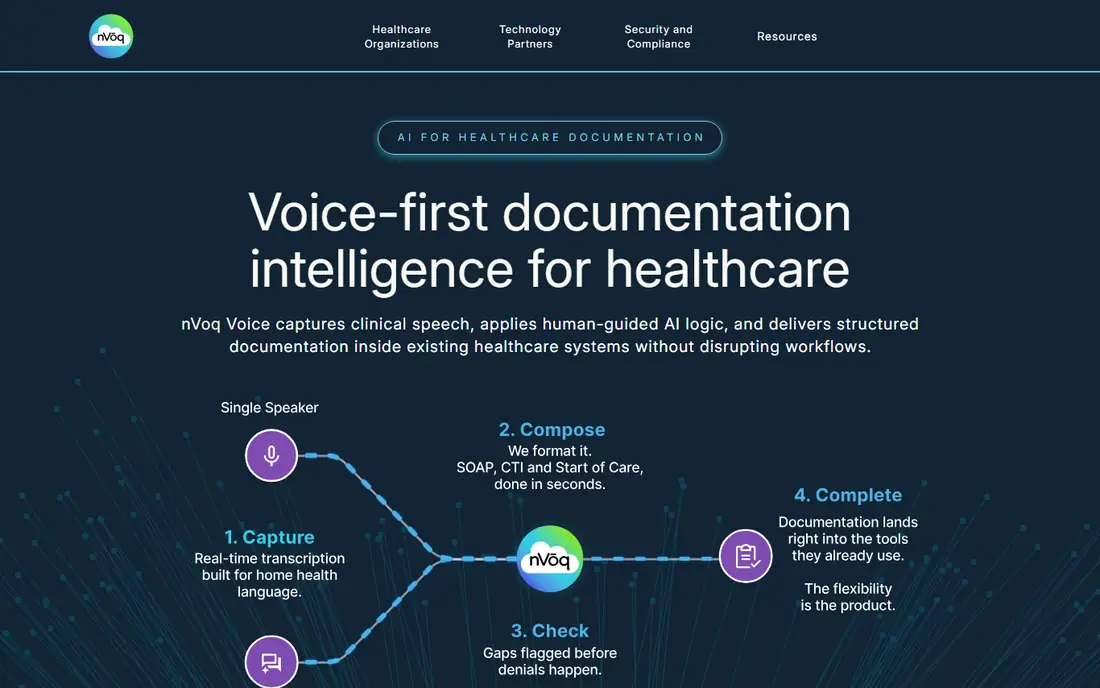
nVoq provides cloud-based medical dictation aimed at multi-site outpatient, post-acute and specialty groups. Its pitch is practical: clinicians dictate from any site, and the platform routes work through integrations with practice systems rather than tying a clinician to one workstation. For a group with several clinics, that consistency matters more than any single feature.
The trade-off is that nVoq is a dictation tool, not an ambient scribe. The clinician still composes the note aloud, sentence by sentence. Groups that want visit conversations turned into notes automatically should look at DeepScribe or Suki instead. nVoq suits organizations that already run a dictation workflow and want it standardized across sites.
- Cloud dictation for distributed teams
- HL7 and API integration options
- Specialty vocabularies
- Pricing is quote based
- Smaller brand recognition than Dragon
- Ambient features are limited
DeepScribe is an ambient AI scribe: it records the clinician-patient conversation, with consent, and produces a structured note with sections, coding suggestions and pre-charting support. That is a different job from dictation. Instead of speaking a note after the visit, the clinician talks naturally during the visit and edits the draft afterward. For many doctors, that change is the whole point, because it cuts after-hours charting.
The honest catch is review time. An ambient draft still needs checking for errors, missing details and tone, and practices must have a clear consent and privacy process for recording visits. DeepScribe suits US practices that want ambient documentation with EHR integration and that can support a proper rollout, training and audit of AI-generated notes.
- Drafts structured notes from visit audio
- Specialty templates
- EHR integration and coding support
- Pricing is quote based
- Clinicians must still review every draft
- Ambient recording needs patient consent processes
Suki offers both ambient note generation and classic dictation with voice commands, which makes it a flexible middle ground. A clinician can let Suki draft a note from the conversation, dictate additions, and use voice commands to pull in patient data or complete routine tasks. That mix helps practices that are not ready to go fully ambient but want to cut typing time.
The limit is variation by EHR and specialty. Integration depth and template support differ, so a practice should confirm its exact EHR version and workflows during a trial. Suki suits groups that want one vendor for dictation and ambient notes, rather than buying two separate tools.
- Combines ambient notes with voice commands
- Works across specialties
- EHR integration
- Pricing is quote based
- Feature availability varies by EHR
- Ambient accuracy varies by visit type
Abridge builds an ambient clinical documentation platform used by health systems and large groups. It captures the visit conversation and turns it into a structured, auditable note that clinicians review and sign. Its strength is enterprise deployment: governance, security review, EHR integration and support for many specialties at scale. Health systems that need consistent documentation across departments often prefer a vendor built for that scale.
The trade-off is fit for small practices. Abridge is geared toward organizations with formal procurement, IT and compliance teams, and its pricing reflects that. A solo clinician or a two-doctor practice will likely find a lighter tool faster to adopt. Abridge suits hospitals and large groups standardizing ambient notes across sites.
- Enterprise ambient platform
- Deep health system deployments
- Structured, reviewable notes
- Pricing is quote based
- Aimed at larger organizations
- Smaller practices may find it too heavy
Freed is an ambient scribe aimed at smaller practices and individual clinicians who want notes drafted quickly without an enterprise rollout. The workflow is simple: record the visit, review the draft note, edit and paste it into the chart. That simplicity is its main appeal for a busy clinic that cannot spend weeks on implementation and training.
The honest catch is scale and governance. Freed is less built for multi-hospital standardization than Abridge or DeepScribe, and practices still need consent, privacy and review processes. It suits small practices, urgent care teams and solo clinicians who want to test ambient documentation with a trial before committing to a larger platform.
- Quick setup for small teams
- Ambient note drafts
- Lower friction than enterprise platforms
- Less enterprise governance than larger vendors
- Clinicians must still review drafts
- Pricing varies by plan
WebChartMD is a transcription and dictation platform for practices with steady document volume. Clinicians dictate, documents move through review and e-signature, and finished notes are routed back to the practice system. That structured workflow suits radiology, specialty and high-volume clinics where many reports must be produced, checked and filed each day.
The limit is that WebChartMD is a workflow tool first and an AI scribe second. Practices that want conversation-based notes should prefer an ambient option. WebChartMD suits teams that already run a transcription workflow and want it organized, tracked and integrated rather than rebuilt from scratch.
- Flexible dictation and document review
- E-signature support
- API integration options
- Less ambient AI depth than newer scribes
- Interface feels workflow focused
- Pricing is tailored by practice
How we picked these
We compared official vendor pages, EHR compatibility claims, pricing transparency, HIPAA and security documentation, and public reviews from clinicians and practice managers. We favored tools that are actively sold in the United States in 2026, that clearly state their workflow, and that offer a business associate agreement for covered entities. We excluded general dictation apps without medical vocabularies or clinical safeguards, because they are not a safe fit for patient notes.
Choosing between dictation and ambient notes
The first decision is workflow, not brand. Classic dictation suits clinicians who like to compose a note in their own words and control every sentence. Ambient notes suit clinicians who want to focus on the patient during the visit and edit a draft afterward. Both need review, and neither removes the clinician's responsibility for what is signed.
Check EHR fit and compliance before price
Ask the vendor to confirm your exact EHR and version, how notes are inserted, and whether the tool works in virtual desktop environments if your practice uses them. Confirm encryption, data retention, where audio is processed, and that a business associate agreement is available. For ambient tools, also confirm how patient consent is recorded and how recordings are stored or deleted.
Run a real trial with your hardest visits
A trial with simple follow-up visits will flatter any tool. Test it on complex patients, multiple speakers, accents in your clinic and noisy rooms. Measure editing time, not just transcription speed, because a draft that needs heavy correction saves nothing. Keep the tool that cuts total charting time for your team, not the one with the best demo.
FAQ
What is the best medical dictation software?
Dragon Medical One is the best-known choice for classic dictation into major EHRs, while DeepScribe, Suki and Abridge lead for ambient notes. The right pick depends on whether you want to dictate a note yourself or have a draft built from the visit conversation. Test both styles with your own visits before deciding.
What is the best medical transcription software for a small practice?
Smaller practices often prefer Freed for ambient drafts or WebChartMD for a structured transcription workflow, because both are easier to adopt than an enterprise platform. Dragon Medical One is also an option, but its per-clinician cost and setup effort suit larger groups better. Always confirm EHR fit and a business associate agreement first.
Is medical dictation software HIPAA compliant?
Many clinical tools are built with HIPAA safeguards and offer a business associate agreement, but compliance also depends on how your practice uses the tool. Check encryption, access controls, data retention and where audio is processed. A general consumer dictation app without a business associate agreement should not be used for patient notes.
Do I need to review AI-generated medical notes?
Yes. Every AI-generated or dictated note must be reviewed, corrected and signed by the responsible clinician. Speech recognition and ambient tools can mishear terms, miss context or invent details, and the clinician remains responsible for the final record. Build review time into your schedule rather than assuming a draft is ready to file.
Can medical dictation software work with Epic or Oracle Health?
Dragon Medical One lists support for Epic, Oracle Health (formerly Cerner), MEDITECH and other major EHRs, and several ambient vendors integrate with major EHRs as well. Confirm your exact EHR version and workflow with the vendor, because integration depth varies by product and deployment. A trial in your real EHR is the only reliable test.