Best Medical Billing Software for Home Based Business in 2026: 8 Tools Compared
Compare the best medical billing software for home based business, with claims, denials, patient billing, and pricing for solo billers and small teams.

- Editor's choice
 Kareo
Solo billers and small independent practices
Starts at$150 per monthVisit tebra.comFull review - Great alternative
 CollaborateMD
Small practices that want an intuitive billing interface
Starts at$299 per monthVisit collaboratemd.comFull review - Also consider
 AdvancedMD
Multi-specialty groups needing deep billing configuration
Starts at$429 per monthVisit advancedmd.comFull review
TL;DR:
- A home-based billing business needs a tool built for claims and denials first, not just a general accounting app.
- Kareo and CollaborateMD suit solo billers who want a clear claims queue and a patient portal without enterprise pricing.
- AdvancedMD and DrChrono suit billers who serve larger or more complex practices and need deeper reporting.
- SimplePractice and TherapyNotes are strong fits when the clients are therapists or behavioral health practices.
- Price models differ sharply, from flat monthly fees to a percentage of collections, so compare the total cost per client.
Quick comparison
| Tool | Best for | Starts at | Free plan? | |
|---|---|---|---|---|
| Kareo | Solo billers and small independent practices | $150 per month | No | Visit |
| CollaborateMD | Small practices that want an intuitive billing interface | $299 per month | Free trial | Visit |
| AdvancedMD | Multi-specialty groups needing deep billing configuration | $429 per month | No | Visit |
 DrChrono | Practices that chart and bill from tablets | See website | No | Visit |
 SimplePractice | Therapists running a home-based billing service | $49 per month | Free trial | Visit |
 TherapyNotes | Behavioral health practices and their billers | $49 per month | Free trial | Visit |
 PracticeSuite | Billing companies serving many practices | See website | No | Visit |
 CareCloud | Small to mid-size practices wanting clear dashboards | See website | No | Visit |
The best medical billing software for home based business
Running medical billing from home is a real business, but it lives or dies on clean claims, fast denial follow-up, and clear client reporting. A home biller often serves several practices, so the tool must keep each client's claims, payments, and reports separate. The eight tools below cover that work at different scales.
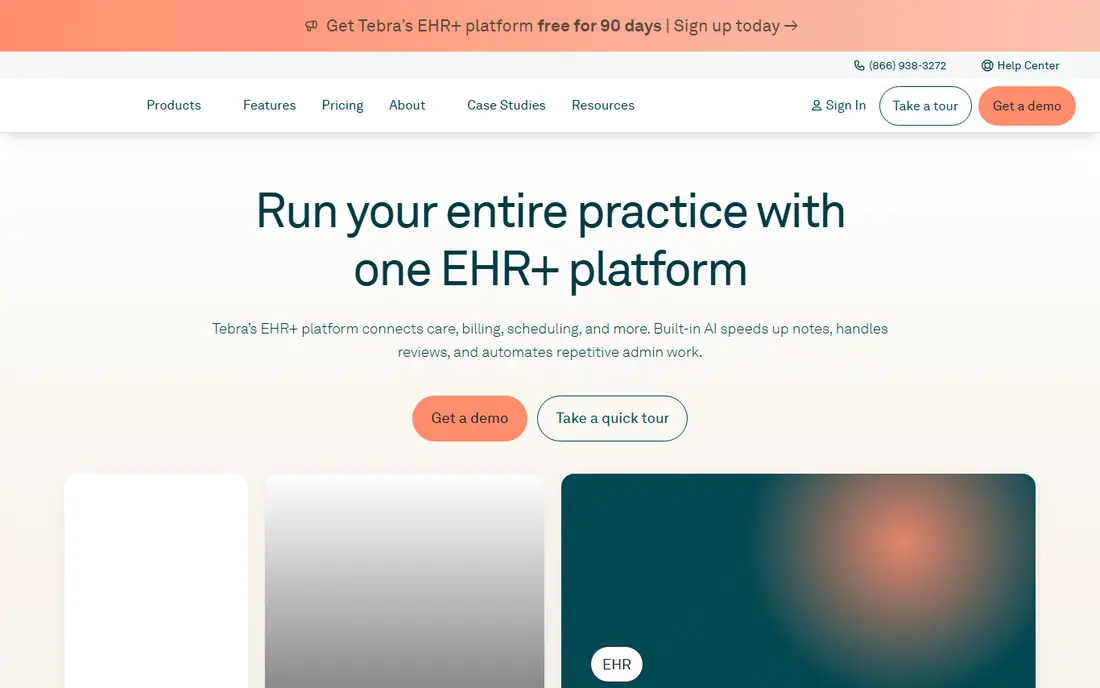
Kareo, now part of Tebra, is a sensible default for a home-based biller starting with one or two small practices. The built-in clearinghouse and automatic error checks catch common coding mistakes before a claim goes to the payer, which cuts denials at the source. Scheduling, practice management, and patient billing sit in the same system, so a biller does not juggle separate tools for each client task.
The price starts near $150 per provider per month, with higher bundles reaching well above that depending on EHR and revenue cycle features. There is no free trial, so a biller should book a demo using a real claim workflow, not a sample. For a home business serving solo providers and small groups, Kareo's balance of simplicity and billing depth is hard to beat.
- Built-in clearinghouse
- Claim scrubbing before submission
- Patient portal included
- No free trial
- Support responsiveness draws mixed reviews
CollaborateMD
Best for: Small practices that want an intuitive billing interface

CollaborateMD suits a home biller who values a clean, readable billing screen over a sprawling practice platform. Claims, payments, and patient balances are easy to find, which matters when a biller switches between clients all day. The free trial lets a biller test the workflow on real claim types before paying.
At around $299 per month per provider, CollaborateMD is not the cheapest option, and it does not match AdvancedMD on reporting depth. It earns its place for billers who want a focused billing tool that staff can learn quickly. If the clients are small practices with standard claims, CollaborateMD's clarity is a genuine advantage.
- Cloud-based billing with a clear interface
- Claim scrubbing
- Patient portal
- Price is higher than Kareo entry pricing
- EHR depth trails larger platforms

AdvancedMD is the depth pick for a home billing business that serves larger or more complex practices. Its reporting on accounts receivable aging, payer performance, and denial patterns helps a biller show clients exactly where money is stuck. That reporting is also a selling point when pitching a new practice, since it proves the biller's value in numbers.
The trade-off is complexity and price, starting from $429 per provider per month on some listings, with revenue cycle services priced as a percentage of collections on other plans. Implementation takes longer than a simpler tool, and add-on costs can accumulate. AdvancedMD fits a home business that has grown past solo practices and needs configuration depth to match.
- Deep denial and AR reporting
- Mature billing workflow
- Broad specialty support
- Learning curve is steep
- Implementation can take time
- Add-ons add cost
DrChrono is built for providers who work from an iPad in the exam room, charting and billing as they go. For a home biller, that mobile-first design means charges often flow from the clinical note into billing with less manual entry, since CPT codes can populate from documentation. Custom templates across specialties help when clients span family medicine, urgent care, and niche fields.
Pricing is quote-based, and the billing service option is often priced as a percentage of collections rather than a flat fee. A home biller should clarify whether they are buying software only or a managed billing service, since the price and the work split differ sharply. DrChrono fits billers whose clients already chart on tablets and want billing close to the note.
- Mobile-first charting and billing
- Customizable specialty templates
- API options
- Pricing is not published
- Billing support reviews are mixed
SimplePractice is the clear pick when the home billing business serves therapists, counselors, and behavioral health practices. It combines scheduling, telehealth, a client portal, and insurance billing in one low-cost platform, starting from $49 per month. That all-in-one design suits a solo therapist practice that does not need a hospital-grade billing system.
The limit is scope. SimplePractice is not built for surgical, radiology, or multi-specialty medical billing, and complex claims may need a more general tool. A home biller who serves only therapists will find it efficient and affordable. A biller with mixed medical clients should pair it with a general tool such as Kareo for the non-therapy work.
- Low entry price
- Telehealth and client portal included
- Insurance billing built in
- Built for mental health, not general medical specialties
- Limited depth for complex claims
TherapyNotes is a close rival to SimplePractice for behavioral health billing. It covers notes, scheduling, billing, and a patient portal, with a 30-day trial that lets a biller test the full workflow. Starting near $49 per month, it is affordable for a small therapy practice or a home biller serving several therapists.
As with SimplePractice, the specialty focus is both the strength and the limit. TherapyNotes does not aim to serve general medical practices, so a home business with mixed clients will need another tool for those accounts. For a niche billing business built around therapists, TherapyNotes is a clean, focused choice.
- Behavioral health notes and billing in one place
- 30-day trial
- Patient portal
- Narrow specialty focus
- Limited EHR integration for general medical use
PracticeSuite is built for billing companies and central billing offices, which makes it a natural fit for a home business that grows into several clients. Claim scrubbing, a built-in clearinghouse, and electronic remittance processing sit at the core, and the system is designed to keep multiple practices separate while letting one biller work across them.
Pricing is quote-based, so a biller should get a written quote for the number of providers and claims they expect. PracticeSuite is less polished than Kareo or CollaborateMD, but its billing-office design matters more than looks when volume grows. It fits a home business that has moved from one client to a small portfolio.
- Claim scrubbing with built-in clearinghouse
- ERA processing
- Central billing office design
- Pricing is not published
- Interface is more functional than polished
CareCloud suits a home biller who needs to show clients clear performance data, not just a list of claims. Dashboards track billing, collections, and practice performance in a format that is easy to share in a client meeting. That reporting helps a home business retain clients, since the value of the service is visible each month.
Pricing is quote-based, and CareCloud's footprint is smaller than Kareo or AdvancedMD, so references from a similar-sized billing business are worth seeking. CareCloud fits a biller who serves small to mid-size practices and wants reporting polish alongside standard claims work.
- Analytics-forward billing dashboards
- Practice performance views
- Clean interface
- Pricing is not published
- Smaller footprint than the biggest billing brands
How we picked these
We compared official feature pages, pricing pages, and current medical billing comparisons for tools used by small practices and billing services in the United States. We favored tools with claim scrubbing, clearinghouse access, denial management, and patient billing, since those are the core tasks of a home billing business. We included both general medical tools and behavioral health tools, since many home billers specialize in one or the other.
How to run a home billing business on the right tool
Start with one client type and one claim workflow, then expand. A tool that handles your first client's payers, claim types, and denial patterns well will usually handle the second client well too. A tool chosen for a feature you rarely use will slow every working day.
Separate clients, track denials, and report monthly
Keep each client's claims, payments, and reports fully separate, even if the tool allows a shared view. Track denial reasons by payer, since the same denial pattern across clients points to a coding or payer rule issue, not a single mistake. Send each client a short monthly report with claims submitted, payments posted, denials worked, and aging totals. That report is what turns a home billing service from a cost into a visible partner.
Cost, compliance, and contracts
Compare flat monthly pricing against percentage-of-collections pricing for your actual client mix, since a percentage model can cost far more as a practice grows. Confirm business associate agreement terms, data security, and how client data exports if a contract ends. This article is general information only, not legal, tax, or billing advice, and payer rules and privacy duties vary, so check your obligations with qualified advisers and each payer's current rules.
FAQ
Can I run a medical billing business from home?
Yes, many billing services operate from home using cloud-based software, a secure computer, and a business associate agreement with each client. You need reliable internet, secure handling of patient data, and a clear contract covering scope, fees, and data access. Check state and payer rules for your specific setup.
How much does medical billing software cost for a home business?
Flat pricing ranges from $49 per month for SimplePractice and TherapyNotes to $150 per month for Kareo and $429 per month for AdvancedMD on some listings. Percentage models charge a share of collections instead, often in the range of a few percent. Compare the total cost per client, not just the headline monthly fee.
Do I need an EHR to do medical billing from home?
Not always. Many billing tools work with a client's existing EHR, while others include practice management or EHR features. If your clients already use an EHR, pick a billing tool that integrates with it. If they do not, an all-in-one tool such as Kareo or DrChrono may be simpler.
What is claim scrubbing?
Claim scrubbing is an automatic check that catches coding errors, missing fields, and payer rule issues before a claim is submitted. It reduces denials and speeds up payment, since a clean claim is more likely to be accepted on first submission. Kareo, CollaborateMD, and PracticeSuite all include scrubbing features.
Should a home biller charge a flat fee or a percentage?
It depends on client size and claim volume. A flat fee is predictable for small practices with steady volume. A percentage of collections scales with the practice but can cost far more as revenue grows. Many home billers use a flat fee per claim or per provider, with a clear scope in the contract.
How do I get my first medical billing clients?
Start with a niche, such as therapists or a single specialty, and offer a clear monthly reporting package. Ask for references from a first client, document denial improvements in numbers, and keep contracts simple. A focused niche is easier to win than a general pitch to every practice type.