Best Marketing Automation Tools in 2026: 8 Platforms Compared
Compare the best marketing automation tools in 2026, with current pricing, email and SMS flows, CRM links and honest limits for growing teams in 2026.
- Editor's choice
 HubSpot Marketing Hub
CRM-centred marketing teams
Starts atFreeVisit hubspot.comFull review - Great alternative
 ActiveCampaign
Deep mid-market automation
Starts at$15 per monthVisit activecampaign.comFull review - Also consider
 Klaviyo
Ecommerce email and SMS
Starts atFreeVisit klaviyo.comFull review
TL;DR:
- HubSpot is the platform pick when CRM, sales and marketing must share one database, but Professional pricing jumps sharply.
- ActiveCampaign offers the deepest mid-market automation builder, starting at $15 per month for 1,000 contacts billed annually.
- Klaviyo and Mailchimp suit ecommerce and small teams, with free plans that are useful at very small scale.
- Marketo Engage, Salesforce Account Engagement and Braze fit larger teams with complex journeys and data needs.
- Contact-based pricing means list hygiene matters as much as the feature list, so clean your list before you compare bills.
Quick comparison
| Tool | Best for | Starts at | Free plan? | |
|---|---|---|---|---|
| HubSpot Marketing Hub | CRM-centred marketing teams | Free | Yes | Visit |
| ActiveCampaign | Deep mid-market automation | $15 per month | Free trial | Visit |
| Klaviyo | Ecommerce email and SMS | Free | Yes | Visit |
 Mailchimp | Small teams and newsletters | Free | Yes | Visit |
 Marketo Engage | Enterprise B2B journeys | See website | No | Visit |
 Salesforce Account Engagement | Salesforce-centred B2B teams | See website | No | Visit |
 Braze | Cross-channel customer engagement | See website | Free trial | Visit |
 Customer.io | Data-driven lifecycle messaging | See website | Free trial | Visit |
The best marketing automation tools
Marketing automation should save time and send the right message at the right moment, not just send more email. These eight platforms cover that job for teams from solo founders to enterprise marketers.

HubSpot Marketing Hub is the all-in-one pick for B2B teams that want CRM, marketing, sales and service under one login. The free plan covers basic email, forms and CRM tools, and Starter is $20 per seat per month on monthly billing, or lower on annual billing in some listings. Professional starts at $890 per month with three seats and 2,000 marketing contacts, plus a $3,000 one-time onboarding fee.
That shared database is the real benefit. Campaigns, deals and support tickets draw on the same contact record, so attribution and handover work without stitching systems together. The catch is the price cliff from Starter to Professional. Teams that need real automation depth, custom reporting and advanced workflows should budget for Professional from the start, not discover it after a year of growth.
- Free CRM and marketing tools to start
- Shared contact and deal data
- Strong reporting and landing page tools
- Professional jumps to $890 per month
- Onboarding fees apply on higher tiers
- Contact tiers add cost fast
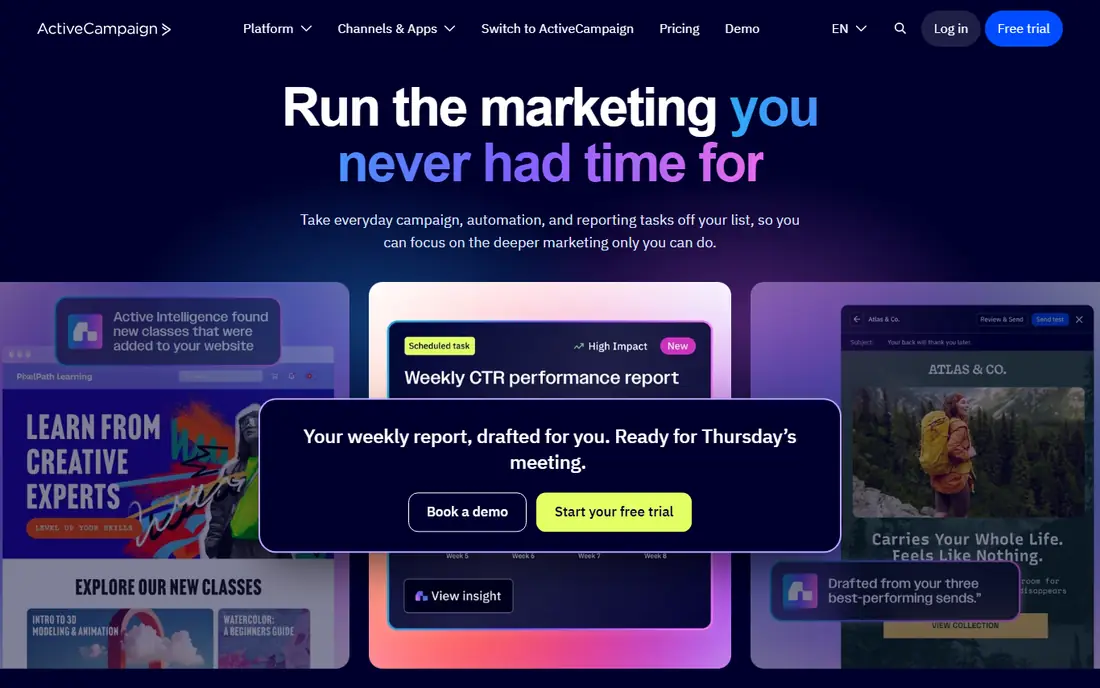
ActiveCampaign is our pick for teams that live inside automation. Starter costs $15 per month at 1,000 contacts billed annually, Plus costs $49 and Pro costs $79 at the same contact level. Plus adds unlimited automation actions, lead scoring and CRM pipelines, while Pro adds conditional content, advanced reporting and attribution.
The builder is the strength. Branching, goals, split paths and site tracking let a team build multi-step journeys that react to what a contact actually does. The catch is contact-based pricing and the Starter limit. Starter caps each automation at five actions, which is too little for a real journey, so most serious buyers need Plus or Pro. Clean unsubscribed and bounced contacts before you sign, because they can still count toward the bill on newer accounts.
- Visual automation builder with branching and goals
- Built-in CRM on higher tiers
- Predictive sending on Plus and above
- No permanent free plan
- Price rises with contact count
- Starter limits automations to five actions

Klaviyo is the default email and SMS platform for many Shopify stores, and that integration is the reason. Purchase data, browse behaviour and predictive lifetime value flow into segments and flows without manual imports. Pre-built flows cover abandoned carts, browse abandonment, post-purchase messages and win-back campaigns.
The free plan covers up to 250 active profiles, 500 email sends and 150 SMS credits per month, with Klaviyo branding. Paid email starts at $20 per month for up to 500 profiles and rises to about $150 at 10,000 profiles. The catch is profile-based billing. A large but disengaged list costs more, and SMS credits sit on top of the email plan. Keep the list clean and start with the core flows before building dozens of micro-segments.
- Deep Shopify integration
- Strong segmentation and predictive analytics
- Pre-built ecommerce flows
- Free plan covers only 250 profiles
- Price rises with active profiles
- SMS is billed separately
Mailchimp remains the fastest path to a polished campaign. Its free plan covers up to 250 contacts and 500 sends per month, Essentials starts at $13 per month for 500 contacts, Standard starts at $20 per month, and Premium starts at $350 per month. Standard adds up to 200 automation flows, predictive segmentation and more seats.
The strength is ease and reach. Templates, deliverability tools, landing pages and a large integration catalogue make it easy for a small team to send good email quickly. The catch is that the free plan is now a trial in practice, not a long-term plan, and Essentials limits flows to four steps. Teams that need deep automation should compare ActiveCampaign or HubSpot before committing to Mailchimp at scale.
- Fast campaign builder and templates
- 300-plus integrations
- Simple setup for newsletters and stores
- Free plan covers only 250 contacts
- Automation depth is gated by plan
- Contact count drives the bill
Marketo Engage, part of Adobe, is built for enterprise B2B marketing. It handles complex lead scoring, nurture programs, account-based marketing and multi-touch journeys across long sales cycles. Teams that sell to buying groups, not single buyers, get the most from its scoring and program tools.
The trade is staffing. Marketo rewards a team that knows marketing operations, data hygiene and program design. A small team without that skill will find it heavy and slow to show value. Pricing is by quote, based on database size and modules, so a buyer should ask for total cost, including implementation and training, before comparing it with HubSpot or ActiveCampaign.
- Deep B2B lead scoring and nurture programs
- Strong account-based marketing
- Adobe ecosystem links
- Enterprise pricing by quote
- Needs skilled staff and a longer setup
Salesforce Account Engagement, formerly Pardot, is the natural marketing automation choice for teams already on Salesforce. Leads, campaigns and opportunities sync natively with Sales Cloud, so sales and marketing share one record. Grading and scoring help teams prioritise accounts, and higher tiers add AI insights and advanced analytics.
The catch is commitment, as with Microsoft in security. Teams outside Salesforce get less benefit, and pricing is by quote, with editions that differ sharply in features. Implementation also takes care, because a poor CRM data model will show up in every campaign. For a Salesforce shop with a B2B sales cycle, though, the native sync is a real advantage over a third-party connector.
- Native Salesforce CRM sync
- Strong B2B lead grading and scoring
- Einstein AI features on higher tiers
- Pricing by quote
- Best value needs a Salesforce commitment
- Setup can be complex
Braze suits consumer brands and app teams that message across channels. Email, mobile push, SMS, in-app messages and webhooks can sit in one journey, with real-time data and personalisation driving each step. That matters when a user moves from an app to email to a store in one day, and a single-channel tool would miss the thread.
The honest limit is scope and cost. Braze is an enterprise-grade customer engagement platform, priced by quote, and it works best when product events, user data and content are already in good shape. Smaller email-only teams will find HubSpot, ActiveCampaign or Klaviyo simpler and cheaper. For a brand with an app, a store and a loyalty program, Braze can replace several point tools.
- Email, push, SMS and in-app messaging in one journey builder
- Strong real-time personalisation
- Good for apps and brands
- Enterprise pricing by quote
- Needs product and data inputs to reach full value
Customer.io is built for product and lifecycle teams that trigger messages from real user behaviour. A signup, a trial expiry, a feature use or a purchase can start a journey across email, push, SMS and in-app messages. Its API and data integrations suit teams that already track events in a warehouse or product analytics tool.
The strength is flexibility. Journeys can branch on data, timing and past messages without a rigid campaign model. The catch is data quality. If events are messy or incomplete, journeys will misfire, and pricing by profile and message volume means a noisy event stream can add cost. Teams with clean data and a lifecycle mindset will get the most from it, while teams that only send newsletters should pick a simpler tool.
- Flexible data-driven journeys
- Email, push, SMS and in-app channels
- Strong API and data integrations
- Pricing is by profile and message volume
- Needs clean event data to work well
How we picked these
We compared official pricing pages, product documentation and 2026 pricing trackers for platforms that are actively sold today and truly automate marketing journeys, not just send bulk email. We weighed automation depth, CRM and ecommerce integration, channel coverage, and fit for different team sizes. Where a vendor publishes a price, we used it. Where pricing is by quote or varies by contacts, we wrote See website rather than guessing a contract figure.
We did not claim hands-on trials. The trade-offs here reflect documented tier contents, billing models and consistent reviewer feedback about setup effort and price growth.
How to choose a marketing automation tool
Start with your data, not the demo. List where contacts live, how purchases or signups are tracked, and which channels you actually use. A tool that syncs cleanly with your CRM or store will beat a stronger tool that needs constant manual imports.
Next, map one real journey before you buy. A welcome series, an abandoned cart flow or a trial nurture program will show if the builder, segmentation and reporting fit your team. Test deliverability, unsubscribe handling and consent controls, because those affect legal risk as much as open rates.
Also model total cost at twice your current list size. Contact-based tools punish dirty lists, and seat-based tools punish large teams. Ask for the cost of add-ons, SMS credits, extra seats and onboarding. Finally, check support and migration help. Moving lists, templates and automations takes time, and a vendor that helps with that move is worth more than a small discount.
A practical shortlist test
Give each finalist the same list, the same journey and the same reporting question. Ask how long setup takes, what the monthly bill will be at your next growth stage, and how you export your data if you leave. The vendor with the clearest answers on those three points is often the safest choice, even if its feature list is shorter.
FAQ
What are the best marketing automation platforms in recent years?
HubSpot, ActiveCampaign, Klaviyo and Mailchimp lead for most small and mid-size teams, while Marketo Engage, Salesforce Account Engagement and Braze lead for larger or more complex teams. The best pick depends on your CRM, your store, your channels and your team size, not on a single ranking.
How much do marketing automation tools cost?
Free plans cover very small lists, while paid plans start around $13 to $20 per month and rise with contacts, seats and features. Enterprise platforms price by quote and can run into thousands per month. Always model cost at twice your current list size before signing.
Is HubSpot worth the price?
HubSpot is worth it when a team uses the shared CRM, sales and marketing database every day. It is harder to justify for email-only teams, because Professional jumps to $890 per month plus onboarding. Smaller teams should test Starter and ActiveCampaign first.
What is the best marketing automation tool for ecommerce?
Klaviyo is our pick for Shopify and similar stores, because purchase and browse data feed flows and segments directly. Mailchimp is a simpler alternative for small stores, while Braze suits larger brands with apps and multiple channels.
Do I need marketing automation for a small list?
Not always. A small list with one newsletter a month may not need automation. Once you run welcome series, abandoned carts, trial follow-ups or lead nurture, automation saves time and keeps messages consistent. Start with one journey, not ten.
How do I avoid paying for contacts I never email?
Archive or remove unsubscribed, bounced and unconfirmed contacts where the vendor allows it, and check if they count toward billing. Keep signup forms clean, use double opt-in where it fits, and review list size before each renewal.
Sources
- https://www.hubspot.com/pricing/marketing
- https://www.activecampaign.com/pricing
- https://www.klaviyo.com/pricing
- https://mailchimp.com/pricing/
- https://business.adobe.com/products/marketo/pricing.html
- https://www.salesforce.com/marketing/account-engagement/pricing/
- https://www.braze.com/pricing
- https://customer.io/pricing