Best Managed WordPress Hosting for Enterprises for 2026: Our 6 Vetted Picks
Best managed WordPress hosting for enterprises, compared. 6 tools with published prices, free plans and limits. Details on cost, catches and fit. Quick to scan.
- Editor's choice
 WP Engine
Mature managed WordPress with wide support
Starts at$28.00 a monthVisit wpengine.comFull review - Great alternative
 Cloudways
Managed cloud hosting for smaller teams
Starts at$20 per monthVisit cloudways.comFull review - Also consider
 Liquid Web
Managed hosting with infrastructure adaptability
Starts atSee websiteVisit liquidweb.comFull review
Direct answer
For mature managed WordPress with broad support, WP Engine is where this list starts. Listed starting prices: WP Engine from $28.00 a month, Cloudways from $20 per month and Kinsta from $17.50 a month. Cloudways is the stronger choice for managed cloud hosting for smaller teams, while Liquid Web suits managed hosting with infrastructure adaptability. The full list of 6 tools follows, with prices and free plan facts.
TL;DR:
- WP Engine is the opening pick, best for mature managed WordPress with wide support.
- Before buying WordPress VIP, weigh this: enterprise-focused onboarding can be involved.
- Kinsta has the lowest monthly starting price in this list: $17.50 per month.
- None of the 6 tools, from WP Engine to Kinsta, has a free plan, so budget for a subscription or use a trial.
Last checked November 2026. Prices and plan details were read from the vendors' own pages in November 2026; vendors change plans often, so confirm the current price on the vendor site before you buy.
Quick comparison
| Tool | Best for | Starts at | Free plan? | |
|---|---|---|---|---|
| WP Engine | Mature managed WordPress with wide support | $28.00 a month | Not stated | Visit |
| Cloudways | Managed cloud hosting for smaller teams | $20 per month | Free trial | Visit |
| Liquid Web | Managed hosting with infrastructure adaptability | See website | Not stated | Visit |
 WordPress VIP | Large enterprises with strict compliance needs | See website | Not stated | Visit |
 Pantheon | WebOps workflows across several frameworks | See website | Not stated | Visit |
 Kinsta | Performance-focused managed WordPress teams | $17.50 a month | Free trial | Visit |
The full managed WordPress hosting for enterprises list
This LinkVetted guide covers 6 managed WordPress hosting for enterprises. Each profile lists a starting price, free plan details, strengths and drawbacks, so you can drop poor fits quickly.
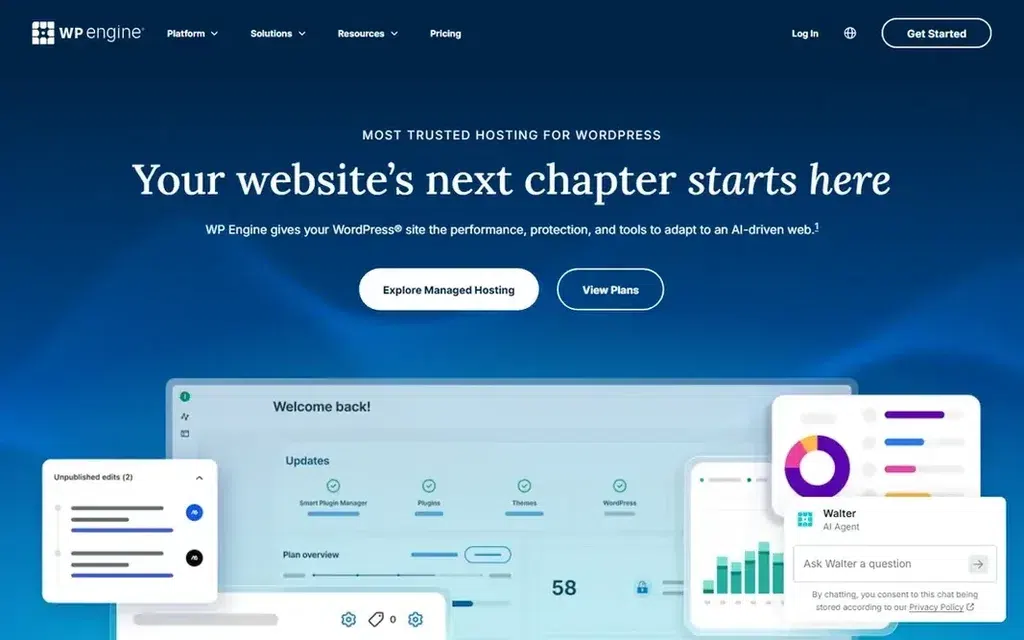
WP Engine is aimed squarely at mature managed WordPress with wide support. WP Engine is a website hosting product with a solid focus on WordPress. It supplies managed hosting with support and security options, and it is used across a wide range of site sizes.
Watch-outs: Enterprise needs may need higher-tier configurations.
In practice, WP Engine's offerings are tiered, so advanced enterprise requirements may need specific configurations. Confirm the details of each level on the vendor site. What you pay to start with WP Engine: $28.00 per month. As for free access: Not stated.
- Managed WordPress hosting product
- Suited to a broad set of site sizes
- Feature set varies by product level
Cloudways is designed for managed cloud hosting for smaller teams. Cloudways is a managed cloud hosting system that eases deploying and managing cloud infrastructure. It is positioned for firms that want managed cloud hosting without deep server administration.
Worth adding: some teams use it for WordPress sites when they want cloud flexibility with a simplified control panel. Cloudways is oriented toward small and midsize businesses, so very large enterprises with strict compliance and governance needs may need more specialized platforms. Entry price for Cloudways: $20 per month. As for free access: Free trial.
The main drawbacks: Enterprise WordPress features may be restricted.
- Managed cloud hosting product
- Simplified cloud infrastructure management
- Less centred on large-scale WordPress governance
Liquid Web works best for managed hosting with infrastructure adaptability. Liquid Web gives hosting options made for uptime, performance, and security, including dedicated servers, managed hosting, and compliant infrastructure. It is pitched at organizations that want managed infrastructure with choices beyond a single application stack.
Where it falls short: WordPress-specific enterprise features vary.
Enterprises with specific infrastructure requirements may consider it. Confirm the exact managed WordPress features and compliance terms with Liquid Web. From a buyer's view, teams wanting a WordPress-only managed product may prefer a dedicated provider. Liquid Web does not show a starting price in this comparison, so check the vendor site for current pricing. As for free access: Not stated.
- Managed hosting with dedicated server choices
- Compliant infrastructure offerings
- Broader hosting catalog needs careful selection

For large enterprises with strict compliance needs, WordPress VIP is a natural candidate. Choose VIP when security certifications and uptime commitments are central. The system is positioned for teams with dedicated development and operations staff.
As for the details, smaller teams or projects without compliance requirements may find lighter managed WordPress systems simpler to adopt. From a buyer's view, WordPress VIP is an enterprise content product built around managed WordPress. It is pitched at large organizations that require solid security posture, compliance documentation, and uptime commitments for high-traffic publishing and marketing sites. No starting price is listed for WordPress VIP here; confirm pricing on the vendor site. On free options: Not stated.
Watch-outs: Less suited to small or hobby sites.
- FedRAMP authorized and SOC 2 Type 2 certified
- Enterprise content system concentrated on WordPress
- Enterprise-focused onboarding can be involved
Choose Pantheon for WebOps workflows across several frameworks. Pantheon is a WebOps system for building and managing websites across WordPress, Drupal, and Next.js. It is pitched at organizations that want structured development workflows and a single system for multiple web frameworks.
Confirm enterprise support and compliance details straight with Pantheon. For everyday use, since Pantheon serves multiple frameworks, its WordPress-specific features may not be as deep as a dedicated WordPress host for some teams. Check the vendor site for Pantheon pricing; none is listed in this comparison. As for free access: Not stated.
The main drawbacks: Enterprise terms need direct vendor confirmation.
- Structured deployment and workflow tooling
- WebOps system for build and management
- WordPress is one part of a broader system

Where Kinsta fits: performance-focused managed WordPress teams. Kinsta is a managed WordPress hosting provider that emphasizes speed, security, and support. It is positioned for teams that want a performance-oriented product without managing servers themselves.
Downsides: May be less suited to multi-framework workflows.
Also, Kinsta centres on WordPress instead of a wide multi-framework system. So teams needing Drupal or other stacks in the same workflow may prefer a WebOps product. Organizations with demanding WordPress sites frequently bundle Kinsta in evaluations for its managed approach. Entry price for Kinsta: $17.50 per month. Trial and free access: Free trial.
- Emphasis on speed and security
- Managed WordPress hosting with enterprise-grade positioning
- Enterprise compliance details should be confirmed
How these tools were picked
What to check before you buy
- Ask Liquid Web, WordPress VIP and Pantheon for a written quote, since no starting price is shown.
- Use real work to test the free trial from Cloudways and Kinsta, rather than a demo project.
- Read the limits listed for WP Engine first: enterprise needs may need higher-tier configurations.
- Run a one or two week pilot of Liquid Web with the people who will use it every day.
- Map your must-have features to a specific Cloudways plan before you compare prices.
FAQ
How are the tools for managed WordPress hosting for enterprises ordered?
The order follows typical fit for managed WordPress hosting for enterprises, with WP Engine first and Kinsta last, then price clarity and free access. It is editorial judgement, not a score, so another team could rank the tools differently.
What is the cheapest option for managed WordPress hosting for enterprises in this list?
On published monthly entry prices, Kinsta is the lowest here at $17.50 per month. Entry price is only part of the cost, because seats, add-ons and billing terms can change the total. Each of the 6 options in this managed WordPress hosting for enterprises guide has its own card above with the price, free plan and limits.
Is WP Engine the right pick for everyone comparing managed WordPress hosting for enterprises?
No single tool suits every team. WP Engine comes first because it fits mature managed WordPress with broad support, while Cloudways suits managed cloud hosting for smaller teams and Liquid Web suits managed hosting with infrastructure flexibility. Match the tool to your own size, budget and workflow before deciding.
Can I try these tools before paying?
Often, yes. Cloudways and Kinsta offer a free trial. Use your own data and a real task during the test, and check what the free tier or trial limits before you rely on it. All 6 picks in this managed WordPress hosting for enterprises comparison list a starting price, free plan details and the main limits on their cards above.
What should enterprises check before choosing a managed WordPress host?
Enterprises should confirm security certifications, uptime and support commitments, plugin compatibility, and migration processes. Always verify these details straight with the vendor.
Sources
- https://wpengine.com
- https://www.cloudways.com
- https://www.liquidweb.com
- https://wpvip.com
- https://pantheon.io
- https://kinsta.com