Best Maintenance Scheduling Software in 2026: 9 Tools Compared
Compare the best maintenance scheduling software for work orders, preventive plans, and assets, with pricing, free plans, and setup tips for small teams.
- Editor's choice
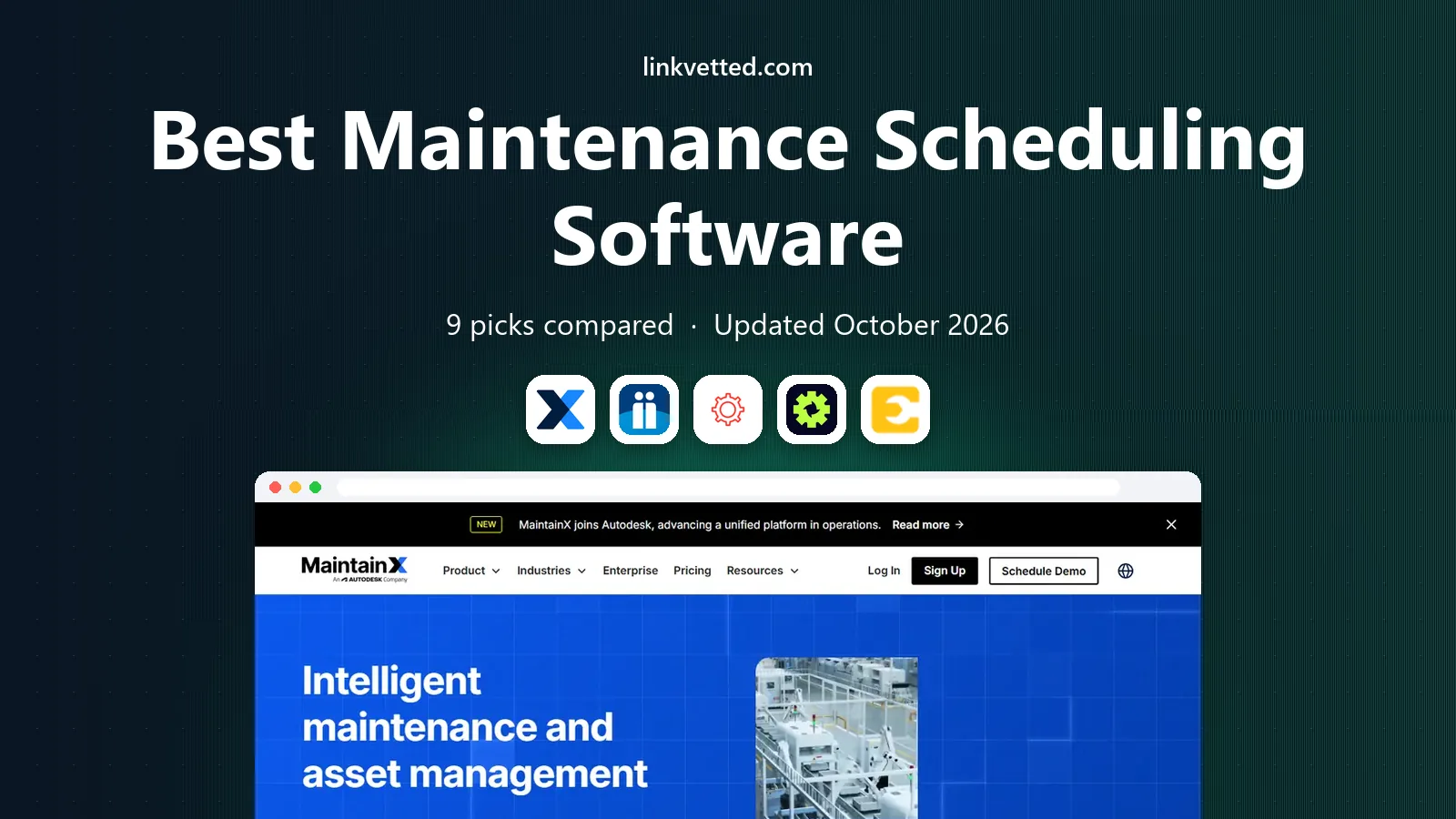
 MaintainX
Small teams starting free
Starts atFreeVisit getmaintainx.comFull review - Great alternative
 Fiix
Manufacturers with asset data
Starts atFreeVisit fiixsoftware.comFull review - Also consider
 UpKeep
Mobile-first small teams
Starts at$24 per user per monthVisit onupkeep.comFull review
TL;DR:
- MaintainX is our pick for most small teams because the free tier is usable and paid pricing is published clearly.
- Limble suits teams where preventive maintenance is the core program, with scheduling built around asset plans.
- Fiix and eMaint fit larger or regulated operations that need deeper asset intelligence and condition monitoring.
- Per-user pricing adds up fast, so count every technician and check whether requesters get free accounts.
Quick comparison
| Tool | Best for | Starts at | Free plan? | |
|---|---|---|---|---|
| MaintainX | Small teams starting free | Free | Yes | Visit |
| Fiix | Manufacturers with asset data | Free | Yes | Visit |
| UpKeep | Mobile-first small teams | $24 per user per month | Free trial | Visit |
 Limble | Preventive maintenance programs | See website | Yes | Visit |
 eMaint | Regulated multi-site operations | See website | Free trial | Visit |
 Hippo CMMS | Facilities and public sector | $35 per month | Free trial | Visit |
 FMX | Schools and multi-facility teams | $35 per user per month | Free trial | Visit |
 Fracttal | AI-assisted maintenance planning | See website | No | Visit |
 MicroMain | Plants with complex hierarchies | See website | Free trial | Visit |
The best maintenance scheduling software
Maintenance scheduling software, often called a CMMS, turns reactive repair work into planned work. It schedules preventive tasks, assigns work orders, tracks assets and parts, and keeps a history of what was done. The top maintenance scheduling software tools below differ mainly in how easy they are for technicians to use and how they price each seat.

MaintainX has earned its place by being easy for frontline staff to adopt. Technicians open the mobile app, see their work orders, follow procedures, and close jobs with photos and notes, all without a desktop. The free Basic tier covers small operations, and paid Essential starts at $20 per user per month when billed annually, with Premium higher.
The honest catch is seat pricing. A plant with 40 technicians pays for 40 seats, so the monthly total can surprise buyers who only looked at the per-user figure. Unlimited free requester accounts help, since anyone can report an issue without a license. For a small or mid-size team that wants to start free and scale, MaintainX is our first pick.
- Usable free tier
- Mobile app built for technicians
- Clear published pricing
- Advanced features need the Premium tier
- Per-user pricing grows with crew size

Fiix, now part of Rockwell Automation, combines work order scheduling with asset tracking and integrations for industrial equipment. The free tier lets a small team digitize work orders before paying, and paid Basic starts at $45 per user per month in published comparisons. Integrations with Rockwell controls and Fluke sensors suit manufacturing plants that already use that hardware.
Higher plans add predictive maintenance and deeper analytics, so buyers who want those features should budget above the entry tier. Fiix is a strong pick for manufacturers that want asset data alongside scheduling, rather than a simple work order list. Check integration needs during a trial, since hardware links are where Fiix earns its price.
- Free tier to start
- Asset intelligence and integrations
- Clear published starting price
- Predictive features sit on higher plans
- Per-user costs rise with team size
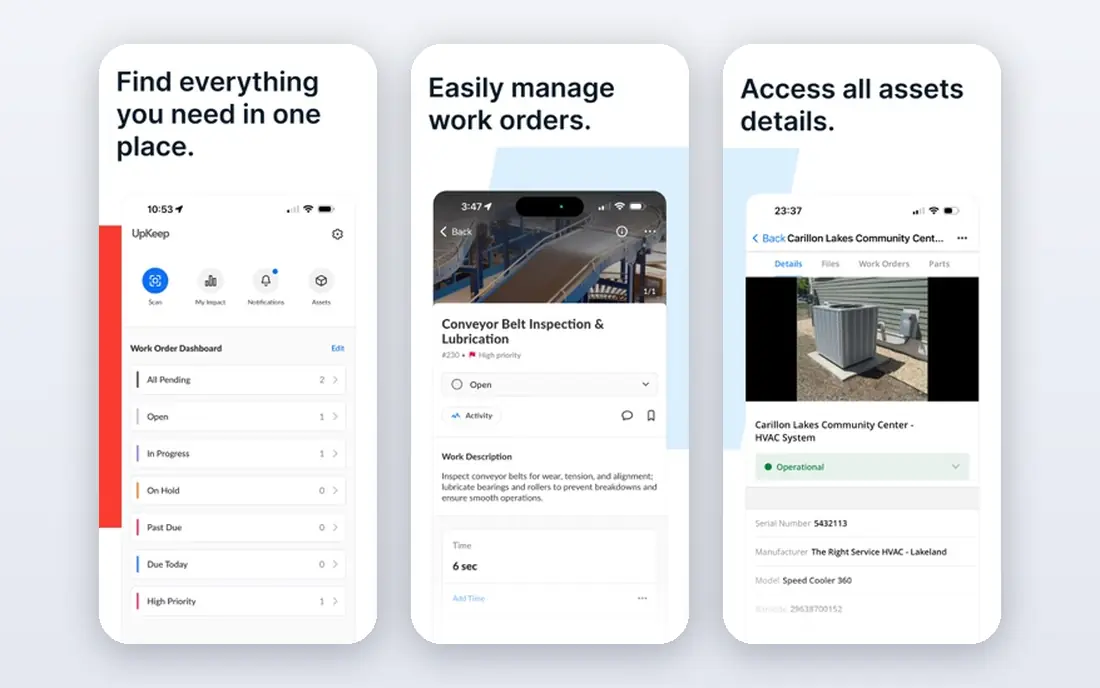
UpKeep is built around getting a small team organized quickly on mobile. Work orders, assets, parts, and preventive schedules sit in one app, and technicians can update jobs from the floor. Published comparisons put the starting price at $24 per user per month, with higher tiers adding inventory, reporting, and AI assistance.
There is no permanent free tier, only a trial, so budget from day one. UpKeep suits teams that want a quick deployment without a long implementation project. Larger operations with complex asset hierarchies may prefer Fiix or eMaint, but for a small team that lives on work orders, UpKeep is easy to run.
- Fast mobile setup
- Work order and asset tracking
- AI assistant on higher plans
- No permanent free plan
- Advanced features need higher tiers
Limble is designed for teams where preventive maintenance is the whole program. You set up assets, build PM schedules by time or meter reading, and let the system generate work orders automatically. That focus helps teams move from reactive repairs to planned work, which is where most maintenance savings come from.
Pricing has become less transparent: Limble's current pricing page directs buyers to a quote, so we list See website, even though older published figures cited a standard plan near $28 per user per month. A free tier still helps small teams start. If PM scheduling is your priority, Limble deserves a trial, but get a written quote for your user count before comparing it with MaintainX or Fiix.
- Strong preventive scheduling
- Free tier available
- Good for fast deployment
- Pricing now quoted rather than published
- Analytics gated on higher tiers
eMaint, part of Fluke, suits enterprises and regulated operations that need a CMMS shaped to their processes. It handles multi-site asset hierarchies, condition monitoring, and compliance workflows, with configuration options that simpler tools do not offer. Published comparisons cite a team plan near $69 per user per month with a three-user minimum, but current pricing is quoted, so we list See website.
Setup takes longer than MaintainX or UpKeep, and the depth can feel heavy for a small team. For a plant or facilities group with strict audit needs, sensor data, and several sites, that depth is the point. Smaller teams should weigh whether they will actually use the configuration power before paying for it.
- Deep configuration for complex operations
- Condition monitoring
- Fluke ecosystem links
- Quote-only pricing
- Minimum user requirements reported
- Longer setup
Hippo CMMS is a long-running choice for facilities teams in healthcare, education, and government. It covers work orders, preventive schedules, equipment histories, and parts, with a setup that facilities staff can learn without IT help. Published comparisons put a starter plan near $35 per month, though exact terms vary by quote.
The trade-off is breadth. Hippo does not match Fiix or eMaint on industrial integrations or condition monitoring, and some features sit on higher tiers. For a facilities team that needs reliable scheduling and asset history rather than factory-floor analytics, Hippo is a practical and affordable pick.
- Popular with facilities, healthcare, and education teams
- Straightforward work orders
- Equipment tracking
- Fewer advanced integrations than larger rivals
- Tiered features
FMX is built for organizations that run many facilities, such as school districts, municipalities, and universities. It combines maintenance scheduling with facility scheduling and community use, so one system covers work orders and room bookings. Published pricing starts near $35 per user per month, with a trial available.
That multi-facility focus is its strength and its limit. A manufacturing plant will get more from Fiix, but a school district with dozens of buildings will value FMX's portfolio view. Check how requesters and community users are licensed, since broad adoption matters more than a low per-seat price here.
- Strong for schools and municipalities
- Multi-facility scheduling
- Community and facility modules
- Per-user pricing
- Less industrial depth than Fiix or eMaint
Fracttal adds AI assistance to maintenance planning, helping teams prioritize work, predict issues, and plan schedules with more context than a simple calendar. It has a strong presence in Latin America and Europe, and its mobile app supports technicians in the field. Pricing is quoted, so we list See website.
US buyers should check support hours, language options, and integration depth for their region before committing. If AI-assisted planning appeals to you and your operations span the regions where Fracttal is strongest, it is worth a demo. Teams that want a US-first support model may prefer MaintainX, Fiix, or UpKeep.
- AI-assisted planning features
- Strong presence in Latin America and Europe
- Mobile-friendly
- Quote-only pricing
- Smaller US presence than rivals
MicroMain suits manufacturing plants with deep asset hierarchies and complex facilities, where equipment nests several levels deep and maintenance history must follow that structure. It offers both cloud and on-premise deployment, which matters for plants with strict IT policies. Published comparisons cite admin licenses near $99 per month, but current pricing is quoted, so we list See website.
The interface feels older than MaintainX or Limble, and the entry cost is higher. For a plant that needs that hierarchy depth and on-premise control, those trade-offs are acceptable. For a small team that just needs work orders on phones, a simpler tool will be faster to adopt.
- Deep asset hierarchies
- Cloud and on-premise options
- Strong for manufacturing
- Quote-only pricing
- Older interface feel
- Higher entry cost in comparisons
How we picked these
We compared vendor pricing pages, feature lists, and independent CMMS comparisons, keeping tools that schedule preventive maintenance and manage work orders and assets. We checked starting prices where vendors publish them and wrote See website where pricing is now quoted. We did not claim hands-on testing; our comparison rests on vendor documentation, pricing pages, and public reviews.
How to roll out scheduling without losing the team
Start with assets and PM plans, not with every feature. List your critical assets, set a preventive schedule for each, and assign owners. Then run work orders in the new system for two weeks while keeping the old method as a backup, and fix the friction points technicians report. Adoption fails when the tool adds paperwork without saving time, so keep the mobile workflow short.
Counting the true cost
Multiply the per-user price by every paid technician, supervisor, and planner, then add any implementation or training fees. Check whether requesters, vendors, and read-only viewers need paid seats, since that changes the total a lot. A tool with a higher per-seat price but free requesters can cost less overall than a cheaper tool that charges for everyone.
FAQ
What is the best maintenance scheduling software for a small team?
MaintainX is our pick for most small teams because the free tier is genuinely usable and paid pricing is published. UpKeep is a strong alternative if you want a fast mobile deployment and do not need a free tier. Start with a trial on your real assets, and check technician adoption before you pay for seats you may not need.
What is the top maintenance scheduling software for preventive maintenance?
Limble is built around preventive schedules, with PM plans that generate work orders by time or meter reading. MaintainX and Fiix also handle preventive work well, but Limble's focus on PM programs makes it the first tool to test if planned work is your main goal. Set up a few real PM plans during a trial to see how the system behaves.
What are the best maintenance scheduling software tools for manufacturing?
Fiix and eMaint lead for manufacturing, thanks to asset intelligence, sensor integrations, and condition monitoring. MicroMain suits plants with very deep asset hierarchies. For a smaller plant, MaintainX can cover work orders and PM plans at a lower cost, so match the tool to your plant's complexity rather than buying the deepest option by default.
Does maintenance scheduling software need a mobile app?
Yes, for most teams, because technicians work on the floor, not at a desk. A good mobile app lets them see work orders, update status, add photos, and close jobs without returning to an office. Test the app on the phones your team actually uses, including offline behavior in areas with weak signal.
How much does maintenance scheduling software cost?
Free tiers exist from MaintainX, Fiix, and Limble, while paid plans commonly run $20 to $75 per user per month in published comparisons. Enterprise tools are quoted and can cost more. Always price your full paid user count, and ask about minimums, implementation fees, and whether requesters are free.