Best Logo Maker App in 2026: 9 Apps Compared
Find the best logo maker app for 2026. We compare 9 logo design apps on templates, editing tools, export quality, brand kits, and price for small brands.

- Editor's choice
 Canva
All-round logo and brand design
Starts atFreeVisit canva.comFull review - Great alternative
 Adobe Express
Polished templates with Adobe tools
Starts atFreeVisit adobe.comFull review - Also consider
 Looka
Guided logo ideas in minutes
Starts atSee websiteVisit looka.comFull review
TL;DR:
- Canva and Adobe Express are the best all-round logo design apps, since they pair logo tools with full design and social templates.
- Looka, Tailor Brands, and Wix Logo Maker use guided questions to build logo options fast, which suits owners who want a starting point.
- Hatchful and DesignEvo are good low-cost starting points, while Logo Maker Plus suits quick mobile edits.
- Check export quality and file types before paying, since a logo needs clear files for print, web, and social profiles.
- Free plans are useful for trying ideas, but high-resolution files and full rights often sit on paid plans.
Quick comparison
| Tool | Best for | Starts at | Free plan? | |
|---|---|---|---|---|
| Canva | All-round logo and brand design | Free | Yes | Visit |
| Adobe Express | Polished templates with Adobe tools | Free | Yes | Visit |
| Looka | Guided logo ideas in minutes | See website | No | Visit |
 Tailor Brands | Logo plus a full brand kit | See website | No | Visit |
 Wix Logo Maker | Logos that match a Wix website | See website | No | Visit |
 Hatchful | Free starter logos for new shops | Free | Yes | Visit |
 DesignEvo | Template-heavy logo design on a budget | Free | Yes | Visit |
 Logo Maker Plus | Quick mobile logo edits | Free | Yes | Visit |
 Logo Maker Shop | Simple mobile logos for new brands | Free | Yes | Visit |
The best logo maker apps
We compared logo apps on templates, editing control, export options, brand tools, and price, with a focus on what small businesses and creators actually need from a logo.

Canva is the easiest recommendation for most people making a logo on a phone or computer. Thousands of logo templates cover cafes, fitness studios, shops, and online brands, and the editor lets you change fonts, colours, and shapes without design training. Once the logo is done, you can reuse it across social posts, business cards, and flyers. The main risk is sameness. A template used by many others will not feel unique unless you change the layout, font pairing, and colours. Spend time customising, and check the export settings so you get a high-resolution file for print as well as a web version.
- Huge template library
- Easy drag-and-drop editing
- Brand kit and social templates in one place
- Very popular templates can look familiar
- Best export options sit on the paid plan

Adobe Express brings a more polished feel than many free logo tools, with careful typography and colour palettes that suit service businesses and creators. The editor is simple enough for beginners, yet the results look less like a quick template job. Resizing a logo for Instagram, a website header, or a flyer takes a few taps. Power users may still want Illustrator for full vector control, and some premium templates and assets need a subscription. For a strong logo plus everyday design work in one app, Adobe Express is one of the best logo design apps available.
- Clean, professional templates
- Strong typography and colour tools
- Easy resizing for social channels
- Some features need a paid plan
- Full Adobe design control still sits in other Adobe apps
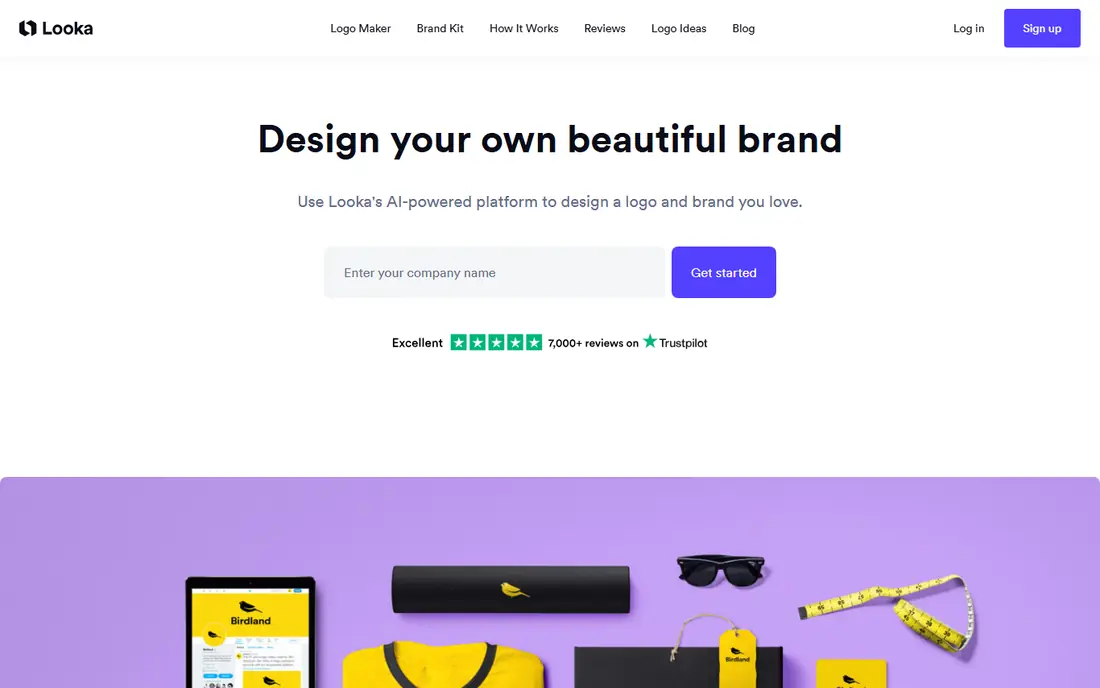
Looka starts with questions about your business, style, and colours, then shows a set of logo options you can refine. That guided flow helps owners who stare at a blank canvas and do not know where to start. The brand kit adds matching colours, fonts, and social templates once you pick a direction. You should expect to edit. The first options can feel generic, and the best result usually comes after changing symbols, spacing, and font choices. Check the download package carefully, since file types and usage rights differ by plan.
- Fast AI-generated logo options
- Brand kit with colours and fonts
- Many variations from a few answers
- Low-resolution previews are free, but downloads are paid
- Results need editing to feel unique
Tailor Brands suits new business owners who need more than a single image file. After the logo maker builds options, the brand kit covers colours, fonts, and social assets, and the wider platform can help with domains and business setup. That bundle saves time when you are launching from scratch. If you only need one logo, the bundle may cost more than a simpler app. Read the plan details and confirm which file types and rights are included. For owners building a brand in one place, though, Tailor Brands is a practical choice.
- Logo maker plus brand tools
- Business formation and domain options
- Guided setup for new businesses
- Paid plans add up if you only need a logo
- Some tools go beyond what a logo buyer needs
Wix Logo Maker asks about your business and style, then builds logo options you can adjust by font, colour, and layout. For owners already building a Wix website, the match between site and logo is a real advantage, and the brand assets keep social profiles consistent. Standalone buyers should compare the download price with Canva or DesignEvo before committing. The tool itself is easy and the options are broad, but the value is strongest inside the Wix system. If your website already lives there, it is a natural pick.
- Guided questions with many options
- Easy pairing with a Wix site
- Brand assets and social files
- Best value if you also use Wix
- Standalone logo downloads are paid
Hatchful, from Shopify, is a friendly free starting point for online sellers and new brands. You pick an industry and visual style, then refine a set of logo options and download files for web and social use. The process takes minutes, which suits owners testing a product idea. Customisation is basic compared with a full design app, so a Hatchful logo may need later refinement as the brand grows. As a free first logo, it is hard to fault, especially for Shopify sellers who want something clean and usable right away.
- Free to use with Shopify account tools
- Simple guided flow
- Good starter files for online stores
- Template range is narrower than Canva
- Customisation options are basic
DesignEvo offers thousands of logo templates across industries, with an editor that covers text, icons, shapes, and colours. The browser version works well on a computer, and the mobile app covers quick edits. For owners who want a specific template style, the range is a genuine advantage. Free downloads come with limits, so check resolution and background options before you finalise a design. Paid plans remove those limits and add more file types. DesignEvo is a solid budget pick for the best logo maker apps list, provided you customise the template enough to make it yours.
- Large template library
- Browser and mobile access
- Low-cost paid downloads for high-resolution files
- Free downloads are limited
- Some templates feel dated
Logo Maker Plus is built for phones, which makes it useful for creators and small sellers who design on the go. The icon library is broad, text tools are flexible, and you can build a usable profile logo in a single sitting. Exports work well for social media and messaging apps. Detailed print work is harder on a small screen, so check the file on a computer before using it for packaging or signage. For a quick, free logo design app, Logo Maker Plus earns its place, especially when speed matters more than pixel-perfect control.
- Mobile-first editing
- Large icon and font library
- Fast exports for social profiles
- Mobile screen limits detailed work
- Premium assets need payment
Logo Maker Shop keeps the process simple: pick a style, add your name, adjust colours and layout, and export. That simplicity helps owners who feel lost in a full design suite. Templates cover food, fitness, beauty, tech, and many local service niches, so finding a relevant starting point is easy. Serious brand work will outgrow it, and paid assets can add up if you want premium icons or fonts. As a starting app for a first logo, or a quick logo for a side project, it is a useful, low-friction option.
- Simple guided creation
- Templates for many niches
- Quick sharing to social apps
- Less editing depth than Canva or Adobe Express
- Some assets are paid
How we picked these
We compared official feature pages, pricing pages, and app store listings for logo apps, along with public reviews on ease of use and exports. We favoured apps that let you customise templates rather than only pick a finished image, and we noted where high-resolution downloads or full rights require payment. Prices vary by plan and region, so we used See website where a price could not be verified as a single starting figure.
How to make a logo that lasts
Start with words, not pictures. Write down what your business does, who it serves, and the feeling you want, such as friendly, premium, or playful. That short brief stops you picking a trendy template that fits another business better than yours.
Keep it simple and readable
A strong logo reads at small sizes, in one colour, and on a phone screen. Test your design as a profile picture, on a dark background, and in black and white. If the name becomes unreadable at small sizes, simplify the font or remove extra details.
Check files and rights before you pay
Ask for vector or high-resolution PNG files with a transparent background, plus versions for print and social use. Confirm that the paid plan includes commercial use and full rights for your business. A cheap download that cannot be used on packaging is not a bargain.
Customise beyond the template
Change the font pairing, adjust spacing, and pick colours that match your brand rather than the template default. Small changes make a template logo feel owned rather than borrowed. If the logo still looks like many others after editing, try a different starting template or a guided tool with more variations.
FAQ
What is the best logo maker app for small businesses?
Canva is our pick for most small businesses because it combines logo templates, editing tools, and brand assets in one free-to-start app. Adobe Express is a close alternative for a more polished look. If you want guided logo options fast, Looka or Wix Logo Maker are also strong choices.
What is the best free logo design app?
Canva, Adobe Express, Hatchful, and DesignEvo all offer free plans that let you build and preview logos. Free downloads often have limits on resolution or file types, so check exports before you rely on a free file for print. For social profiles, a free plan is often enough to start.
What is the best app to create a logo on a phone?
Canva and Adobe Express work well on phones, with full editing and template libraries. Logo Maker Plus and Logo Maker Shop are more mobile-first and suit quick edits. For detailed work, start on a phone and review the final file on a larger screen before printing.
Is a logo maker app enough for a professional brand?
For many small businesses, yes, provided you customise the template and export high-quality files. Larger brands, or businesses with strict print and packaging needs, may still benefit from a designer for a fully original mark. A logo app is a strong first step, and it helps you brief a designer later if you outgrow it.
What file types should a logo download include?
Look for a high-resolution PNG with a transparent background for web use, plus a vector file such as SVG or EPS for print and scaling. Social versions in square formats also help for profiles and posts. Confirm file types and commercial rights on the plan you buy, since they vary by app.
How much does the best software for logo design cost?
Many logo apps start free, with paid plans or downloads for high-resolution files and brand kits. Guided tools such as Looka and Tailor Brands charge for downloads and brand packages, while Canva and Adobe Express offer free plans with paid upgrades. Compare the total cost of the files and rights you need, not just the headline price.