Best LMS Platforms in 2026: 9 Platforms Compared
Compare the best LMS platforms for employee training and online courses in 2026, with pricing, free plans, and honest strengths and limits for each pick.

- Editor's choice
 TalentLMS
Small and mid-size team training
Starts at$119 per monthVisit talentlms.comFull review - Great alternative
 Docebo
Large enterprise and partner training
Starts atSee websiteVisit docebo.comFull review - Also consider
 Moodle
Budget-conscious schools and teams with IT support
Starts atFreeVisit moodle.orgFull review
TL;DR:
- TalentLMS is the clearest low-cost start for small teams, with a free plan for up to 5 users and 10 courses.
- LearnWorlds, Teachable, and Thinkific suit creators selling courses, while TalentLMS, Docebo, and Absorb suit employer training.
- Moodle costs nothing for the software itself, but hosting, setup, and upkeep fall to your team.
- Quote-only platforms such as Docebo and Absorb need a sales conversation before you can budget with confidence.
- Check learner caps and transaction fees before you pick, since both can change the real monthly cost fast.
Quick comparison
| Tool | Best for | Starts at | Free plan? | |
|---|---|---|---|---|
| TalentLMS | Small and mid-size team training | $119 per month | Yes | Visit |
| Docebo | Large enterprise and partner training | See website | No | Visit |
| Moodle | Budget-conscious schools and teams with IT support | Free | Yes | Visit |
 Canvas LMS | Schools, colleges, and universities | See website | Free trial | Visit |
 LearnWorlds | Branded online course schools | $24 per month | Free trial | Visit |
 Teachable | Solo creators selling first courses | $29 per month | Free trial | Visit |
 Thinkific | Course businesses that want no platform transaction fee | $40 per month | Free trial | Visit |
 Absorb LMS | Mid-size and large corporate training programs | See website | Free trial | Visit |
 iSpring Learn | Teams that build training in PowerPoint | See website | Free trial | Visit |
The best LMS platforms
The best LMS platforms split into two groups. Some help employers train staff and track compliance. Others help creators build and sell courses. We compared official feature pages, pricing pages, and public documentation to sort that out, and we kept only platforms that are live and actively sold in 2026.
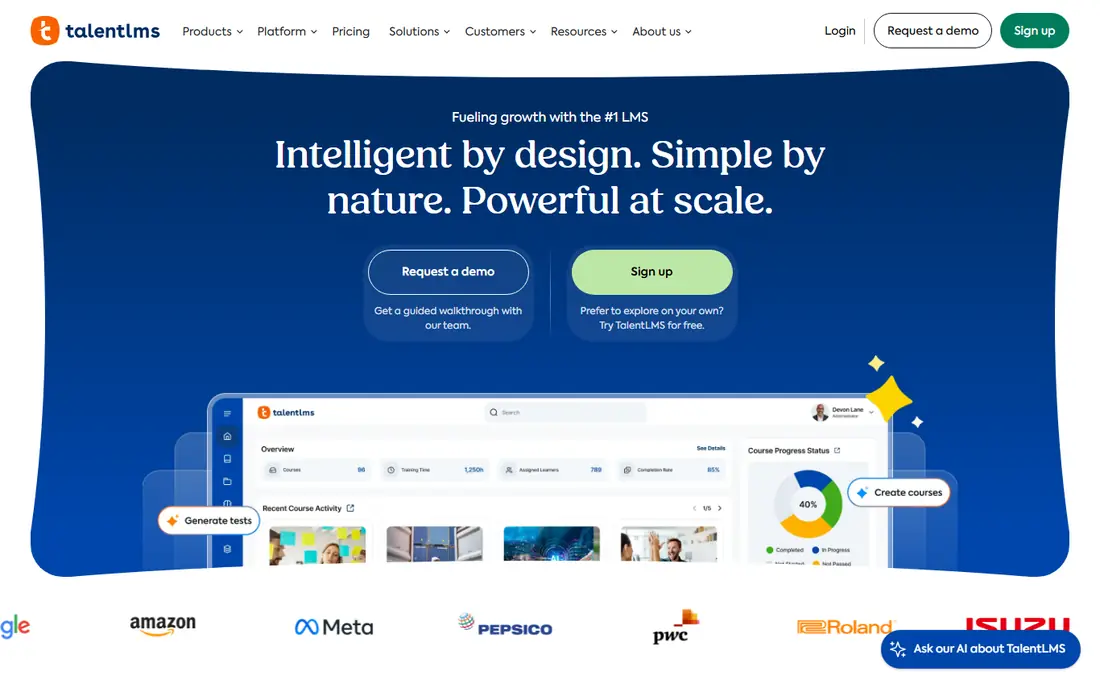
TalentLMS fits teams that want training live this week rather than after a long rollout. The free plan covers up to 5 users and 10 courses, which is enough to build a real onboarding course and see how staff respond to it. Paid plans start with Core at $119 per month when billed yearly, for 1 to 40 users, and Grow and Pro add branches, custom reports, and automation as the price rises.
The catch is the banded pricing. Crossing a user bracket moves your whole plan price, so a team that grows from 40 to 41 learners should budget for the next tier rather than one extra seat. TalentLMS also leans on add-ons for ready-made course libraries, so factor that in if you do not plan to write your own material. For straightforward internal training, though, the balance of price and ease is hard to beat.
- Genuine free plan for tiny teams
- Clear per-band pricing
- Simple course building and reporting
- Paid brackets rise with headcount
- Advanced reporting sits on higher plans
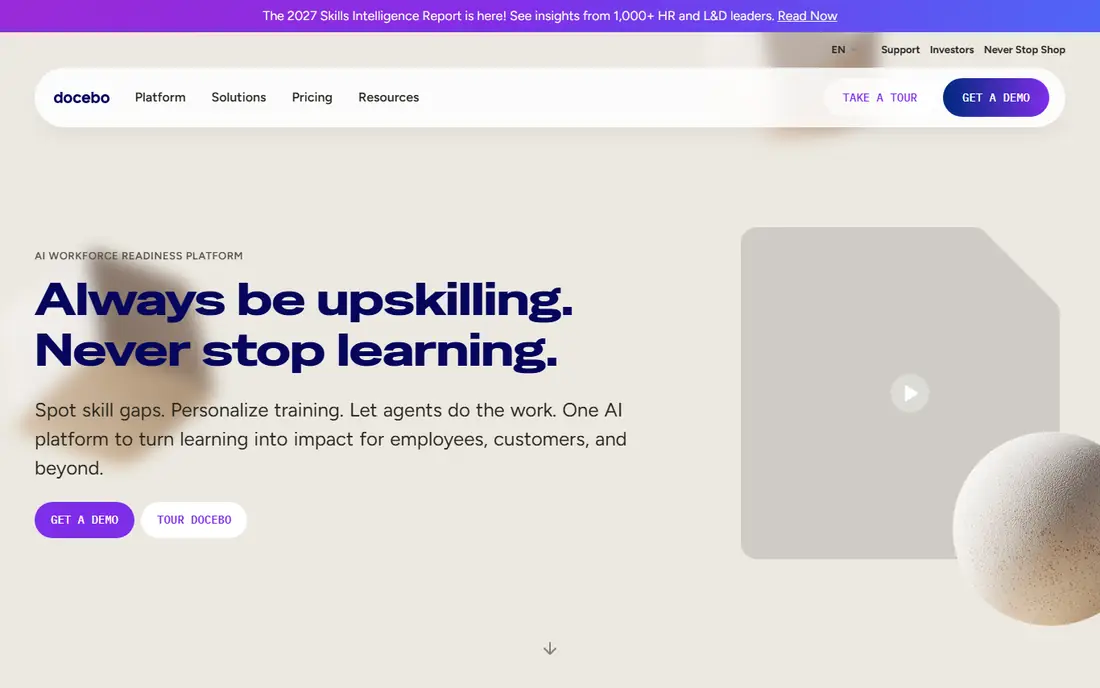
Docebo is built for organizations that train more than one audience from a single system, such as employees, customers, and partners. It offers separate branded domains, certification and compliance tracking, multilingual delivery, and AI tools for content creation and learner search. That breadth is the reason large companies shortlist it when a smaller tool starts to feel stretched.
The trade-off is transparency and scale. Docebo does not publish prices, and its published guidance points to organizations training 250 or more learners. Smaller teams will likely find the sales process heavy for what they need, and the total cost can include add-ons and AI credits. If you run several audiences at scale and need tight control over each one, Docebo earns a demo. If you train one small team, start elsewhere.
- Strong extended enterprise features for customers and partners
- AI-assisted content and search tools
- Broad integration options
- No public pricing
- Aimed at larger learner counts
- Implementation can be complex
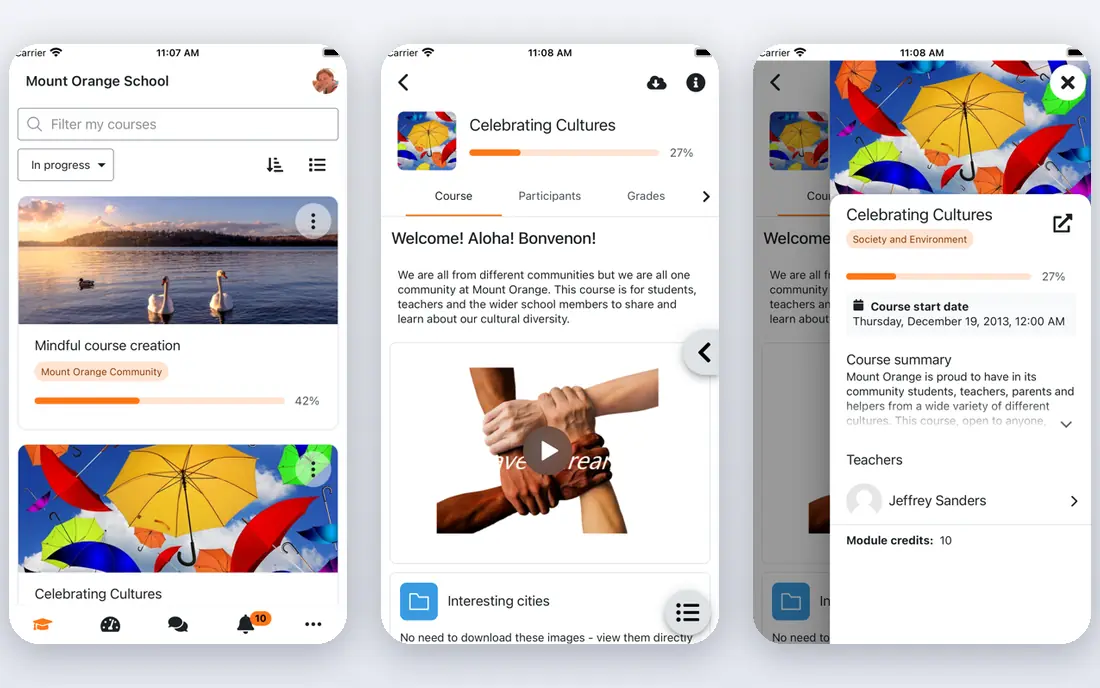
Moodle remains the most flexible free route to a learning management system. The software itself costs nothing, it supports courses, quizzes, grading, and SCORM content, and a large plugin library covers most gaps. Schools, nonprofits, and technical teams use it because they can shape it to their own rules rather than accepting a vendor template.
That freedom has a real cost in time. Someone must host Moodle, apply updates, manage backups, and fix problems when a plugin breaks. The default look also needs theme work to feel modern for learners. If your team has IT help or a Moodle partner, it can be an excellent long-term choice. If nobody wants to own upkeep, a hosted platform will save more time than the free license saves money.
- Free open-source software
- Huge plugin library
- Full control over hosting and data
- Setup and upkeep need technical skill
- Design feels dated without work
- Support comes from community or paid partners
Canvas LMS, from Instructure, is a mainstay in higher education and K-12 schools. Instructors get course pages, assignments, grading, discussion, and analytics in a layout students tend to pick up quickly. Administrators get tools for terms, enrollments, and integrations with student information systems, which matters when hundreds of courses run at once.
Canvas is less of a natural fit for a small business that only needs staff compliance training. Pricing is not published for most buyers, and the product is shaped around academic terms and grading rather than sales pages or customer training. For a school or college choosing a system students will use daily, Canvas belongs at the top of the shortlist. For a company, compare it with TalentLMS or Absorb first.
- Clean learner experience
- Strong grading and course tools
- Widely used in education
- Pricing is quote-based
- Corporate training features are less central
- Setup suits institutions
LearnWorlds suits creators who want their school to look like their own brand rather than a marketplace listing. The site builder, course player, and interactive video editor give a polished feel, and plans support subscriptions, bundles, coupons, and payment plans. Pro Trainer, at $79 per month billed yearly, removes the enrollment fee and adds certificates and SCORM uploads, which makes it the sensible starting point for serious sellers.
Starter, at $24 per month billed yearly, looks cheap until you count the $5 fee on every paid enrollment. At modest sales volume that fee can soon cost more than the jump to Pro Trainer. LearnWorlds also caps monthly active learners by plan, so check the cap against your audience before you commit. For a branded school with video-led courses, those limits are worth working around.
- Strong site builder and interactive video tools
- Unlimited video hosting
- Good sales and subscription features
- Starter plan adds a $5 fee per paid enrollment
- No permanent free plan
- Branded mobile app costs extra
Teachable stays popular because it keeps the path from course idea to checkout short. Creators upload video and text lessons, set a price, and sell through Teachable payment handling, which also helps with tax collection in many countries. Students get iOS and Android apps, and creators get basic email tools and affiliate options on higher plans.
The pricing trap sits on Starter. At $29 per month billed yearly, it allows 5 products but takes 7.5 percent of every sale on top of card processing. Builder, at $69 per month billed yearly, drops that fee and adds a custom domain, affiliates, and email marketing. Treat Builder as the real starting plan for anyone selling regularly, and use Starter only to test an idea.
- Simple course builder and checkout
- Built-in payment handling
- Student mobile apps
- Starter plan takes a 7.5 percent transaction fee
- Product limits on lower plans
- No permanent free plan
Thinkific competes with Teachable on control. Paid plans allow unlimited courses, and its own payment system charges no extra platform transaction fee, which makes revenue easier to predict. Communities can be sold on their own or bundled with courses, and the Start plan adds memberships, bundles, certificates, and live lessons. That mix suits creators building a business around courses plus a paid community.
The details still matter. Using your own Stripe or PayPal account instead of Thinkific payments can add a surcharge that shrinks on higher plans, so read the payment terms for your region. The branded mobile app is also an add-on rather than a standard feature. If you want unlimited courses, communities, and predictable fees, Thinkific is a strong pick, especially against Teachable Starter.
- Unlimited courses on paid plans
- No platform fee through its own payments
- Built-in communities
- No permanent free plan
- Surcharges can apply with outside payment accounts
- Branded app costs extra
Absorb LMS covers employee training, compliance, and customer education from one system, with a learner dashboard that feels closer to a consumer app than to old corporate software. Its content library option adds thousands of ready-made courses, and newer AI tools help admins build courses and help learners find answers in approved content. Reporting covers learners, courses, and certificates in useful depth.
The main drawback is price opacity. Absorb does not publish rates, so you cannot compare it on cost without a quote, and the quote will depend on learner count and add-ons. That puts it in the same buying process as Docebo, which suits larger programs better than a 20-person team. If you need a polished system for hundreds of learners and a content library to go with it, Absorb deserves a demo.
- Polished learner experience
- Large ready-made course library option
- Strong reporting and AI tools
- No published pricing
- Quote process slows budgeting
- Smaller teams may pay for scale they do not need
iSpring Learn is the practical pick for companies whose training already lives in slide decks. Its authoring tool turns PowerPoint presentations into online courses with quizzes, video, and dialogue simulations, without forcing authors to learn a separate course builder. Admins get certification tracking with automatic re-enrollment before certificates expire, plus mobile apps with offline learning.
The pricing model is clear about one thing: it bills only for active users, which helps seasonal teams. The catch is scale, since the smallest published band starts at 100 users, so smaller teams must ask for a price. Single sign-on also sits on the quoted enterprise plan. If your team is at or above that size and works in PowerPoint daily, iSpring Learn can get training live with less authoring pain than most rivals.
- Fast PowerPoint to course conversion
- Included authoring tool
- Only active users are billed on published bands
- Smallest published band starts at 100 users
- Single sign-on sits on the enterprise plan
- Less suited to course selling
How we picked these
We compared official pricing pages, feature pages, and public documentation for platforms that are live in 2026, and we favored tools with a clear audience fit rather than a long feature list. We checked whether each platform serves employer training, academic learning, or course selling, and we noted where pricing is published and where it requires a quote. We did not claim hands-on trials we did not run. Instead, we weighed published limits such as learner caps, transaction fees, and plan tiers, since those decide the real cost and fit.
What to check before you buy an LMS
Start with your audience, not the feature list. Count your learners, decide whether they are staff, students, customers, or paying course buyers, and check whether you need certificates, compliance reports, or sales pages. A platform built for selling courses will frustrate a compliance manager, and a corporate LMS will frustrate a creator who needs checkout and marketing tools.
Pricing traps worth reading twice
Look for learner caps, per-user bands, and transaction fees. A low monthly price can hide a fee on every sale, a cap that forces an upgrade, or a band jump when one more learner joins. Ask for the total yearly cost at your expected learner count, including any content library, mobile app, or single sign-on add-on.
Try before you commit
Use the free plan or trial to build one real course, enroll a small test group, and run a report. Check the learner view on a phone, test quiz and certificate flow, and confirm that exports give you the records you need. A short pilot will reveal setup effort and support quality far better than a sales demo alone.
FAQ
What is the best LMS platform for small businesses?
TalentLMS is our pick for most small teams, thanks to its free plan and clear starting price. LearnWorlds or Thinkific fit better if the goal is selling courses rather than training staff. Moodle fits if you have IT support and want to avoid subscription fees.
What is the best learning management system software for schools?
Canvas LMS is a strong choice for schools and colleges because it is built around courses, grading, and academic terms. Moodle is the leading free alternative, though it needs hosting and upkeep. Check integration with your student system before you decide.
What is the best LMS software for selling online courses?
LearnWorlds suits branded schools with video-led courses, while Thinkific suits course businesses that want unlimited courses and no platform fee through its own payments. Teachable suits solo creators who want a simple checkout, but Builder is the sensible starting plan.
Are there free LMS tools?
Yes. Moodle is free open-source software, though hosting and upkeep cost time or partner fees. TalentLMS offers a free plan for up to 5 users and 10 courses. Most other platforms in this list offer trials rather than permanent free plans.
How much does an LMS cost?
Costs range from free for Moodle software to $24 per month billed yearly for LearnWorlds Starter and $119 per month billed yearly for TalentLMS Core, up to custom quotes for Docebo and Absorb. Transaction fees, learner caps, and add-ons can change the total, so price your expected learner count first.
What is the best LMS app for learners on mobile?
Most platforms here offer learner apps or mobile-friendly course players. Teachable and Thinkific offer student apps, iSpring Learn offers offline mobile learning, and LearnWorlds offers a branded app as an add-on. Check whether offline access matters for field staff before you choose.