Best LLM Tracking Tools in 2026: 8 Products Compared
We compared the best llm tracking tools for traces, costs, prompts and evaluations, so AI teams can see what models do, what they cost and where they fail.

- Editor's choice
 Langfuse
Teams that want tracing, prompt management and evaluations in one open source platform
Starts at$29 per monthVisit langfuse.comFull review - Great alternative
 LangSmith
Teams building with LangChain and LangGraph
Starts at$39 per seat per monthVisit langsmith.comFull review - Also consider
 Helicone
Teams that want fast, proxy-based tracking across providers
Starts at$79 per monthVisit helicone.aiFull review
TL;DR:
- LLM tracking means traces, token costs, latency, prompts and quality scores, not just a log of API calls.
- SDK-based tools give deep traces and evaluations, while proxy and gateway tools give fast setup across providers.
- Self-hosting suits teams with strict data rules, but it adds operational work that a managed service removes.
- Free tiers are generous for pilots, yet production volume, retention and team features usually require paid plans.
- The best llm tracking tool depends on your stack, your providers, and whether evaluations matter as much as cost tracking.
Quick comparison
| Tool | Best for | Starts at | Free plan? | |
|---|---|---|---|---|
| Langfuse | Teams that want tracing, prompt management and evaluations in one open source platform | $29 per month | Yes | Visit |
| LangSmith | Teams building with LangChain and LangGraph | $39 per seat per month | Yes | Visit |
| Helicone | Teams that want fast, proxy-based tracking across providers | $79 per month | Yes | Visit |
 Arize Phoenix | Developers who want open source, local LLM tracing | Free | Yes | Visit |
 Opik | Open source tracing and evaluation for smaller AI teams | $19 per month | Yes | Visit |
 Portkey | Teams routing many providers through one gateway with tracking | $49 per month | Yes | Visit |
 PromptLayer | Prompt versioning, tracking and testing for product teams | $49 per month | Yes | Visit |
 Braintrust | Evaluation-first teams that test prompts and models rigorously | See website | Yes | Visit |
The best LLM tracking tools
We compared official feature pages, pricing pages, documentation and public reviews for tools that track large language model calls in production and development. These eight cover tracing, cost, prompt management and evaluation.
Langfuse
Best for: Teams that want tracing, prompt management and evaluations in one open source platform
Langfuse gives AI teams a full view of what happens inside a model call. A trace shows each step of a chain, with prompts, responses, token counts, latency and cost per step. Prompt management lets teams version prompts in a dashboard rather than hard-coding every change, while datasets and evaluations help teams score quality over time. The managed cloud service suits teams that want to start quickly, and self-hosting suits teams that must keep data inside their own infrastructure. The trade-off is complexity: Langfuse covers a lot, so new users need time to learn its concepts. For teams building serious AI features, that breadth is usually worth it.
- Traces, sessions, prompt versioning, datasets and evaluations in one place, self-hosting option, open source core
- Interface is information-dense, and self-hosted high availability needs operational effort

LangSmith is the natural tracking choice for teams already using LangChain. Traces follow chains and agents step by step, which makes debugging a slow or faulty agent far easier than reading raw logs. Prompt management, datasets and evaluation tools support a cycle of testing prompts, comparing results and promoting the best version. Teams that do not use LangChain can still use LangSmith through its software development kits, but the advantage is smaller. Pricing is per seat, so larger teams should model the cost before rollout. For LangChain shops, the tight integration and debugging depth are hard to match.
- Deep LangChain and LangGraph tracing, prompt hub, evaluation and experiment comparison, strong debugging views
- Per-seat pricing can grow quickly, and teams outside LangChain gain less from its native integration
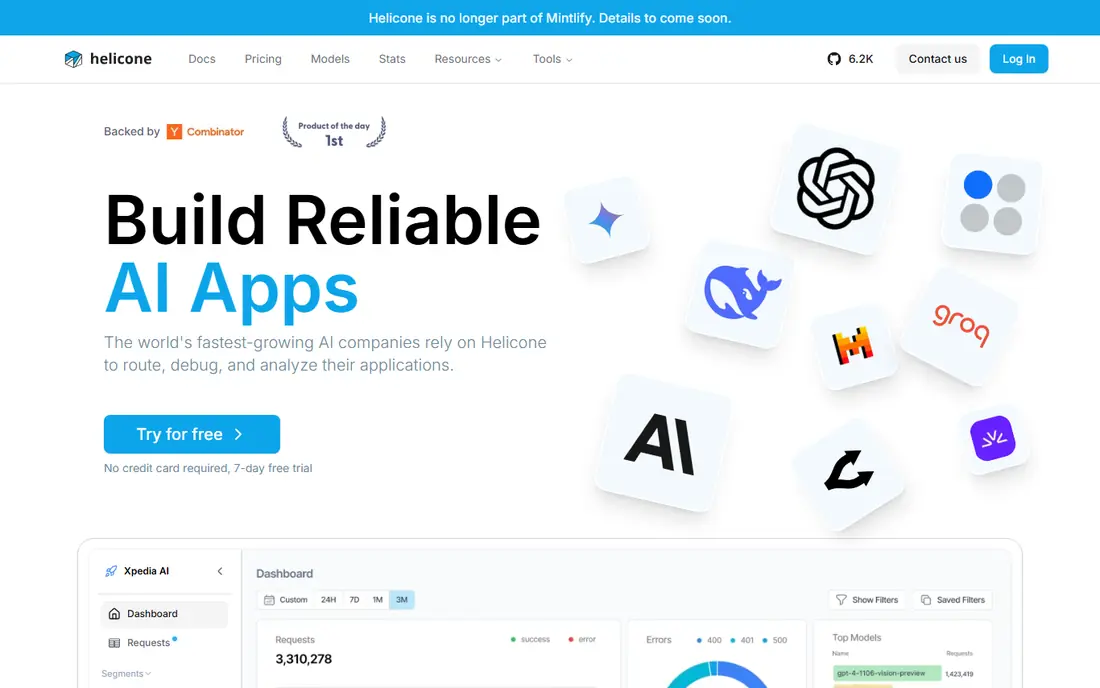
Helicone works by sitting in front of model providers as a proxy, so teams can add logging and cost tracking with a small configuration change rather than rewriting code. Each request is logged with model, tokens, latency and cost, which gives finance and engineering a shared view of spend. Session views help teams follow a user conversation across several calls. The proxy model is both the strength and the limit. Setup is fast, but deep prompt management and evaluation workflows are less developed than in SDK-based platforms. Teams that mainly need cost and usage visibility across providers will find Helicone a practical fit.
- Drop-in proxy setup with minimal code changes, per-request cost tracking, session views
- Prompt management and evaluation features are lighter than Langfuse or LangSmith, and recent public notes describe slower development
Phoenix, from Arize, is the open source tracing tool many developers run locally first. It captures spans, traces and evaluations for model calls and agent steps, using OpenTelemetry standards. That makes it a good debugging companion during development, especially for teams that prefer to keep early traces on their own machine. Production teams that need long retention, team access, alerts and managed evaluations will usually move to Arize AX, the paid platform built around Phoenix. Phoenix still earns its place here as the lowest-cost, most transparent starting point for LLM tracing.
- Open source, runs locally for debugging, OpenTelemetry-based tracing, no cost to start
- Managed platform features and team workflows require the paid Arize AX product
Opik, from Comet, combines tracing, prompt management and evaluation in an open source platform with a managed cloud option. Developers can trace model calls, test prompts in a playground, build datasets and score outputs, all without a large upfront cost. Self-hosting is available for teams with data residency needs. The main risk is scale and ecosystem. Opik is newer and smaller than the leaders, so integrations and community resources are thinner. For small and mid-sized AI teams that want a complete, affordable tracking stack, that trade-off is often acceptable.
- Open source tracing, prompt playground, datasets and evaluations, self-hosting option, low entry price
- Smaller ecosystem than Langfuse or LangSmith, and enterprise features are less proven at very large scale
Portkey is a gateway first and a tracking tool second, which suits teams that use several model providers. Requests pass through one gateway, where teams can set routing rules, fallbacks, rate limits and caching, while tracking cost and usage by provider, model, user or feature. That central view helps teams compare providers and control spend. Single-provider teams may find the gateway layer unnecessary. Portkey also adds a dependency in the request path, so teams should test latency and reliability during a trial. For multi-provider AI products, the combination of routing and tracking in one place is a clear advantage.
- Gateway routing across providers, cost and usage tracking, fallbacks and caching controls
- Gateway and routing features may be more than a single-provider team needs, and enterprise controls sit on higher plans
PromptLayer
Best for: Prompt versioning, tracking and testing for product teams
PromptLayer focuses on the prompt layer of AI development. Teams store prompts in a registry, version them, track which version served each request, and test changes before promoting them to production. Request history and analytics show how prompts perform in real use, which helps product teams iterate without redeploying code for every wording change. Agent tracing and large-scale evaluation are not its strongest areas. Teams building complex multi-step agents may need a fuller tracing platform alongside PromptLayer. For teams whose main pain is prompt sprawl and version control, PromptLayer is a focused and practical choice.
- Prompt registry and version history, request tracking, testing and analytics for prompts
- Less deep on agent tracing and production evaluation than Langfuse or LangSmith
Braintrust
Best for: Evaluation-first teams that test prompts and models rigorously
Braintrust is built around a simple idea: AI quality should be tested like software. Teams build datasets, run experiments, score outputs and compare prompt or model changes before shipping. Production tracing and logging sit alongside those evaluation tools, so teams can connect real-world failures back to test cases. The price reflects that focus. Braintrust costs more than open source trackers, and teams that only want cost dashboards will not use its full value. For teams where a wrong model answer has real business or safety consequences, rigorous evaluation is the reason to pay.
- Strong evaluation, datasets and experiment workflows, prompt playground, production tracing
- Higher entry price than open source options, and the evaluation focus may be more than simple cost-tracking teams need
How we picked these
We compared official feature pages, pricing pages, documentation and public reviews, focusing on trace quality, cost tracking, prompt management, evaluation support and deployment options. Tools that only logged API calls, without traces, costs or quality signals, were left out. Prices change often in this category, so check the vendor pricing page before buying.
What to check before you buy
Start by instrumenting one real feature, not a demo. Trace a full user request through your agent or chain, check the token and cost breakdown, and try to find a failure from the dashboard alone. That test reveals whether the tool fits your debugging habits.
Decide on proxy, SDK or gateway
Proxy tools are fastest to add, SDK tools give the deepest traces, and gateways add routing control across providers. Each approach has a different effect on latency, data flow and code changes. Choose the model that matches your stack, rather than the tool with the longest feature list.
Check data handling and retention
LLM traces contain prompts and responses, which may include user data. Check where data is stored, how long traces are retained, what can be redacted, and whether self-hosting or a regional deployment is available. Privacy and security review should happen before production rollout, not after.
Plan for evaluations early
Cost tracking alone will not catch quality drift. Even a simple evaluation set, with a handful of scored examples, helps teams spot regressions when prompts or models change. Pick a tool that supports datasets and scoring, even if you start with a small evaluation set.
FAQ
Q: What is the best llm tracking tool for a small team? A: Langfuse and Opik are strong starting points for small teams, because both offer free plans, open source options and a mix of tracing, prompts and evaluations. Langfuse has the broader feature set, while Opik has a lower paid entry price. Try both with one real feature before committing. Q: What is the best llm tracking tool for cost control? A: Helicone and Portkey are strong for cost visibility, because both track spend by provider, model and user. Helicone suits fast proxy setup, while Portkey adds gateway routing and fallbacks. Cost tracking still needs a budget review routine, since a dashboard alone does not stop overspend. Q: Can I self-host an LLM tracking tool? A: Yes. Langfuse, Arize Phoenix and Opik all offer self-hosting, which suits teams with strict data rules. Self-hosting removes vendor data storage, but it adds database, scaling and maintenance work. Managed cloud plans suit teams that prefer to trade control for less operational effort. Q: Do I need evaluations, or is tracing enough? A: Tracing shows what happened, while evaluations show whether the output was good. Tracing alone is enough for early debugging and cost tracking. Once an AI feature reaches real users, evaluations help catch quality drift, prompt regressions and model changes before users report them. Q: How is LLM tracking different from normal application monitoring? A: Normal monitoring tracks uptime, errors and latency for code. LLM tracking adds model-specific signals: prompts, responses, token counts, cost per call, and quality scores. Agent traces also show multi-step reasoning, tool calls and retries, which normal logs rarely capture clearly.