Best Live Streaming Apps in 2026: 8 Apps Compared
Find the best live streaming apps and platforms in 2026. We compare 8 live streaming apps and software options for creators and businesses in full detail.

- Editor's choice
 Twitch
Gamers and live creators who want a large live audience
Starts atFreeVisit twitch.tvFull review - Great alternative
 YouTube Live
Creators who want live video plus searchable replay content
Starts atFreeVisit youtube.comFull review - Also consider
 OBS Studio
Streamers who want free, flexible streaming software
Starts atFreeVisit obsproject.comFull review
TL;DR:
- Twitch is our pick for live-first creators who want a community built around live chat.
- YouTube Live leads when you also want searchable replays and clips after the stream.
- OBS Studio is the best free streaming software for creators who want full control.
- Pick the platform where your audience already spends time, because software alone will not bring viewers.
Quick comparison
| Tool | Best for | Starts at | Free plan? | |
|---|---|---|---|---|
| Twitch | Gamers and live creators who want a large live audience | Free | Yes | Visit |
| YouTube Live | Creators who want live video plus searchable replay content | Free | Yes | Visit |
| OBS Studio | Streamers who want free, flexible streaming software | Free | Yes | Visit |
 Streamlabs Desktop | Beginners who want alerts, themes, and tips built in | Free | Yes | Visit |
 StreamYard | Talk shows, interviews, and podcasts that need guests on screen | See website | Free trial | Visit |
 Restream | Creators who want to stream to several platforms at once | See website | Free trial | Visit |
 TikTok LIVE | Short-form creators who want fast live discovery | Free | Yes | Visit |
 vMix | Professional productions that need multi-camera live switching | See website | Free trial | Visit |
The best live streaming apps
We compared live streaming apps on audience, ease of setup, multi-platform reach, guest handling, and production depth, and we kept only tools that stream live reliably in 2026. Twitch is our pick for live-first creators, while OBS Studio is the best free software for most streamers.
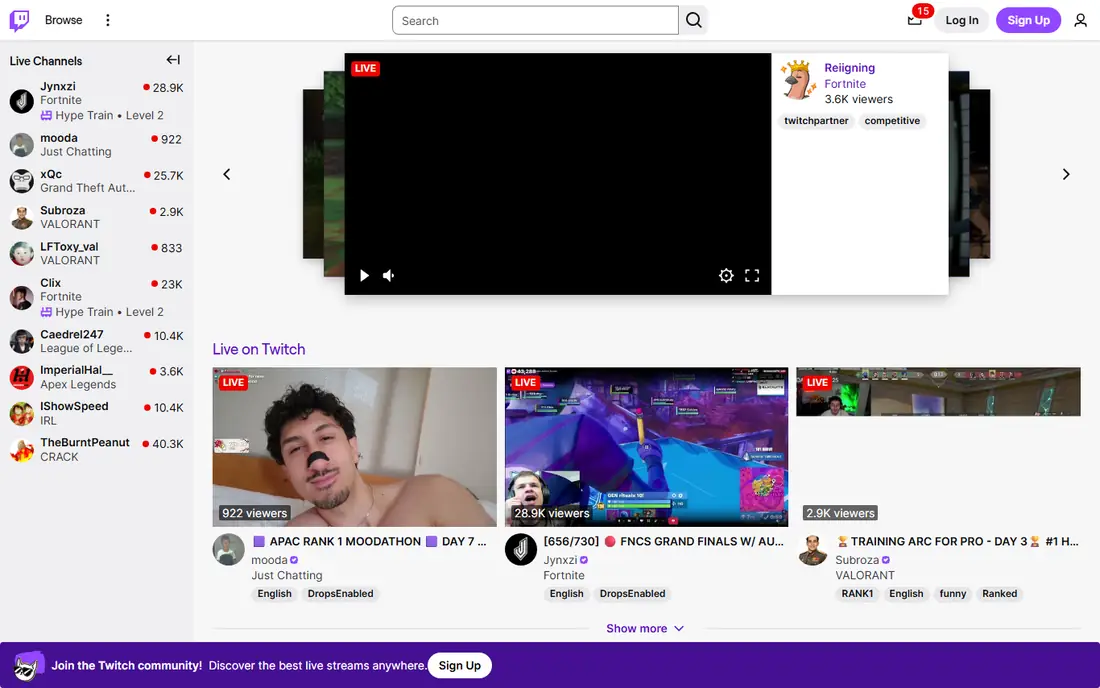
For many teams, Twitch is the first name that comes up in this category, and there is a good reason for that. Its strength is a live audience that already expects streams, chat, and community features.
Creators can go live, chat with viewers, and build a following around regular streams. Monetization options grow as a channel meets program rules.
The catch is discovery. New streamers need a schedule, a clear niche, and off-platform promotion to stand out in a crowded directory.
- Large live community
- Chat and monetization tools
- Creator programs
- Discovery can be hard for new streamers
- Rules and moderation vary by channel
YouTube Live
Best for: Creators who want live video plus searchable replay content
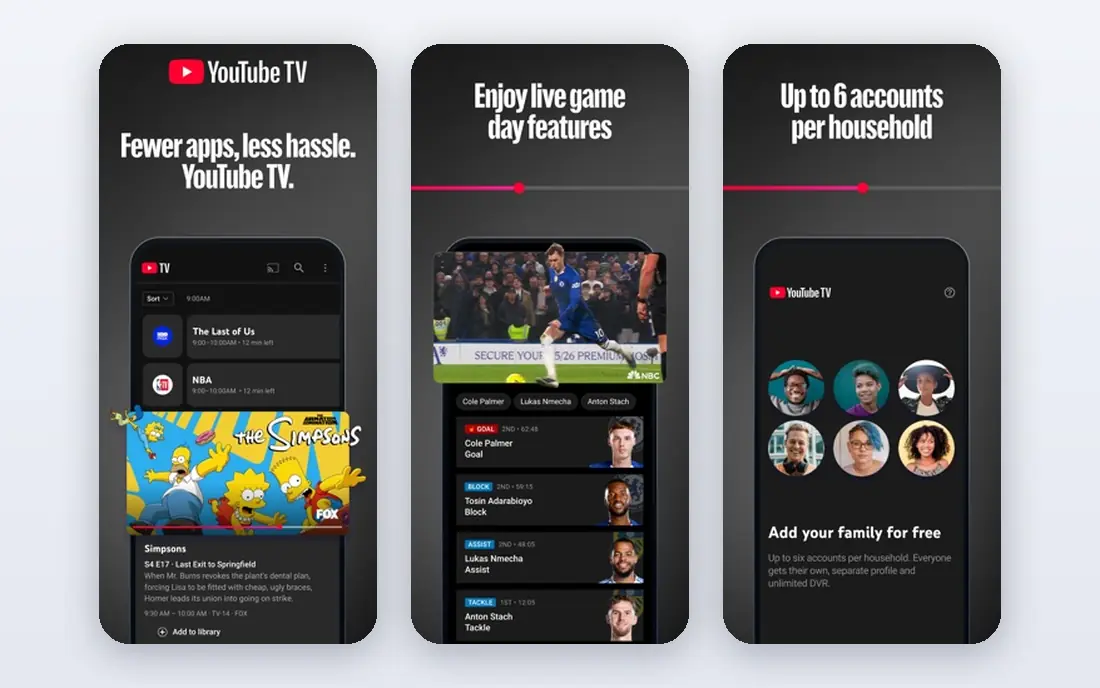
If your shortlist is getting long, YouTube Live is worth a closer look before you decide. Its strength is pairing live streams with videos that keep working after the stream ends.
A live session can become a replay, clips, and search traffic, which helps creators who also publish edited videos. That dual value is hard to match.
The catch is format. YouTube rewards watch time and search-friendly topics, so pure live-only creators may grow slower than on Twitch.
- Live plus video search
- Large audience
- Replay and clips
- Live chat can be noisy at scale
- Monetization rules apply

Some buyers choose OBS Studio for its breadth, while others choose it for one feature done well. Its strength is control, with scenes, sources, and plugins that fit almost any setup.
A streamer can mix camera, game, screen, and audio, record locally, and stream to many platforms. That flexibility is why many creators start here.
The catch is setup. You must add alerts and overlays yourself, so beginners should follow a current setup guide for their platform.
- Free and open source
- Wide plugin support
- Scene and source control
- Setup takes learning
- No built-in alerts or themes
Streamlabs Desktop
Best for: Beginners who want alerts, themes, and tips built in
We put Streamlabs Desktop on this list because it solves a clear problem for a clear kind of buyer. Its strength is an all-in-one start, with alerts, overlays, and widgets in the same app.
New streamers can pick a theme, add alerts, and go live without hunting for plugins. That speed helps a first stream feel polished.
The catch is load. The app can use more system resources than OBS Studio, so check performance on your computer before a long stream.
- Built-in alerts and themes
- Tipping tools
- Guided setup
- Heavier on system resources
- Some features need a paid plan
StreamYard
Best for: Talk shows, interviews, and podcasts that need guests on screen
Look past the marketing for StreamYard and you find a practical tool with a specific job to do. Its strength is guest handling from a browser, with no software for guests to install.
Hosts can invite guests by link, show comments on screen, and stream to several platforms. That suits interviews, panels, and church or business streams.
The catch is limits. The free plan adds branding and caps features, so regular hosts should compare paid tiers against their stream length.
- Browser-based studio
- Easy guest invites
- Multi-platform streaming
- Free plan has branding and limits
- Advanced features need paid plans
Among the options here, Restream stands out for the way it fits into daily work. Its strength is reaching several audiences from one stream.
A creator can go live on Twitch, YouTube, and other platforms at the same time and read chat in one place. That saves time for small teams.
The catch is connection. Your upload speed still matters, and platform rules for multi-streaming differ, so check each platform before you simulcast.
- Multi-platform streaming
- Chat in one view
- Studio tools
- Paid plans needed for full multi-stream features
- Quality depends on connection
A buyer who values simplicity may pass over TikTok LIVE at first, which would be a mistake for some teams. Its strength is discovery, with live rooms surfaced to viewers who do not already follow you.
Creators can run short live sessions, answer chat, and gain followers fast when a session performs well. That suits mobile-first creators.
The catch is eligibility. Accounts must meet LIVE rules to go live, and desktop production tools are more limited than OBS-based setups.
- Strong live discovery
- Gifts and subscriptions
- Mobile-first streaming
- Eligibility rules apply
- Mobile tools are more limited than desktop
The case for vMix is not that it does everything, but that it does its core job with care. Its strength is professional production, with multi-camera switching, graphics, and replay in one program.
Event, sports, and church productions can run a polished show from a Windows computer. That depth suits teams with production experience.
The catch is scope. It is Windows-only and costs more than free tools, so casual streamers should start with OBS Studio or Streamlabs instead.
- Multi-camera switching
- Professional inputs
- Recording and replay
- Windows only
- Higher cost and learning curve for beginners
How we picked these
We compared official product pages, platform rules, and feature lists for each app and platform. We favoured tools with clear live features, stable streaming, and honest limits on free plans, and we noted where eligibility or platform rules affect use. We did not claim hands-on testing, and we treated platform apps and desktop software as separate jobs in one list.
We also checked pricing transparency and noted where a vendor requires a quote, because a hidden price makes comparison harder for a small buyer. Where a price changed recently or differed between sources, we used the safer wording rather than publishing a figure we could not confirm. That approach keeps the comparison useful without overstating what we verified, and it lets readers check the current price on the vendor site before they buy.
How to choose a live streaming app
Start with audience, then software
Your viewers matter more than your encoder. If they are on Twitch, start there, and if they watch YouTube videos, start with YouTube Live. Software like OBS Studio can serve either platform.
Test your connection and computer
Run a short private test at your planned resolution and bitrate. Check audio, camera, and CPU load, because a stream that drops or stutters will lose viewers fast.
Plan moderation and safety
Set chat rules, moderators, and block lists before you go live. Clear safety practices protect viewers and creators, and they matter more as an audience grows.
What a good trial should prove
A trial should answer one question for each part of your workflow, not just show a demo. Pick a real task, such as onboarding one person, sending one proposal, running one campaign, or opening one ticket, and run it end to end with your own data. Note where you needed help, where the steps felt slow, and where the result differed from what you expected. If a trial only lets you click through sample data, ask for a longer pilot or a guided session with your own use case, because sample data hides the friction that matters in daily work.
Costs beyond the headline price
The headline price rarely tells the full story, because seats, add-ons, volume limits, and support tiers can change the total. Ask what happens when you add users, exceed a limit, or need a higher support level, and get that answer in writing before you sign. Also check contract length, renewal terms, and any setup or migration fees, since those items can matter more than a small monthly difference. A tool that looks cheap at five users can become costly at fifty, so model the price at your next stage of growth.
Support, security, and exit options
Support quality, security controls, and exit options deserve the same attention as features. Check how you reach support, what hours it covers, and whether help is included or paid, because a tool you rely on daily needs a clear route when something breaks. Review security basics such as access controls, two-factor sign-in, and data handling, and ask how you export your data if you leave. A clean export path protects your work and gives you freedom to change tools later without losing history.
FAQ
What is the best live streaming platform for beginners?
Streamlabs Desktop and Twitch Studio-style guided setups suit beginners, while StreamYard suits talk shows. Start with one platform and one simple scene, then add overlays as you learn.
What is the best live streaming app for mobile?
TikTok LIVE and the Twitch app suit mobile-first creators, while Streamlabs mobile adds overlays. Desktop software still gives more control for long or complex streams.
What is the best app for live streaming to several platforms?
Restream is a strong choice for multi-platform streaming, with chat in one view. Check each platform's multi-stream rules and your upload speed before simulcasting.
What is the best live stream software for PC?
OBS Studio is the best free PC software for most creators, with deep scene and plugin support. Streamlabs Desktop is easier to start with, while vMix suits professional multi-camera work.
What is the best streaming software for interviews?
StreamYard leads for interviews because guests join by browser link with no install. It also shows comments on screen and streams to several platforms at once.