Best Label Design Software in 2026: 8 Tools Compared
Compare the best label design software for product labels, barcodes and sheet labels, from free web tools to enterprise barcode platforms today in 2026.

- Editor's choice
 BarTender
High-volume barcode labeling
Starts at$199 per yearVisit seagullscientific.comFull review - Great alternative
 Loftware NiceLabel
Multi-site cloud labeling
Starts atSee websiteVisit loftware.comFull review - Also consider
 TEKLYNX CODESOFT
Complex barcode and RFID design
Starts atSee websiteVisit teklynx.comFull review
TL;DR:
- BarTender and Loftware NiceLabel are the enterprise standards for barcode labeling, especially where accuracy and audit trails matter.
- If you already own a printer, start with its free software, such as ZebraDesigner, DYMO Connect or Brother P-touch Editor, before buying anything.
- Avery Design and Print and Maestro Label Designer cover sheet labels on office printers for free, which is enough for many small businesses.
- Canva is best for pretty product labels and stickers, while barcode platforms are best when labels must scan reliably at volume.
Quick comparison
| Tool | Best for | Starts at | Free plan? | |
|---|---|---|---|---|
| BarTender | High-volume barcode labeling | $199 per year | Free trial | Visit |
| Loftware NiceLabel | Multi-site cloud labeling | See website | Free trial | Visit |
| TEKLYNX CODESOFT | Complex barcode and RFID design | See website | Free trial | Visit |
 ZebraDesigner | Zebra printer owners | Free | Yes | Visit |
 Avery Design and Print | Sheet labels on office printers | Free | Yes | Visit |
 DYMO Connect | DYMO desktop printers | Free | Yes | Visit |
 Maestro Label Designer | OnlineLabels sheet labels | Free | Yes | Visit |
 Canva | Pretty product labels and stickers | Free | Yes | Visit |
The best label design software
Label design splits into two jobs that need different tools. One job is making a product label look good, with branding, colors and readable text. The other job is making a barcode label print correctly, scan reliably and pull data from a database at volume. The tools below cover both jobs, from free web designers to enterprise barcode platforms, so you can match the tool to the label you actually print.

BarTender, from Seagull Scientific, is the enterprise standard many warehouses, manufacturers and retailers rely on for barcode labels. It designs labels, barcodes and RFID tags, connects to databases and spreadsheets for variable data, and automates printing across many printers. That combination matters when a label must be correct every time, because a wrong barcode can stop a shipment or a checkout line.
Pricing starts at $199 per year for the Workstation edition in recent comparisons, with higher editions for automation and enterprise control, and licensing is often counted per printer. The interface is more technical than Canva, so expect a learning curve for complex templates. For high-volume or regulated labeling, BarTender is the safe, proven choice.
- Industry standard for barcode labeling
- Database connections and automation
- Wide printer support
- Per-printer licensing can add up
- Interface is more technical than a design app
Loftware NiceLabel, formerly NiceLabel, is built for companies that need the same approved label everywhere, across sites and suppliers. Design, approval and printing can be managed centrally in the cloud, so a change to a product label or a compliance warning rolls out consistently, rather than as different local files. That control helps food, pharma and medical device companies where label errors carry regulatory risk.
Pricing is quote based and often tied to printers and sites, so a small business should get a clear quote before comparing it with BarTender. Setup also takes planning, especially for database connections and user roles. For multi-site labeling with audit needs, NiceLabel is a strong enterprise alternative to BarTender.
- Centralized cloud label management
- Strong compliance and approval workflows
- Wide printer support
- Pricing is quote based
- Setup needs planning for multi-site use
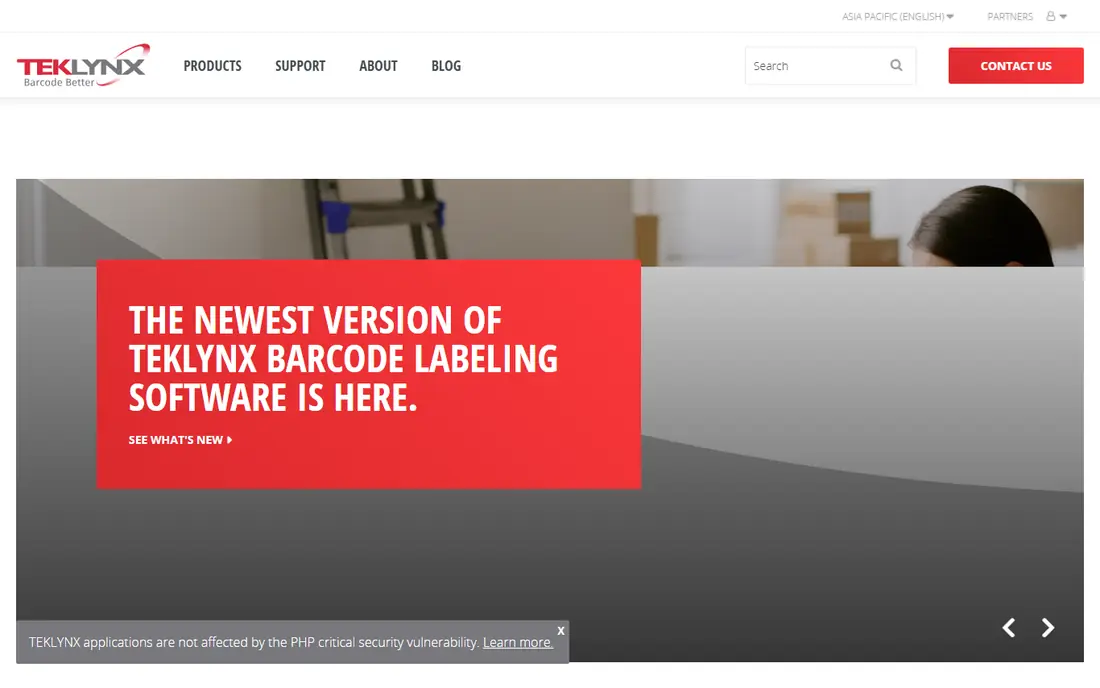
TEKLYNX CODESOFT is another long-standing barcode design platform, used by integrators and mid-market to enterprise companies for complex labeling. It supports a wide range of barcodes and RFID formats, connects to databases and business systems, and handles variable data for serial numbers, batches and expiry dates. That depth helps when labels must pull live data rather than static text.
CODESOFT is usually sold through resellers or by quote, which can make a small, direct purchase slower than buying BarTender online. For a company working with an integrator on a warehouse or factory labeling project, CODESOFT is a credible choice. For a small business printing simple product labels, a cheaper tool below will be faster and easier.
- Strong barcode and RFID design
- Database and ERP connections
- Reseller and integrator support
- Pricing is quote based
- Channel sales can slow a small purchase
ZebraDesigner is the first tool to try if you already own a Zebra label printer. The Essentials edition is free and covers basic label, barcode and RFID design, tuned to Zebra hardware so printing is reliable. A Professional edition adds more design and database features for teams that need them, at a paid price.
The limit is obvious: ZebraDesigner is built for Zebra printers, so it is not the right pick if you use another brand. For a warehouse, retail back office or shipping station with Zebra hardware, starting free with ZebraDesigner saves money and avoids compatibility problems. Only move to BarTender or NiceLabel when you need cross-brand printing or central management.
- Free Essentials edition
- Tuned for Zebra printers
- Barcode and RFID design included
- Best only with Zebra hardware
- Professional edition is paid
Avery Design and Print is a free web tool for designing sheet labels, cards, tags and stickers that print on a standard office printer. It offers thousands of templates matched to Avery product numbers, plus mail merge for names and addresses and a barcode generator for product and price labels. You can save projects to an Avery account and print at home or order professionally printed labels.
The tool is tailored to Avery products, so it is less useful for roll labels on industrial printers or for non-Avery stock. It also needs an internet connection, as it runs in a browser. For a small business printing mailing labels, product labels on sheets or name badges, Avery Design and Print is free, simple and hard to beat.
- Free web tool
- Thousands of templates for Avery products
- Mail merge and barcode generator
- Tailored to Avery products
- Less suited to roll or industrial barcode printing
DYMO Connect is the free software that comes with DYMO desktop label printers, such as LabelWriter models used for shipping, address and file labels. Design is simple, with text, barcodes, images and address book features, and printing is tuned to DYMO label rolls. For a home office or small business that already owns a DYMO printer, it covers everyday labeling without extra cost.
DYMO Connect is not an enterprise barcode platform, and it is limited to DYMO hardware and label sizes. It will not replace BarTender for warehouse volume or multi-printer management. For desk labeling, return addresses, shipping labels and organizing files, it is the right free tool for the hardware you already own.
- Free with DYMO printers
- Simple label design
- Good for address, shipping and file labels
- Limited to DYMO hardware and label sizes
- Not for industrial barcode volume
Maestro Label Designer, from OnlineLabels, is a free web tool for designing labels on OnlineLabels sheet stock. Templates match the exact label sheets you buy, with tools for text, shapes, barcodes and nutrition labels, plus auto-align features to keep designs straight on the sheet. That match between template and stock reduces wasted sheets from misaligned printing.
Full access may require a code from a recent OnlineLabels order, and the tool is tailored to that stock, so it is less useful for other brands. For a small business that buys OnlineLabels sheets for product, candle, soap or food labels, Maestro is a practical free designer. Check that your label size is in the template library before you commit to a stock.
- Free web designer for OnlineLabels stock
- Templates match label sheets
- Barcode and nutrition tools
- Full access may need a code from a recent order
- Tailored to OnlineLabels products
Canva is the best pick when the label must look good first, such as a product label, sticker or gift tag for a small brand. Drag-and-drop design, templates, fonts and images make it easy for a non-designer to create a label that matches packaging and social media branding. The free tier covers many templates and features, with paid plans adding more assets and brand tools.
Canva is not a barcode labeling platform. It does not manage printers, database printing or compliance workflows in the way BarTender does, and you must set custom sizes carefully and export a print-ready PDF for a professional printer. For visual product labels, Canva plus a print shop or Avery sheets is a strong, low-cost path. For barcode volume, choose a dedicated labeling tool instead.
- Very easy drag-and-drop design
- Huge template and font library
- Free tier is generous
- Not built for barcode volume or printer management
- Print sizing needs care
How we picked these
We compared official vendor pages and current label software comparisons, focusing on tools that design and print labels in 2026, from enterprise barcode platforms to free sheet designers. We favored tools with clear printer compatibility, template libraries and barcode support where relevant, and we noted where a tool is tied to one printer brand. Prices are starting points from vendor or comparison sources, with quote-based enterprise tools marked as See website.
What to check before you buy
Start with your printer and your label stock, not with a design tool. A tool that does not support your printer, roll size or sheet template will waste time, even if its designs look good. Check barcode types too, because retail, warehouse and shipping barcodes differ, and a tool must generate the exact symbology your scanners and partners expect.
Test a full print run, not just a screen preview. Print on your actual stock, scan the barcode with your actual scanner, and check alignment, contrast and durability. For food, pharma or chemical labels, also check compliance fields such as ingredients, warnings and GS1 codes, because a pretty label that misses a required field cannot be used.
Design, data and volume
Ask how variable data works if you print names, serial numbers, batches or expiry dates. A tool that only handles static text will force manual work for every batch. For volume, check printer count licensing, because enterprise tools often price per printer, which changes the total cost for a warehouse with many stations.
Print, finish and ordering
Decide whether you will print in-house or order printed labels from a supplier. In-house printing suits variable and short-run labels, while ordered labels suit high-quality product packaging at volume. Canva and Avery designs can be sent to a print shop, while BarTender and NiceLabel are built for in-house printing control.
FAQ
What is the best label design software?
BarTender is best for high-volume barcode labeling, Loftware NiceLabel is best for multi-site cloud labeling, and Canva is best for pretty product labels. For free sheet labels, Avery Design and Print and Maestro Label Designer are strong picks, while ZebraDesigner and DYMO Connect are best if you already own those printers.
Is there free label design software?
Yes, Avery Design and Print, Maestro Label Designer, ZebraDesigner Essentials and DYMO Connect are free for their respective products, and Canva offers a generous free tier. Enterprise barcode platforms usually offer a free trial rather than a permanent free plan.
Can Canva make barcode labels?
Canva can design a label that includes a barcode image, but it is not built for barcode volume, database printing or printer management. For labels that must scan reliably at volume, use BarTender, NiceLabel, CODESOFT or the free software for your printer brand.
How much does BarTender cost?
Recent comparisons list BarTender Workstation from $199 per year, with higher editions for automation and enterprise features. Licensing is often counted per printer, so count your print stations before requesting a quote for a full deployment.
What label software is best for small businesses?
For sheet labels on an office printer, Avery Design and Print is free and simple. For product labels that need strong branding, Canva is easy to learn. For barcode labels on a desktop printer, start with the free software for your printer brand, such as ZebraDesigner or DYMO Connect, before buying an enterprise tool.