Best Label and Artwork Management Software in 2026: 8 Tools Compared
We compared the best label and artwork management software for 2026, covering proofing, approvals, compliance checks, and version control for packaging teams.
- Editor's choice
 Artwork Flow
Small team proofing
Starts atFreeVisit artworkflowhq.comFull review - Great alternative
 Esko
Enterprise packaging workflows
Starts atSee websiteVisit esko.comFull review - Also consider
 ManageArtworks
Structured artwork approvals
Starts atSee websiteVisit manageartworks.comFull review
TL;DR:
- Artwork Flow is the easiest entry point here, with a free plan for small teams and proofing tools for packaging work.
- Esko and BLUE Software suit large packaging operations that need deep prepress and workflow control.
- Loftware Cloud, Kallik, and Innovatum ROBAR focus more on label data, regulatory content, and print accuracy.
- The right tool depends on whether your bottleneck is design approval, label compliance, or print-ready file production.
Quick comparison
| Tool | Best for | Starts at | Free plan? | |
|---|---|---|---|---|
| Artwork Flow | Small team proofing | Free | Yes | Visit |
| Esko | Enterprise packaging workflows | See website | No | Visit |
| ManageArtworks | Structured artwork approvals | See website | Free trial | Visit |
 Loftware Cloud | Cloud label design and printing | See website | No | Visit |
 Kallik | Regulated label content | See website | No | Visit |
 Innovatum ROBAR | Life sciences label control | See website | No | Visit |
 Discus Artwork Manager | Artwork approval workflows | See website | No | Visit |
 BLUE Software | Brand artwork collaboration | See website | No | Visit |
The best label and artwork management software
We focused on tools that manage packaging labels and artwork from brief to approved print file. That includes proofing, version control, approvals, and label data, not generic design storage alone.
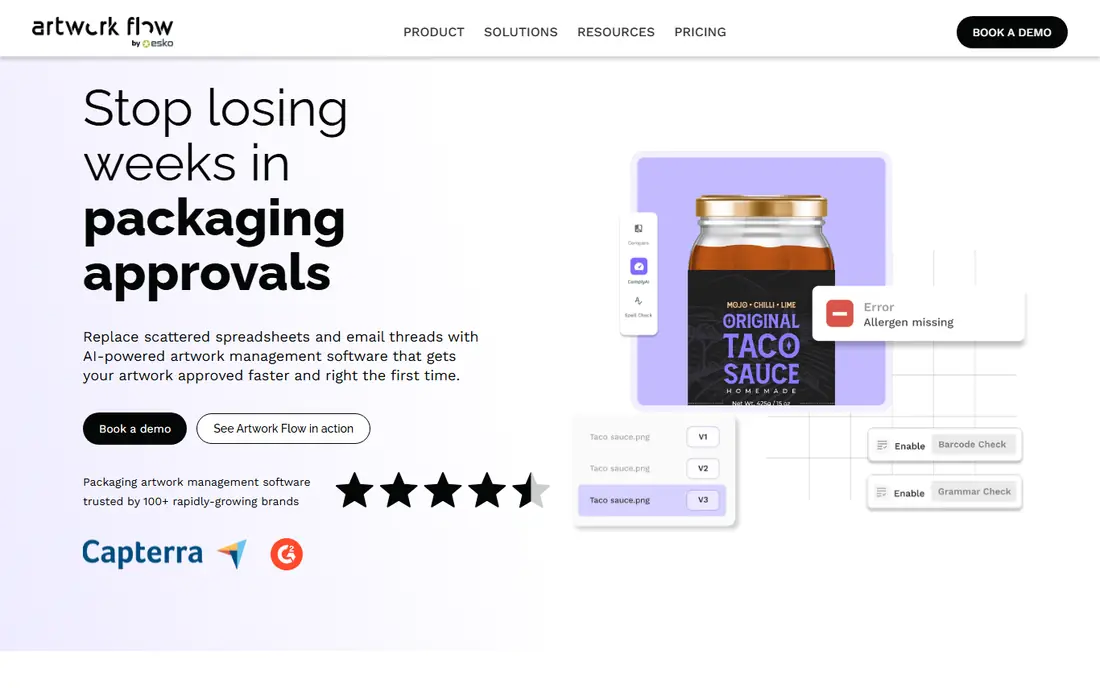
Artwork Flow gives small packaging teams a clear starting point. The free plan covers a digital asset library, reviews, approvals, and version compare, which is enough to replace email-based proofing. Paid plans add spell checks, barcode inspection, multi-language support, and deeper workflow controls.
Larger brands may outgrow the lower tiers when they need custom checklists, single sign-on, and dedicated support. Still, for a team that wants to test structured proofing without a sales call, Artwork Flow is the most accessible option on this list.
- Free plan for up to three users
- Online proofing with markup and version compare
- AI tagging and brand guideline checks
- Advanced workflows and compliance checks sit on higher tiers
- Storage limits apply on lower plans
Esko serves brands, converters, and suppliers that run packaging at scale. Its software covers design, prepress, workflow automation, color management, and supply chain collaboration for packaging, labels, displays, and signs. Subscription options add flexibility for changing seat counts.
That breadth is also the drawback for small teams. Implementation and training take time, and pricing is quoted rather than published as a simple rate. Choose Esko when print accuracy, color, and supplier workflows matter as much as approval speed.
- Deep packaging, prepress, and color tools
- Cloud and on-premise deployment options
- Wide partner and supplier ecosystem
- Enterprise scope and pricing complexity
- Smaller teams may find setup heavy

ManageArtworks focuses on the approval chain for packaging artwork. Teams can route files, collect annotations, track versions, and see where each artwork stands. That structure helps when marketing, regulatory, design, and print suppliers all touch the same file.
Quote-based pricing means you need a demo and a scoped quote to budget. Teams with only a few artworks a year may find a simpler proofing tool enough. For regular packaging cycles, the workflow tracking can cut the email chasing that causes delays.
- Workflow, annotation, and approval tracking
- Central artwork repository with versions
- Reporting on artwork status
- Pricing is quote-based
- Best value appears for teams with steady artwork volume
Loftware Cloud manages the labeling side of the job: templates, data, and printing across sites and partners. Business users can design and maintain label templates without deep IT help, and the cloud model removes local infrastructure upkeep. That suits growing firms that print labels in more than one place.
Creative teams that mainly need visual proofing may want a proofing-first tool beside it. Loftware Cloud is strongest when label accuracy, template control, and consistent printing matter most. Ask about user counts and printer support during a trial or demo.
- Cloud label design and template control
- Print from any device with browser access
- Scales from small teams to enterprise labeling
- Focus is labeling operations more than creative proofing
- Enterprise features need a quote
Kallik helps regulated brands keep label content consistent across markets and languages. Shared phrases, approved content, and artwork sit together, so regional variants reuse the same controlled source rather than copied files. That reduces errors when rules change in one market.
The platform is built for enterprise programs, so small teams may find it more than they need. Pricing is quoted, and rollout needs planning around content models and approvals. For pharma, food, cosmetics, and other regulated sectors, that control is often the point.
- Central control of label content and artwork
- Designed for regulated and global markets
- Supports regional variations from shared content
- Enterprise pricing and implementation scope
- Overkill for simple single-market labels
Innovatum ROBAR covers label master data, artwork and version control, regulatory data, and print inspection for pharmaceutical, medical device, and biotech firms. It also supports electronic instructions for use through an eLabeling module. Configurable setup aims to keep upgrades simpler than heavily customized systems.
That specialization is both a strength and a limit. Life sciences teams gain regulatory depth that general proofing tools lack. Teams outside life sciences may get more value from a broader packaging tool. Ask for a workflow demo using your own label types before committing.
- End-to-end label lifecycle for life sciences
- Native Adobe file and version control
- Regulatory data and submission support
- Specialized scope suits life sciences best
- Deployment options add planning complexity
Discus Artwork Manager targets teams that need a clear audit trail for artwork changes. Workflows, reminders, and escalations keep approvals moving, while difference detection helps proofreaders spot changes between versions. A vendor and printer portal brings suppliers into the same process.
Process-driven teams will get the most from it, while very small teams may prefer a lighter proofing app. Since pricing is not published as a simple plan, request a quote based on users, artworks, and supplier access. The audit trail is a strong selling point for regulated or retail supply chains.
- Configurable approval workflows with reminders
- Difference detection and proofreader comment tracking
- Vendor and printer portal
- Public pricing is limited
- Interface and setup suit process-driven teams
BLUE Software, now connected with Esko, helps brands coordinate packaging artwork across internal teams and external partners. Collaboration, workflow, and approval tools sit around a central artwork record, which helps when many stakeholders review the same pack. Large consumer brands are its natural audience.
Smaller teams should weigh whether they need this level of coordination, since pricing is quoted and setup is enterprise-grade. If you already use Esko tools, check for overlap before adding another platform. For complex brand programs, the shared record can reduce version confusion.
- Brand and packaging collaboration in one place
- Workflow and approval tools for large teams
- Part of the wider Esko ecosystem
- Enterprise focus with quoted pricing
- May overlap with Esko tools already in use
How we picked these
We compared official feature pages, pricing pages, review listings, and public product descriptions for label and artwork tools. We favored tools with a clear packaging or label focus, version control, approval workflows, and proofing or print controls. We did not claim hands-on testing, and we did not invent prices, ratings, or awards. Where pricing was quote-based or unclear, we listed See website.
Packaging teams should treat this list as a shortlist, not a final verdict. A demo with your own artwork files, languages, and supplier steps will reveal more than any feature page. Check file format support, barcode checks, and audit trails against your actual packs.
How to choose for your packaging workflow
Start from the bottleneck, not the feature list. A tool that fixes approvals will not fix bad label data, and a label data tool will not fix slow design reviews.
Map your approval chain first
List who touches artwork, from brief to print, and where files currently stall. Marketing, regulatory, legal, design, and print suppliers often use different tools, which creates version confusion. A central repository with version control and a clear approval record solves that problem. If suppliers are outside your system, a vendor portal matters more than extra design features.
Check compliance and print controls
Regulated packs need more than visual approval. Look for spell checks, barcode inspection, layer analysis, text compare, and audit trails. Ask how the tool handles translations, regional variants, and last-minute text changes. A missed barcode or wrong ingredient line costs far more than a software subscription.
Plan for scale and file types
Count SKUs, languages, and artworks per year before you buy. A free plan may suit a few packs, while hundreds of SKUs need workflow automation and reporting. Confirm support for your file types, including Adobe formats, and check storage limits. Pilot with one product line, then expand only if approvals actually get faster.
FAQ
What is label and artwork management software?
It is software that manages packaging labels and artwork from brief to approved print file. It typically covers version control, online proofing, approvals, label data, and an audit trail. The goal is fewer errors, faster approvals, and one trusted version of each pack.
Do I need it if I already use cloud storage?
Cloud storage holds files, but it does not route approvals, track versions clearly, or check barcodes and text changes. If your team approves packs by email and shared folders, an artwork tool adds structure and a record of who approved what. Small teams with few packs may still manage with storage plus a clear naming system.
What is the cheapest way to start?
Artwork Flow offers a free plan for up to three users, which is the lowest-cost entry point on this list. Test it with real packs, including a revision cycle and a supplier review, before paying. If you need regulatory depth, budget for a quoted enterprise tool instead.
How does artwork proofing reduce errors?
Proofing tools let reviewers annotate directly on the artwork, compare versions, and check barcodes, spelling, and layers. That beats emailed PDFs with separate comment lists, where changes get lost. A clear approval record also shows who signed off each version before print.
Which tool is best for regulated industries?
Kallik and Innovatum ROBAR are built for regulated label content and life sciences workflows. They focus on controlled content, regional variants, and audit trails. General proofing tools may still work for simple packs, but regulated teams should demo the specialized options first.
Should design, regulatory, and suppliers use the same tool?
In most cases, yes, since shared access reduces version confusion and email chasing. Look for role-based permissions, so suppliers see only their packs and reviewers see the right approval steps. If a supplier cannot use your system, confirm the tool supports a vendor portal or clean file export.