Best Journal App in 2026: 9 Apps Compared
Looking for the best journal app? We compared 9 journaling apps on privacy, prompts, mood tracking and price to help you start a lasting habit in 2026.
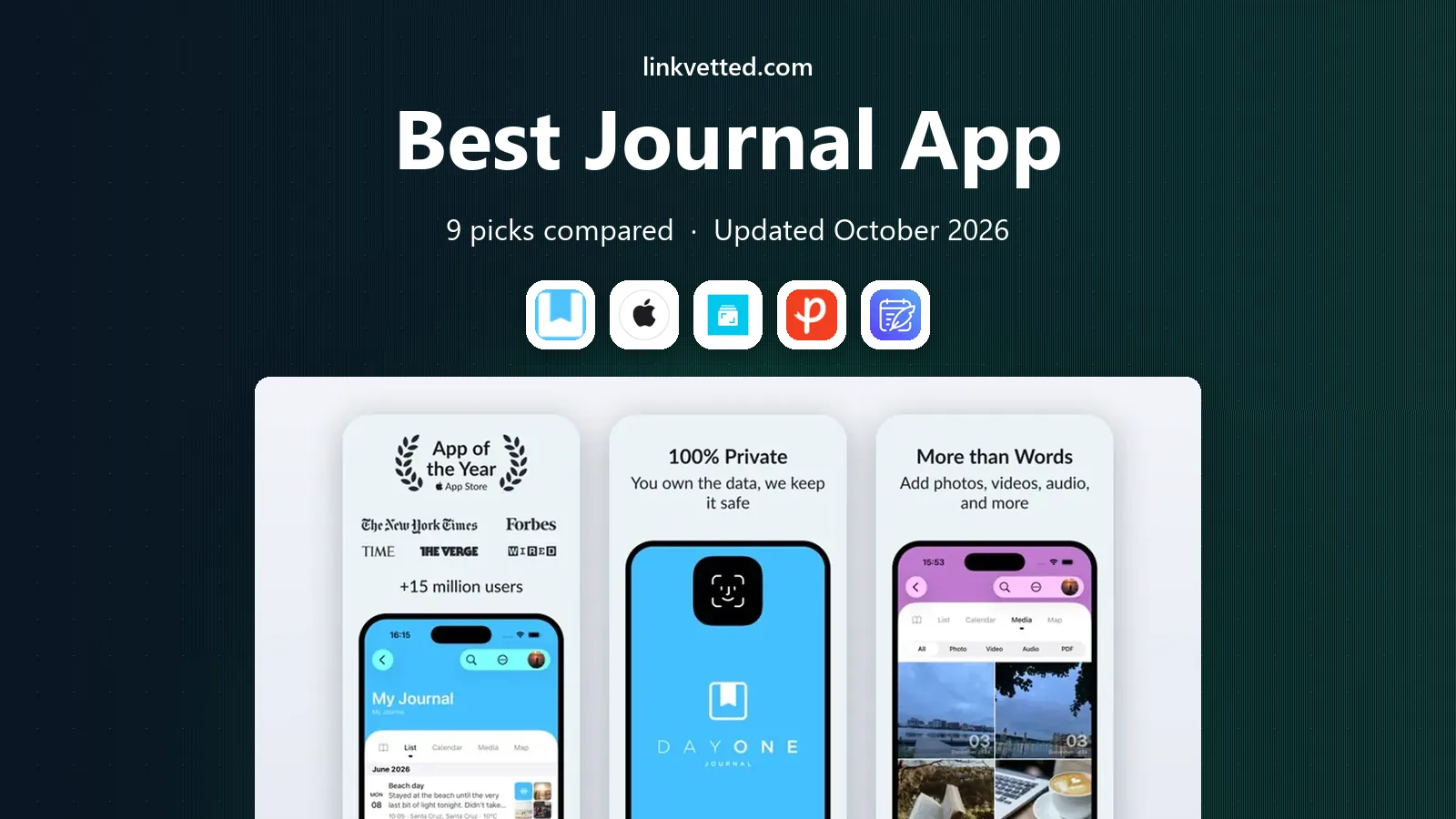
- Editor's choice
 Day One
Best overall journaling
Starts at$49.99 per yearVisit dayoneapp.comFull review - Great alternative
 Apple Journal
Free Apple journaling
Starts atFreeVisit apple.comFull review - Also consider
 Journey
Cross-platform journaling
Starts at$49.99 per yearVisit journey.cloudFull review
TL;DR:
- Day One is the best all-round journal app for most people, thanks to its polished design, media support and encrypted sync.
- Apple Journal is the best free starting point if you use an iPhone, iPad or Mac and want no subscription.
- Journey is the best cross-platform choice if you switch between Apple, Android, Windows and the web.
- Daylio suits people who want a fast mood check-in rather than long written entries.
- Pick the app you will actually open daily, because the best journaling app is the one that survives past week two.
Quick comparison
| Tool | Best for | Starts at | Free plan? | |
|---|---|---|---|---|
| Day One | Best overall journaling | $49.99 per year | Yes | Visit |
| Apple Journal | Free Apple journaling | Free | Yes | Visit |
| Journey | Cross-platform journaling | $49.99 per year | Yes | Visit |
 Penzu | Private, web-first diary | $19.99 per year | Yes | Visit |
 Diarium | One-time purchase journal | $14.99 one-time | Yes | Visit |
 Daylio | Mood tracking and quick entries | $35.99 per year | Yes | Visit |
 Rosebud | AI-guided reflection | $9.99 per month | Yes | Visit |
 Grid Diary | Guided, templated journaling | $22.99 per year | Yes | Visit |
 Diarly | Clean Apple-first writing | See website | Yes | Visit |
The best journal apps
A good journal app should make writing easy, keep your entries private, and still be readable years from now. These nine do that in different ways, from simple free diaries to AI-guided reflection tools.
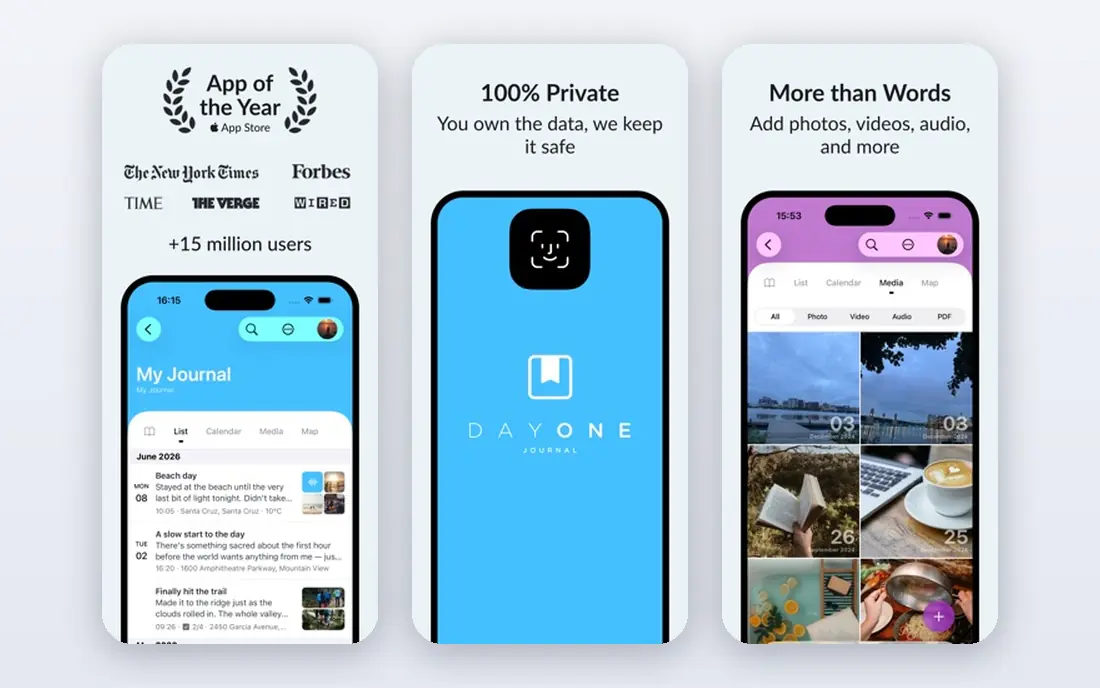
Day One has been the default journal app for years, and it still earns that position. Entries feel good to write, photos and audio sit naturally beside text, and encrypted sync keeps your journal consistent across phone, tablet and computer. On This Day resurfaces old entries at just the right moment, which is a quiet reason many people keep writing.
The free tier is limited to one device and one photo per entry, so most regular users will need the Silver plan at $49.99 per year. That is fair value for a daily habit, but check the tier carefully if you want the newer AI features, which sit on the higher Gold plan.
- End-to-end encrypted sync
- Photos, audio and location per entry
- On This Day memories
- Best features need a paid plan
- Multiple devices require the Silver tier or higher
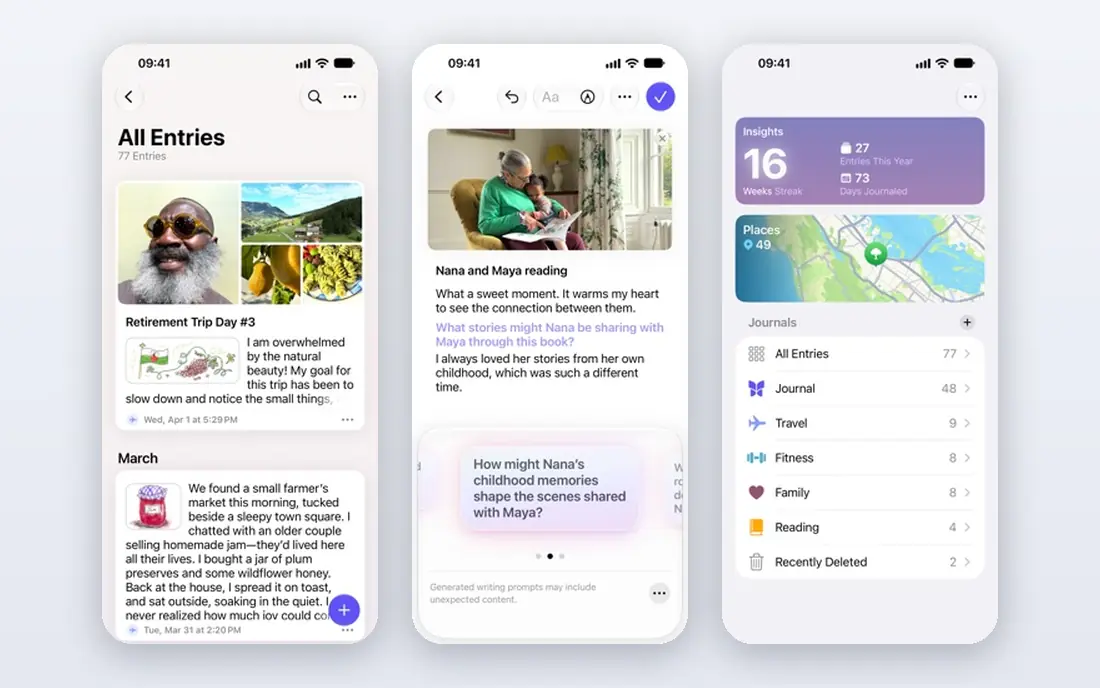
Apple Journal is the easiest way to start journaling, because it is already on your iPhone, iPad or Mac and costs nothing. It suggests moments from your photos, workouts and locations, which helps on days when you stare at a blank page. Entries stay on your device and in your iCloud account, with the privacy controls Apple users already know.
Its limits are platform and flexibility. Android and Windows users are out of luck, and power users who want rich templates or deep export options will outgrow it. As a free, private starting point, though, it is hard to fault.
- Completely free
- On-device suggestions
- Strong privacy with device-level encryption
- Apple devices only
- Fewer export and customization options than rivals
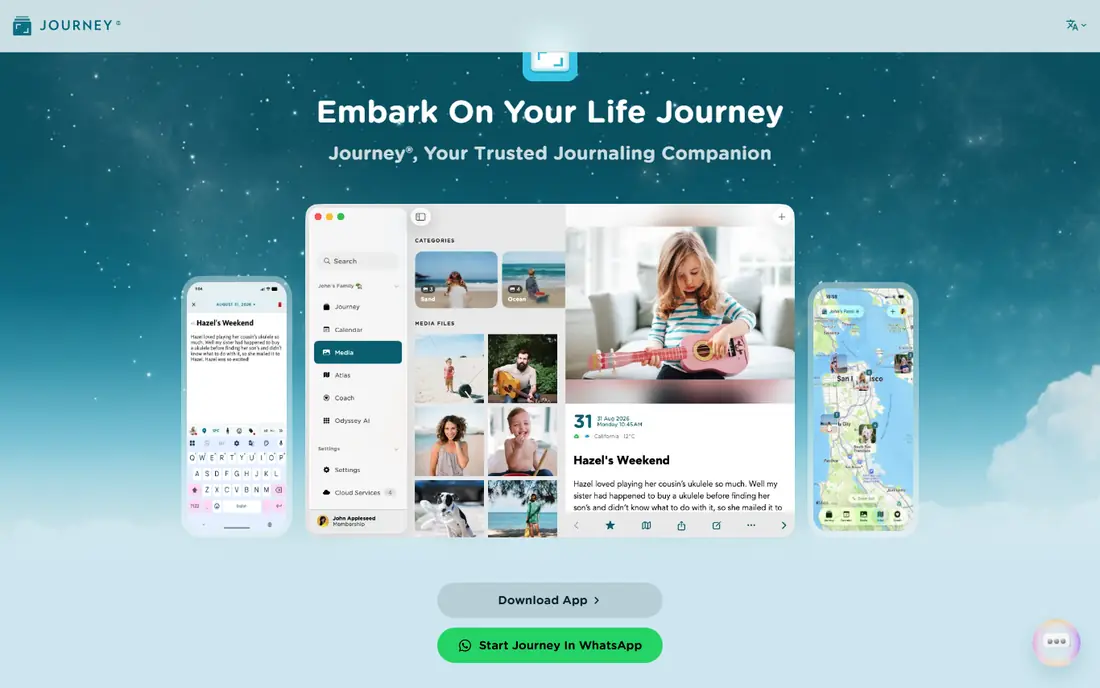
Journey is the pick if your devices are a mix of Apple, Android, Windows and web. Your journal follows you everywhere, and the web version means you can write a proper entry from any computer. Export to PDF and other formats helps you keep a copy outside the app, which matters for a diary you may keep for decades.
The free plan is limited to a small number of entries and cloud storage, so regular writers will need membership. Once you pay, though, Journey is one of the most flexible journals available, and its lifetime option appeals to long-term writers.
- Works on almost every platform
- Cloud sync and web access
- Good export options
- Free tier limits entries and cloud storage
- Desktop access needs a paid plan
Penzu keeps things deliberately simple. It is a private online diary first, with locked journals, writing prompts and reminders to keep the habit going, and it works well in a browser when you want to write at a keyboard. The Pro plan is cheap at $19.99 per year, which makes it good value for a focused diary.
It will not win any design awards, and photo-heavy journaling feels thinner here than in Day One or Journey. If you want a quiet, private place to write and little else, that simplicity is a feature, not a flaw.
- Simple, writing-first design
- Locked journals and encryption on paid plans
- Email reminders
- Dated interface
- Limited media support compared with Day One
Diarium appeals to people who dislike subscriptions. You pay once per platform and get a full journal with calendar, map and timeline views, plus the option to sync through your own OneDrive or Google Drive storage. That control over where your data lives will appeal to privacy-minded writers.
The trade-off is that buying Pro on iPhone does not automatically open it on Windows, so multi-device users pay more than once. The design is also more practical than pretty. If you value ownership over polish, Diarium is a smart buy.
- One-time purchase per platform
- Calendar and map views
- Sync through your own cloud storage
- Pro is bought per platform
- Interface is functional rather than beautiful
Daylio takes a different approach to journaling. Instead of a blank page, you tap your mood, pick the activities you did, and add a short note if you want. Over weeks, the charts show patterns, such as which habits line up with better days, that a wall of text would hide. It takes under a minute a day, which is why people stick with it.
Long-form writers will find it limiting, and there is no full desktop version to match the mobile app. Use Daylio as a mood diary, or pair it with a writing app if you want both quick tracking and longer entries.
- Very fast daily check-ins
- Clear mood and activity charts
- No long writing required
- Not built for long-form writing
- No desktop or web version for most users
Rosebud is the best journal app for mental health reflection if you want guidance rather than a blank page. It asks follow-up questions, reflects back patterns in your writing, and draws on well-known therapeutic approaches to help you notice unhelpful thought patterns. Many users say the prompts help them write on days when they would otherwise skip it.
It costs more than most journals on a monthly basis, and it is important to be clear about its limits. Rosebud can support reflection, but it is not therapy, and anyone dealing with serious mental health problems should speak to a clinician. For guided self-reflection, though, it is genuinely useful.
- Thoughtful AI prompts and feedback
- Tracks patterns over time
- Private by design
- Monthly price is high for a journal
- AI feedback is not a substitute for therapy
Grid Diary solves the blank-page problem with a simple grid of prompts. You answer a few short questions each day, such as what you are grateful for or what went well, and the result is a consistent, readable record without long essays. That structure helps beginners build a habit fast.
Writers who like freeform pages may find the grid restrictive over time, and the app feels most at home on Apple devices. If prompts help you write, Grid Diary is one of the best ways to start, and the yearly price is modest.
- Grid prompts make starting easy
- Good for gratitude and daily review
- Clean layout
- Template structure may feel restrictive
- Apple-focused with limited Android depth
Diarly is a calm, well-designed diary for Apple users who want Day One quality without Day One pricing. Writing in Markdown feels natural, entries sync with encryption, and the timeline view makes it easy to browse years of entries. It is a strong choice for people who mainly write text and want a tidy, private journal.
Android and Windows users will need to look elsewhere, and the newer AI assistant costs extra. For Apple-only writers who value a clean page and fair pricing, Diarly is an excellent alternative to the bigger names.
- Clean Markdown writing
- End-to-end encryption
- Timeline and calendar views
- Apple devices only
- AI features are a separate add-on
How we picked these
We compared official feature pages, pricing pages and app listings for each journal app, and we only included apps that are actively maintained and available in the United States in October 2026. We weighed writing experience, privacy and encryption, sync and export options, prompts and habit features, platform coverage and price. We favored apps with a free tier or trial, so you can test the daily writing flow before paying.
How to choose a journal app that sticks
Match the app to how you actually write
If you write long entries, pick a writing-first app such as Day One, Diarly or Penzu. If you prefer a minute-long check-in, Daylio will suit you better. A mismatch here is the main reason journals get abandoned.
Check privacy and export before you commit
A journal holds your private thoughts, so check whether entries are encrypted, whether you can lock the app, and whether you can export your writing. An app that traps years of entries with no export is a poor long-term home, however pretty it looks.
Start small and tie it to a routine
Write for five minutes at the same time each day, such as after breakfast or before bed, and use prompts on low-energy days. A short entry every day builds a stronger habit than a long entry once a month.
FAQ
What is the best journal app for beginners?
Apple Journal is the best free starting point on Apple devices, while Day One is the best paid all-rounder. Both make the first entry easy, and neither requires you to learn a complex system before you write.
What is the best journaling app for mental health?
Rosebud and Daylio are the strongest choices for reflection and mood tracking, because they help you notice patterns over time. They support self-reflection, but they are not a replacement for professional help if you are struggling.
Is there a good free journaling app?
Yes. Apple Journal is fully free on Apple devices, and Day One, Journey, Penzu and Diarium all offer useful free tiers. Paid plans mainly add sync, media and advanced features, so try the free tier first.
What is the best digital journal app for privacy?
Day One and Diarly both offer end-to-end encryption, and Apple Journal keeps entries on your device and in your iCloud account. Check each app privacy policy and enable app lock and encryption where offered.
Can I move my journal to another app later?
Often, yes, but it depends on export options. Journey, Day One and Diarly offer exports in common formats, while some simpler apps export less cleanly. Check export before you build up years of entries.