Best Janitorial Software With Payroll Management in 2026: 8 Tools Compared
best janitorial software with payroll management compared for cleaning crews, with scheduling, time tracking, inspections, hours and payroll links in 2026.
- Editor's choice
 Swept
Commercial janitorial crews
Starts at$30 per monthVisit sweptworks.comFull review - Great alternative
 Jobber
Mixed field-service cleaning
Starts at$49 per monthVisit getjobber.comFull review - Also consider
 Housecall Pro
Booking-led cleaning businesses
Starts at$59 per monthVisit housecallpro.comFull review
TL;DR:
- Swept and Janitorial Manager are built for commercial cleaning, while Jobber and Housecall Pro suit mixed field-service teams.
- True native payroll is rare in this category, so check whether a tool runs payroll, reports hours for payroll, or links to a payroll provider.
- Location-based pricing, as used by Swept, can suit multi-site crews better than per-user pricing.
- Connecteam and ZenMaid offer the lowest starting prices in this list, which helps small crews.
- Mobile time tracking, GPS checks and inspection tools matter as much as payroll, because clean hours data makes payroll accurate.
Quick comparison
| Tool | Best for | Starts at | Free plan? | |
|---|---|---|---|---|
| Swept | Commercial janitorial crews | $30 per month | No | Visit |
| Jobber | Mixed field-service cleaning | $49 per month | No | Visit |
| Housecall Pro | Booking-led cleaning businesses | $59 per month | No | Visit |
 Janitorial Manager | Large janitorial operations | See website | No | Visit |
 Connecteam | Workforce app with payroll features | $29 per month | Yes | Visit |
 ZenMaid | Residential maid services | $19 per month | No | Visit |
 CleanGuru | Small and mid-size cleaning firms | See website | No | Visit |
 FieldPulse | Small cleaning contractors | See website | No | Visit |
The best janitorial software with payroll management
Janitorial software with payroll management should handle scheduling, time tracking, quality checks and client billing, then turn hours into payroll-ready data. The tools below differ in whether they run payroll themselves, export hours, or connect to a payroll provider.
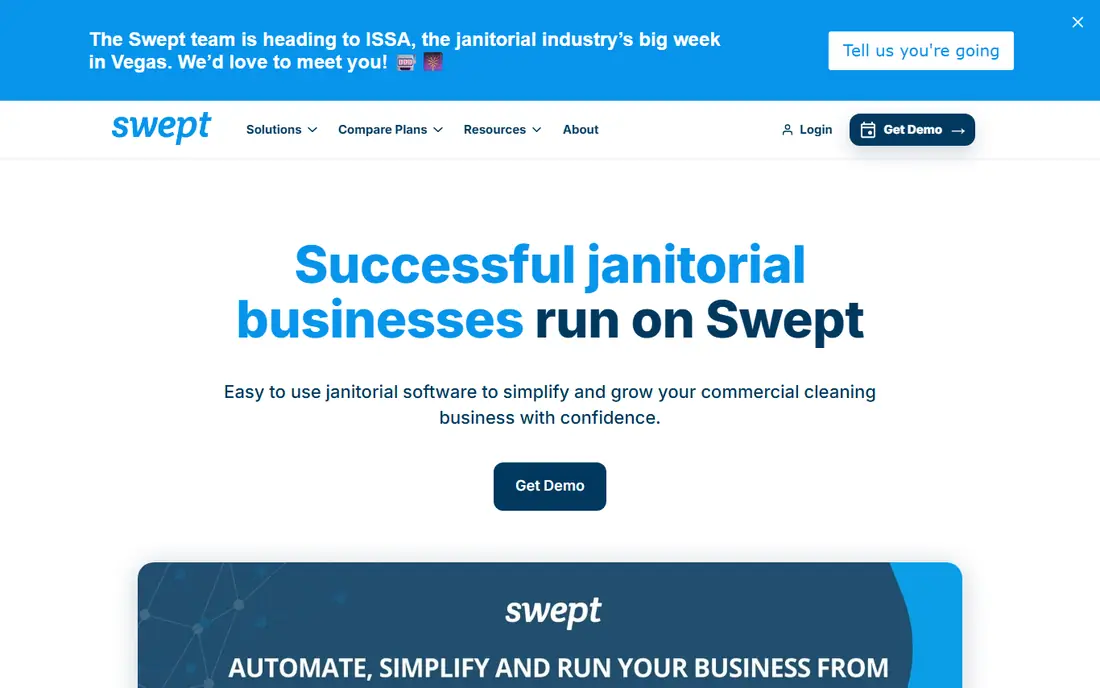
Swept is purpose-built for recurring, multi-location commercial cleaning, with scheduling, time tracking, attendance alerts and payroll reporting in one system. Its Launch plan starts at $30 per month for up to 15 locations, with unlimited users, which suits crews spread across sites better than per-user pricing. Higher tiers add quality control, inspections, geofencing, client communication and supply management, so teams can grow without changing platforms.
Swept does not provide native invoicing or payment processing, so finance teams still need a billing tool or accounting link for client invoices. Its payroll strength is reporting clean, location-level hours that payroll can use, rather than running tax filing itself. For a commercial cleaning company that needs crew accountability across sites, Swept is our pick for most people to trial first.
- Built for commercial cleaning
- Location-based pricing
- Payroll reporting and time tracking
- No native invoicing or payments
- Advanced features sit on higher tiers
- No full offline mode

Jobber is a broad field-service platform that covers customer requests, scheduling, quoting, invoicing, payments and reporting, which makes it a good fit for cleaning businesses that also do other field work. Its client-facing tools, including online booking, reminders and review requests, help small and mid-size teams look professional and win repeat work. Time tracking and job costing give managers hours data they can pass to payroll providers.
Jobber does not run native payroll, so buyers who want one system for payroll tax and direct deposit will need an integration or a separate payroll tool. Pricing starts at $49 per month in third-party guides, with extra users adding cost, so larger crews should model the full team price. For a mixed-service cleaning business that values quoting and client experience, Jobber is a strong, well-supported choice.
- Polished scheduling and quoting
- Invoicing and payments
- Strong client tools
- Payroll runs through integrations, not natively
- Per-user costs add up
- Janitorial features are general

Housecall Pro helps home-service and cleaning businesses manage online booking, scheduling, dispatch, estimates, invoicing and payments from one app. Its communication tools, including automated reminders and review requests, suit businesses that win work through booking and repeat residential clients. Time tracking and job data help owners prepare payroll, though payroll itself runs through integrations or external providers.
The limit is focus. Housecall Pro is built for booking-led home services, so large commercial janitorial operations with complex inspections, multi-site quality checks and supply tracking may find Swept or Janitorial Manager a better fit. Pricing starts at $59 per month in third-party guides, with higher tiers adding more users and features. For a residential cleaning business that lives on bookings, it is a practical pick.
- Strong booking and dispatch
- Payments and financing links
- Payroll-adjacent tools
- Payroll is not native
- Monthly cost rises with team size
- Commercial janitorial depth is lighter
Janitorial Manager is designed for janitorial and commercial cleaning companies, with scheduling, time tracking, inspections, quality control, supply tracking and client reporting in one system. It is priced by buildings managed, features and service level, with vendor guides citing starting figures around $1,000 per month for larger operations, though buyers should get a written quote for their own portfolio. Its payroll value comes from accurate, building-level hours and reporting that finance teams can use for payroll and client billing.
Janitorial Manager is not a low-cost starter tool. Smaller crews will find Swept, ZenMaid or Connecteam cheaper and faster to adopt. It suits larger contractors that manage many buildings, need detailed quality data and want one system for operations, inspections and payroll reporting. Buyers should ask for a demo using their own building list and inspection forms.
- Built for janitorial operations
- Inspections and quality tools
- Payroll data and reporting
- Quote-based pricing
- Larger starting cost
- Setup takes longer than small-team tools
Connecteam is an all-in-one employee app that covers scheduling, time tracking, communication, forms and payroll-related features, with a free tier for up to 10 users and paid hubs from $29 per month in third-party guides. Its mobile app suits cleaners in the field, with clock-in, GPS, shift swaps and team chat in one place. Payroll features include time data, pay-related reports and integrations that help owners move hours into payroll without retyping them.
Connecteam is a workforce tool first, not a janitorial operations system, so quality inspections, supply tracking and client billing are lighter than Swept or Janitorial Manager. It also charges per hub, so costs depend on how many hubs a business needs. For a small cleaning team that mainly needs scheduling, time tracking, communication and payroll-ready hours, Connecteam offers the best free starting point in this list.
- Free tier for up to 10 users
- Scheduling, time tracking and communication
- Payroll features and integrations
- Not janitorial-specific
- Inspections are lighter
- Higher features need paid hubs
ZenMaid is built for residential maid services, with scheduling, client management, automated reminders and time tracking in a simple interface. Its Starter plan starts at $19 per month in third-party guides, which makes it one of the cheapest capable starts for a small maid business. Cleaners can see their schedules on mobile, owners can track appointments and hours, and payroll preparation becomes easier because time data is already organised by cleaner and job.
ZenMaid is not built for large commercial janitorial contracts, multi-site inspections or complex supply tracking. Payroll support is mainly time and job data for use with a payroll provider, rather than full tax and direct deposit processing. For a residential maid service with a small team, ZenMaid is a low-cost, easy-to-learn pick that covers the daily scheduling and payroll preparation job well.
- Low starting price
- Simple scheduling and automation
- Payroll-related time data
- Residential focus, not commercial janitorial
- Payroll is not full native payroll
- Advanced features cost more
CleanGuru provides scheduling, timekeeping, client management and payroll-related reporting for cleaning companies, with a free scheduling and timekeeping option for small teams cited in third-party guides. Its focus on cleaning workflows helps owners track jobs, hours and cleaner performance without a general field-service tool that tries to cover every trade. Payroll preparation benefits from organised time data by cleaner, client and job.
Pricing and plan details vary, so buyers should confirm the current price and what is included for payroll reporting, invoicing and team size. CleanGuru is smaller than Jobber or Housecall Pro, so integration depth and support resources may be thinner. For a small or mid-size cleaning firm that wants a cleaning-focused tool with payroll-ready hours at a modest cost, it is worth a trial with a real crew schedule.
- Scheduling and timekeeping
- Payroll-related reporting
- Built for cleaning firms
- Pricing varies by plan and team size
- Invoicing depth varies
- Smaller support footprint than larger rivals
FieldPulse is a field-service management tool for small contractors, covering estimates, scheduling, invoicing, customer records and time tracking. Cleaning contractors can use it to run jobs, track hours and invoice clients from one system, then pass time data to a payroll provider. Its simple interface suits owners who want job management without a large enterprise platform.
FieldPulse is not janitorial-specific, so commercial cleaning teams that need inspections, quality scores and supply tracking should compare it with Swept or Janitorial Manager first. Payroll support is time and job data, not native tax filing or direct deposit. Pricing is quote-based, so small contractors should ask for a total based on users and jobs. For a small cleaning contractor that wants simple job and payroll preparation tools, FieldPulse is a practical option.
- Simple job and customer management
- Scheduling and invoicing
- Payroll-related time data
- Payroll is not native
- Janitorial-specific features are lighter
- Pricing needs a quote
How we picked these
We compared official product pages, pricing pages, public documentation and third-party pricing guides for janitorial and cleaning tools with payroll features in October 2026. We kept only tools that still sell scheduling, time tracking and payroll-related features today, and we balanced commercial janitorial, residential and general field-service options. Where a vendor does not publish a price, we wrote See website rather than guessing.
How to choose janitorial software with payroll in mind
First, decide what payroll means for your business. If you need tax filing and direct deposit, you will need a native payroll tool or a payroll provider linked to your operations software. If you only need clean hours, then payroll reporting and an export to your existing payroll provider may be enough, and many tools in this list cover that job well.
Next, trial the mobile app with two or three cleaners on real sites. Check clock-in with GPS, shift changes, missed shifts and how hours appear for payroll. Test inspections and client reporting too, because quality data affects renewals as much as price does. Finally, model total cost by locations or users, whichever your pricing uses, and add payroll provider fees so the comparison is honest.
Questions to ask before signing
Ask whether hours export directly to your payroll provider, how overtime and pay rules are handled, and what happens when a cleaner forgets to clock out. Ask about client billing links, supply tracking and support hours, since cleaning crews often work evenings and weekends.
FAQ
Does janitorial software run payroll itself?
Some tools offer payroll features, but most in this category report hours and link to a payroll provider rather than filing taxes and paying staff directly. Check whether a tool offers native payroll, payroll reporting or only an integration, before you assume it covers tax filing.
What is the cheapest janitorial software with payroll features?
ZenMaid starts at $19 per month in third-party guides, and Connecteam offers a free tier for up to 10 users, with paid hubs from $29 per month. Swept starts at $30 per month for up to 15 locations. The cheapest fit depends on whether you price by users, locations or jobs.
Is Swept or Jobber better for commercial cleaning?
Swept is better for commercial cleaning, because it is built for multi-site janitorial work, location pricing and quality tracking. Jobber is better for mixed field-service businesses that need strong quoting, booking and client tools across several trades.
How does time tracking help payroll?
Time tracking records clock-in, clock-out, location and job data, which reduces manual timesheets and errors. Clean hours data helps payroll calculate pay, overtime and job costs correctly, and it gives clients proof of work for billing disputes.
Can I use QuickBooks with janitorial software?
Many tools link to QuickBooks or export data for accounting, but the depth varies. Check whether hours, invoices and client payments sync automatically, or whether you will need manual exports each pay period.
What should I trial first?
Trial scheduling, mobile clock-in, inspections and payroll reporting with a real crew and real sites. If cleaners will not use the mobile app, or hours do not flow cleanly to payroll, the tool will not save time no matter how good its sales page looks.