Best IT Project Management Tools in 2026: 8 Products Compared
We compared the best it project management tools on planning, tracking and automation, to help IT teams pick a system that fits how they deliver work.
- Editor's choice
 Jira
Software teams that need configurable agile tracking at scale
Starts at$7.75 per user per monthVisit atlassian.comFull review - Great alternative
 Asana
Cross-team IT planning and service projects
Starts at$10.99 per user per monthVisit asana.comFull review - Also consider
 monday.com
Visual IT workflows and operations boards
Starts at$9 per seat per monthVisit monday.comFull review
TL;DR:
- IT teams need issue tracking, sprint planning and release visibility in one place, not just a task list.
- Jira and Linear suit software delivery, while Asana, monday.com and ClickUp suit wider IT operations and cross-team work.
- Seat minimums and per-user pricing change the real monthly cost, so model the price for your whole team.
- Free plans work for small teams, but timelines, advanced reporting and automation often require paid plans.
- The best tool is the one engineers and service teams will update daily, not the one with the longest feature list.
Quick comparison
| Tool | Best for | Starts at | Free plan? | |
|---|---|---|---|---|
| Jira | Software teams that need configurable agile tracking at scale | $7.75 per user per month | Yes | Visit |
| Asana | Cross-team IT planning and service projects | $10.99 per user per month | Yes | Visit |
| monday.com | Visual IT workflows and operations boards | $9 per seat per month | Yes | Visit |
 ClickUp | Teams that want docs, tasks, goals and chat in one workspace | $7 per user per month | Yes | Visit |
 Linear | Fast product and engineering teams | $10 per user per month | Yes | Visit |
 Wrike | IT operations, approvals and resource planning | $10 per user per month | Yes | Visit |
 Smartsheet | Spreadsheet-style IT planning and reporting | $9 per user per month | No | Visit |
 Zoho Projects | Budget-conscious IT teams already using Zoho | $5 per user per month | Yes | Visit |
The best IT project management tools
We compared official feature pages, pricing pages, app store listings and public reviews for tools used by IT, engineering and service teams. These eight cover agile delivery, service work and wider IT planning.
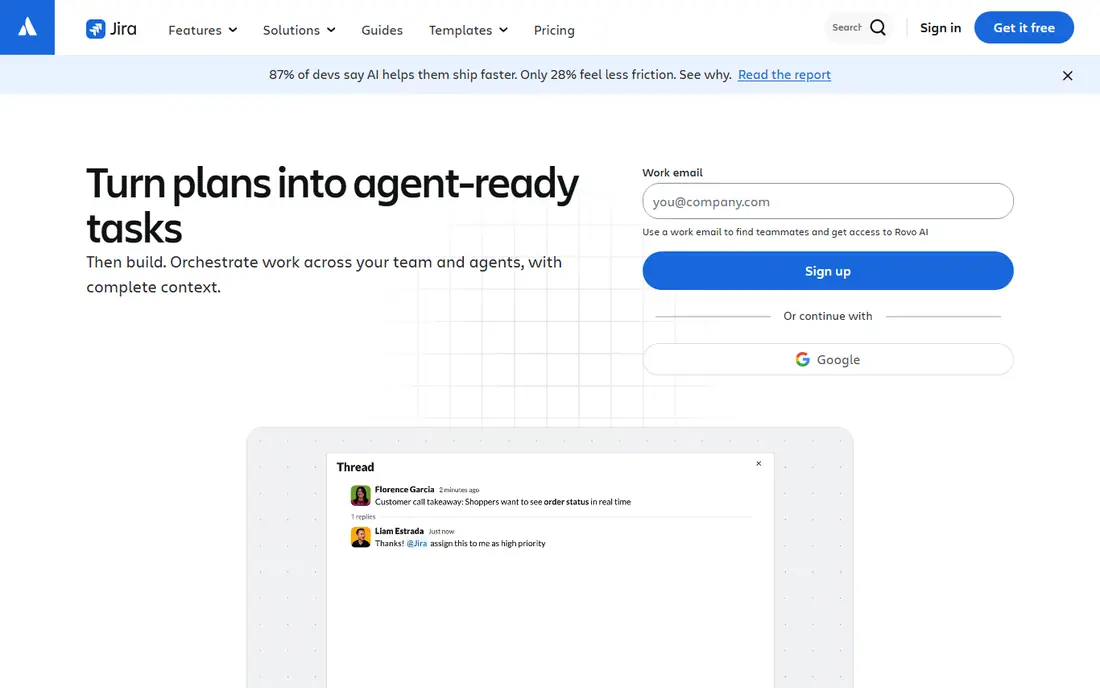
Jira remains the default choice for many IT organisations because it was built around software work. Scrum and Kanban boards, sprints, backlogs, custom workflows and release tracking fit how development teams plan and ship. Atlassian integrations with Confluence and Bitbucket keep documentation and code work close to the issues they relate to. The cost of that depth is complexity. A poorly governed Jira setup can grow into dozens of workflows and custom fields that slow teams down. Jira works best when one owner keeps the configuration tidy, and when teams agree on a small set of issue types and statuses before scaling up.
- Deep agile boards, workflows and reporting, large integration and marketplace ecosystem, free plan for up to 10 users
- Configuration can become complex, and non-technical teams may find it heavy

Asana suits IT teams that coordinate work across service desk, infrastructure, security and business stakeholders. Portfolios and goals give leaders a view across projects, while timelines and workload views help managers spot overload before a deadline slips. Templates for onboarding, migrations and incident follow-up speed up repeatable work. Software teams that need strict sprint mechanics, code-linked issues and release versioning may find Asana lighter than a dedicated tracker. Asana is strongest as the planning layer around IT delivery, especially where non-technical colleagues need to follow progress without learning a developer tool.
- Clear timelines, portfolios and goals, easy for non-engineering teams to adopt, strong templates
- Weaker for deep software issue tracking than Jira or Linear, and paid plans are needed for advanced reporting
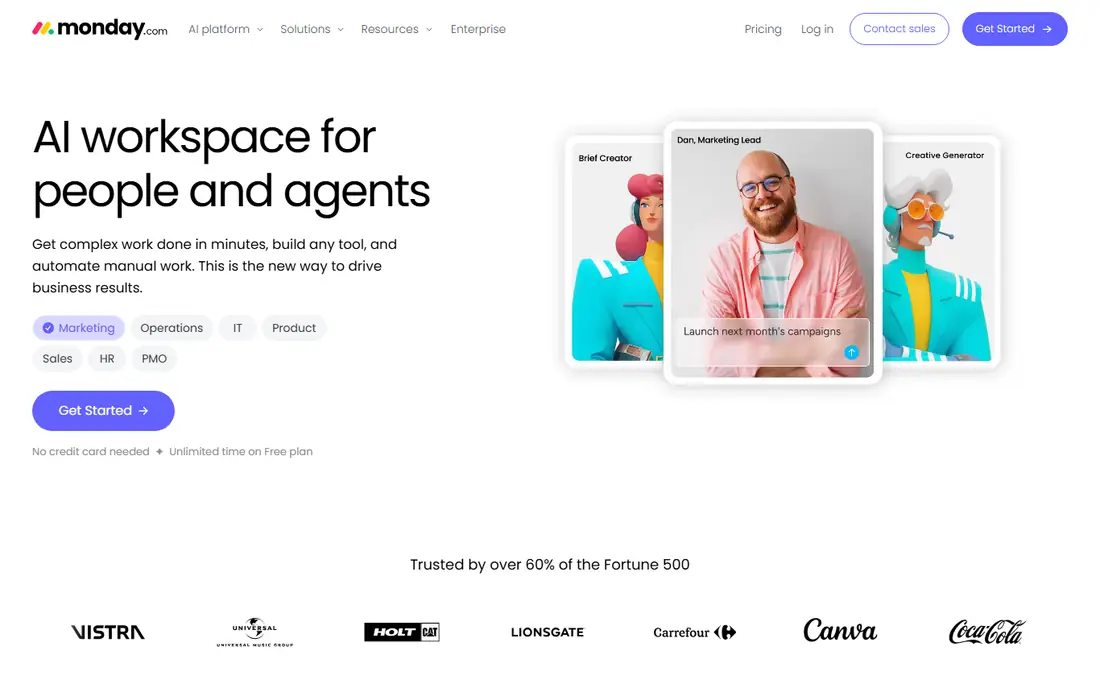
monday.com works well for IT teams that think in boards rather than backlogs. Asset refreshes, ticket queues, vendor renewals and project milestones can each live on a board with status columns, owners and due dates. Automations move items, send reminders and update stakeholders without manual chasing. The visual approach has limits for strict agile delivery. Sprint planning, story points and release management are possible, but they feel added on rather than central. monday.com is a strong pick for IT operations, service coordination and leadership dashboards, especially for teams that value speed of setup over engineering depth.
- Flexible boards and automations, visual dashboards, easy to customise without code
- Three-seat minimum on paid plans, and costs rise as teams add seats and features
ClickUp appeals to IT teams that want to cut down on separate tools. Tasks, docs, whiteboards, goals and time tracking sit in one workspace, which helps small IT departments that cannot support several subscriptions. Multiple views let engineers use a board while managers use a timeline from the same data. That breadth needs discipline. Teams that import everything without a clear folder and naming structure can end up with a workspace that is hard to search. ClickUp works best when a team starts with one or two use cases, such as project tracking and service requests, and adds features gradually.
- Broad feature set at a low entry price, free plan with generous basics, many views including lists, boards and Gantt charts
- The breadth can feel overwhelming at first, and performance suffers in very large workspaces if structure is loose
Linear is built for speed. Engineers can create, triage and move issues with keyboard shortcuts, and cycles give a clear rhythm to sprints without heavy configuration. Projects and roadmaps keep product work visible, while integrations with code tools link issues to pull requests. IT teams that run service desks, asset management or compliance-heavy operations may need a second tool alongside Linear. It is not designed as a general IT service platform. For product and engineering delivery, though, its focus is the advantage, because it removes friction from the daily work of shipping software.
- Fast, keyboard-first interface, cycles and roadmaps built for product teams, clean issue tracking
- Less suited to non-engineering IT operations, and reporting is lighter than enterprise tools
Wrike suits IT teams that manage structured programmes, approvals and shared resources. Workload views show who is overloaded across projects, while approval workflows suit change requests, procurement and document sign-off. Reporting and dashboards help IT leaders explain progress and capacity to the wider business. Smaller teams may find Wrike heavier than they need, especially if they only want a board and a backlog. The value appears at scale, when several IT teams share resources and need consistent reporting. A trial with a real programme, rather than a demo project, is the best way to judge it.
- Gantt charts, workload views and approval workflows, strong reporting for larger IT organisations
- Interface can feel dense for small teams, and advanced features sit on higher plans
Smartsheet is a natural fit for IT managers who plan in spreadsheets but need sharing, automation and reporting on top. Migration plans, rollout schedules and capacity trackers translate well to its grid, while Gantt charts and dashboards turn the same data into leadership views. Formulas and conditional formatting will feel familiar to spreadsheet users. Software teams should not expect a full agile tracker here. Smartsheet works best as the planning and reporting layer for IT programmes, sitting alongside code and service tools. For programme managers, that familiarity often drives faster adoption than a more specialised engineering tool.
- Familiar grid layout, Gantt and card views, strong reporting and dashboards for programme managers
- No free plan, and it feels less like a developer tracker than Jira or Linear
Zoho Projects gives small and mid-sized IT teams a solid project tool at a lower price than most rivals. Gantt charts, milestones, timesheets, task dependencies and basic issue tracking cover the core needs of IT delivery. Integration with Zoho Desk, Zoho Books and Zoho CRM helps teams that already run on Zoho. The trade-off is ecosystem depth. Teams that rely on many specialist integrations may find fewer native options than with Jira or Asana. For a team that wants dependable project tracking without a large subscription bill, Zoho Projects is a practical and often overlooked choice.
- Low entry price, Gantt charts, timesheets and issue tracking, integration with other Zoho apps
- Smaller third-party ecosystem than Atlassian or Asana, and the interface feels dated in places
How we picked these
We compared official feature pages, pricing pages, app store listings and public reviews, with extra weight on agile planning, issue tracking, automation, reporting and integrations. Tools that only handled general tasks, without IT-relevant planning, reporting or service workflows, were left out. Pricing was checked against vendor pages and recent published comparisons, and prices may change.
What to check before you buy
Start with the work, not the feature list. Map one real sprint, one incident follow-up and one infrastructure rollout through each shortlisted tool. That exercise reveals whether the tool fits your process, or whether you would have to reshape your process to fit the tool.
Count the real seat cost
Free plans and headline prices can mislead. Check seat minimums, guest limits and whether viewers count as paid users. A tool priced at nine dollars per seat with a three-seat minimum has a different floor from a tool priced per user with no minimum. Model the cost for your current team plus planned hires.
Test integrations and automation
IT work touches code repositories, service desks, chat tools and monitoring systems. Confirm native integrations for the systems you already use, and test one automation end to end, such as moving an issue when a pull request merges. Weak integration support creates manual work that erodes the benefit of a new tool.
Agree on ownership and structure
Every tool on this list can become messy without an owner. Decide who manages workflows, naming, templates and archiving before rollout. A small set of agreed statuses, a clear project structure and a regular tidy-up routine will matter more than any single feature.
FAQ
Q: What is the best it project management software for a software team? A: Jira suits large software teams that need deep configuration and scale, while Linear suits smaller, fast-moving product teams that value speed and simplicity. Both handle sprints and backlogs well, so the choice often comes down to team size, process complexity and how much configuration you want to manage. Q: Is there a good free option for IT project management? A: Yes, for small teams. Jira, Asana, ClickUp, Linear, Wrike and Zoho Projects all offer free plans with limits on users, features or storage. Free plans work for pilots and small teams, but timelines, advanced reporting and automation usually require a paid plan. Q: Can one tool cover both software delivery and IT operations? A: Sometimes, but it depends on the mix. ClickUp, Asana and monday.com cover a broad range of IT work, while Jira and Linear focus more on software delivery. Many organisations use a delivery tracker for engineering and a second tool, or a separate project space, for service and infrastructure work. Q: How do I choose between Jira and Asana? A: Choose Jira if software delivery, custom workflows and release tracking drive the decision. Choose Asana if cross-team planning, portfolios and ease of adoption for non-engineers matter more. A trial with a real project from each side of IT will usually settle it. Q: Do these tools replace a service desk? A: Not fully. Project tools track planned work well, but service desks handle incoming requests, incident queues, service levels and knowledge bases. Some teams use project tools for follow-up work after an incident, while the service desk remains the front door for requests.