8 Best Invoice Capture Software in 2026
Compare the best invoice capture software for accounts payable, with AI extraction, approval workflows, ERP sync, and automated invoice processing tools.
- Editor's choice
 Rossum
High-volume AP automation
Starts atSee websiteVisit rossum.aiFull review - Great alternative
 Dext
Bookkeeping firms
Starts at$25.21 per monthVisit dext.comFull review - Also consider
 DocuClipper
Accountants and AP teams
Starts at$29 per monthVisit docuclipper.comFull review
TL;DR:
- Rossum suits mid-market and enterprise AP teams with varied invoice layouts and high volumes.
- Dext suits bookkeeping firms with Xero and QuickBooks clients who need receipt and invoice capture.
- DocuClipper and Parseur suit smaller teams that want extraction into accounting tools without a large platform.
- Stampli suits AP teams where approval collaboration matters as much as extraction.
- Always test extraction on your own supplier invoices, since accuracy varies sharply by layout and scan quality.
Quick comparison
| Tool | Best for | Starts at | Free plan? | |
|---|---|---|---|---|
| Rossum | High-volume AP automation | See website | No | Visit |
| Dext | Bookkeeping firms | $25.21 per month | No | Visit |
| DocuClipper | Accountants and AP teams | $29 per month | No | Visit |
 Stampli | Collaborative approvals | See website | No | Visit |
 ABBYY Vantage | Enterprise document processing | See website | No | Visit |
 Nanonets | Custom AI extraction | See website | Yes | Visit |
 Parseur | Email and PDF parsing | $41 per month | Yes | Visit |
 Affinda | Invoice extraction API | See website | Yes | Visit |
The best invoice capture software
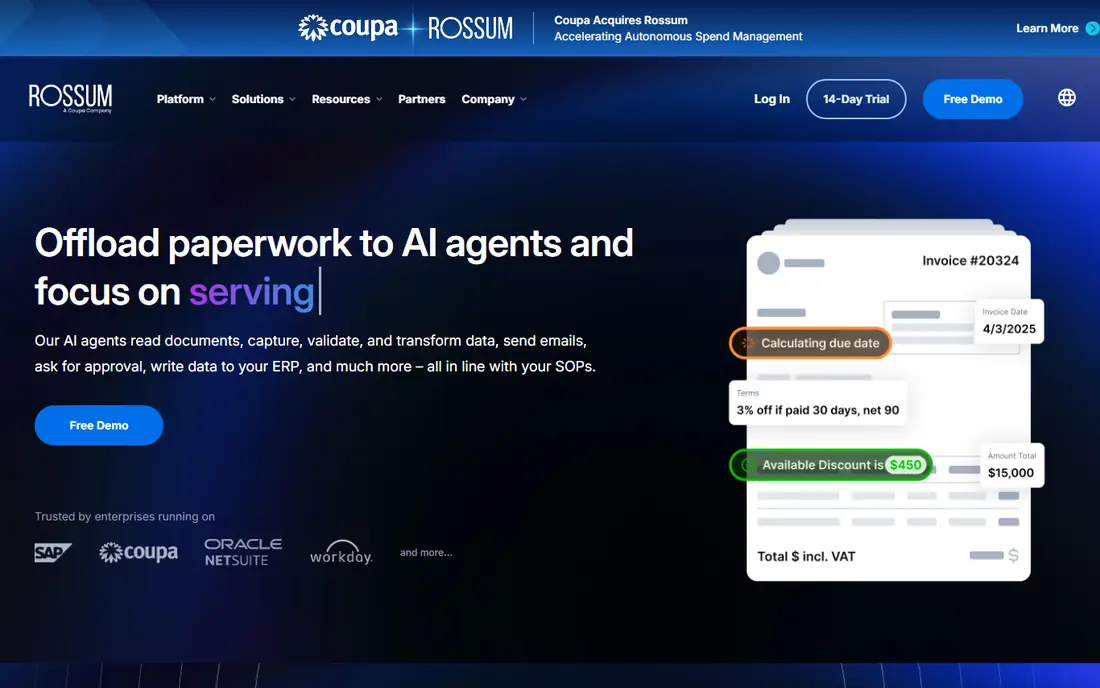
Rossum uses AI document understanding to read invoices with varied layouts, rather than relying on fixed templates for each supplier. Validation rules flag duplicates and mismatches, approval routing moves exceptions to the right person, and ERP integrations carry clean data into payment systems. That combination suits AP teams processing thousands of invoices each month.
Pricing is enterprise and quote-based, so small businesses should look at lighter tools first. Rossum was acquired by Coupa, so buyers should confirm current packaging in writing before budgeting. For mid-market and enterprise AP teams with layout variety, Rossum remains a strong automation choice.
- AI extraction for varied layouts, validation and approvals, ERP integrations
- Enterprise pricing, more than small teams need
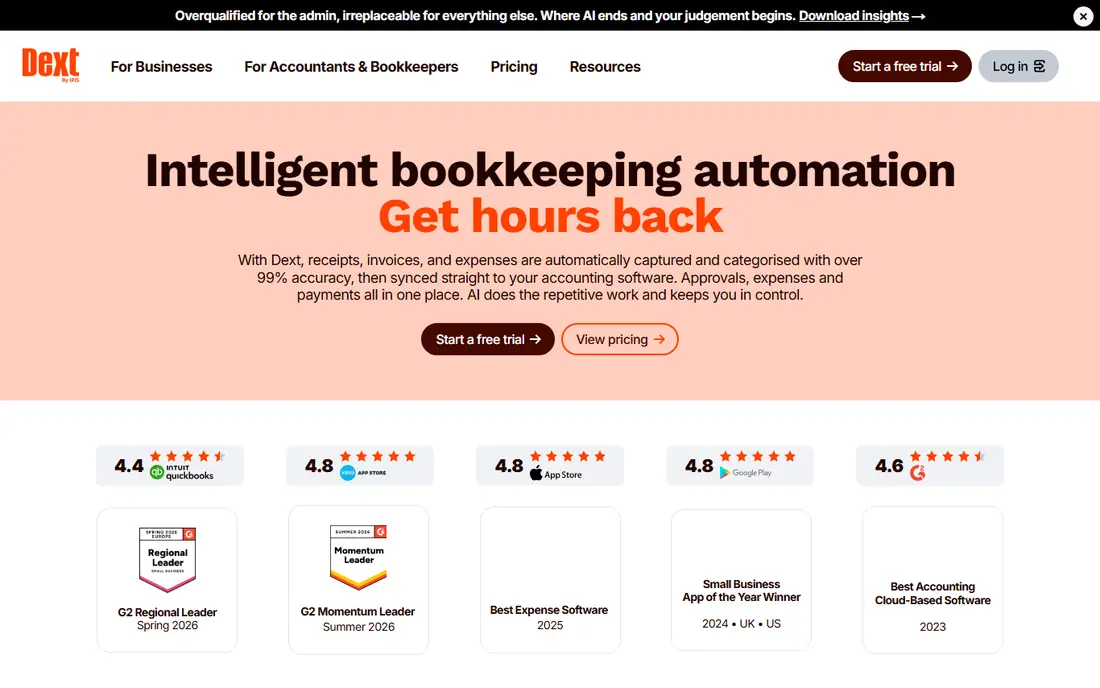
Dext, formerly Receipt Bank, captures receipts and invoices through mobile photo, email, and file upload, then extracts data for bookkeeping. Tight integration with Xero and QuickBooks Online makes it popular with firms that serve many small business clients. Supplier rules learn from past invoices and reduce repeated manual fixes.
The single-business plan starts at $25.21 per month for 250 documents, while practice plans charge per client per month with a minimum client count. Line-item extraction is a paid add-on, which matters for firms that need full detail. For bookkeeping firms in the Xero ecosystem, Dext is a dependable daily tool.
- Strong mobile capture, Xero and QuickBooks integration, supplier rules
- Per-client pricing for firms, line-item extraction costs extra
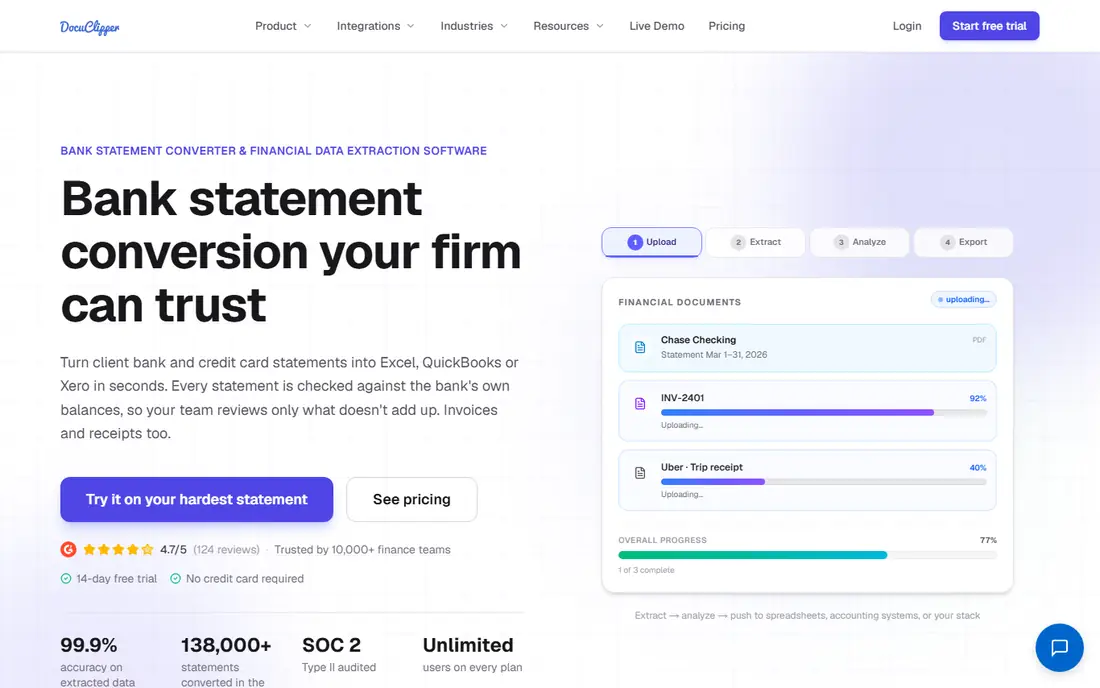
DocuClipper extracts invoice and bank statement data without per-vendor templates and pushes results to QuickBooks Online, Xero, Excel, and CSV. Line-item capture covers descriptions, quantities, unit prices, and taxes, which helps AP teams that need detail beyond header totals. Page-based pricing starts at $29 per month for 60 pages, with unlimited users on every plan.
The limits are clear: no direct Sage, NetSuite, or Dynamics connector, and no vendor payment features. Teams that need those functions should pair DocuClipper with another tool or choose a fuller AP suite. For accountants who need fast, accurate extraction into QuickBooks or Xero, DocuClipper offers good value.
- Template-free extraction, line-item capture, QuickBooks and Xero sync
- No direct Sage or NetSuite connector, does not pay vendors
Stampli puts approval collaboration at the center. Comments, questions, and approvals live on the invoice itself, so AP teams stop chasing email threads for sign-off. AI extraction handles varied layouts, and native integrations with NetSuite, Sage Intacct, and QuickBooks carry approved invoices into payment workflows.
Pricing is quote-based with no self-serve signup, so small teams may find the sales process heavy. Stampli suits mid-market AP teams where approvals involve several departments and audit trails matter. If you only need extraction and sync, a lighter tool will be cheaper and faster to start.
- Approval comments on the invoice, AI extraction, ERP integrations
- No published pricing, overkill for extraction-only needs
ABBYY Vantage is an intelligent document processing platform with prebuilt skills for invoices and other business documents. Large enterprises use it to extract, validate, and route documents at scale across ERP and workflow systems. Validation and human review steps help teams handle exceptions without losing audit control.
Vantage is an enterprise purchase with setup and integration work to match. Small and mid-size teams will likely find it more platform than they need. For large organizations that process many document types beyond invoices, ABBYY offers a broad and proven foundation.
- Prebuilt invoice skills, strong validation, enterprise integrations
- Enterprise cost and setup, needs technical planning
Nanonets lets teams build custom AI models for invoice extraction and connect them through an API. Developers and operations teams can train models on their own supplier layouts and send extracted data to accounting, ERP, or workflow tools. A free tier helps teams test extraction before committing to a paid plan.
Custom models need setup and testing, so Nanonets suits teams with technical resources or a clear automation project. Non-technical buyers may prefer a ready-made tool such as Dext or DocuClipper. For companies building invoice automation into a product or a custom workflow, Nanonets offers flexibility that packaged tools cannot match.
- Trainable models, API access, free tier for testing
- Needs setup for custom models, support varies by plan
Parseur parses invoices from email inboxes, PDFs, and file uploads, then exports structured data to accounting tools, spreadsheets, and workflow apps. A free tier covers up to 30 documents, while paid plans start at $41 per month. Small teams that receive most invoices by email gain the most, since forwarding to a Parseur mailbox automates intake.
Approval workflows are light compared with Stampli or Rossum, so teams that need multi-step approvals should add another layer. Parseur suits small to mid-size teams that want reliable extraction and export without a full AP suite. Test it with your messiest supplier emails before relying on it.
- Email inbox parsing, template-free AI option, easy exports
- Approval workflows are light, best for extraction not full AP
Affinda provides an invoice extraction API that returns structured fields from PDFs and images, including line items, totals, and supplier details. Developers can integrate it into accounting products, AP tools, or internal workflows with modest setup. A free tier supports testing before a paid plan.
Affinda is developer-focused and does not include approval routing or vendor payments, so finance teams without developers should choose a packaged tool. For software teams and automation projects that need accurate extraction as a building block, Affinda is a practical and affordable API choice.
- Invoice-specific API, fast setup, free tier for testing
- Developer-focused, no full AP workflow built in
How we picked these
We selected tools that are actively sold in October 2026 and that extract invoice data from PDFs, scans, or email. We mixed full AP suites, bookkeeping tools, and developer APIs so readers can match scope to need. Prices came from vendor pages or recent pricing summaries, and we used "See website" where pricing is quote-based or volume-dependent.
What to check before you buy
Test your worst invoices first
Clean, typed PDFs extract well in almost every tool. Test scanned images, handwritten notes, multi-page invoices, and suppliers with unusual layouts. Measure field accuracy on totals, tax, dates, and line items, since header-only accuracy hides costly errors.
Check validation and duplicate detection
Good capture tools flag duplicates, check totals against line items, and match invoices to purchase orders where relevant. Ask how exceptions are routed and who can correct data. A tool that extracts fast but hides errors will cost more time than manual entry.
Confirm the path into your accounting system
Extraction only helps if data flows cleanly into QuickBooks, Xero, NetSuite, Sage, or your ERP. Confirm whether the connector is native, CSV-based, or API-based, and test a full cycle from invoice to payable. Also confirm how corrections sync back when an invoice changes after posting.
FAQ
What is the best invoice capture software?
Rossum suits high-volume AP teams, Dext suits bookkeeping firms, and DocuClipper suits accountants who need line-item extraction into QuickBooks or Xero. The best invoice capture software for a team depends on volume, accounting system, and whether approvals are also needed. The best automated invoice processing software is the one that handles your supplier layouts with the fewest exceptions.
How accurate is AI invoice extraction?
Accuracy varies by invoice quality and layout variety. Clean PDFs from consistent suppliers extract well, while poor scans and unusual layouts need human review. Always run a pilot on your own invoices and measure accuracy by field, not just by document count.
Does invoice capture software pay vendors?
Some AP suites include payments, while pure extraction tools do not. Rossum and Stampli connect to payment workflows through ERP integrations, while DocuClipper and Parseur focus on extraction and export. Check payment support separately if you want one system to pay vendors.
Can small businesses use invoice capture software?
Yes. Dext, DocuClipper, and Parseur all offer low entry prices and free trials or tiers. Small businesses should start with one accounting integration and a modest document volume, then expand as invoice counts grow.
What is the difference between OCR and AI extraction?
Traditional OCR reads text from an image but does not understand invoice structure. AI extraction identifies fields such as supplier, date, total, and line items across varied layouts without a template for each supplier. AI tools still need human review for exceptions, especially on poor scans.
Sources
https://rossum.ai https://dext.com https://www.docuclipper.com https://www.stampli.com https://www.abbyy.com https://nanonets.com https://parseur.com https://www.affinda.com