Best Inventory Tracking Software for Small Business in 2026: 8 Tools Compared
best inventory tracking software for small business compared: 8 tools for stock, orders, and barcodes, with pricing, free plan, and picks for shops and sellers.

- Editor's choice
 Zoho Inventory
Budget multichannel sellers
Starts at$29 per monthVisit zoho.comFull review - Great alternative
 Sortly
Simple visual tracking
Starts at$49 per monthVisit sortly.comFull review - Also consider
 inFlow Inventory
Wholesale and B2B sellers
Starts at$99 per monthVisit inflowinventory.comFull review
TL;DR:
- Zoho Inventory gives small sellers the lowest cost entry, with a free plan for up to 50 orders a month and paid plans from $29 per month.
- Sortly is the simplest choice when the main job is knowing what is where, because it is built around photos, QR codes, and mobile scanning.
- inFlow Inventory and Cin7 Core suit sellers who need purchase orders, multi-location stock, and stronger order handling, but both cost more each month.
- Square for Retail makes sense for a shop that already takes payments with Square, since stock and sales live in the same system.
Quick comparison
| Tool | Best for | Starts at | Free plan? | |
|---|---|---|---|---|
| Zoho Inventory | Budget multichannel sellers | $29 per month | Yes | Visit |
| Sortly | Simple visual tracking | $49 per month | Yes | Visit |
| inFlow Inventory | Wholesale and B2B sellers | $99 per month | Free trial (14 days) | Visit |
 Cin7 Core | Growing multichannel brands | $349 per month | Free trial (14 days) | Visit |
 Katana | Small manufacturers | See website | Yes | Visit |
 Fishbowl | QuickBooks users with warehouses | $229 per month | No | Visit |
 Ordoro | Ecommerce sellers who ship a lot | $349 per month | Free trial (15 days) | Visit |
 Square for Retail | Shops using Square payments | Free | Yes | Visit |
The best inventory tracking software for small business
We compared tools that a small team can set up without a long project, with a focus on stock accuracy, order handling, and the real monthly cost.

Zoho Inventory is our pick for most small sellers because the price stays low while the core features stay complete. You can track items across warehouses, create sales and purchase orders, and connect the main sales channels without paying for a full enterprise system. The free plan covers 50 orders a month, which is enough to test the workflow with real stock before you commit.
The trade-off is scale. Standard plans limit users, so a team of three or four may need a higher tier sooner than expected. Reporting is solid for daily work, but deep forecasting and custom workflows are thinner than in Cin7 or Fishbowl. For a small shop that wants reliable tracking at a fair price, that balance still works well.
- Free plan for small order volumes
- Links to Shopify, Amazon, and eBay
- Built-in purchase orders and multi-warehouse support on paid plans
- Lower plans cap users and orders
- Some advanced reports sit on higher tiers
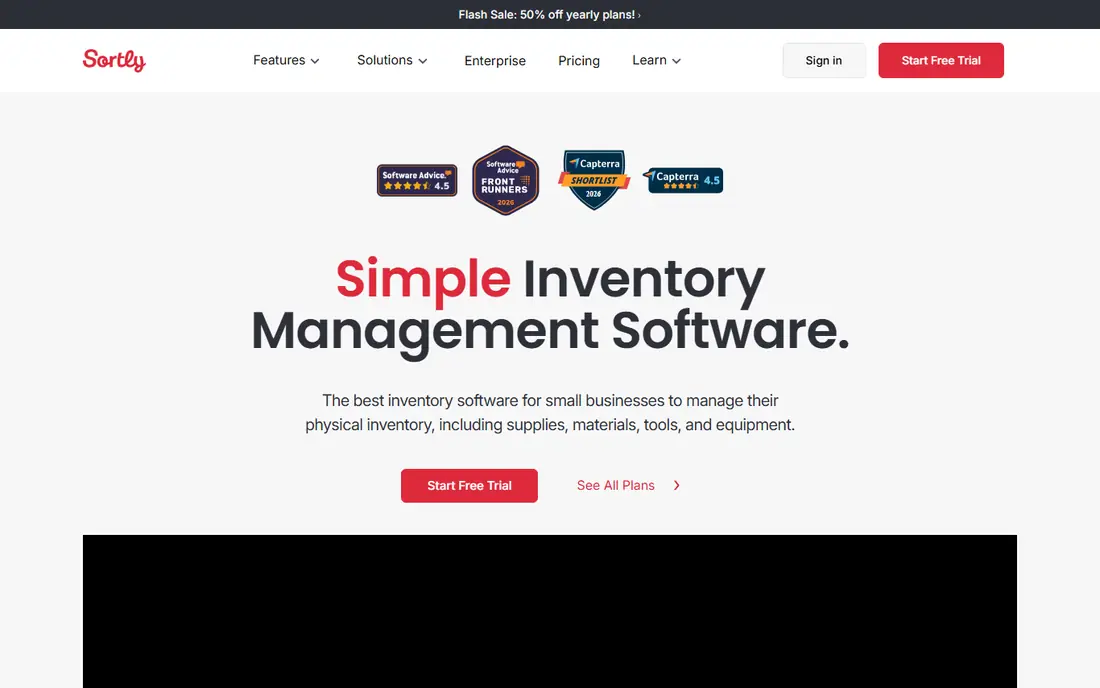
Sortly takes a different approach from most inventory tools. Instead of starting with orders and accounting, it starts with the physical item. You photograph it, add a QR label, and track quantity and location from a phone. That makes it a strong fit for workshops, supply rooms, equipment stores, and small teams that lose time hunting for stock.
The limit is that Sortly is not a full order system. If you sell across many channels and need deep purchase order automation, you will feel the gap. For tracking tools, parts, supplies, and finished goods in one or two locations, however, the visual method is faster to learn and easier to keep current than a spreadsheet.
- Photo-based item records
- Fast mobile scanning with QR codes
- Easy for staff who are not inventory specialists
- Weaker order and accounting depth than Zoho or inFlow
- Higher tiers needed for larger item counts

inFlow Inventory suits sellers who deal with other businesses rather than only direct consumers. It handles price lists, customer-specific pricing, and B2B showrooms in a way that general tools often miss. You can manage sales orders, purchase orders, and stock levels in one place, and the invoicing tools reduce the need for a separate billing step.
The price is the main catch. At $99 per month billed annually, inFlow costs more than the budget options, and there is no free tier to fall back on. Teams that sell wholesale, take repeat orders, and need clean invoicing will get value from that cost. A single-channel retail shop with simple needs may find Zoho covers the same ground for less.
- Clear B2B ordering and showroom features
- Invoicing built in
- Strong stock and purchase order handling
- Higher entry price than Zoho or Sortly
- No free plan, only a trial
Cin7 Core is the step up when basic inventory tools start to strain. It connects sales channels, warehouses, and suppliers, and it automates much of the purchasing and fulfillment work that eats staff time as order volume grows. For a brand selling on Shopify, Amazon, and a retail store at the same time, that central view prevents overselling and stock gaps.
The cost and setup effort are real. At $349 per month, Cin7 only makes sense once order volume and channel count justify it. Small teams should not buy it early and hope to grow into it. Buy it when stock errors, manual reordering, and channel sync problems are already costing you sales.
- Deep multichannel and warehouse features
- Many integrations
- Automation for purchasing and fulfillment
- High monthly price for a small team
- Setup takes more time than simpler tools
Katana is built for businesses that make what they sell. It tracks raw materials, work in progress, and finished stock in one flow, and it shows what you can produce from the materials on hand. That production view is the reason to choose Katana over a general inventory tool, because a reseller tool will not tell you if you can meet a production deadline.
The downside is fit. If you only buy and resell finished goods, Katana adds complexity you do not need. Makers, food producers, furniture workshops, and small batch manufacturers will find the planning tools worth the learning curve. Check the current pricing page before you budget, since plans and limits change.
- Production planning and bill of materials
- Tracks raw materials and finished goods together
- Links to Shopify and accounting tools
- Less suited to pure resellers with no production
- Pricing varies by plan and needs checking on the vendor site
Fishbowl is a long-standing choice for small manufacturers and distributors that run on QuickBooks. It adds warehouse management, assembly tracking, and barcode scanning that QuickBooks alone does not provide, while keeping accounting data in sync. For a team with a warehouse floor and regular production runs, that combination is hard to replace.
The catch is the ecosystem lock-in. Fishbowl works best when QuickBooks is already your accounting core, and the monthly cost plus setup effort is higher than a cloud-only tool. If you do not use QuickBooks, or if you only need light tracking, a simpler option will cost less and start faster.
- Strong warehouse and manufacturing features
- Tight QuickBooks integration
- Barcode and cycle count tools
- No free plan
- Best value only for teams already committed to QuickBooks
Ordoro pairs inventory with shipping, which matters for ecommerce sellers who spend much of the day printing labels and updating tracking. Orders flow in from multiple channels, stock updates as orders ship, and dropship orders can be routed without a separate tool. That single flow reduces the manual steps that cause late shipments and wrong stock counts.
The price puts Ordoro in the same bracket as Cin7, so it is not a starter tool. Sellers with steady shipping volume will save time that justifies the cost. Sellers with low volume, or sellers who ship through a separate system they already like, may prefer a cheaper inventory tool and keep shipping separate.
- Shipping and inventory in one system
- Strong multichannel order handling
- Forecasting and dropship support
- High price for small sellers
- Shipping focus may be more than a non-shipping business needs
Square for Retail is the practical pick for a brick-and-mortar shop that already uses Square at the counter. When an item sells, stock drops at once, and you do not need to reconcile two systems at the end of the day. The free plan covers basic inventory for a small store, and the paid plan adds purchase orders, vendor management, and more reporting.
The limit is scope. Square for Retail is not as deep for multichannel sellers, complex warehouses, or manufacturing as Zoho, Cin7, or Fishbowl. If your shop is mainly in person, with an online store as a secondary channel, Square keeps the daily work simple. If online sales drive most revenue, a dedicated inventory tool will serve you better.
- Stock tied directly to point-of-sale sales
- Free plan for basic use
- Easy setup for a single store
- Weaker multichannel and warehouse depth than dedicated inventory tools
- Paid tiers add cost per location
How we picked these
We compared official feature pages, pricing pages, and app store listings, and we checked that each product is sold today and fits small business inventory tracking rather than enterprise resource planning alone. We favored tools with clear stock, order, and barcode features, a published price or a clear quote path, and a setup a small team can handle. We left out tools that only handle point-of-sale sales with no real stock control, and tools that require a large implementation project.
What to check before you buy
Start with your real workflow, not the feature list. Count your sales channels, warehouses, and monthly orders, and check whether you need purchase orders, manufacturing, or shipping in the same tool. A tool that covers your current workflow well is better than a larger tool you only partly use.
Stock accuracy habits
Software only helps if counts stay current. Pick a tool with barcode scanning your staff will actually use, set reorder points for your top sellers, and run short cycle counts each week. The best tool is the one your team keeps updated, because stale stock data causes overselling even with strong software.
Total monthly cost
Compare the plan price at your user count and order volume, not just the headline price. Add barcode scanners, label printers, and any integration fees. Ask whether order limits, user limits, or location limits will push you to a higher tier within six months, and budget for that tier from the start if growth is likely.
Integrations that matter
Confirm the tool connects to your sales channels and your accounting software before you migrate stock data. Test the sync with a small set of products first. If orders, stock, and invoices do not move cleanly between systems, you will spend more time fixing data than the tool saves.
FAQ
What is the best inventory tracking software for small business?
Zoho Inventory is our pick for most small sellers because it pairs a free plan with multichannel selling at $29 per month. Sortly is better for simple visual tracking, while inFlow and Cin7 suit wholesale and multichannel sellers with larger needs. The right pick depends on your channels, order volume, and whether you manufacture.
Is there free inventory tracking software for small business?
Yes. Zoho Inventory and Square for Retail both offer free plans, and Katana offers a free tier. Free plans usually cap orders, items, or users, so they work best for testing or for very small operations. Check the current limits on the vendor site before you rely on a free plan for daily work.
Do I need barcode scanning?
Barcode scanning helps as soon as you have more than a few dozen items or more than one person handling stock. It speeds up counts, reduces typing errors, and makes receiving and picking faster. Sortly, Fishbowl, and Zoho all support scanning, but confirm phone scanning versus dedicated scanner support for your setup.
Can inventory software connect to Shopify and Amazon?
Yes, most tools on this list connect to Shopify and Amazon, including Zoho Inventory, Cin7 Core, and Ordoro. The depth of the sync varies, so check whether listings, stock levels, and order status all sync in both directions. Test with a few products before a full migration.
How much should a small business pay for inventory software?
Many small sellers pay between $29 and $99 per month for a solid tool, while multichannel and warehouse tools run $229 to $349 per month. Start at the lower end if you have one channel and simple stock. Move up only when order volume, locations, or manufacturing needs make the cheaper tool slow you down.