Best Internal Communication Tools in 2026: 8 Tools Compared
Compare the best internal communication tools for 2026, with team chat, intranets, and frontline apps, so your whole team hears the same message, on time.

- Editor's choice
 Slack
Office team chat
Starts atFreeVisit slack.comFull review - Great alternative
 Microsoft Teams
Teams on Microsoft 365
Starts atSee websiteVisit microsoft.comFull review - Also consider
 Google Chat
Teams on Google Workspace
Starts atSee websiteVisit workspace.google.comFull review
TL;DR:
- Team chat tools such as Slack suit office teams, while Staffbase, Workvivo and Connecteam suit frontline staff who rarely open email.
- Most dedicated internal communication platforms price by quote, not by a published list, so budget comparisons need a sales conversation.
- Slack and Pumble are the easiest low cost starting points for a small team that mainly needs chat.
- The best tool is the one staff actually open, so test with frontline workers before buying an intranet nobody visits.
Quick comparison
| Tool | Best for | Starts at | Free plan? | |
|---|---|---|---|---|
| Slack | Office team chat | Free | Yes | Visit |
| Microsoft Teams | Teams on Microsoft 365 | See website | Free trial | Visit |
| Google Chat | Teams on Google Workspace | See website | Yes | Visit |
 Staffbase | Frontline employee app | See website | No | Visit |
 Simpplr | Modern intranet | See website | No | Visit |
 Workvivo | Internal community feed | See website | No | Visit |
 Connecteam | Deskless teams with operations | See website | Free trial | Visit |
 Pumble | Free team chat alternative | Free | Yes | Visit |
The best internal communication tools
Internal communication tools do one job: make sure every employee hears the same message, whether they sit at a desk or work on a shop floor. That job splits into two kinds of tool. Team chat tools handle daily conversation, while intranet and employee app platforms handle announcements, policies and community for a whole workforce, including people without a company email address.
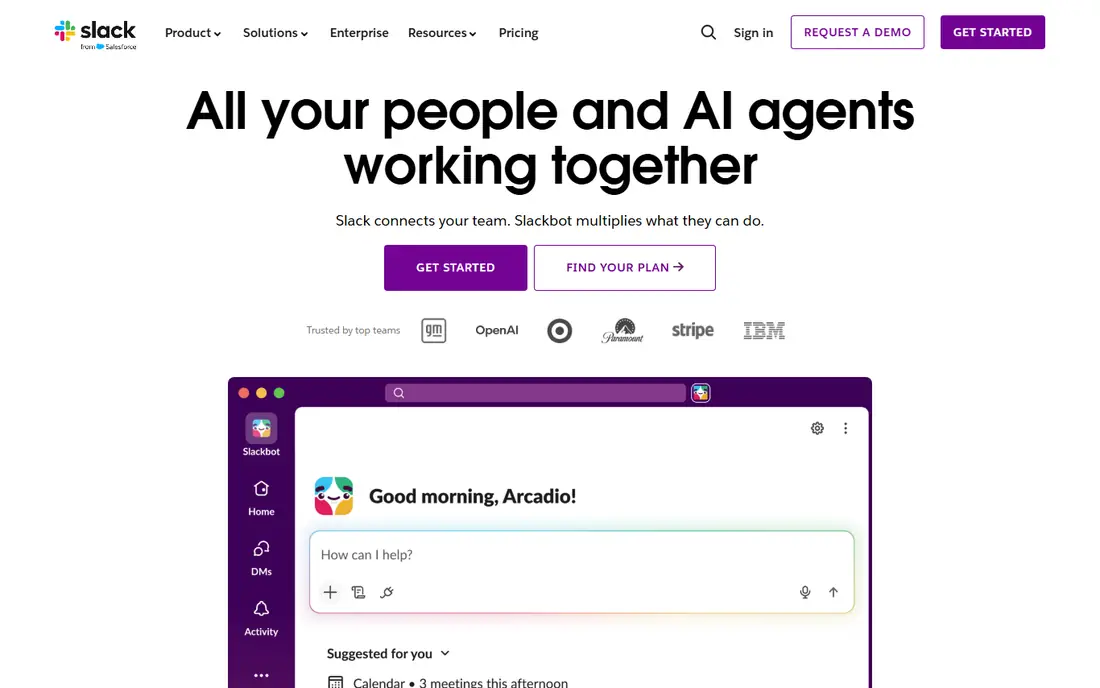
Slack is our pick for most office teams that need fast internal communication. Channels replace reply-all email threads, direct messages handle quick questions, and integrations connect chat to calendars, documents and project tools. Because so many workers already use Slack, adoption is usually quick, and new hires need little training.
The limits are history and reach. The free plan limits how far back you can search messages, which frustrates teams that rely on chat as a record. Slack also assumes staff sit at a computer or check a phone app regularly, which does not describe warehouse, retail or field workers. For an office team, Slack is excellent. For a mixed workforce, pair it with a frontline app rather than expecting chat alone to reach everyone.
- Channels keep conversations organised
- Huge integration library
- Most office workers already know it
- Message history is limited on the free plan
- Chat alone does not reach frontline staff well
Microsoft Teams is the sensible choice for a company already committed to Microsoft 365. Chat, video meetings, file sharing and Office document collaboration live in one app, and many business plans already include Teams, which makes the extra cost low or zero. For a team that lives in Outlook, Word and SharePoint, that integration is a real daily benefit.
Teams feels heavier than Slack for a team that only wants chat, and its interface can be busy for new users. It is also less of a frontline employee app than Staffbase or Workvivo, although it does offer frontline features in Microsoft 365 plans. Choose Teams when Microsoft 365 is already your platform. Choose a dedicated chat tool when you want simplicity over integration.
- Chat, meetings and file sharing in one place
- Strong fit for Microsoft 365 shops
- Included in many business plans
- Can feel heavy for simple chat needs
- Best value only if you already pay for Microsoft 365

Google Chat suits a team that already uses Gmail, Drive and Google Docs. Chat spaces keep team conversations together, messages link naturally to Docs and Drive files, and the cost is bundled into Google Workspace plans rather than a separate subscription. For a small Google-centred team, that simplicity keeps communication costs low and adoption easy.
The trade is depth. Google Chat has fewer third-party integrations than Slack, and it is not designed as a company-wide announcement platform or a frontline employee app. A larger company will still need an intranet or employee app for announcements and policies. Use Google Chat for daily team conversation, and add a dedicated internal communication platform when company-wide reach becomes the problem.
- Simple chat inside Google Workspace
- Spaces for team conversation
- Low extra cost for Workspace customers
- Fewer integrations than Slack
- Not a full intranet or frontline platform on its own
Staffbase is the strongest pick for a large employer with many deskless workers. Its employee app lets staff read news, receive targeted messages and access key documents from a phone, without needing a company mailbox. Communications teams can target messages by location, role or language, which matters when a single all-staff email would be ignored or misunderstood.
The price and rollout reflect the enterprise focus. Staffbase sells by tailored quote, and deployment can take months for a large organisation, so it is not a quick fix for a small team. Smaller companies should look at Connecteam or Workvivo first. For a large, mixed workforce, Staffbase is the most complete internal communication platform here.
- Employee app reaches staff without company email
- Targeted news and campaigns
- Intranet plus app in one platform
- Quote based pricing
- Enterprise rollout can take months
Simpplr is the pick when the real problem is "nobody can find anything." It builds a modern intranet with personalised news, clear navigation and search that surfaces policies, updates and team pages. Compared with an old SharePoint site that staff avoid, Simpplr is designed to be a destination people open each day, which makes announcements far more likely to be seen.
Simpplr is not a chat tool, so a team that also needs fast daily conversation will still use Slack, Teams or Google Chat alongside it. Pricing is quote based and volume driven, so you need a sales conversation to budget. Choose Simpplr when the intranet is the missing piece, not when chat is the problem.
- Clean modern intranet that staff actually use
- Personalised news feeds
- Strong search and governance
- Quote based pricing
- More intranet than chat, so daily conversation still needs another tool
Workvivo builds internal communication around a social style feed, which suits a workforce that already uses social apps in daily life. Staff can read updates, react, comment and recognise colleagues, which helps a dispersed team feel connected. The mobile app reaches frontline workers who never open email, and the feed format makes short updates more likely to be read than a long newsletter.
The quote based pricing makes budgeting slower, and Workvivo is stronger on community than on deep analytics or document management. A company that needs a formal intranet with strict governance may prefer Simpplr or Staffbase. A company that wants staff to actually open the app and feel part of one team will like Workvivo, especially after a merger, a period of growth, or a shift to hybrid work.
- Social style feed that frontline staff recognise
- Community and recognition features
- App for staff without email
- Quote based pricing
- Engagement measurement is less deep than some rivals
Connecteam is the best fit for a deskless team that needs communication plus daily operations in one app. Alongside team chat and announcements, it handles scheduling, checklists, forms and training, which means a field, retail or logistics team can run much of its day from one phone app. That combination is more useful than chat alone when the team rarely sits at a desk.
The trade is focus. Connecteam is an operations platform with communication built in, not a pure intranet, so an office-heavy company may prefer Slack plus Simpplr. For a deskless workforce, though, the combination wins, because staff only need to learn one app. Check the current pricing for your team size, since Connecteam pricing is based on user counts and plan tiers.
- Combines chat, scheduling, forms and training for deskless teams
- Mobile-first app
- Flat pricing for small teams
- Communication is one part of a wider operations platform
- Less suited to pure office intranet needs
Pumble is the best free alternative to Slack for a small team that mainly needs chat. Its free plan includes unlimited message history, which removes the main frustration of Slack free, and the interface will feel familiar to anyone who has used a channel-based chat tool. Channels, threads and direct messages cover the daily communication needs of a small office team.
The integration library is smaller than Slack, and Pumble does not try to be an intranet or a frontline employee app. A team that needs many app connections or company-wide announcement targeting will outgrow it. For a startup or a small team that wants reliable chat without a monthly bill, Pumble is an excellent and honest starting point.
- Free plan with unlimited message history
- Channels and direct messages
- Simple to learn
- Smaller integration library than Slack
- Not a frontline intranet platform
How we picked these
We compared official feature pages, pricing models and public comparisons for internal communication tools that serve both office and frontline workers. We kept a mix of team chat tools, intranet platforms and frontline employee apps, because no single tool covers every workforce well. We noted where pricing is quote based rather than published, since that is common in this category and affects how you should budget. Where a tool offers a free plan, we said so plainly rather than calling a trial a free plan.
Choosing the right internal communication tool
Start with your workforce, not the feature list. Count how many staff have a company email address and a desk, and how many do not. If most staff are deskless, a frontline app such as Staffbase, Workvivo or Connecteam must lead the shortlist, and chat alone will fail. If most staff are office based, Slack, Teams or Google Chat will cover daily needs, and an intranet only matters when announcements and policies get lost.
Next, test with real staff, not just managers. Give a small group of frontline workers the app for two weeks and watch whether they open it without reminders. An internal communication tool that only managers open is a failed purchase, no matter how good the demo looked. Finally, agree on who owns the content. A beautiful intranet with no fresh updates dies quickly, so assign an owner for news, policies and community posts before you sign a contract.
Keeping one message across channels
Most companies end up with more than one channel, such as chat for daily work, email for formal notices, and an app for frontline news. That is fine, as long as each channel has a clear job. Use chat for conversation, the intranet for documents that must stay findable, and the employee app for urgent announcements to all staff. When every channel carries every message, staff stop reading all of them.
FAQ
What is the best internal communication tool?
Slack is the best pick for office team chat, while Staffbase is the strongest pick for a large frontline workforce. The best internal communication tools depend on workforce mix, because a tool that works for office staff may never reach warehouse or field workers. Test with the staff who are hardest to reach, not the easiest.
What is the best internal communication platform for frontline workers?
Staffbase, Workvivo and Connecteam are the strongest frontline options here. Staffbase suits large enterprises, Workvivo suits companies that want a community feed, and Connecteam suits deskless teams that also need scheduling and forms. All three offer a mobile app that does not depend on company email.
What is the best team communication software for a small business?
Slack and Pumble are the best small business picks for chat, with Pumble offering unlimited message history on its free plan. If your team already uses Microsoft 365 or Google Workspace, Teams or Google Chat may cost less as part of an existing plan. Start free, and pay only when message history or admin controls become necessary.
How much do internal communication tools cost?
Team chat tools can start free, while dedicated intranet and employee app platforms are usually quote based and priced by organisation size, user count or modules. Only a few vendors publish a starter price, so request quotes on the same user count and feature list to compare fairly. Always ask what is included per user and what costs extra as an add-on.
Should we replace email with an internal communication tool?
No, replace the parts of email that do not work, not email itself. Chat replaces reply-all threads and quick questions, an intranet replaces "where is the policy" emails, and an employee app replaces all-staff emails that frontline workers never see. Formal notices, external communication and records still belong in email.
How do we get staff to actually use a new communication tool?
Launch with a small group, solve one real pain first, and make the tool the only place for that information. If shift schedules, payslips or urgent updates live only in the new app, staff will open it. If the same information also arrives by email, text and noticeboard, staff will ignore the new tool and stick with the old habit.