Best IAM Software for Small Businesses in 2026: 8 Tools Compared
Compare the best iam software for small businesses, with SSO, MFA, device control, lifecycle access and small-team pricing in one guide for small teams.

- Editor's choice
 JumpCloud
Mixed Windows, Mac and Linux fleets
Starts at$9 per user per monthVisit jumpcloud.comFull review - Great alternative
 Okta
Many SaaS apps
Starts at$6 per user per monthVisit okta.comFull review - Also consider
 Microsoft Entra ID
Teams on Microsoft 365
Starts at$7 per user per monthVisit microsoft.comFull review
TL;DR:
- IAM for a small business means one login, strong multi-factor authentication and automatic access changes when staff join, move or leave.
- JumpCloud suits mixed device fleets, Okta suits many SaaS apps, and Entra ID suits teams already on Microsoft 365.
- Published prices range from $3 to $9 per user per month for entry tiers, but module and minimum costs can change the total.
- Start with MFA for every user, then add single sign-on and lifecycle automation, rather than buying every governance feature at once.
Quick comparison
| Tool | Best for | Starts at | Free plan? | |
|---|---|---|---|---|
| JumpCloud | Mixed Windows, Mac and Linux fleets | $9 per user per month | Yes | Visit |
| Okta | Many SaaS apps | $6 per user per month | Free trial | Visit |
| Microsoft Entra ID | Teams on Microsoft 365 | $7 per user per month | Yes | Visit |
 Duo by Cisco | Fast MFA rollout | $3 per user per month | Yes | Visit |
 OneLogin | Budget-friendly SSO | $4 per user per month | Free trial | Visit |
 Ping Identity | Complex or regulated setups | $3 per user per month | Free trial | Visit |
 Rippling | Identity driven by HR data | $8 per user per month | No | Visit |
 ManageEngine AD360 | Teams still on Active Directory | $595 per year | Free trial | Visit |
The best iam software for small businesses
Identity and access management, or IAM, controls who can sign in, what they can open and what happens when they leave. For a small business, the core job is simpler than for an enterprise: give each person one secure login, protect it with multi-factor authentication, and remove access quickly when someone departs. We compared official pricing pages, feature pages and public reviews, and we favored tools with single sign-on, MFA, lifecycle provisioning and a price a small team can actually budget.
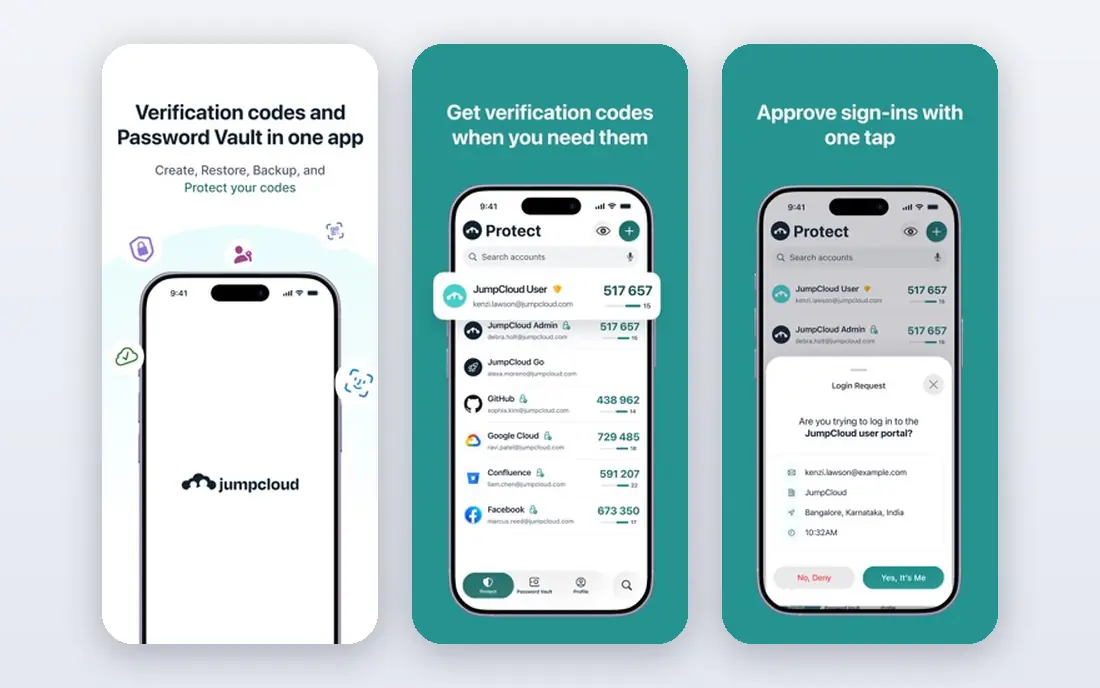
JumpCloud is our pick for small teams running a mix of devices, because it combines a cloud directory with single sign-on, MFA and device management in one console. The same console that provisions a new hire's Google Workspace account can push a password policy to a MacBook or a Windows PC, which replaces the need for three separate products. Public summaries list device management from $9 per user per month on annual billing, with a free tier for up to 10 users and devices.
The catch is module pricing. JumpCloud sells products a la carte, so the headline price and your invoice can differ once you add SSO or other modules. Map the modules you need before you budget. For a 30-person team with mixed devices, the consolidation still often beats buying a directory, an SSO tool and a device manager separately.
- Cloud directory plus device management
- Cross-platform support
- Free tier for small teams
- A la carte modules can raise the total
- Admin console covers a lot of ground

Okta is the vendor-neutral choice for companies with a long list of SaaS apps. Its integration network covers thousands of applications, so most tools a small business uses already have a ready connector. Single sign-on, adaptive MFA and lifecycle automation help a small IT team give new hires access on day one and remove it on departure without manual account cleanup. Public summaries list a starter suite from $6 per user per month, with a $1,500 annual minimum on some plans.
The downside is price progression. Essentials and higher tiers cost more, and the minimum can matter for very small teams. If you have fewer than 10 users, check whether the minimum makes Okta pricier than Duo or JumpCloud for your size. For teams with many apps and growth plans, Okta is a steady, well-supported pick.
- Broad app integration network
- Adaptive MFA
- Lifecycle automation
- Higher tiers jump in price
- Annual minimum applies on some plans

Microsoft Entra ID, formerly Azure Active Directory, is the natural IAM choice for teams already standardized on Microsoft 365. The free tier includes single sign-on and basic MFA, while P1 is listed at $7 per user per month on annual commitment and P2 at $10, with a suite option at $12 in public summaries. Conditional Access lets admins require MFA or a compliant device before sensitive apps open, which is a strong control for a small team.
The limit is ecosystem fit. Entra ID shines inside Microsoft, but teams on Google Workspace or a mixed stack may find Okta or JumpCloud more neutral. If Microsoft 365 is already your core, Entra ID gives you IAM without a separate vendor, and the free tier lets you start with MFA before paying for advanced features.
- Built into Microsoft 365
- Conditional Access
- Free tier with basic MFA
- Less natural outside Microsoft
- Higher tiers needed for full governance
Duo by Cisco is the fastest way for a small business to add strong MFA, because deployment is simple and the free tier covers up to 10 users. Essentials is listed at $3 per user per month, Advantage at $6 and Premier at $9 in public summaries, with device trust and access policies growing by tier. For a team whose main risk is password-only logins, Duo closes that gap quickly.
The catch is scope. Duo is not a full cloud directory or lifecycle platform in the way JumpCloud or Okta are, so teams that also need provisioning and device management will need another tool alongside it. Use Duo when MFA is the urgent job, and pair it with a directory or SSO tool when you need the full IAM stack.
- Simplest MFA deployment
- Free up to 10 users
- Device trust features
- Not a full directory
- SSO and lifecycle depth limited versus Okta
OneLogin suits mid-market and small teams that want simple, affordable SSO without enterprise complexity. Public summaries list an advanced bundle at $4 per user per month and a professional bundle at $8, with a 30-day trial. It covers single sign-on, MFA and lifecycle provisioning, including HR-driven provisioning that grants and removes access as employment records change.
The limit is integration breadth. OneLogin's app catalog is smaller than Okta's, so check that your key apps have ready connectors before you buy. If they do, OneLogin offers a clean, budget-friendly path to SSO and MFA. If you run many niche apps, Okta's larger catalog may save setup time.
- Low published entry price
- Simple SSO and MFA
- HR-driven provisioning
- Smaller integration network than Okta
- Advanced features on higher tiers
Ping Identity, which now includes ForgeRock, suits companies with complex, regulated or multi-brand identity needs. Its PingOne workforce plans are listed at $3 or $6 per user per month in public summaries, with a 5,000-user minimum on some workforce tiers, so small teams should confirm which plan actually applies to them. Federation depth and hybrid deployment options help teams that must connect on-premises systems with cloud apps.
The trade-off is complexity and minimums. Ping is powerful, but a 10-person team may find it heavier than JumpCloud or Duo, and minimums can rule out some plans entirely. For a small business with regulatory or federation needs that simpler tools cannot meet, Ping is worth a conversation. For most small teams, a simpler tool will move faster.
- Deep federation support
- Hybrid and cloud options
- Workforce and customer identity
- Minimum user counts on some plans
- Complexity for very small teams
Rippling stands out because identity follows HR data. When someone joins, changes role or leaves, access changes with the employment record, which reduces the manual cleanup that causes orphan accounts. IAM is listed from $8 per user per month in public summaries, as part of a wider HR and IT platform that also covers payroll, devices and a password manager. That unity helps teams that already run HR on Rippling.
The catch is platform scope. If you only need IAM, Rippling's wider platform may be more than you want, and full pricing is quote-led. For teams that already use Rippling for HR, adding IAM is a natural step. For teams that do not, compare a standalone IAM tool before committing to a full HR platform.
- Access tied to HR employment data
- Unified HR and IT
- Password manager included
- IAM is part of a larger platform
- Quote-led for full pricing
ManageEngine AD360 suits companies still running Active Directory on-premises and wanting to manage, audit and secure it without a full cloud migration. It is component-based, with public summaries listing $595 per year as a starting point, and a 30-day trial. It covers user provisioning, password management, auditing and access governance for AD environments, which helps IT teams that must keep legacy systems secure.
The limit is cloud fit. AD360 is less cloud-native than JumpCloud, Okta or Entra ID, so cloud-first teams may prefer a cloud directory. For a small business with servers on-premises and a need to tighten AD controls, AD360 offers a lower-cost, focused path. Confirm which components your price includes, since the total depends on the modules you select.
- Component-based pricing
- AD management and auditing
- On-premises fit
- Less cloud-native than rivals
- Component choice needs care
How we picked these
We compared official pricing pages, feature pages and public reviews, and we favored tools with single sign-on, MFA, lifecycle provisioning and a published or clearly quoted price for small teams. We gave weight to ecosystem fit, because the best IAM tool is often the one that matches your existing stack, whether that is Microsoft 365, Google Workspace or a mixed device fleet. We also noted minimums and module pricing, since those decide the real cost for a small team.
How to roll out IAM without disruption
Start with MFA for every user, including admins, and require it for email, cloud storage and finance apps first. Next, move your most-used apps to single sign-on, so staff have fewer passwords to manage and IT has fewer reset requests. Then automate joiner, mover and leaver access, so a departure removes access the same day, not weeks later.
Test the rollout with a small group before you enforce it company-wide, and keep a break-glass admin account secured offline in case MFA fails. Review access quarterly, remove accounts for former staff and contractors, and check that shared accounts are replaced with individual logins. Those steps matter more than buying every governance feature at once.
FAQ
What is IAM in simple terms?
IAM is the system that decides who can sign in, what they can open and when access ends. It combines a directory, single sign-on, multi-factor authentication and rules for granting and removing access as people join, move or leave.
How much does IAM software cost for a small business?
Entry prices in this guide range from $3 to $9 per user per month, with ManageEngine AD360 listed from $595 per year. Check minimums, module fees and annual billing terms, because those can change the total for a very small team.
Do I need IAM if I only have 10 staff?
Yes, at least MFA and single sign-on, because small teams are still targets for phishing and password reuse. A free tier from JumpCloud, Entra ID or Duo can cover MFA for a team that size before you pay for a full platform.
What is the difference between SSO and MFA?
Single sign-on lets a user sign in once and open many apps, while multi-factor authentication requires a second proof, such as a phone prompt or code, in addition to a password. Use both together: SSO for convenience and MFA for security.
How fast can we remove access when someone leaves?
With lifecycle automation, access can be removed the same day the HR record changes, and often within minutes. Without automation, removal depends on manual tickets, which is where orphan accounts and security gaps usually appear.