Best Hosting Platforms in 2026: 10 Services Compared
We compare the best hosting platforms across 10 services, covering speed, starting prices, renewal rates, support quality and app hosting options in 2026.

- Editor's choice
 Hostinger
Lowest-cost shared hosting
Starts at$2.99 per monthVisit hostinger.comFull review - Great alternative
 Bluehost
WordPress beginners
Starts at$2.95 per monthVisit bluehost.comFull review - Also consider
 SiteGround
Support and managed performance
Starts at$2.99 per monthVisit siteground.comFull review
TL;DR:
- Hostinger and Bluehost offer the lowest starting prices, but renewal rates are much higher, so check the second-year price before you buy.
- SiteGround and WP Engine cost more and tend to suit sites where support quality and managed updates matter most.
- Cloudways, DigitalOcean, Vercel and Netlify suit developers and app builders who want control over servers or modern deployment workflows.
- Free hosting services exist, but they usually limit storage, bandwidth or custom domains, so they fit experiments better than business sites.
Quick comparison
| Tool | Best for | Starts at | Free plan? | |
|---|---|---|---|---|
| Hostinger | Lowest-cost shared hosting | $2.99 per month | No | Visit |
| Bluehost | WordPress beginners | $2.95 per month | No | Visit |
| SiteGround | Support and managed performance | $2.99 per month | No | Visit |
 WP Engine | Managed WordPress at scale | $25 per month | No | Visit |
 Kinsta | High-traffic WordPress sites | $35 per month | No | Visit |
 DreamHost | Long money-back window | $2.59 per month | No | Visit |
 Cloudways | Managed cloud hosting | $14 per month | Free trial | Visit |
 DigitalOcean | Developer cloud hosting | See website | Free trial | Visit |
 Vercel | Modern web app deployment | Free | Yes | Visit |
 Netlify | Static sites and front-end apps | Free | Yes | Visit |
The best hosting platforms
We compared official pricing pages, plan limits and public reviews to find hosts that suit different needs, from a first blog to a production app. Our pick for most small sites is Hostinger on price, with SiteGround as the pick when support quality matters more than the lowest bill.
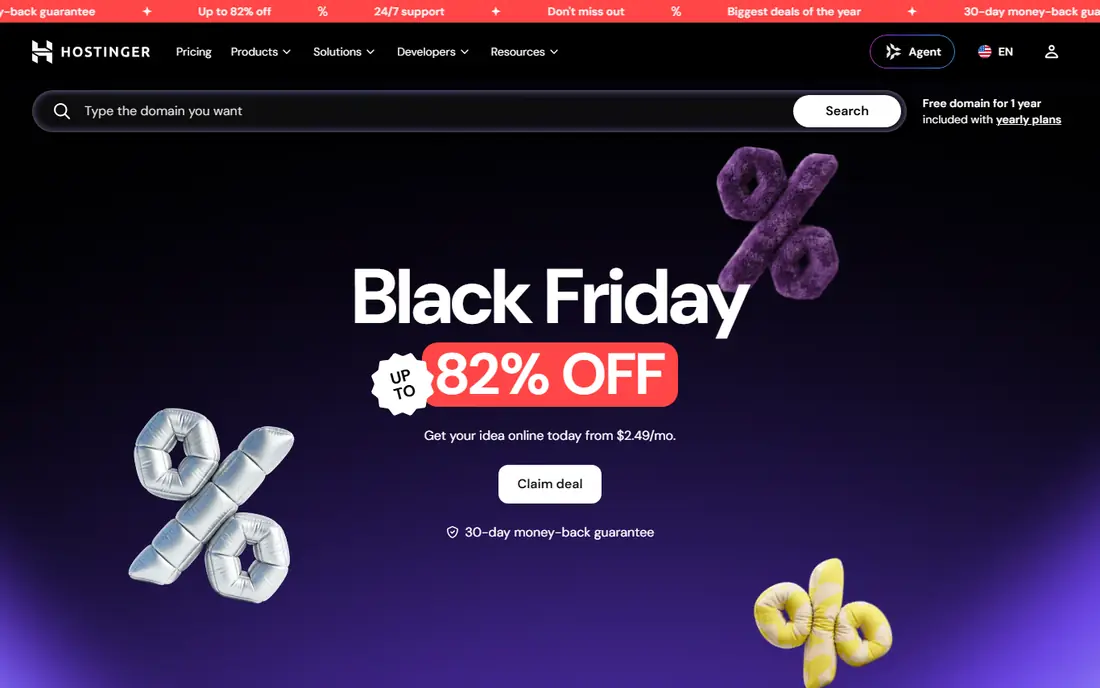
Hostinger wins on entry price. Shared plans include a free domain on longer terms, SSL and a control panel that is easier to learn than classic cPanel for many beginners. Performance is solid for small WordPress sites and portfolios, thanks to NVMe storage and LiteSpeed servers on many plans.
The catch is renewal pricing. Introductory rates around $2.99 per month rise to roughly $10.99 per month or more at renewal, depending on the plan and term. If you plan to keep the site for years, compare the three-year total, not just the first bill, and lock in the longest term you are comfortable with.
- Low introductory price
- Fast NVMe storage on most plans
- Simple control panel with AI help
- Renewal price jumps sharply
- Phone support is limited on some plans
Bluehost has long been a default suggestion for first-time WordPress users, and the onboarding still shows why. WordPress can be installed in a few clicks, the dashboard guides new owners through themes and plugins, and support is available around the clock by chat and phone. The starting price of $2.95 per month on longer terms keeps the first year affordable.
Checkout deserves care, since add-ons can raise the total if you accept every suggested extra. Renewal pricing also climbs to around $9.99 per month on entry plans, so note the renewal date when you sign up and review the plan before it renews.
- Officially recommended by WordPress
- Free domain and SSL on many plans
- 24/7 support
- Renewal rates are higher than introductory rates
- Upsells appear during checkout

SiteGround is the host we suggest when a site owner wants help fast and does not want to manage server details. Support has a strong reputation for clear, technical answers, and the platform runs on Google Cloud with caching tools that help WordPress load quickly. Daily backups and security tools are included on most plans.
The price story is less friendly at renewal, where entry plans can rise to around $17.99 per month. Storage on the entry plan is also limited, so sites with large media libraries should check the GrowBig or higher plan before buying.
- Fast support responses
- Google Cloud infrastructure
- Daily backups on most plans
- Renewal price is among the highest here
- Storage limits are modest on entry plans
WP Engine removes most WordPress maintenance from the owner. Core updates, security patching, caching and backups are handled by the platform, and staging sites let you test changes before they go live. That managed layer suits agencies and businesses whose sites bring in revenue and cannot afford downtime from a bad update.
The entry price of $25 per month puts WP Engine above shared hosts, and some plugins are restricted for performance or security reasons. Check the disallowed plugin list if your site depends on a specific caching or backup plugin before migrating.
- Fully managed WordPress updates and security
- Staging environments
- Strong performance tools
- Higher starting price
- Plugin restrictions apply on some plans
Kinsta targets WordPress sites that need speed under real traffic. Hosting runs on Google Cloud, the dashboard shows useful analytics without extra plugins, and support staff tend to know WordPress deeply. Pricing is flat rather than deeply discounted at signup, so the $35 per month Starter price is close to what you pay later.
Email hosting is not included, so you will need a separate email provider such as Google Workspace or Microsoft 365. For a small personal blog, that extra cost and the $35 starting price may be more than needed, but for a business site it simplifies budgeting.
- Google Cloud infrastructure with fast global network
- Clear flat pricing
- Strong analytics dashboard
- No email hosting included
- Entry price is high for small blogs
DreamHost stands out for its money-back window. Shared hosting comes with a 97-day guarantee, which gives a new site owner far longer to test performance and support than the usual 30 days. Plans include free domain privacy and unlimited bandwidth, and the starting price of $2.59 per month is competitive.
The custom control panel takes a little learning if you arrive from cPanel, and support channels vary by plan, so check whether phone support matters to you. For a low-risk first host with room to change your mind, DreamHost is a sensible choice.
- 97-day money-back guarantee on shared plans
- Free domain privacy
- Unlimited bandwidth on shared plans
- Control panel differs from cPanel
- Live chat support hours are limited on some plans
Cloudways sits between shared hosting and raw cloud servers. You pick a cloud provider such as DigitalOcean, AWS or Google Cloud, and Cloudways manages the server setup, security patching and backups. Billing is hourly from around $14 per month, so you can scale a server up or down without a long contract.
Domain registration and email hosting are not included, so those need separate providers. Support quality also depends on the support plan, with faster responses on paid tiers. Developers and agencies who want cloud power without server admin work will like this balance.
- Choice of cloud providers
- Pay-as-you-go hourly billing
- Staging and team tools
- No domain registration or email hosting
- Support tiers affect response speed
DigitalOcean is built for developers who want control. Droplets are virtual servers you configure yourself, while the App Platform handles deployment for apps without server management. Documentation is clear, pricing is transparent for common server sizes, and the platform scales from a side project to production workloads.
That control is also the drawback. On a basic Droplet, you handle updates, security and backups unless you add managed services. Beginners who want one-click WordPress and phone support will be happier with Bluehost, SiteGround or WP Engine.
- Simple Droplet servers and app platform
- Predictable pricing
- Strong documentation
- You manage the server yourself on Droplets
- Not a beginner WordPress host
Vercel is the natural home for sites built with Next.js and other modern front-end frameworks. Pushing code deploys the site worldwide, and every pull request gets a preview link that a team can review before merging. The free Hobby plan covers personal projects and small sites well.
Vercel is not a replacement for shared hosting if your site runs WordPress on a traditional server. Heavy serverless function use or large teams can also push costs up, so check usage limits and the Pro plan price before scaling a commercial app on it.
- Fast global deployment for front-end frameworks
- Preview links for every change
- Generous free tier
- Costs can rise with heavy serverless use
- Not a classic shared host for WordPress
Netlify makes publishing a static site or front-end app simple. Connect a Git repository or drop in a folder, and the site deploys with SSL and a global content network. Built-in forms, serverless functions and preview deploys cover many small business and portfolio needs without a server to manage.
Free plan limits on bandwidth and build minutes matter once traffic grows, and classic WordPress sites do not run directly on Netlify in the usual way. For Jamstack sites, documentation pages and marketing sites, Netlify remains one of the easiest free starts available.
- Simple drag-and-drop and Git deployment
- Free SSL and global CDN
- Forms and functions included
- Bandwidth and build limits apply on the free plan
- WordPress needs a different setup
How we picked these
We reviewed official pricing pages, plan limits, renewal terms and public reviews, and we favored hosts with current, working services and clear support options. We included shared, managed WordPress, cloud and modern app platforms because the best hosting service depends on what you are building, not on one ranking. Where renewal prices differ sharply from introductory prices, we note that gap.
How to choose the right hosting platform
Match the host type to the site type first. WordPress blogs and business sites suit shared or managed WordPress hosts, while custom apps suit cloud or app platforms such as DigitalOcean, Vercel or Netlify. Changing host types later is possible, but it costs time, so a little planning now saves a migration later.
Check renewals, limits and support
Read the renewal price, storage limit, bandwidth policy and backup terms before paying. A host that looks cheap for year one can cost more by year three than a flat-priced host such as Kinsta. Test support with a real question before launch, since you will need that help most when the site is down.
Start small, keep an exit plan
Start on the smallest plan that fits your traffic, keep regular backups you control, and keep your domain registered separately if possible. That setup lets you move hosts without losing your domain or your content if pricing or service changes.
FAQ
What is the best hosting service for a small business?
For most small business WordPress sites, SiteGround or Bluehost are safe starting points, with Hostinger as the lowest-cost option. If the site earns revenue and downtime is costly, WP Engine or Kinsta are worth the higher monthly price for managed updates and faster support.
What is the best free hosting service?
Vercel and Netlify offer the strongest free plans for modern front-end sites and static pages. For WordPress, truly free hosting is usually limited or ad-supported, so a low-cost shared plan often works better than a free host for a business site.
What is the best hosting platform for apps?
Developers often choose DigitalOcean for server control, Cloudways for managed cloud servers, or Vercel and Netlify for front-end app deployment. The right pick depends on whether the app needs a database server, background jobs or only front-end hosting.
How much should hosting cost?
Shared hosting starts around $2.59 to $2.99 per month on introductory terms, managed WordPress starts around $25 to $35 per month, and managed cloud hosting starts around $14 per month. Always compare renewal prices and add the cost of email hosting if the plan does not include it.
Can I switch hosting providers later?
Yes, most hosts offer free or assisted migration for WordPress sites, and keeping your own backups makes any move easier. Check whether your current plan locks you into a long term, and move during a quiet period so a short DNS change does not affect peak traffic.