Choosing Home Financial Management Software in 2026: 5 Options Compared
Searching for the best home financial management software? Here are 5 options with prices and free plans. Cost notes and weak points included. Clear verdicts.
- Editor's choiceMoneydance
Cross-platform desktop personal finance
Starts atSee websiteVisit moneydance.comFull review - Great alternative
 PocketSmith
Cashflow forecasting and long-range planning
Starts at$9.99 per monthVisit pocketsmith.comFull review - Also considerQuicken
All-in-one household and investment tracking
Starts atSee websiteVisit quicken.comFull review
Direct answer
This list puts Moneydance first for cross-platform desktop personal finance. Listed starting prices: PocketSmith from $9.99 per month, YNAB from $9.08 per month and Monarch Money from $14.99 a month. Look at PocketSmith for Cashflow forecasting and long-range planning, and at Quicken for all-in-one household and investment tracking. The remaining 2 options are covered below with prices and limits.
TL;DR:
- Top of the list is Moneydance, which targets cross-platform desktop personal finance.
- A fair warning about Quicken: feature depth can feel heavy for straightforward budgets.
- PocketSmith is the only tool of the 5 with a free plan.
- YNAB is the lowest-priced starter here at $9.08 per month.
- Monarch Money suits unified tracking, budgets and goals.
Last checked November 2026. Prices and plan details were read from the vendors' own pages in November 2026; vendors change plans often, so confirm the current price on the vendor site before you buy.
Quick comparison
| Tool | Best for | Starts at | Free plan? | |
|---|---|---|---|---|
| Moneydance | Cross-platform desktop personal finance | See website | Not stated | Visit |
| PocketSmith | Cashflow forecasting and long-range planning | $9.99 per month | Yes | Visit |
| Quicken | All-in-one household and investment tracking | See website | Not stated | Visit |
 YNAB | Practical, method-driven budgeting | $9.08 per month | Free trial | Visit |
 Monarch Money | Unified tracking, budgets and goals | $14.99 a month | No | Visit |
Our 5 picks for home financial management software
LinkVetted put together this guide to home financial management software for readers who want a clear shortlist without reading every vendor page. It compares 5 tools on starting price, free plans, who each one suits and where each one falls short.
Moneydance
Best for: Cross-platform desktop personal finance
Think of Moneydance for cross-platform desktop personal finance. Desktop-focused software generally supplies a less refined mobile experience than web and app-first tools.
Worth adding: Moneydance is a personal finance manager for Mac, Windows and Linux from The Infinite Kind. Moneydance shows no starting price here, so confirm the cost on the vendor site. Free options: Not stated.
Points against: Setup may feel technical.
- Windows and Linux
- Fits users who prefer local software
- Less modern mobile experience
PocketSmith is aimed squarely at Cashflow forecasting and long-range planning. The forecasting focus can be more than an entry-level spender needs, and the web-first design may not appeal to mobile-heavy users.
Worth adding: a more straightforward tracker like Simplifi may be simpler for everyday budgeting. PocketSmith describes itself as money management, budgeting and cashflow forecasting software on the web, with secure connections to several bank accounts. Price to start with PocketSmith: $9.99 per month. PocketSmith includes a free tier.
Watch-outs: Forecasting may overwhelm straightforward budgets.
- Forecasting emphasis
- Web-based with secure bank connections
- Web-first with less mobile focus
Quicken
Best for: All-in-one household and investment tracking
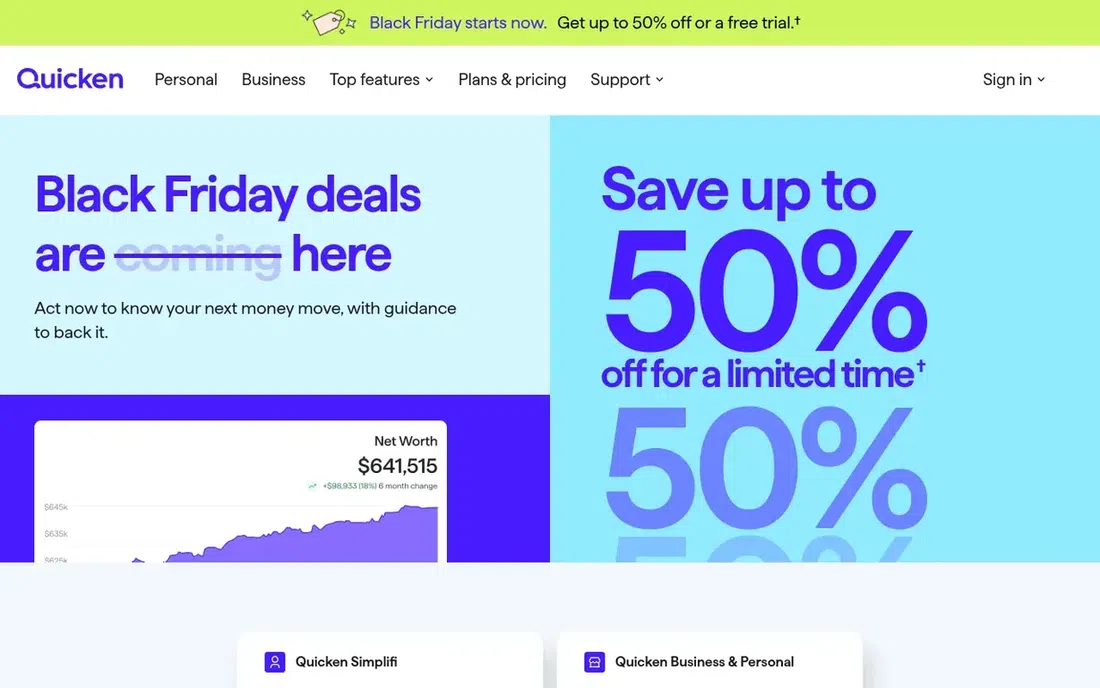
Quicken serves all-in-one household and investment tracking. If you prefer a light mobile-first budget, a focused app for example Simplifi or YNAB may fit better.
No starting price is listed for Quicken here; confirm pricing on the vendor site. Free plan details: Not stated.
Strengths: Also handles essential life information.
What to check first: Desktop-first workflow may not suit mobile users.
- Investments and bookkeeping together
- Budgets
- Feature depth can feel heavy for straightforward budgets

YNAB is built with practical, method-driven budgeting in mind. YNAB is built around a budgeting method that asks you to assign money deliberately and adjust as the month unfolds.
In practice, since the approach relies on continuing participation, households that prefer set-and-forget tracking may find it demanding. Starting cost for YNAB: $9.08 per month. On free options: Free trial.
The main drawbacks: Needs regular manual engagement.
- Mobile and web access
- Clear budgeting method and guidance
- Less suited to investment tracking

Monarch Money is a good fit for unified tracking, budgets and goals. If you need small-business records alongside household budgets, Quicken includes more ground.
Monarch centres on personal finance instead of business bookkeeping or detailed desktop accounting. Monarch Money lets you track accounts, build budgets, monitor investments and plan goals in one place. Monarch Money starts at: $14.99 per month. Monarch Money has no free tier.
Drawbacks to consider: Newer to the category than long-standing tools.
- Clean consolidated dashboard
- Budgets and investments in one app
- Less emphasis on deep bookkeeping
Our selection method
For each of the 5 tools we noted price, free plan or trial, fit for home financial management software and the main limit, using vendor pages and documentation. Seat minimums, billing terms and add-ons can move the real cost, so the starting prices here are a guide and not a quote. Position on the page reflects fit for a typical buyer first, with price clarity and free access breaking ties. Treat it as a guide, not a ruling.
Things to verify first
- Get a written quote from Moneydance and Quicken; the list shows no starting price for them.
- Test the free plan from PocketSmith against your real workload before relying on it.
- Use real work to test the free trial from YNAB, rather than a demo project.
- Before choosing Moneydance, weigh its main limit: less modern mobile experience.
- Read the plan comparison for Moneydance carefully; key features often start on a higher tier.
- List the apps you already depend on and check that YNAB supports each one on the plan you would buy.
FAQ
Do these tools publish their prices?
Not all of them. Moneydance and Quicken publish no starting price, so expect a quote request for those. The rest, PocketSmith included, show a starting price, though seats and billing terms still change the final cost.
Can I try these options before paying?
Often, yes. PocketSmith has a free plan and YNAB offers a free trial. Use your own data and a real task during the test, and check what the free tier or trial limits before you rely on it.
What is the cheapest option for home financial management software in this list?
On published monthly entry prices, YNAB is the lowest here at $9.08 per month. Entry price is only part of the cost, because seats, add-ons and billing terms can change the total. Prices, free plan details and limits for all 5 tools in this home financial management software roundup sit on the individual cards above.
What is the best home financial management software overall?
The first pick on this list is Moneydance, because it suits cross-platform desktop personal finance. PocketSmith is better for Cashflow forecasting and long-range planning, and Quicken for all-in-one household and investment tracking. Check price and limits against your own needs before choosing.
Which options for home financial management software have a free plan?
PocketSmith is the only tool in this list with a free plan. Free plans usually cap users, projects or features, so check the limits on the vendor page. One other tool offers a trial instead. Each of the 5 options in this home financial management software guide has its own card above with the price, free plan and limits.
Sources
- https://moneydance.com
- https://www.pocketsmith.com
- https://www.quicken.com
- https://www.ynab.com
- https://www.monarchmoney.com