Best Helpdesk Software for Enterprise in 2026: 8 Tools Compared
We compared the best helpdesk software for enterprise on ticketing, automation, SLAs and scale, so large IT and support teams can choose a system that lasts.

- Editor's choice
 Zendesk
Large customer support
Starts atSee websiteVisit zendesk.comFull review - Great alternative
 ServiceNow
Enterprise IT service
Starts atSee websiteVisit servicenow.comFull review - Also consider
 Jira Service Management
IT teams on Atlassian
Starts atSee websiteVisit atlassian.comFull review
TL;DR:
- Zendesk and Salesforce Service Cloud suit large customer support teams with high ticket volume and many channels.
- ServiceNow and Jira Service Management fit internal IT teams that need asset, change and incident processes.
- Freshservice and ManageEngine ServiceDesk Plus offer strong enterprise features at a more moderate cost.
- SysAid and BMC Helix are worth a look for teams that need automation and asset tracking in one platform.
- Trial the SLA, routing and reporting tools with real ticket data before signing a multi-year deal.
Quick comparison
| Tool | Best for | Starts at | Free plan? | |
|---|---|---|---|---|
| Zendesk | Large customer support | See website | Free trial | Visit |
| ServiceNow | Enterprise IT service | See website | No | Visit |
| Jira Service Management | IT teams on Atlassian | See website | Free trial | Visit |
 Salesforce Service Cloud | Support inside Salesforce | See website | Free trial | Visit |
 Freshservice | Growing IT teams | See website | Free trial | Visit |
 ManageEngine ServiceDesk Plus | IT help desks on a budget | See website | Free trial | Visit |
 SysAid | Automated IT support | See website | Free trial | Visit |
 BMC Helix | Large IT operations | See website | No | Visit |
The best helpdesk software for enterprise
Enterprise help desks need more than a shared inbox. The tools below handle high volume, strict service levels, automation and reporting, and they are built to serve thousands of users.
We also weighed how easy each tool is to learn, since a helpdesk software for enterprise tool that staff avoid using rarely delivers value. The picks below balance depth with day-to-day usability, and we note where a tool needs more setup or training than a busy team may want to give it.

Zendesk remains a leading choice for customer support at scale. Agents handle email, chat, phone and social tickets in one workspace, and managers can route work by skill, language or priority. The app marketplace adds links to CRM, billing and survey tools.
The catch is total cost. The base plan covers the core, but advanced AI, workforce tools and deeper analytics sit on higher tiers or add-ons. Large teams should price the full bundle they need, not just the entry tier.
- Strong omnichannel tickets
- Large app marketplace
- Clear agent workspace
- Costs rise with add-ons
- Advanced reporting needs higher plans
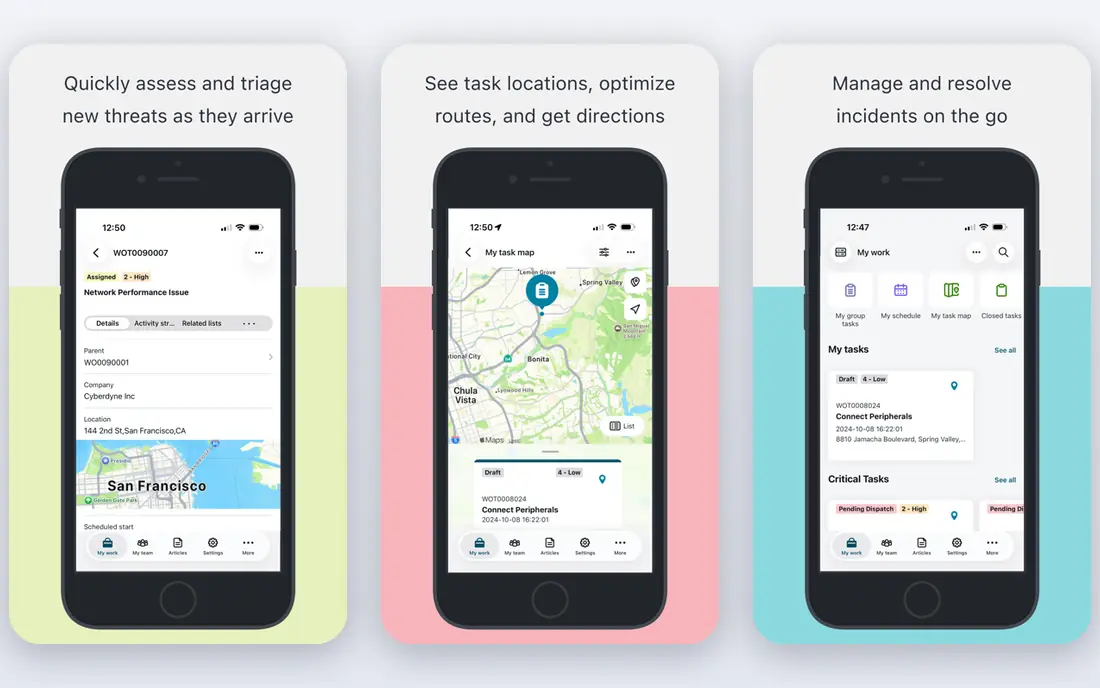
ServiceNow is the default for many large IT departments because it covers incident, problem, change and asset work in one platform. Workflows can route approvals, track assets and link incidents to changes, which helps in regulated and complex estates.
That depth comes with cost and complexity. It needs trained administrators and a planned rollout. Organizations that commit to that effort get a system that can grow across many departments, not just IT.
- Deep IT service workflows
- Asset and change tools
- Strong automation
- High cost and complexity
- Needs skilled admins

Jira Service Management fits teams that already use Jira for software work. Support requests can link directly to development issues, and incident tools help teams coordinate outages. Automation rules handle routing, approvals and notifications without code in many cases.
Teams outside the Atlassian world get less benefit, since the value grows with shared projects. It is still a strong standalone help desk, but its best case is an IT team that works closely with developers.
- Strong incident tools
- Links to Jira development
- Good automation
- Setup needs care
- Pricing grows with agents
Salesforce Service Cloud suits companies that already run sales and service on Salesforce. Agents see a full customer record next to each case, including orders, contracts and past contact. Automation can route cases, suggest replies and trigger follow-up tasks.
Pricing and admin effort are real factors. Teams need Salesforce skills to shape it well, and costs rise with users and add-ons. For Salesforce shops, the shared customer view often outweighs those costs.
- Unified customer view
- Strong case automation
- Large ecosystem
- Costly at scale
- Admin skill needed
Freshservice, from Freshworks, gives IT teams ticketing, asset tracking and a service catalog without the weight of the largest platforms. Setup is faster than ServiceNow, and the interface is easy for agents and requesters to learn.
Very large or highly regulated IT departments may miss some deep modules. For mid-size to large teams that want solid IT service tools and a faster start, Freshservice is a practical pick.
- Easy setup for IT teams
- Asset tracking
- Useful automation
- Fewer deep enterprise modules
- Some AI tools need higher plans
ManageEngine ServiceDesk Plus covers incident, problem, change, asset and project work, with both cloud and on-premises options. That choice matters for teams with data residency or security rules that favor self-hosting.
The interface packs in many features, so new agents need training time. Teams that value breadth and price control over a minimal look will find it a strong enterprise option.
- Broad IT features
- On-premises option
- Competitive pricing
- Interface feels busy
- Some modules need separate setup
SysAid combines help desk ticketing with asset management and automation that routes and resolves routine work. Self-service portals and knowledge bases cut repeat tickets, while AI tools help agents draft replies and find answers.
Its third-party marketplace is smaller than the largest rivals, so check any must-have integration early. For IT teams that want automation without enterprise-platform cost, SysAid deserves a trial.
- Automation and self-service
- Asset management
- AI help tools
- Smaller marketplace
- Pricing is quote-based
BMC Helix serves large IT operations that need service management, operations monitoring and automation in one family of products. It handles high volume and complex service relationships, and its AI tools help route and resolve work.
Rollout is a project, not a quick install, and pricing suits larger budgets. Organizations with complex IT estates and long-term service goals will get the most from it.
- Enterprise service management
- AI service tools
- Strong scale
- Complex rollout
- Enterprise pricing
How we picked these
We compared official feature and pricing pages and public reviews for help desk tools that serve enterprise use. We kept tools with SLA management, routing and automation, multi-channel or multi-team support, and reporting for managers. We favored tools still sold and supported in 2026, and we dropped small-team-only tools that lack enterprise controls.
For helpdesk software for enterprise, we also checked whether vendors publish clear documentation, support options and security information. Tools with vague pricing or missing support pages scored lower, even when their feature lists looked strong. That check matters because buyers often learn about limits only after purchase, when switching costs are already high.
What to check before you buy
Test SLAs with your real rules
Enterprise support lives or dies on service levels. During a trial, set up your actual response and resolution targets, escalation rules and business hours. Check that reports show breaches clearly.
Check routing and automation depth
Ask how tickets route by team, skill, location and priority, and whether automation can handle approvals and repeat tasks. Weak routing creates queues and delays that no dashboard can fix.
Review security and admin controls
Large teams need role controls, audit logs, single sign-on and data residency options. Confirm these before purchase, since adding them later can be costly or impossible on lower plans.
Price the full user count
Enterprise pricing often differs for agents, light agents and end users. Count each group honestly and price add-ons for AI, analytics and phone support before you compare totals.
Check support and updates
Support quality matters as much as features, especially when a tool is used every day. Check support hours, response times and whether help is offered by chat, email or phone on the plan you will buy. Read the documentation for a task you will do often, and look at how often the vendor ships fixes and improvements. A tool with stale docs and slow support can cost more in lost time than a slightly higher subscription.
Plan the switch from your current tool
Moving tools takes more than signing up. List the data you must move, such as templates, customer records or past reports, and test an export before you cancel the old tool. Run the new tool alongside the old one during a trial, and train a small group first so they can help colleagues. A planned switch avoids lost work and gives staff time to learn new habits.
Budget for the full first year
Price the first year in full, not just the monthly rate. Add seats for every user, any required add-ons and the cost of training or setup help. Check whether annual billing saves money and whether that saving is worth the commitment. A clear first-year total makes plans easier to compare and avoids surprise renewals.
Ask about data ownership and exit options
Before you commit, ask who owns your data, how you can export it and what happens if you cancel. Check contract length, renewal terms and whether prices change after an introductory period. Clear exit options protect you if the tool no longer fits, and they also signal a vendor that is confident in keeping customers by quality rather than by lock-in.
FAQ
What is enterprise helpdesk software?
Enterprise helpdesk software manages support requests at scale, with ticketing, SLAs, routing, automation and reporting. It serves large customer support teams, internal IT teams or both.
How is it different from small business help desk tools?
Enterprise tools add controls for many teams, strict SLAs, audit trails, advanced automation and integrations with HR, asset and CRM systems. Small tools often lack that depth and scale.
Do I need IT service management features?
Internal IT teams usually do, since they handle incidents, changes and assets together. Customer support teams may need less, and can favor omnichannel and CRM features instead.
Can these tools support remote teams?
Yes. All tools on this list offer cloud access, agent workspaces and collaboration features for distributed teams. Check mobile access and offline limits if agents work in the field.
How long does it take to get value from helpdesk software for enterprise?
That depends on setup and team size. Simple tools can show value within a week, while enterprise platforms may need a month or more for setup, data migration and training. A focused pilot with one team and clear goals gives the fastest honest answer.
What mistakes do buyers often make with helpdesk software for enterprise?
Common mistakes include buying for a feature list instead of a daily workflow, skipping a trial with real data, and undercounting users who will need access. Another frequent error is ignoring support and exit terms until a problem appears. A short trial and a clear list of must-have tasks prevent most of these errors.
Sources
- https://www.zendesk.com
- https://www.servicenow.com
- https://www.atlassian.com/software/jira/service-management
- https://www.salesforce.com/service/
- https://www.freshworks.com/freshservice/
- https://www.manageengine.com/products/service-desk/
- https://www.sysaid.com
- https://www.bmc.com/it-solutions/bmc-helix.html