Best GitOps Software in 2026: 8 Tools Compared
Looking for the best GitOps software? We compared 8 GitOps tools for Kubernetes, including Argo CD, Flux, managed platforms, CI/CD options and pricing.
- Editor's choice
 Argo CD
Visual GitOps for Kubernetes
Starts atFreeVisit argoproj.github.ioFull review - Great alternative
 Flux CD
Composable, automation-first GitOps
Starts atFreeVisit fluxcd.ioFull review - Also consider
 Akuity
Managed Argo CD platform
Starts atFreeVisit akuity.ioFull review
TL;DR:
- GitOps means using Git as the single source of truth for what should run in a cluster, with an agent that reconciles live state to that desired state.
- Argo CD is our pick for most Kubernetes teams, thanks to its visual sync status, app model and large community.
- Flux CD suits automation-first teams who prefer composable controllers, Helm and Kustomize support, and a lighter footprint.
- Managed options such as Akuity and Codefresh suit teams that want Argo CD without running the control plane themselves.
- Both Argo CD and Flux CD are free and open source, so most costs come from hosting, support and the time to run them well.
Quick comparison
| Tool | Best for | Starts at | Free plan? | |
|---|---|---|---|---|
| Argo CD | Visual GitOps for Kubernetes | Free | Yes | Visit |
| Flux CD | Composable, automation-first GitOps | Free | Yes | Visit |
| Akuity | Managed Argo CD platform | Free | Yes | Visit |
 Codefresh | Argo-based GitOps as a service | Free | Yes | Visit |
 Harness | Enterprise GitOps and delivery | See website | No | Visit |
 GitLab | GitOps inside DevSecOps | Free | Yes | Visit |
 Northflank | GitOps without a controller to run | Free | Yes | Visit |
 Jenkins X | Kubernetes-native CI and CD | Free | Yes | Visit |
The best GitOps software
GitOps changes how deployments work. Instead of pushing changes directly to a cluster, you commit a desired state to Git, and a controller in the cluster pulls that state and applies it, correcting drift when live state differs. That gives you audit history, easy rollbacks and a clear record of what should be running. We compared official project pages, documentation and vendor pricing pages, and we favoured tools with active maintenance, clear security controls and honest notes about operational effort.
Argo CD is our pick for most Kubernetes teams because it makes GitOps visible. The web UI shows each application, its sync status, its health and any drift from Git, which helps a new team member understand what is deployed without reading controller logs. The app-of-apps pattern also helps teams manage many applications from a single parent application.
It is free and open source under Apache 2.0, but it uses more memory than Flux, often cited around 500 megabytes to 1 gigabyte for the server and UI. The Git-first model is a strength for audit, but it can frustrate teams that want quick ad-hoc fixes in the cluster. For most teams, the visibility and community outweigh those costs.
- Clear web UI for sync and drift status
- App-of-apps pattern for many apps
- Helm, Kustomize and plain manifests
- Heavier resource use than Flux, due to UI and server
- Git-first model limits ad-hoc changes
- Large fleets need sharding
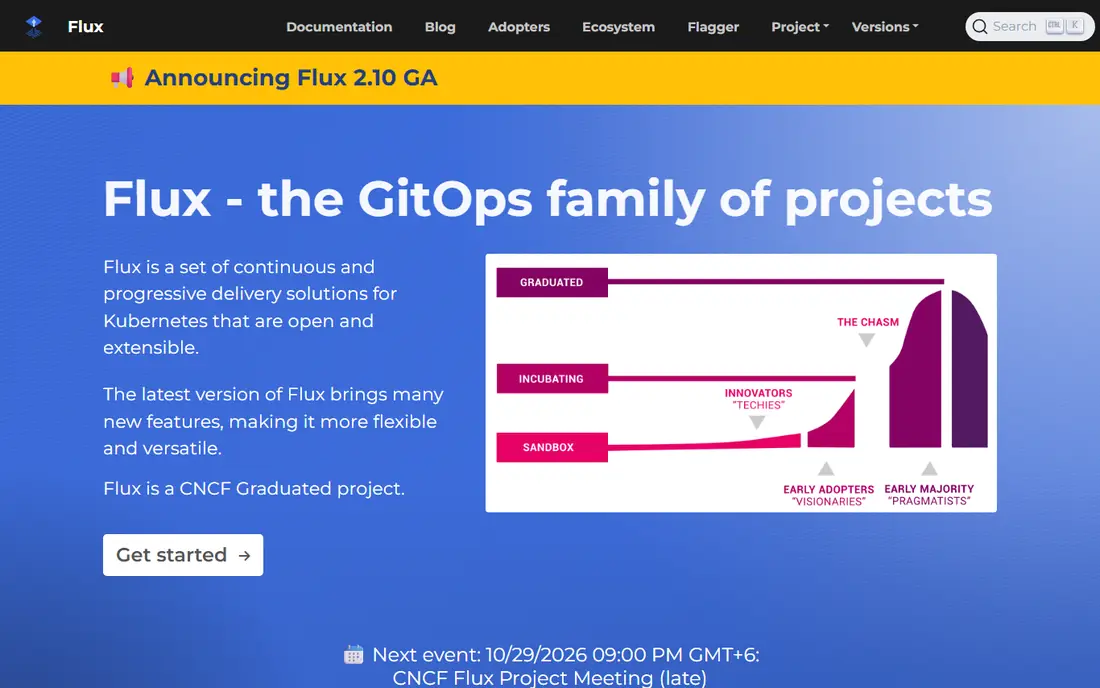
Flux CD is the other graduated Cloud Native Computing Foundation GitOps project, and it suits automation-first teams. Its controllers are split by job, such as source, Kustomize, Helm, notification and image automation, so you can use only what you need. It supports Helm and Kustomize, image automation that opens pull requests for new tags, multi-tenancy and OCI artifacts.
Flux is free and open source, and lighter than Argo CD, often cited around 200 to 400 megabytes. The lack of a first-class UI is a real adoption cost, since new engineers must learn several controllers and their resources. If your team prefers command-line workflows and composable automation over a dashboard, Flux is an excellent choice.
- Modular controllers for source, Helm and Kustomize
- Image automation
- Multi-tenancy and OCI support
- No first-class UI by default
- Learning curve spread across controllers
- Onboarding is harder for new platform engineers
Akuity is built by the original Argo creators and offers Argo CD as a managed platform. It handles the control plane, adds multi-cluster management and gives teams a central view across clusters, without running and upgrading Argo CD themselves. That saves platform time, especially for teams with many clusters.
The core Argo CD software remains free, but Akuity enterprise pricing is quote-based and varies by cluster and agent count. A managed platform also adds a vendor dependency, so check data, access and exit terms before you commit. If you like Argo CD but not operating it, Akuity is the most direct managed route.
- Managed Argo CD from its original creators
- Multi-cluster management
- Free tier for getting started
- Enterprise pricing is quote-based
- Managed model adds a vendor dependency
- Advanced features need paid plans
Codefresh offers GitOps as a service built on Argo CD and Argo Rollouts, with hosted dashboards, delivery insights and progressive delivery options. Teams that want Argo without self-hosting, plus rollout strategies such as canary and blue-green, get both in one platform. A free tier helps small teams try it.
Commercial pricing applies at larger scale, and the platform inherits Argo CD limits, such as Git-first workflows and resource needs for large fleets. Moving from self-hosted Argo CD also needs planning for applications, secrets and access. If you want hosted Argo with rollout features, Codefresh is a strong option.
- Argo CD and Argo Rollouts as a hosted service
- GitOps dashboards and delivery insights
- Free tier
- Commercial pricing for larger use
- Argo-based, so it inherits Argo limits
- Migration from self-hosted Argo needs planning
Harness suits enterprises that want GitOps inside a wider delivery platform. Alongside GitOps, it offers continuous integration, continuous delivery, feature flags and cost management, with enterprise controls, audit logs and role-based access. That breadth helps large organisations that need one platform for delivery governance.
Pricing is commercial and usage-based, so get a quote for your scale before comparing it with free open source tools. The full suite can also feel heavy if you only need GitOps. If your organisation already uses Harness for CI and CD, adding its GitOps capability is a natural step.
- GitOps plus CI, feature flags and cost tools
- Enterprise controls and audit
- Managed service reduces operations
- Commercial, usage-based pricing
- Broad platform can feel heavy for GitOps only
- Learning curve for full suite
GitLab suits teams that already use GitLab for source control and CI. Its agent for Kubernetes connects clusters to GitLab, letting you manage deployments from the same platform that holds code, pipelines, security scans and issues. That single-platform view reduces tool sprawl for small and mid-size teams.
GitOps here is a feature of a larger DevSecOps platform, not a specialist controller like Argo CD or Flux. Advanced features sit behind paid tiers, and you still need Kubernetes knowledge to run clusters well. If GitLab is already your home for code, its GitOps support is a practical and low-friction choice.
- Git, CI, CD and GitOps in one platform
- Agent for Kubernetes
- Free tier for small teams
- GitOps is part of a larger platform, not a specialist tool
- Advanced GitOps features need paid tiers
- Setup still needs Kubernetes knowledge
Northflank takes a different path: Git-based deployments, builds, preview environments and rollbacks, without asking you to install or maintain a GitOps controller. You get a UI and CLI, bring-your-own-cloud support, and a deployment history tied to Git. For teams tired of controller upkeep, that simplicity is appealing.
The model is not classic in-cluster GitOps in the Argo or Flux sense, so teams with strict GitOps requirements should check how reconciliation, drift and audit work in Northflank. Paid plans apply at larger scale, and its community is smaller than the two graduated projects. If controller operations are your main pain, Northflank is worth a trial.
- Git-based deployments without managing a controller
- UI and CLI
- Preview environments and rollbacks
- Controller-free model differs from classic GitOps
- Paid plans for larger use
- Less community history than Argo or Flux
Jenkins X offers Kubernetes-native continuous integration and delivery with GitOps, using Tekton pipelines and automated preview environments for pull requests. That combination suits teams that want CI and CD designed for Kubernetes from the start, rather than adapted from older CI systems.
Setup is complex, the learning curve is steep, and adoption is smaller than Argo CD or Flux, which affects community help and integrations. Maintenance has continued, but at a slower pace than the leading projects. Jenkins X fits teams that specifically want its Tekton and preview model, rather than teams looking for the simplest GitOps start.
- Kubernetes-native CI and CD with GitOps
- Tekton pipelines
- Automated preview environments
- Complex setup and steep learning curve
- Smaller adoption than Argo or Flux
- Maintenance pace is slower
How we picked these
We compared official project documentation, vendor pricing pages and community status for GitOps tools available in October 2026. We favoured active maintenance, Git as source of truth, drift detection, rollback support, role-based access and audit history. We included both open source controllers and managed platforms, because teams differ in how much operations work they want to own.
We did not claim hands-on testing that did not happen. Our comparison rests on published documentation, pricing and project status. Argo CD and Flux CD are both free open source under Apache 2.0, so compare managed and support costs, hosting costs and team time, not just licence price, when you choose.
What to look for in GitOps software
Start with your cluster and team size. A single cluster with a small team may suit a simple Argo CD install or a managed platform, while a large fleet needs multi-cluster management, sharding or a managed control plane. Check whether the tool supports your manifest style, such as plain YAML, Helm, Kustomize or a mix, and whether it handles secrets safely, since Git must never hold plain secrets.
Next, check drift, rollback and access controls. A good GitOps tool shows drift clearly, lets you sync or roll back from Git history, and supports role-based access, audit logs and signed commits where needed. Test a rollback in a non-production cluster before you rely on it in production, and confirm how the tool handles a bad commit that breaks an application.
Secrets, security and operations
Never commit plain secrets to Git. Use a secrets manager or a sealed-secrets style tool that your GitOps controller can read at deploy time, and rotate secrets on a schedule. Limit who can approve changes to production branches, require pull request reviews for GitOps repositories, and monitor controller health, sync failures and resource use. A GitOps tool is only as safe as the Git and cluster access around it.
Starting small and scaling
Start with one non-production application, one repository and one cluster. Learn the sync, health and rollback flow, then add applications using an app-of-apps pattern or a similar structure. Add image automation or progressive delivery only after basic GitOps is stable. Scaling too fast, with many clusters and complex automation at once, is the most common way GitOps projects stall.
FAQ
What is the best GitOps software for Kubernetes?
Argo CD is our pick for most Kubernetes teams, thanks to its visual UI, app model and large community. Flux CD suits automation-first teams who prefer composable controllers and a lighter footprint. Managed options such as Akuity and Codefresh suit teams that want Argo CD without running it themselves.
Is Argo CD or Flux CD better?
Neither is better for every team. Argo CD wins on visibility, with a web UI that shows sync and drift at a glance. Flux CD wins on composability and lighter resource use, with modular controllers for Helm, Kustomize and image automation. Choose Argo CD for visibility and ease of onboarding, and Flux CD for automation-first, command-line workflows.
Is GitOps software free?
Argo CD and Flux CD are free and open source under Apache 2.0, with no licence cost at any scale. You still pay for hosting, compute and team time, and managed platforms such as Akuity, Codefresh and Harness charge for hosting, support or usage. Compare total operating cost, not just licence price.
Do I need Kubernetes to use GitOps?
Most GitOps tools on this list, including Argo CD and Flux CD, are built for Kubernetes. Northflank and GitLab offer Git-based delivery with different models, but Kubernetes knowledge still helps. If you do not run Kubernetes, a general CI and CD tool may suit you better than a Kubernetes GitOps controller.
How does GitOps handle rollbacks?
In GitOps, a rollback usually means reverting a commit in Git to a known good state, then letting the controller sync the cluster back to that state. Argo CD and Flux both support this flow, with history in Git as the audit trail. Test rollbacks in a non-production cluster first, and be careful with database changes, which may not roll back cleanly by code alone.
What is the difference between GitOps and traditional CI/CD?
Traditional CI/CD often pushes changes directly to a cluster from a pipeline. GitOps pulls desired state from Git, with a controller in the cluster reconciling live state to Git. That pull model gives a clearer audit history, easier drift detection and a single source of truth in Git, at the cost of a more Git-first workflow.