Best Free Editing Software in 2026: 9 Tools Compared
Compare the best free editing software for video, with desktop and mobile picks, no-watermark options, and clear notes on exports, effects, and learning curves.

- Editor's choice
 DaVinci Resolve
Serious free desktop editing
Starts atFreeVisit blackmagicdesign.comFull review - Great alternative
 CapCut
Quick social videos
Starts atFreeVisit capcut.comFull review - Also consider
 iMovie
Simple Apple editing
Starts atFreeVisit apple.comFull review
TL;DR:
- DaVinci Resolve is the strongest free desktop editor for serious video, with color, audio, and effects in one app.
- CapCut, Clipchamp, and VN suit quick social videos, with templates and mobile-friendly workflows.
- Shotcut, OpenShot, and Kdenlive suit users who want free, open source desktop editing without a subscription.
- iMovie remains the simplest free start for Apple users, while Lightworks suits editors who want a pro-style timeline.
Quick comparison
| Tool | Best for | Starts at | Free plan? | |
|---|---|---|---|---|
| DaVinci Resolve | Serious free desktop editing | Free | Yes | Visit |
| CapCut | Quick social videos | Free | Yes | Visit |
| iMovie | Simple Apple editing | Free | Yes | Visit |
 Shotcut | Free open source editing | Free | Yes | Visit |
 OpenShot | Beginner desktop editing | Free | Yes | Visit |
 Kdenlive | Flexible open source editing | Free | Yes | Visit |
 Clipchamp | Browser and Windows editing | Free | Yes | Visit |
 Lightworks | Pro-style free timeline | Free | Yes | Visit |
 VN Video Editor | Mobile editing without watermark | Free | Yes | Visit |
The best free editing software
We compared official feature pages, download pages, app store listings, and public reviews, focusing on export limits, watermarks, timeline tools, effects, and learning curve. Free does not always mean limited, but export and format rules still matter.

DaVinci Resolve fits creators who want a serious free editor that can grow from YouTube videos to short films. The free version includes editing, color grading, visual effects, and audio mixing, with no watermark on exports. That depth is rare for free software, and it explains why many creators start here and stay.
The trade-off is hardware and learning time, since Resolve needs a solid computer and its color and Fusion pages take practice. Start with the Cut or Edit page, and learn color tools only when a project needs them. For a creator ready to learn, Resolve offers the most room to grow for free.
- Professional color and audio tools
- No watermark on free exports
- Strong timeline
- Needs a capable computer
- Learning curve is steep
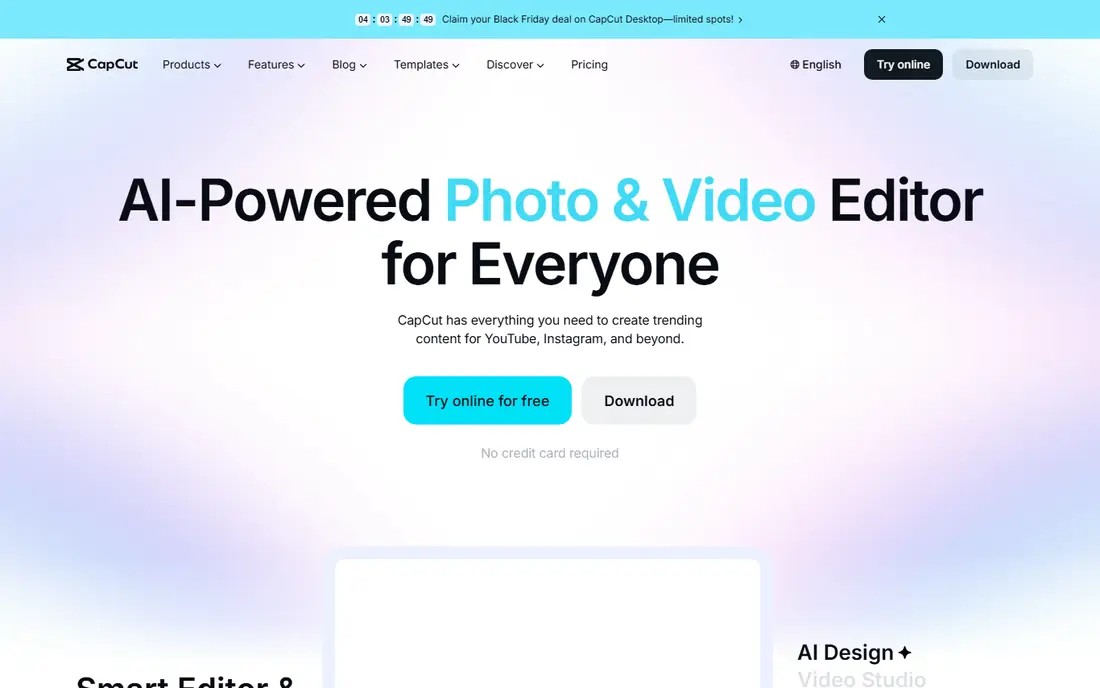
CapCut suits short-form creators who need captions, templates, transitions, and trending effects quickly. Its mobile app is fast for reels and short videos, while the desktop app adds a fuller timeline for longer edits. Auto captions save time, and direct sharing keeps posting simple.
Some premium effects, filters, and higher-quality exports need a Pro plan, so check what the free tier includes for your format. CapCut is best for quick social content, not for long, complex films. For daily posting, its speed is a real advantage.
- Easy templates and captions
- Mobile and desktop apps
- Fast social exports
- Some effects and exports need Pro
- Free exports may include limits

iMovie fits Apple users who want a clean, free editor for family videos, school projects, and simple YouTube content. The timeline is easy to learn, titles and trailers look polished, and sharing to Apple devices is simple. It also handles 4K video on newer Macs and iPhones.
The limits appear when you need multi-cam editing, advanced color tools, or detailed audio mixing, since iMovie keeps controls simple by design. It is also Apple only, so Windows and Android users need another pick. For a first editor on a Mac or iPhone, iMovie is an easy win.
- Free on Apple devices
- Very simple timeline
- Good trailers and titles
- Apple only
- Limited advanced controls
Shotcut suits users who want a free desktop editor with no subscription, no watermark, and broad format support. It handles many video and audio formats, offers filters, transitions, and keyframes, and runs on Windows, Mac, and Linux. That flexibility makes it a solid choice for hobbyists and educators.
The interface is plain compared with CapCut or iMovie, and finding effects takes a little practice. It also lacks the template library that social creators enjoy. If you value freedom, format support, and no cost over polish, Shotcut is a dependable pick.
- Free and open source
- Wide format support
- No watermark
- Interface is plain
- Effects workflow takes learning
OpenShot fits beginners who want a simple desktop timeline without a subscription or watermark. Dragging clips, adding titles, and applying basic transitions takes only minutes, and the app runs on Windows, Mac, and Linux. That simplicity helps students, hobbyists, and small businesses make a first video.
Large projects with many clips or effects can run slowly, and advanced color and audio tools are limited. For short, simple videos, those limits rarely matter. If you want the gentlest desktop start, OpenShot is a good first editor.
- Very simple timeline
- Free and open source
- Cross-platform
- Can be slow on large projects
- Fewer advanced effects
Kdenlive suits editors who want open source freedom with a more flexible timeline than OpenShot. It offers multi-track editing, keyframes, effects, audio scopes, and proxy editing for smoother playback. Linux users in particular benefit, since Kdenlive is well integrated there.
Beginners may find the many panels and settings overwhelming at first, so start with a simple project and learn effects gradually. Windows builds can also vary in stability, so keep project backups. For a free editor with room to grow, Kdenlive is a strong choice.
- Free and open source
- Multi-track timeline
- Many effects and scopes
- Interface can overwhelm beginners
- Windows builds vary
Clipchamp fits Windows users and teams who want a simple editor that runs in a browser. Its templates, text-to-speech, auto captions, and stock media help turn a script or clip set into a finished video quickly. Microsoft integration also helps for school and work accounts.
The free tier limits some premium stock, filters, and export options, so check the current plan before a large project. Browser editing also needs a stable connection for smooth uploads and exports. For quick work videos and social posts, Clipchamp is convenient.
- Works in a browser
- Templates and stock media
- Simple sharing
- Free tier limits some assets and exports
- Needs a good internet connection
Lightworks suits editors who want a pro-style timeline and precise trimming without paying upfront. Its editing heritage includes feature films, and the free version covers core editing, effects, and titles. That focus on trimming and timeline control appeals to editors who value craft over templates.
Free exports are limited to 720p, which is fine for drafts and social previews but not for final 4K delivery. The interface also takes time to learn, since it follows a professional layout. If you want to learn pro editing habits for free, Lightworks is a useful training ground.
- Professional timeline heritage
- Free version for editing
- Precise trimming
- Free exports are limited to 720p
- Interface takes learning
VN Video Editor fits mobile creators who want a multi-track timeline, keyframes, and clean exports without a watermark on the free tier in many cases. It supports 4K export, curves, masks, and music tools, which go beyond most free mobile editors. That depth makes it popular for reels, vlogs, and travel videos.
The desktop version is newer than the mobile app, so desktop users may find fewer guides. Some advanced features and assets also need a subscription. For phone-first editing with a pro feel, VN is one of the best free options.
- Multi-track mobile timeline
- No watermark on free exports in many cases
- Keyframes
- Desktop version is newer
- Some features need a subscription
How we picked these
We compared official feature pages, download pages, app store listings, and public reviews, and we favored editors with a real free tier, clear export rules, and current versions for 2026. We did not claim hands-on testing. We included desktop, mobile, and browser options, since the best free editing app depends on device and project type.
How to choose free editing software
Start with your device and your video length. A phone editor suits short social clips, while a desktop editor suits longer YouTube videos, documentaries, and multi-track projects. Check export resolution, watermark rules, and format support before you invest hours in a project.
Desktop versus mobile
Desktop editors offer larger timelines, better audio tools, and smoother handling of long projects. Mobile editors offer speed, templates, and on-the-go posting, but small screens make precise trimming harder. Many creators use both: a mobile app for a quick cut, and a desktop app for the final version.
Learning curve and exports
A simple editor helps you finish a first video, while a complex editor helps you grow over months. If you plan to post often, pick an editor you enjoy opening, not just the most powerful one. Always test an export early, so watermark or resolution limits do not surprise you at the end.
FAQ
What is the best free editing software overall?
DaVinci Resolve is the best free editing software overall for desktop users who want professional tools without a watermark. For mobile users, VN and CapCut are simpler, while iMovie is best for Apple beginners.
What is the best free video editing software without a watermark?
DaVinci Resolve, Shotcut, OpenShot, and Kdenlive offer free exports without a watermark, which makes them good for finished videos. Always check the current free terms, since mobile and browser editors may vary by plan or export type.
What are the best free editing apps for mobile?
CapCut and VN are the best free editing apps for mobile, with CapCut winning on templates and VN winning on timeline control. iMovie is best on iPhone, while Clipchamp suits quick browser edits on Windows.
What is the best video editing software for free on Windows?
DaVinci Resolve and Shotcut are strong free choices on Windows, with Resolve offering more pro tools and Shotcut offering a lighter, open source option. Clipchamp is also convenient for quick browser-based edits.
Is free editing software good enough for YouTube?
Yes, DaVinci Resolve, Kdenlive, and Shotcut can produce YouTube-ready videos, including 1080p and 4K exports depending on your computer. Free tools cover most YouTube needs, though paid tools may add templates, stock, and faster support.
Do free editors limit video length or exports?
Some free editors limit export resolution, premium assets, or cloud features, while open source editors usually do not limit length. Lightworks free exports, for example, are limited to 720p, so check export rules before starting a long project.