Best Free AI Image Generator Apps in 2026: 8 Apps Compared
Compare the best free AI image generator apps, with free credits, paid upgrades, and tips for choosing the right app for your work. Updated for October 2026.
- Editor's choice
 Microsoft Designer
Quick free images with AI
Starts atFreeVisit designer.microsoft.comFull review - Great alternative
 Adobe Firefly
Commercially cautious design
Starts atFreeVisit adobe.comFull review - Also consider
 Leonardo AI
Daily free creation and styles
Starts atFreeVisit leonardo.aiFull review
TL;DR:
- Microsoft Designer, Adobe Firefly, and Canva are the easiest free starting points, since they pair image generation with design tools.
- Leonardo AI and Ideogram offer stronger free allowances for daily creation, with Leonardo giving about 150 tokens per day in recent tests.
- Craiyon and Playground AI suit casual users who want quick, free images without a paid plan.
- Free plans differ on commercial use, privacy, and image ownership, so read the terms before using an image for a business.
Quick comparison
| Tool | Best for | Starts at | Free plan? | |
|---|---|---|---|---|
| Microsoft Designer | Quick free images with AI | Free | Yes | Visit |
| Adobe Firefly | Commercially cautious design | Free | Yes | Visit |
| Leonardo AI | Daily free creation and styles | Free | Yes | Visit |
 Ideogram | Images with readable text | Free | Yes | Visit |
 Craiyon | Simple, no-fuss free images | Free | Yes | Visit |
 Playground AI | Beginners and social content | Free | Yes | Visit |
 Recraft | Brand-style images and vectors | Free | Yes | Visit |
 Canva | Images inside full designs | Free | Yes | Visit |
The best free AI image generator apps
We compared official pricing pages, app listings, and 2026 free-plan tests to find image generators that offer a real free tier today, not just a short trial.
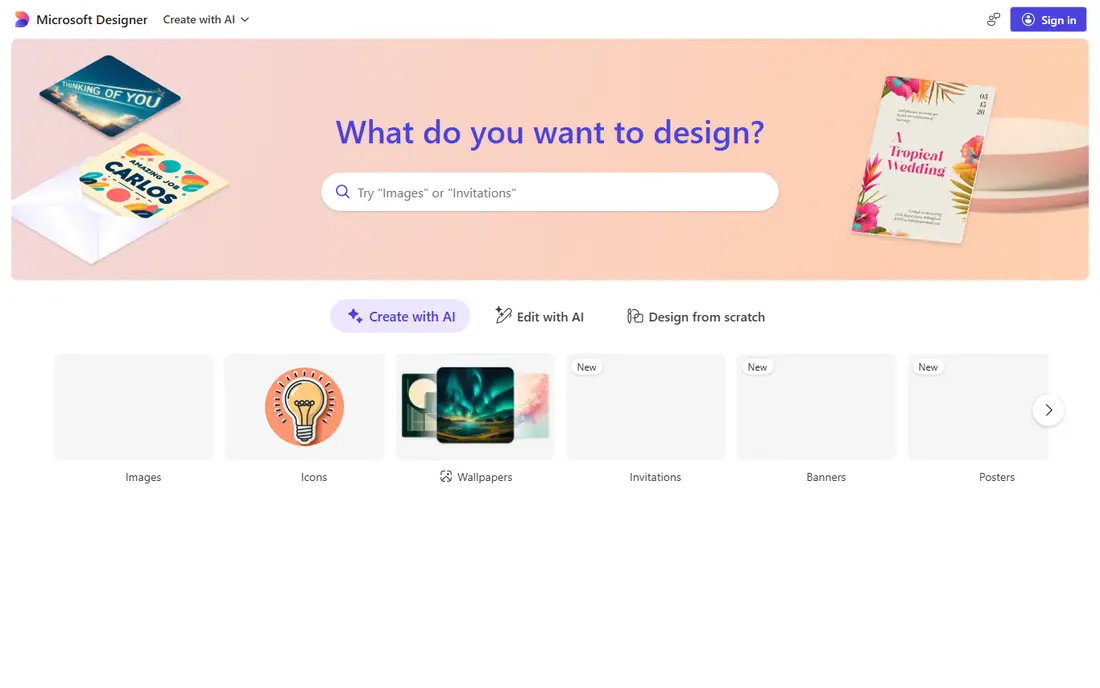
Microsoft Designer, formerly Bing Image Creator, is the simplest free entry point for most users. You type a prompt, get several images, and resize or edit them for social posts, slides, or posters. A Microsoft account gives a monthly credit allowance, with about 15 credits per month in recent tests, at one credit per image.
The limit is volume. Fifteen images a month suits occasional use, but daily creators will run out fast. Paid Copilot plans add more credits, but most casual users will not need them. If you want a free, low-friction way to try AI images, Designer is a good first stop, especially for Windows and Microsoft 365 users.
- Free image generation with a Microsoft account
- Simple prompt box
- Easy resizing for posts
- Free credits are limited per month
- Only a few image sizes in some tests
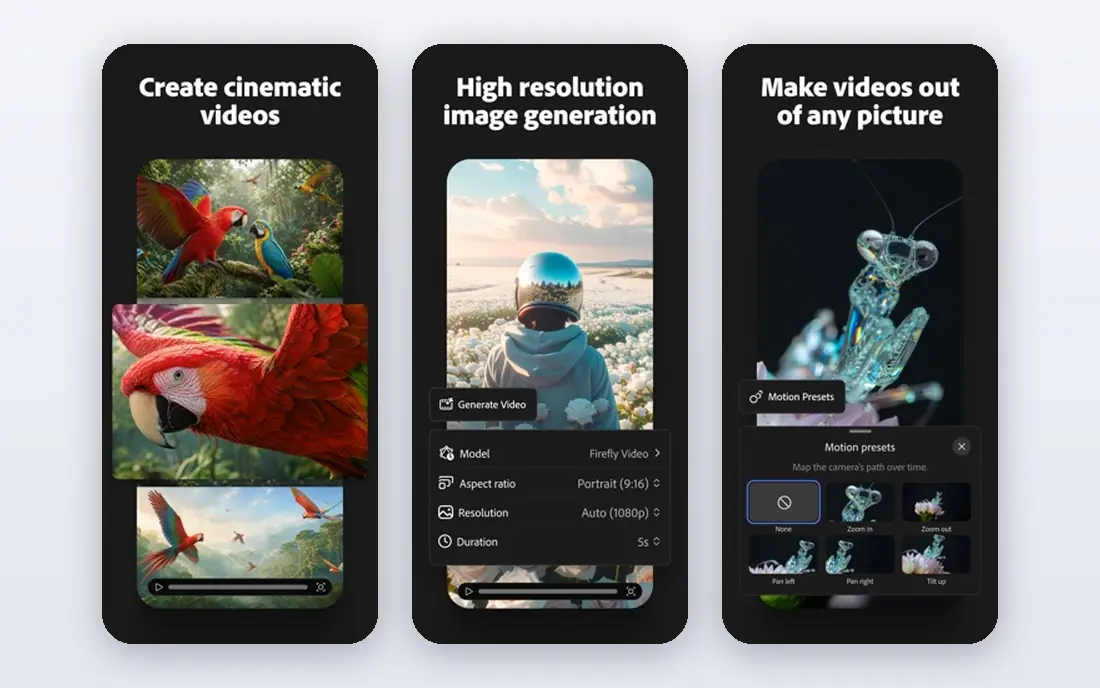
Adobe Firefly appeals to designers and businesses that care about licensing. Its models are trained on licensed Adobe Stock content and public domain material, which Adobe presents as commercially safer than models trained on scraped web images. Generative Fill lets you edit part of an image, such as removing an object or extending a background, inside the same app.
The free plan offers a daily allowance of generations, with paid plans starting near $9.99 per month for 2,000 generative credits. That free allowance suits testing and occasional posts, but regular commercial work needs a paid plan. For business use where licensing matters, Firefly is our top free pick, even with its limits.
- Models trained on licensed Adobe Stock content
- Generative Fill for edits
- Daily free generations
- Free credits are limited
- Paid plans start near $9.99 per month for more credits

Leonardo AI offers one of the most generous free allowances here, with about 150 tokens per day in recent tests, enough for many images at standard settings. The platform covers many models and styles, from photorealistic images to game art and illustration, plus a canvas editor for refining results. That range suits hobbyists, game developers, and creators who experiment daily.
Free images are public, so do not generate private or sensitive ideas on the free tier. Paid plans start near $10 per month and add private mode, more tokens, and priority queues. For daily free creation with real variety, Leonardo is hard to beat, as long as you accept the public default.
- About 150 free tokens per day in recent tests
- Many models and styles
- Canvas editor
- Free images are public by default
- Private mode needs a paid plan
Ideogram stands out for one job: putting readable words inside an image. Most generators garble text, but Ideogram handles posters, signs, logos, and social graphics with far fewer spelling errors. Magic Prompt can expand a short prompt into a fuller description, which helps new users get better results without prompt skill.
The free tier offers a limited credit balance, with about 30 credits on an account in one recent test, at three credits per low-quality image. Paid plans start near $8 per month and raise credits and quality. If your main need is posters, invitations, or graphics with text, Ideogram should be your first free trial, even if you use another app for general art.
- Strong text rendering for posters and logos
- Magic Prompt helps improve prompts
- Clean interface
- Free credits are limited
- Higher quality images use more credits
Craiyon, formerly DALL-E Mini, is the simplest free generator on this list. You type a prompt and get images in under a minute, with no account needed for basic use. That ease suits kids, classrooms, brainstorming, and anyone who wants a quick visual idea without signing up or learning settings.
Quality is the trade-off. Images are rougher and less detailed than Leonardo, Firefly, or Ideogram, and the free tier carries ads. Paid plans remove ads and raise speed and quality, but most users who need polished results will move to another app. For fun, quick ideas, and first-time users, Craiyon remains a useful free starting point.
- Free without an account for basic use
- Very simple interface
- Fast results
- Image quality is lower than paid rivals
- Ads on the free tier
Playground AI is built for beginners who want social content fast. You pick a style, type a prompt, and get images sized for posts, profiles, or stories, with filters and edits to polish the result. The free tier has offered generous daily allowances in past tests, though exact limits change, so check the current free plan on the vendor site.
Paid plans start near $15 per month in some listings and add more images, faster generation, and commercial options. For a new creator who wants to learn prompting without paying, Playground is a friendly place to start. If you need consistent daily volume for business, check the current free limit before relying on it.
- Free daily images for beginners
- Many styles and filters
- Easy social post sizes
- Free allowance varies and can change
- Some features need a paid plan
Recraft suits designers who need brand-style images, logos, and icons that stay editable. Unlike most generators that output only raster images, Recraft can produce vector artwork that scales cleanly for print and logos. Style controls help keep a set of images consistent, which matters for a brand or a product line.
The free tier offers about 30 credits per day in recent tests, with a monthly cap, but free images are public and, under some terms, not for commercial use. Paid plans start near $12 per month and add commercial rights and more credits. For logo and icon work, Recraft is a unique free pick, as long as you check the license for your use case.
- Vector output for logos and icons
- Brand style controls
- Clean, editable results
- Free images are public and not for commercial use in some terms
- Daily credits are limited
Canva is the best free pick when the image is only part of a design. Its Magic Media tools generate images inside a post, presentation, flyer, or social graphic, so you can edit text, layout, and branding around the image without switching apps. The free plan offers up to about 20 AI uses per month in recent tests, which suits occasional design work.
Pro at about $15 per month adds more AI uses, premium assets, and brand tools. Canva image quality is solid for social and marketing graphics, though it is less specialized than Ideogram for text or Leonardo for art styles. For most small businesses and creators, Canva's free tier plus its templates cover the whole design job, not just the image.
- AI images inside templates for posts and presentations
- Editable designs
- Huge asset library
- Free AI uses are capped at about 20 per month
- Best results need a paid plan for more uses
How we picked these
We compared official pricing pages, app listings, and October 2026 free-plan tests, and we favored apps that offer a permanent free tier, not just a short trial. We included design-integrated tools and pure generators, since users need both kinds. Free credit counts change often, so we note where a figure comes from a recent test and advise checking the vendor page before relying on it.
What to check before you choose
Start with your use case. If you need posters with text, pick Ideogram. If you need logos or vectors, pick Recraft. If you need daily art, pick Leonardo. If you need full designs, pick Canva or Designer. Next, check commercial rights, privacy, and whether free images are public, since those terms matter more than a small quality gap. Finally, test the same prompt in two apps, since style and text handling differ a lot.
Use AI images safely and honestly
Do not use AI image apps to create images of real people without permission, to copy a living artist's style for sale, or to mislead viewers about a real event. Check each app's content rules, and disclose AI use where a client, platform, or audience expects it. For business images, a paid plan with clear commercial rights is safer than a free tier with public or non-commercial terms.
FAQ
What is the best free AI image generator app?
Microsoft Designer and Adobe Firefly are the easiest free starting points, while Leonardo AI offers the most generous daily free allowance. Ideogram is best for images with text, and Canva is best when the image sits inside a full design. The best app depends on whether you need art, text, vectors, or a finished post.
What are the best free AI image generator tools for commercial use?
Adobe Firefly is the most cautious pick for commercial use, since its models use licensed content, though paid plans give clearer rights. Canva Pro and Leonardo paid plans also offer commercial options. Always read the license for your exact plan, since free tiers often limit commercial use or make images public.
Is there a truly free AI image generator with no sign-up?
Craiyon offers basic free generation without an account, though quality is lower and ads appear. Most stronger generators need an account for free credits, since credits control cost. If you want no sign-up at all, Craiyon is the simplest option on this list.
How many free images can I generate per day?
It varies by app and changes often. Leonardo has offered about 150 tokens per day, Firefly offers a daily allowance, and Designer offers about 15 credits per month. Ideogram, Recraft, and Canva use credit or monthly caps rather than a simple daily count. Check the vendor page on the day you sign up.
Can free AI image generators make logos?
Yes, but with limits. Recraft is best for logos, since it outputs vectors that scale cleanly. Ideogram helps when a logo needs readable text. For a final business logo, check commercial rights, test the design at small sizes, and consider a designer review before using it as your main brand mark.