Best Forecasting Tools in 2026: 8 Tools Compared
Compare the best forecasting tools for sales, finance, and demand planning in 2026, with features, integrations, scenarios, and current pricing for planning.
- Editor's choice
 Anaplan
Enterprise connected planning
Starts atSee websiteVisit anaplan.comFull review - Great alternative
 Pigment
Modern business planning
Starts atSee websiteVisit pigment.comFull review - Also consider
 Vena
Excel-native FP&A
Starts atSee websiteVisit venasolutions.comFull review
TL;DR:
- Anaplan is our pick for enterprise connected planning, where sales, finance, and workforce plans must move together.
- Pigment suits mid-market teams that want modern, visual planning without a heavy enterprise build.
- Vena and Datarails suit finance teams that want to stay in Excel with governed data underneath.
- Clari and Aviso suit sales leaders who need pipeline forecasting tied to CRM data.
- Most large forecasting platforms are quote-only, so budget for implementation as well as licence cost.
Quick comparison
| Tool | Best for | Starts at | Free plan? | |
|---|---|---|---|---|
| Anaplan | Enterprise connected planning | See website | No | Visit |
| Pigment | Modern business planning | See website | No | Visit |
| Vena | Excel-native FP&A | See website | No | Visit |
 Datarails | Governed Excel planning | See website | Free trial | Visit |
 Workday Adaptive Planning | Planning inside Workday | See website | No | Visit |
 Clari | Sales pipeline forecasting | See website | No | Visit |
 Aviso | AI sales forecasting | See website | No | Visit |
 Jirav | Small business financial forecasting | See website | Free trial | Visit |
The best forecasting tools
Forecasting tools cover two main jobs: financial planning, where finance models revenue, costs, and headcount, and sales forecasting, where sales leaders predict pipeline outcomes. We compared official feature pages, pricing pages, and public reviews, and we mixed both kinds.

Anaplan is our pick when forecasting must drive hiring, budgets, and territory plans together. Its connected planning model links sales forecasts to headcount, incentives, and profit plans, so a change in one area flows through the others. Scenario modelling with best, probable, and worst cases helps leaders test decisions before they commit.
That power comes with cost and complexity. Pricing is not published, implementation often runs through partners, and model upkeep needs skilled staff. If your forecasting decisions do not drive hiring and budgets, a lighter tool may be enough. If they do, Anaplan belongs on the shortlist.
- Connected planning across sales, finance, and workforce
- Strong scenario modelling
- Large enterprise scale
- Quote-only pricing
- Model building and upkeep need expertise
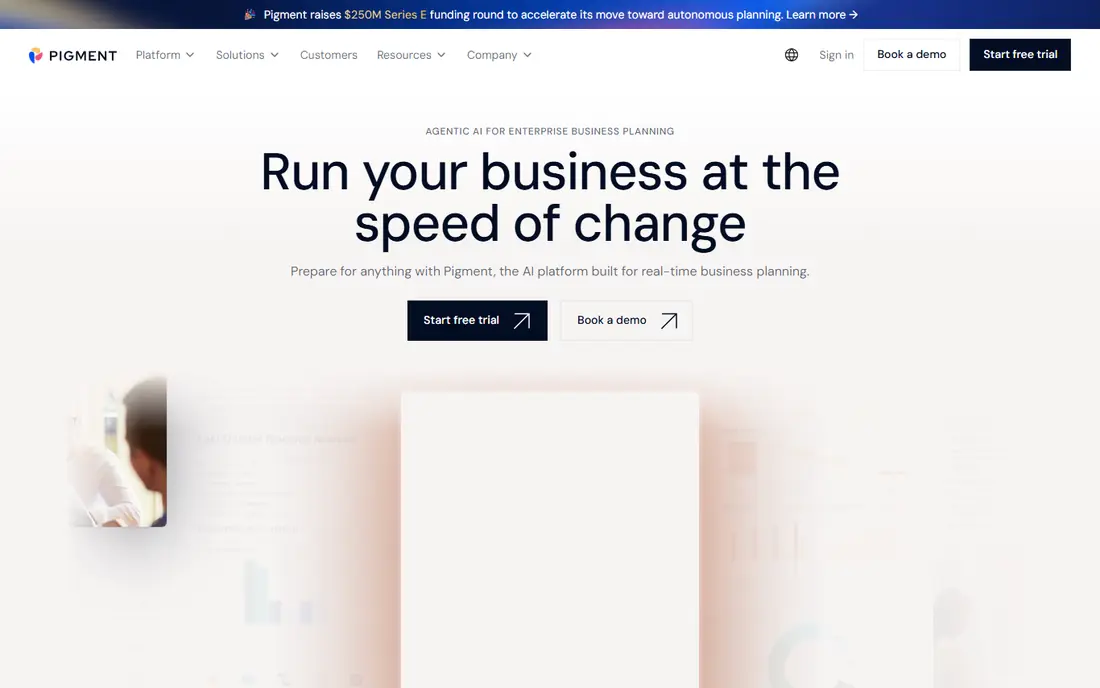
Pigment suits mid-market and growing companies that want Anaplan-style connected planning with a more modern interface. Finance and revenue teams can build models, run scenarios, and share dashboards without the heavier enterprise build that Anaplan often needs. Its visual boards make assumptions easier to see, which helps non-finance managers join the planning process.
Pricing is by quote, so small firms should confirm the total cost early. Pigment is also newer than the largest enterprise vendors, which may matter for very large global firms. For a fast-growing company that outgrew spreadsheets, Pigment is a strong modern pick.
- Visual, modern planning interface
- Links revenue plans to profit, headcount, and cash flow
- Strong customer support ratings
- Quote-only pricing
- Newer vendor than Anaplan or Workday

Vena is built for finance teams that do not want to leave Excel. Models, forecasts, and reports live in a familiar spreadsheet interface, while Vena adds governed data, workflows, and version control underneath. That combination reduces the retraining that a new planning platform often requires, and it keeps Excel skills useful.
The risk is that old spreadsheet habits can persist, including messy models and manual steps. Vena helps with governance, but the team still needs discipline. For a Microsoft shop with a finance team loyal to Excel, Vena is a natural fit.
- Keeps finance teams in Excel
- Governed data and workflows underneath
- Strong Microsoft integration
- Quote-only pricing
- Excel habits can carry over into models
Datarails takes a similar Excel-native path, with an emphasis on governed data and automated reporting. Finance teams can build forecasts in Excel, pull data from ERPs and CRMs, and share dashboards without rebuilding models in a new language. That setup is often faster than a large enterprise platform, which helps mid-market firms.
Datarails is a finance tool first, so sales leaders who need pipeline forecasting should look at Clari or Aviso instead. For a finance team that wants better forecasts without leaving Excel, Datarails is a strong option.
- Excel-native planning with governed data
- AI-ready reporting
- Faster setup than large enterprise platforms
- Quote-only pricing for full plans
- Best suited to finance teams, not sales-only forecasting
Workday Adaptive Planning suits companies already running Workday for HR or finance. Planning models draw on workforce and financial data already in Workday, which cuts integration work and keeps headcount plans tied to finance plans. Controls and audit trails suit larger firms with formal planning cycles.
Companies outside Workday get less value, since the native integration is the main benefit. Pricing is also by quote, with implementation costs to consider. For a Workday customer, it is the most direct forecasting choice.
- Native fit for Workday customers
- Workforce, finance, and sales planning in one system
- Strong controls
- Quote-only pricing
- Best value inside the Workday ecosystem
Clari is the leading pick for sales leaders who need a trustworthy pipeline number. It pulls CRM data, tracks deal activity, and surfaces risk signals such as stalled deals or missing next steps. Revenue leaders can compare rep forecasts with system forecasts, which helps spot bias and gaps before quarter end.
Clari depends on CRM hygiene. If reps do not update deals, the forecast will reflect bad data, no matter how good the tool is. Pricing is by quote, and the platform suits teams with a real CRM process already in place. For a sales-led company, it is worth a demo with your own pipeline data.
- Pipeline forecasting tied to CRM data
- Deal inspection and risk signals
- Revenue team dashboards
- Quote-only pricing
- Needs clean CRM data to work well
Aviso offers AI-driven sales forecasting, using CRM data, rep activity, and historical patterns to predict outcomes. Its dashboards help leaders see which deals are likely to close, which are at risk, and where coaching is needed. For a large sales team with many deals, that pattern spotting is hard to do by hand.
Treat accuracy claims with care. No vendor can guarantee accuracy on your pipeline, since deal quality and market conditions vary. Run a back-test on past quarters during a trial, and compare the system forecast with rep forecasts. If Aviso beats both on your data, it earns its price.
- AI forecasting from CRM and activity data
- Deal and pipeline insights
- Revenue team workflows
- Quote-only pricing
- AI claims need testing on your own pipeline
Jirav suits small and mid-size firms that need financial forecasting without an enterprise platform. It connects to accounting systems, builds driver-based forecasts for revenue and headcount, and shows cash flow and hiring scenarios in dashboards. That driver-based approach helps a growing firm plan hiring against revenue, rather than guessing.
Jirav lacks the enterprise depth of Anaplan or Workday, so very large firms may outgrow it. For a small business moving beyond spreadsheets, it is a practical step up, with a trial to test the fit before a quote.
- Financial forecasting for smaller firms
- Connects to accounting and HR systems
- Dashboards and scenarios
- Pricing requires a quote for full plans
- Less enterprise depth than Anaplan
How we picked these
We compared official feature pages, pricing pages, and public reviews for tools that forecast sales, finance, or demand as a core job. General business intelligence tools without a forecasting workflow did not qualify. We kept only tools still offered in 2026, and we mixed enterprise planning, Excel-native FP&A, sales forecasting, and small business tools so different buyers are covered.
What to check before you choose
Start with the decision the forecast must support. A sales forecast supports pipeline and quota decisions, while a financial forecast supports hiring and budget decisions. Those are different tools, and buying one to do the other leads to disappointment. Next, check data sources. A forecasting tool is only as good as the CRM, ERP, or accounting data behind it, so audit data quality before you buy.
Also check implementation time and total cost. Enterprise platforms need model building, training, and upkeep, which can cost as much as the licence in the first year. Run a trial with your own data, test scenarios that matter to you, and compare the forecast with past actuals. The best forecasting tool is the one that improves decisions on your data, not on a vendor demo.
FAQ
What are the best forecasting tools for finance teams?
Anaplan, Pigment, Vena, Datarails, and Workday Adaptive Planning are the strongest finance picks. Vena and Datarails suit Excel-native teams, Pigment suits modern mid-market planning, and Anaplan suits large enterprise connected planning.
What is the best tool for forecasting sales?
Clari and Aviso are the strongest sales forecasting picks, since both tie forecasts to CRM data and deal activity. Clari leads on pipeline inspection, while Aviso leads on AI pattern spotting. Test both on your own pipeline data before choosing.
How much do forecasting tools cost?
Most large forecasting platforms are quote-only, with enterprise contracts often reaching five or six figures per year. Smaller tools such as Jirav may cost less, but pricing still requires a quote in many cases. Get a written total that covers licence, implementation, and support.
Can forecasting tools replace spreadsheets?
They can reduce spreadsheet work, but they do not remove it entirely. Excel-native tools such as Vena and Datarails keep spreadsheets with better governance, while Anaplan and Pigment move modelling into a platform. The goal is governed, shared forecasts, not zero spreadsheets.
How accurate are AI forecasting tools?
Accuracy varies by data quality, market conditions, and deal complexity. Vendor accuracy claims usually reflect best cases, not your pipeline. Back-test any tool on past quarters, compare it with rep forecasts, and treat the system forecast as one input, not a guarantee.