Best Flight Tracker Apps in 2026: 8 Apps Compared
Compare the best flight tracker apps in 2026, from Flightradar24 and FlightAware to Flighty, with free plans, alerts, maps, and delay help for travellers.

- Editor's choice
 Flightradar24
Live maps and aircraft detail
Starts atSee websiteVisit flightradar24.comFull review - Great alternative
 FlightAware
Free flight status and alerts
Starts atFreeVisit flightaware.comFull review - Also consider
 Flighty
Frequent flyers and delay help
Starts atSee websiteVisit flighty.comFull review
TL;DR:
- Flightradar24 is the best all round choice for live maps, aircraft detail, and worldwide coverage.
- FlightAware is a strong free option for flight status, delays, and simple alerts.
- Flighty is worth paying for if you fly often and want delay predictions and clear trip timelines.
- Free plans cover basic tracking well, but history, weather layers, and advanced alerts usually need a paid plan.
Quick comparison
| Tool | Best for | Starts at | Free plan? | |
|---|---|---|---|---|
| Flightradar24 | Live maps and aircraft detail | See website | Yes | Visit |
| FlightAware | Free flight status and alerts | Free | Yes | Visit |
| Flighty | Frequent flyers and delay help | See website | Yes | Visit |
 Plane Finder | Simple live plane maps | See website | Yes | Visit |
 RadarBox | Aviation fans and data depth | See website | Yes | Visit |
 FlightStats | Airport and flight status checks | See website | Yes | Visit |
 App in the Air | Trip organisation and tracking | See website | Yes | Visit |
 FlightBoard | Departure boards and airport views | See website | Yes | Visit |
The best flight tracker apps
The best flight tracker app depends on whether you are meeting someone, flying yourself, or following planes for fun. These eight cover live maps, status alerts, trip planning, and airport boards, with free options for occasional use.
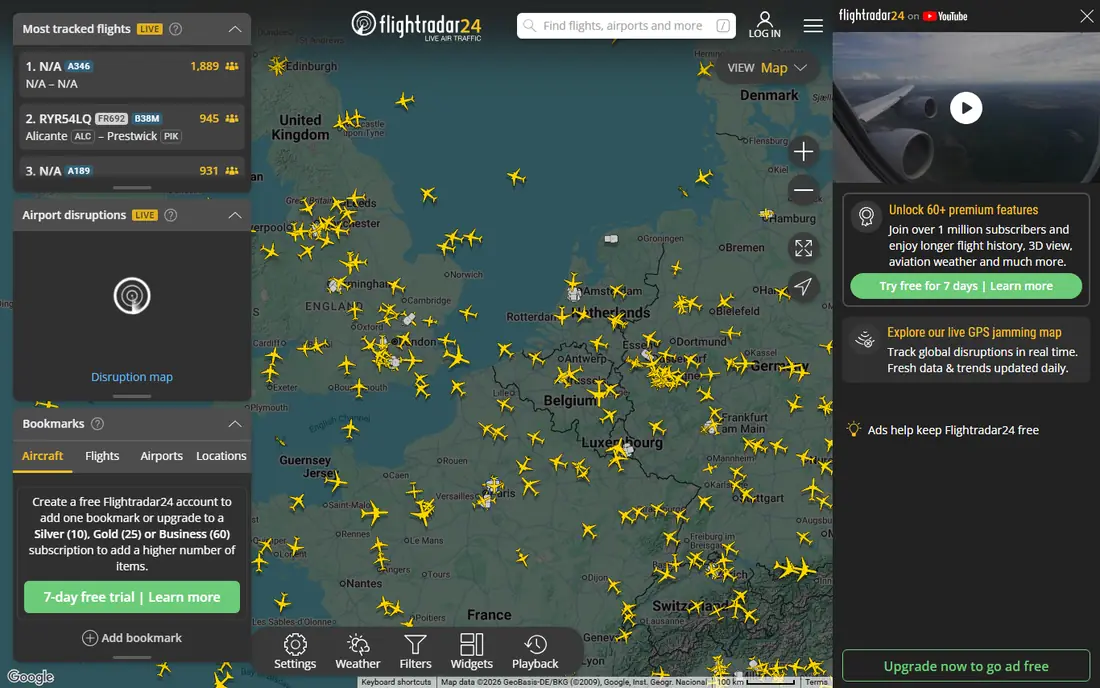
Flightradar24 is our pick for most people because the map is the product. Open it, tap a plane, and you can see its route, speed, altitude, aircraft type, and estimated arrival, with a clean map that is easy to read at a glance. Pointing your phone at the sky to identify a plane overhead is a nice extra, but the core strength is reliable live tracking for commercial flights.
The free plan is enough for checking a family member flight or watching a plane you are about to board. Paid Silver and Gold plans add longer flight history, more aircraft detail, filters, alerts, and weather layers. If you only track a few flights a year, free is fine. If you follow aviation daily, the paid tiers remove the friction that free users notice first.
- Large live map with worldwide coverage
- Detailed aircraft and route data
- 3D view and playback for past flights
- Free version has ads and session limits
- Advanced weather and history need a paid plan
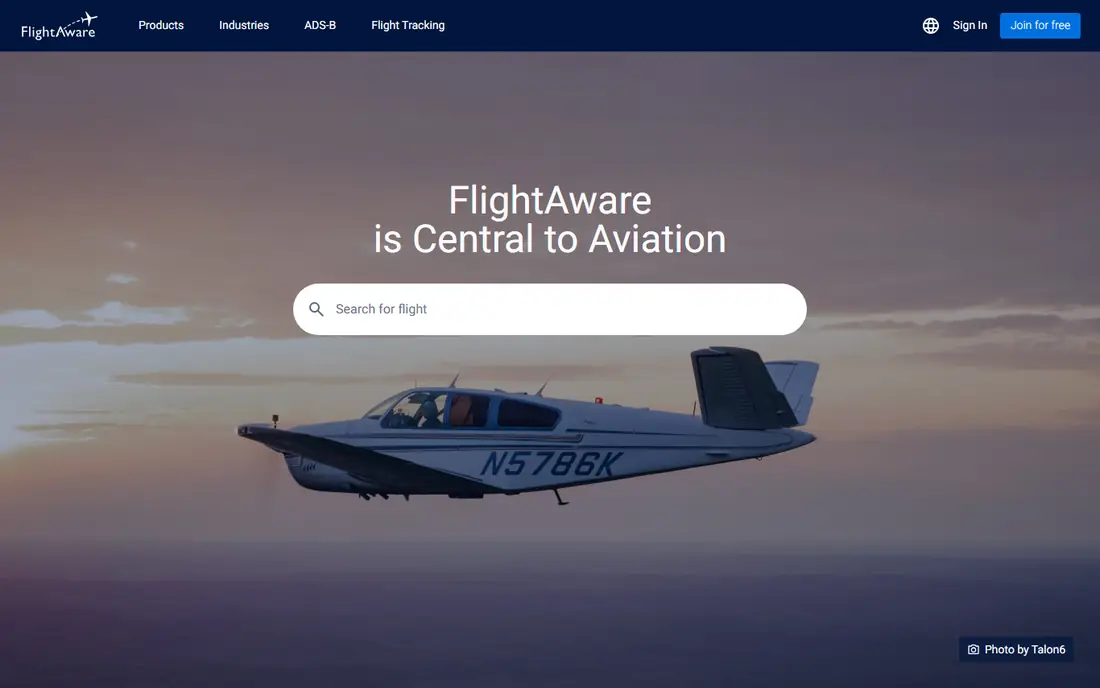
FlightAware is the practical choice when you need a clear answer, not a map to explore. Search by flight number, route, or airport, and you get status, departure and arrival times, delay reasons when available, and gate details. Alerts by email or push can tell you when a flight departs, lands, or changes, which helps when picking someone up.
It is less fun for plane spotting than Flightradar24, and the map view feels more functional than visual. For travellers and families, that trade off is often a plus. You get the facts quickly, without paying, and without learning a hobbyist tool.
- Free status, delays, and gate information
- Useful alerts
- Broad airport and airline coverage
- Map is less polished than Flightradar24
- Some advanced features suit business users more

Flighty is built for people who fly often and want to stay ahead of problems. It presents a trip as a timeline, from check in to landing, and highlights delays, gate changes, and tight connections in a way that is easy to act on. Frequent flyers often value its delay predictions, which can give you time to change plans before an airline app updates.
Casual users may not need the paid plan, since free tracking covers basic status. The value appears when you fly several times a year, manage connections, or travel with family and want one clear view of every leg. If you fly once a year, FlightAware or Flightradar24 will do the job for free.
- Clear trip timelines
- Early delay warnings
- Useful for connections and rebooking decisions
- Paid plan is needed for full features
- Less suited to casual plane spotting
Plane Finder keeps live tracking simple. The map shows planes in your area and around the world, with labels for flight number, route, and aircraft type. It is a good choice for children learning about planes, for spotters, and for anyone who wants to see what is overhead without a complex menu.
It is not the best tool for managing a full trip, since it focuses on live positions rather than itineraries, delays, and airport services. Pair it with a status app if you need alerts, or use it alone if live maps are the main reason you open a tracker.
- Easy live map
- Useful aircraft labels
- Good for spotting and casual tracking
- Fewer trip tools than Flighty
- Paid features vary by platform
RadarBox appeals to people who want more than a dot on a map. It offers detailed aircraft information, fleet views, and playback tools that help you study a route, a delay, or an unusual flight path. Aviation fans, students, and professionals who follow fleets will find depth here that simpler apps do not try to match.
New users should expect a learning curve. Menus and data fields are built for people who already know terms like squawk, altitude, and ground speed. If you only need arrival times, start with FlightAware. If you enjoy digging into flight data, RadarBox rewards the extra time.
- Detailed flight and fleet data
- Historical playback
- Strong coverage for enthusiasts
- Interface can feel technical for new users
- Some data features need a paid plan
FlightStats is a solid web first option when you want a fast status check. Enter a flight number or browse an airport, and you can see departures, arrivals, and delays without installing an app or creating an account. That makes it handy on a shared computer, at work, or when a phone battery is low and you need one answer.
It does not try to be a plane spotting app, and its maps and alerts are lighter than Flightradar24 or Flighty. Use it as a quick reference, especially for airport wide delay checks, and keep a dedicated app for live maps and push alerts on travel day.
- Quick status by flight, route, or airport
- Useful for checking delays across an airport
- No app install needed for web use
- Less visual than map based trackers
- Alert options are simpler than dedicated apps
App in the Air is for travellers who want one place for a whole trip, not just one flight. It can hold itineraries, boarding passes, and flight status together, with airport information that helps you find gates, lounges, and transport. On a multi leg trip, that organisation saves time compared with juggling airline apps and email confirmations.
The free plan covers basic trips, but some of the most useful extras need a subscription, so check the current plan before a big trip. If you already use a trip manager, you may only need a tracker. If you want trips and tracking in one app, this is a strong option.
- Combines trips, boarding passes, and flight tracking
- Helpful airport tips
- Offline access for key trip details
- Some features have moved behind paid plans over time
- Interface can feel crowded
FlightBoard recreates the airport departure board on your phone, which is exactly what many people need. Search an airport, see departures and arrivals in a familiar board format, and tap a flight for status. It is fast, easy to read, and useful when you are meeting someone and only care about one airport.
It is not a replacement for a live map app if you want to follow a plane across an ocean. Think of it as a focused tool for airport days, and pair it with Flightradar24 if you also enjoy watching the route. For families waiting at arrivals, its simplicity is a strength.
- Clear departure and arrival boards
- Fast airport search
- Good for meeting travellers
- Fewer live map features
- Less detail on aircraft and routes
How we picked these
We compared official feature pages, pricing pages, and app listings for flight trackers widely available in the United States in October 2026. We looked for live tracking accuracy, status and alert quality, ease of use on travel day, and a usable free option. We also included different styles, from live maps to trip managers and airport boards, because the best app for a plane spotter is not always the best app for a parent waiting at arrivals.
How to choose the right flight tracker
Start with your main job on travel day. If you want to watch a plane, choose Flightradar24 or Plane Finder. If you want a clear status and alerts, choose FlightAware or Flighty. If you want a whole trip in one place, App in the Air makes sense, and if you only care about one airport, FlightBoard is enough.
Check alert settings before you need them. Turn on departure, delay, and arrival alerts for the flights that matter, and test them on a short flight if you can. Also check whether the app needs an account, whether it works offline for saved trips, and whether paid features are billed monthly or yearly. A free app that you understand beats a paid app you open for the first time at the airport.
Remember that tracker data comes from many sources, and times can differ slightly from the airline app. When a gate or boarding decision depends on it, confirm with the airline or airport display. Use trackers for planning and peace of mind, and use the airline as the final source for boarding.
FAQ
What is the best flight tracker app free?
FlightAware is our best free pick for status and alerts, while Flightradar24 free is best for live maps. Both cover basic tracking without paying, and you can use them together on travel day.
What is the best app to track flights for frequent flyers?
Flighty is the strongest choice for frequent flyers, thanks to clear timelines and early delay warnings that help with connections. FlightAware remains a good free backup for status checks.
What is the best flight tracking app for plane spotting?
Flightradar24 is best for plane spotting, with a detailed live map, aircraft data, and playback. Plane Finder and RadarBox are also good, especially if you want a simpler map or deeper fleet data.
Why does a tracker show a different time from the airline app?
Trackers combine data from airlines, airports, and aircraft signals, and updates can arrive at slightly different times. Small differences are normal, so confirm gate and boarding times with the airline before heading to the gate.
Do flight tracker apps work for private and cargo flights?
Coverage varies by aircraft and region. Commercial flights are usually well covered, while some private, military, and sensitive flights are restricted or not shown. Check the app coverage notes for your area if this matters to you.
Can I track a flight without knowing the flight number?
Yes, in most apps you can search by route, airline, airport, or departure time. Flight number gives the most precise result, but route and airport search works well when you only know where and when someone is flying.