Best Expense Reporting Dashboard Software in 2026: 8 Tools Compared
Compare the best expense reporting dashboard software for teams, with receipt scanning, approvals, cards, dashboards and pricing explained in 2026 in detail.

- Editor's choice
 Ramp
Cards plus expenses free to start
Starts atFreeVisit ramp.comFull review - Great alternative
 Brex
Startups and scaling companies
Starts atFreeVisit brex.comFull review - Also consider
 Expensify
Expense reports without new cards
Starts at$5 per monthVisit expensify.comFull review
TL;DR:
- Card-first tools such as Ramp and Brex offer a free core platform, while classic tools such as Expensify work with cards you already carry.
- A good dashboard should show spend by person, category and project in real time, not only at month-end close.
- Receipt scanning, policy rules and accounting connections save more time than a pretty chart on its own.
- Check card approval, per-user fees and platform fees before choosing, because the headline price rarely tells the full story.
Quick comparison
| Tool | Best for | Starts at | Free plan? | |
|---|---|---|---|---|
| Ramp | Cards plus expenses free to start | Free | Yes | Visit |
| Brex | Startups and scaling companies | Free | Yes | Visit |
| Expensify | Expense reports without new cards | $5 per month | Yes | Visit |
 Zoho Expense | Budget teams and Zoho users | $4 per month | Yes | Visit |
 Navan | Travel plus expense in one app | See website | Yes | Visit |
 BILL Spend and Expense | Teams already using BILL | Free | Yes | Visit |
 SAP Concur | Large enterprises with complex policy | See website | No | Visit |
 Emburse | Audited enterprise expense workflows | See website | Free trial | Visit |
The best expense reporting dashboard software
An expense dashboard should answer three questions at a glance: who spent what, whether it followed policy, and how it maps to the accounts. The tools below do that in different ways, from free card platforms to enterprise systems built for complex travel rules.
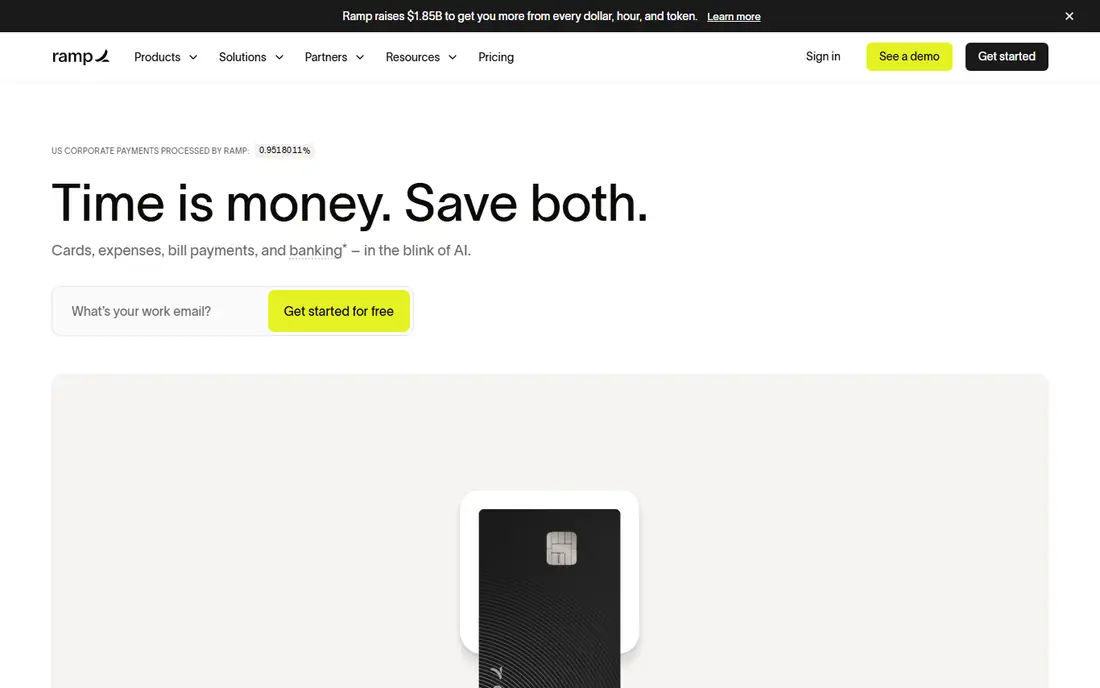
Ramp stands out because its free tier covers unlimited corporate cards, expense management, bill pay and travel booking. Receipts are matched automatically, policies are enforced at the point of spend, and accounting coding speeds up month-end close. For a startup or growth company, that free core platform removes the usual choice between a card tool and an expense tool. Cashback on card spend can also offset other costs for higher-spend firms.
The catch is qualification. Ramp underwrites the card on business bank balance and cash flow rather than a personal guarantee, so very early companies with thin balances can be declined. Deeper ERP integrations, multi-entity management and custom workflows sit on Ramp Plus, priced from $15 per user per month plus a platform fee. If your firm qualifies and your accounting needs are mainstream, the free tier is hard to beat.
- Free core tier is unusually complete
- Automatic receipt matching
- Cards, bill pay and travel in one place
- Card approval depends on business bank balance
- Advanced integrations need Ramp Plus

Brex gives startups and scaling companies cards, expense management and spend controls in one platform, with a free Essentials tier. Employees can submit expenses from a phone, receipts are captured automatically, and managers can approve from a dashboard that shows spend by team and category. Global teams benefit from multi-currency support and controls that work across entities, which matters once a company hires abroad. The platform also connects to common accounting tools, so coded expenses flow to the ledger without retyping.
The limit is that the deeper controls, custom workflows and advanced reporting sit on Premium, priced at $12 per user per month in published comparisons. A small team may not need those extras, but a finance team that wants granular approval chains should price Premium from the start. For a venture-backed or fast-growing firm, Brex is a clean, card-first alternative to Ramp.
- Free essentials tier
- Strong global spend controls
- Cards and expenses together
- Premium tier adds cost
- Some advanced features need the paid plan

Expensify is the pick for teams that want expense reporting without switching corporate cards. Employees photograph receipts, SmartScan extracts the details, and reports flow through approvals to accounting. A free tier covers individuals, while the Collect plan starts at $5 per user per month and Control starts higher, with pricing shaped by card usage on some tiers. That model suits firms that already carry bank cards or a mix of cards and want one reporting layer over them.
The honest weakness is timing. Expensify catches policy problems during approval, after the money is spent, while card-first rivals block or flag spend at purchase. For many small teams, that trade-off is fine, because the reporting is simple and staff already know the tool. If real-time blocking matters more than card freedom, Ramp or Brex may fit better.
- Works with existing corporate cards
- SmartScan receipt capture
- Simple approvals
- Policy enforcement happens after spend
- Higher tiers rise in price with card use rules
Zoho Expense is the budget pick for teams that want receipt scanning, approvals and a clear dashboard without a card switch. Paid plans start at about $4 per active user per month on annual billing, and a free version covers very small teams. Expenses can be tracked by category, project and customer, with mileage and per diem support for travelling staff. If a firm already uses Zoho Books, CRM or other Zoho apps, the connection keeps data consistent and avoids duplicate entry.
The limit is depth. Zoho Expense does not match SAP Concur on complex travel policy or Ramp on card-first controls, and some automation sits on higher tiers. For a small or midsize team that wants a tidy, low-cost dashboard and already lives in Zoho, that trade-off is easy to accept. For a large enterprise, it may feel thin.
- Low starting price
- Free version for small teams
- Strong Zoho connections
- Dashboard depth is lighter than enterprise tools
- Some features need higher tiers
Navan, formerly TripActions, is the only tool in this list that treats travel booking and expense management as one workflow. Staff book flights and hotels inside policy, expenses are categorised in real time, and managers see travel and non-travel spend on one dashboard. Receipt scanning, per diem and mileage are built in, and reimbursements cover many countries and currencies, which helps firms with staff abroad. That combination suits sales and consulting teams that travel often.
The pricing needs a close read. Travel booking is free for smaller firms, while the expense plan is priced per user per month after the first few free users in published comparisons. A firm should confirm the current plan page before budgeting. If travel is a major spend category, Navan saves the reconciliation work that comes from separate travel and expense tools.
- Travel booking plus expenses together
- Real-time policy flags
- Multi-currency reimbursements
- Expense plan pricing needs care
- First users free, then per-user fees apply
BILL Spend and Expense, formerly Divvy, gives teams corporate cards, budgets and expense controls at no software cost, with revenue coming from card use. That makes it attractive for small teams that already use BILL for accounts payable, because bills, payments and card spend sit in one finance workflow. Managers can set budgets by team or vendor, employees get virtual or physical cards, and transactions sync to accounting with coding. The dashboard shows card spend against budget in real time.
The catch is fit. BILL Spend and Expense shines inside the BILL world, and a firm that does not use BILL for AP may get less value. Its expense reporting is also narrower than a dedicated enterprise tool. For an accountant-led finance team that already trusts BILL, the free core product is a practical way to add spend control without a new subscription.
- Free core spend product
- Strong AP connection
- Card controls and budgets
- Best value inside the BILL system
- Expense depth is narrower than Concur
SAP Concur is the enterprise standard for complex travel and expense policy. It handles multi-level approvals, detailed travel rules, VAT and tax handling, and audit trails that large firms and auditors expect. Travel booking, expense reports and invoice workflows can sit in one SAP-linked system, which helps a multinational firm keep policy consistent across countries. The dashboard and reporting tools support detailed analysis by cost centre, project and traveller.
The drawback is cost and effort. Pricing is quote-based, implementation takes time, and admin overhead is higher than with a small-team tool. A 20-person firm will find Concur heavy and expensive, while a large enterprise with strict policy will find its depth necessary. Choose Concur when policy complexity and audit needs outweigh simplicity and speed.
- Deep travel and expense policy
- Global scale
- Strong audit trail
- Quote-based pricing
- Setup and admin effort is high
Emburse, which absorbed Certify, Chrome River and Abacus, serves larger firms that need audited travel and expense workflows. It offers receipt capture, approvals, policy enforcement, corporate card feeds and reporting, with integrations to major ERP and HR systems. Finance teams can track spend by department and project, enforce receipt rules, and produce audit-ready records. For a firm with strict compliance needs, that audit focus matters more than a free tier.
The limit is scale and price. Emburse is quote-based, and implementation is a project, not a quick signup. Very small teams will find it heavy and costly compared with Ramp, Brex or Zoho Expense. For a midsize or large firm that needs audited workflows and already runs a complex finance stack, Emburse is a serious alternative to SAP Concur.
- Strong audit and policy workflows
- Travel and expense together
- Enterprise integrations
- Quote-based pricing
- Overkill for very small teams
How we picked these
We compared official pricing pages, feature pages and public reviews for expense reporting and spend management tools active in October 2026. We favoured tools with a live dashboard showing spend by person, category and project, with receipt capture, approvals and an accounting connection. We included free card-first platforms, low-cost reporting tools and enterprise systems, because a five-person startup and a multinational firm do not need the same tool. Where pricing is quote-based, we say so rather than guessing a number.
How to choose an expense dashboard
Start with how your team actually spends. If most spend goes through company cards, a card-first tool such as Ramp, Brex or BILL will control spend at purchase and cut receipt chasing. If staff pay out of pocket and claim back, a reporting-first tool such as Expensify or Zoho Expense may fit better, because it is built around reports and reimbursements. If travel dominates, Navan or SAP Concur will save more time than a generic dashboard.
Next, test the dashboard with real data. Import a month of transactions, check coding by category and project, and ask whether a manager can spot an out-of-policy item without digging. Check approval routing, receipt rules, mileage and multi-currency handling if those apply. A dashboard that looks tidy in a demo but needs manual coding for every transaction will not save time at month-end.
Finally, price the whole team, not the headline seat. Confirm card approval rules, platform fees, charges for extra users, and costs for ERP connections or advanced reporting. A free tier can be excellent, but only if your firm qualifies for the card and does not need paid integrations. Get the full pricing in writing, and run a one-month pilot with one team before rolling the tool out company-wide.
FAQ
What is the best expense reporting dashboard software for a small team?
Ramp and Brex are strong free starting points for card-based teams, while Zoho Expense and Expensify suit teams that keep existing cards. The best pick depends on whether your team spends mainly on company cards, out of pocket, or on travel. Run a pilot with one team before committing.
Is there a free expense reporting dashboard?
Yes. Ramp, Brex and BILL Spend and Expense offer free core tiers, and Expensify and Zoho Expense offer free versions for individuals or very small teams. Free tiers usually limit advanced integrations or reporting, so check what your finance team needs before relying on free alone.
Do these tools connect to accounting software?
Yes, most do. Ramp, Brex, Expensify, Zoho Expense, BILL and Navan all connect to common accounting tools such as QuickBooks and Xero, with deeper ERP links on paid or enterprise tiers. Confirm the exact connection for your accounting system, because some links need a paid plan.
How does receipt scanning work?
Staff photograph a receipt in the mobile app, and the tool extracts the vendor, date, amount and tax details. SmartScan in Expensify and similar capture in Ramp, Brex and Zoho Expense then match the receipt to a card transaction or create an expense line. Finance still needs to check coding, but manual typing drops sharply.
Should I choose a card-first tool or a reporting tool?
Choose card-first if most spend is on company cards and you want policy enforced at purchase. Choose reporting-first if staff pay out of pocket, carry bank cards you cannot change, or submit few expenses. Many firms mix both, using cards for regular spend and reports for reimbursements.