Best Enterprise Project Management Software in 2026: 9 Tools Compared
Compare the best enterprise project management software for large teams, with pricing, portfolios, reporting, and security features explained clearly.
- Editor's choice
 Asana
Cross-team coordination
Starts at$10.99 per user per monthVisit asana.comFull review - Great alternative
 monday.com
Visual workflows
Starts at$9 per user per monthVisit monday.comFull review - Also consider
 Smartsheet
Spreadsheet-style planning
Starts at$9 per user per monthVisit smartsheet.comFull review
TL;DR:
- Asana and monday.com are the easiest enterprise tools to roll out across many departments, while Microsoft Project and Oracle Primavera P6 suit formal scheduling.
- Per-user pricing adds up fast at enterprise scale, so check seat minimums, guest access, and what sits behind a sales quote before you budget.
- Portfolio views, resource management, and permission controls matter more than task lists when hundreds of people share one system.
- Jira is the strongest pick for software teams, and Smartsheet fits teams that already plan work in spreadsheets.
Quick comparison
| Tool | Best for | Starts at | Free plan? | |
|---|---|---|---|---|
| Asana | Cross-team coordination | $10.99 per user per month | Yes | Visit |
| monday.com | Visual workflows | $9 per user per month | Yes | Visit |
| Smartsheet | Spreadsheet-style planning | $9 per user per month | Free trial | Visit |
 Wrike | Complex cross-department work | $10 per user per month | Yes | Visit |
 Jira | Agile software teams | See website | Yes | Visit |
 ClickUp | Feature-rich value | $7 per user per month | Yes | Visit |
 Microsoft Project | Microsoft 365 organizations | $10 per user per month | Free trial | Visit |
 Planview | Strategic portfolio management | See website | No | Visit |
 Adobe Workfront | Marketing and creative operations | See website | No | Visit |
The best enterprise project management software
Enterprise project tools have to do more than hold a task list. They must show leaders what is on track, who is overloaded, and where money and time are going, without forcing every team into the same workflow. These nine tools do that job in different ways.

Asana works well when a large company needs one shared way to track work across marketing, operations, product, and support. Tasks carry an owner and a due date, timelines show dependencies, and portfolios roll many projects into a single view for managers. Most staff can learn the basics in a day, which matters when adoption, not features, is the main risk.
The catch is cost and tiering. The Starter plan at $10.99 per user per month covers core work, but portfolios, goals, and deeper reporting require higher plans, and Enterprise terms are quoted. Companies that need strict controls should confirm single sign-on, data controls, and audit options on the Enterprise plan before they commit to a company-wide rollout.
- Clear tasks, timelines, and portfolios
- Strong automation
- Easy onboarding for non-technical teams
- Enterprise pricing is quote-based
- Advanced reporting sits on higher tiers

monday.com suits teams that think in boards rather than lists. Each board can hold status columns, owners, dates, budgets, and files, and dashboards pull those boards together for leadership. Templates for campaigns, hiring, product launches, and service delivery shorten setup, and automations can move work forward without constant manual updates.
Pricing starts at $9 per user per month on the Basic plan with annual billing, and a three-seat minimum applies. Teams that need timelines, private boards, and heavier automation will move to higher tiers quickly. We suggest testing one real departmental workflow first, because board sprawl is the most common problem when many teams build their own boards without shared standards.
- Highly visual boards
- Flexible columns and automations
- Broad template library
- Seat minimums apply on paid plans
- Costs rise as boards and automations grow
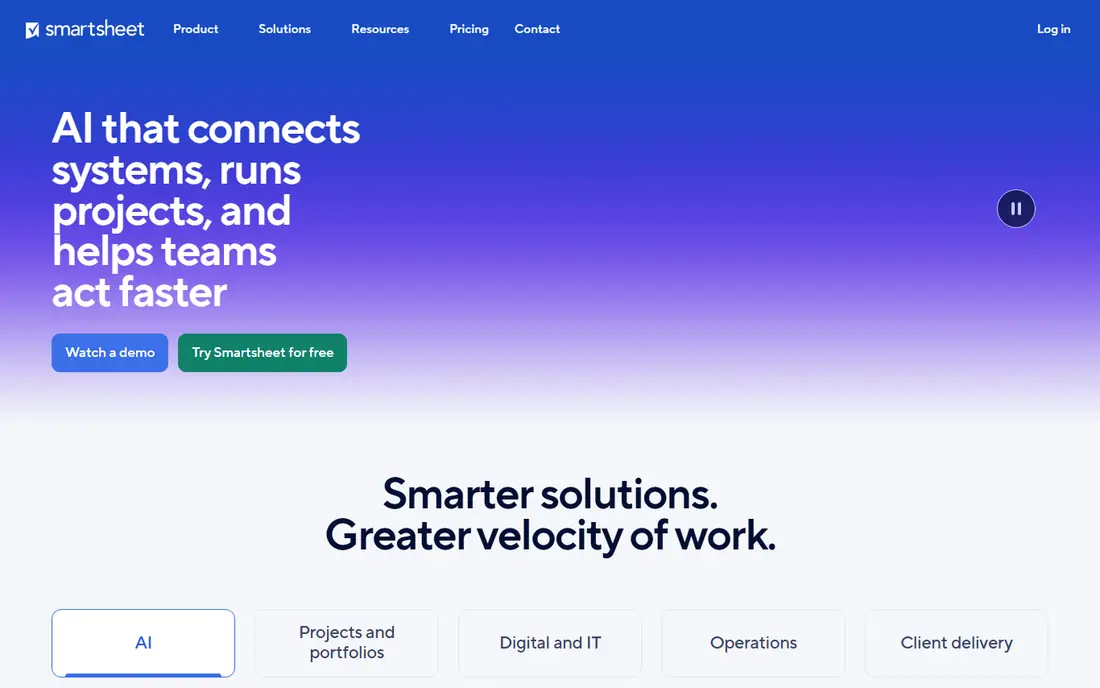
Smartsheet is a natural fit for operations teams, program managers, and anyone who already plans in spreadsheets but needs permissions, automation, and reporting on top. The grid view holds dates, owners, and formulas, while Gantt charts, card views, and dashboards present the same data for different audiences. Resource management and portfolio tools on higher tiers help larger firms balance work across many projects.
The starting Pro plan is $9 per member per month with annual billing, and there is a trial rather than a lasting free plan. Smaller projects can feel overbuilt in Smartsheet, and setup takes care if you want consistent sheets across departments. For enterprises with heavy reporting needs, that structure is a strength rather than a burden.
- Familiar grid view
- Strong reporting and dashboards
- Good for operations and construction-style plans
- No permanent free plan
- Interface can feel busy for simple projects
Wrike is built for companies where work crosses many teams and needs formal approvals, intake forms, and time tracking. Custom workflows let each department keep its own process while leadership still sees one portfolio view. Dashboards, workload views, and proofing tools make it a strong choice for marketing, professional services, and product organizations that juggle many parallel projects.
The Team plan starts at $10 per user per month, and a free plan covers small teams. The trade-off is setup time. Wrike rewards careful configuration, and teams that skip that step may find it heavier than simpler tools. Give an administrator real time to design folders, workflows, and permissions, and the payoff is a system that scales without constant rework.
- Custom workflows and approvals
- Executive dashboards
- Strong resource views
- Setup can be complex
- Some features need higher tiers
Jira remains the standard for software teams that run sprints, backlogs, and releases. Boards, roadmaps, and release tracking connect daily engineering work to larger product plans, and reporting covers velocity, burndown, and cycle time. For companies where software delivery is central, Jira keeps product, engineering, and support work in one place with clear ownership.
The free plan covers up to 10 users, which makes it easy to trial with one team. Paid pricing varies by tier and user count, so check the vendor pricing page for your team size. The honest catch is that Jira can feel technical for marketing or operations teams. It works best when software teams lead adoption and other teams join through shared projects rather than being forced into developer workflows.
- Strong scrum and kanban support
- Deep reporting for software delivery
- Free for up to 10 users
- Configuration takes effort
- Non-software teams may find it technical
ClickUp appeals to enterprises that want to replace several tools at once. Tasks, docs, goals, whiteboards, time tracking, and dashboards live in one workspace, and the Unlimited plan at $7 per user per month undercuts most rivals on paper. The free plan is also genuinely usable for small teams, which makes a pilot low risk.
Depth is both the strength and the weakness. New users can feel lost among views, custom fields, and automations, and inconsistent setup across teams creates messy data. We recommend naming an owner for workspace standards, templates, and permissions early. With that discipline, ClickUp gives large organizations a wide feature set without enterprise-only pricing on every tier.
- Many views and features for the price
- Docs, goals, and time tracking included
- Generous free plan
- Feature depth can overwhelm new users
- Setup needs discipline
Microsoft Project is the default for organizations already standardized on Microsoft 365. Plans start at $10 per user per month, with Project Plan 3 at $30 adding resource management and fuller reporting. Schedules, dependencies, baselines, and critical path analysis handle complex programs that simpler task tools struggle to model, and portfolio tools help leaders rank and fund projects.
Integration is the main reason to choose it. Work surfaces in Teams, files sit in SharePoint, and dashboards can draw on Power BI without custom integration work. Collaboration inside Project itself is less fluid than in Asana or monday.com, so many teams pair it with Teams and Planner for day-to-day coordination. For formal scheduling inside a Microsoft estate, that trade-off is usually worth it.
- Strong scheduling and critical path tools
- Deep Teams, SharePoint, and Power BI links
- Familiar for Microsoft shops
- In-tool collaboration is weaker than rivals
- Resource management needs the higher $30 tier
Planview is less about daily task lists and more about deciding which work deserves funding. It connects strategy, portfolios, capacity, and financials so leaders can compare programs, model trade-offs, and track outcomes across the enterprise. Large firms with formal governance, stage gates, and multi-year programs get the most from it.
Pricing is quote-based, and implementation is a project in itself. Planview suits organizations with a program management office and a clear governance model. Smaller companies, or teams that mainly need task tracking, will find it heavier and more costly than needed. Buy it for portfolio decisions, not as a simple to-do tool.
- Portfolio and strategy planning at scale
- Strong financial and capacity views
- Built for large programs
- Quote-only pricing
- Implementation takes time and expertise
Adobe Workfront fits marketing, creative, and content teams that run high volumes of campaigns, assets, and approvals. Intake forms, routing, proofing, and resource views keep creative work moving without losing track of versions and feedback. Reporting ties that work to deadlines and capacity, which helps leaders spot bottlenecks before a launch slips.
Pricing is quote-based, and Workfront rewards careful implementation. Teams that only need basic task tracking will find it too much, but creative operations teams with complex review cycles often find the structure saves more time than it costs. Pair it with Adobe Creative Cloud tools where your team already uses them, and the asset workflow becomes noticeably smoother.
- Intake, approvals, and proofing for creative work
- Strong reporting
- Adobe ecosystem links
- Quote-only pricing
- Setup and training take time
How we picked these
We compared official feature pages, pricing pages, and public documentation for enterprise project tools, plus widely reported user feedback on setup, reporting, and scale. We favored tools that offer portfolio views, permissions, resource management, and integrations, and that are still actively sold and supported in 2026. We left out simple to-do apps and tools aimed only at tiny teams, because they do not meet enterprise needs for governance and reporting. Prices shown are entry paid prices from vendor pages where published, and marked as See website where pricing is quote-based.
What to check before you buy enterprise software
Start with governance, not features
Decide who can create projects, change workflows, and see sensitive data. A tool that looks flexible in a demo can turn messy when fifty teams invent their own fields. Ask vendors about single sign-on, role permissions, audit logs, and data residency, and test those controls in a pilot with real users.
Count the true cost
Per-user pricing, seat minimums, guest licenses, and add-ons for reporting, resource management, and automation all change the total. Run your real headcount through the pricing page, including contractors and occasional viewers. A tool that is cheap for 20 people can be costly for 2,000, and quote-based tools need a written breakdown before you sign.
Pilot with one portfolio, not one project
A single project trial hides the hard parts. Pilot with a small portfolio that spans two or three departments, includes approvals and reporting, and uses your real data. Measure adoption, reporting effort, and time spent on administration. If managers still build side spreadsheets after the pilot, the tool has not solved the reporting problem.
FAQ
What is the best enterprise project management software for most companies?
Asana and monday.com are strong defaults for cross-department work because they are easy to learn and offer portfolios and dashboards. Microsoft Project suits Microsoft-centered firms with formal schedules, and Jira suits software-led firms. The best choice depends on your existing tools, governance needs, and how formal your planning must be.
What are the best enterprise project management tools for portfolio reporting?
Planview, Smartsheet, Wrike, and Asana lead on portfolio views, because they roll many projects into dashboards with status, risk, and capacity. Microsoft Project also offers portfolio management, especially when paired with Power BI. Check whether the reporting you need sits on the entry tier or requires a higher plan.
How much does enterprise project management software cost?
Entry paid plans in this list run from $7 to $10.99 per user per month on annual billing, while enterprise tiers and tools such as Planview and Workfront are quote-based. Total cost depends on headcount, seat minimums, and add-ons. Always get a quote for your full user count rather than budgeting from the entry price alone.
Is Jira only for software teams?
Jira is designed for software teams, and it works best there, but business teams can use it for service and operations projects. Non-technical teams often prefer Asana, monday.com, or Smartsheet for simpler setup. If software delivery drives your company, Jira is worth the learning curve.
Can we trial enterprise project management software before buying?
Most tools here offer a free plan or trial, including Asana, monday.com, Wrike, ClickUp, Jira, and Microsoft Project. Planview and Workfront are sales-led, so ask for a guided trial with your own data. Use the trial to test permissions, reporting, and integrations, not just task creation.
Do these tools replace spreadsheets completely?
They reduce spreadsheet use, but many teams still export data for finance or custom analysis. Smartsheet keeps a spreadsheet feel, while others offer exports and business intelligence links. Aim to replace status spreadsheets first, then judge whether finance and planning sheets can move over time.
Sources
- https://asana.com/pricing
- https://www.monday.com/pricing
- https://www.smartsheet.com/pricing
- https://www.wrike.com/pricing
- https://www.atlassian.com/software/jira/pricing
- https://clickup.com/pricing
- https://www.microsoft.com/en-us/microsoft-365/project
- https://www.planview.com
- https://business.adobe.com/products/workfront.html