Best Enterprise Content Management Platforms in 2026: 8 Compared
Compare the best enterprise content management platforms for document control, workflow, search, retention and compliance, with pricing notes for 2026.
- Editor's choice
 Microsoft SharePoint
Microsoft 365 document libraries
Starts atSee websiteVisit microsoft.comFull review - Great alternative
 Box
Secure external collaboration
Starts at$5 per user per monthVisit box.comFull review - Also consider
 M-Files
Metadata-driven management
Starts atSee websiteVisit m-files.comFull review
TL;DR:
- The best enterprise content management software depends on your existing stack, because SharePoint suits Microsoft shops and Box suits firms that share files externally.
- Governance, retention, search and workflow matter more than storage alone, especially in regulated industries such as finance and healthcare.
- Published pricing covers only part of the cost, because migration, training and implementation can add a large share of the total.
- M-Files, Laserfiche and OpenText suit compliance-heavy firms, while Box, SharePoint and Google Workspace suit teams that need fast collaboration.
- Start with a pilot on one department and one content type, then expand, rather than migrating everything at once.
Quick comparison
| Tool | Best for | Starts at | Free plan? | |
|---|---|---|---|---|
| Microsoft SharePoint | Microsoft 365 document libraries | See website | Free trial | Visit |
| Box | Secure external collaboration | $5 per user per month | Yes | Visit |
| M-Files | Metadata-driven management | See website | Free trial | Visit |
 Laserfiche | Records and workflow automation | See website | Free trial | Visit |
 OpenText Content Management | Large SAP and Salesforce firms | See website | No | Visit |
 Hyland OnBase | Regulated industry automation | See website | No | Visit |
 DocuWare | Simple workflow document control | $300 per month | Free trial | Visit |
 Google Workspace | Simple collaboration and Drive | $7 per user per month | Free trial | Visit |
The best enterprise content management platforms
The best enterprise content management platforms do more than store files. They control versions, set permissions, route approvals, apply retention rules and help staff find the right document quickly. For a large firm, those controls matter for audits, legal holds and daily work, and a tool that only stores files will fail under real compliance needs. We compared official feature pages, pricing pages and current ECM guides, and we kept only platforms that serve large firms in 2026.
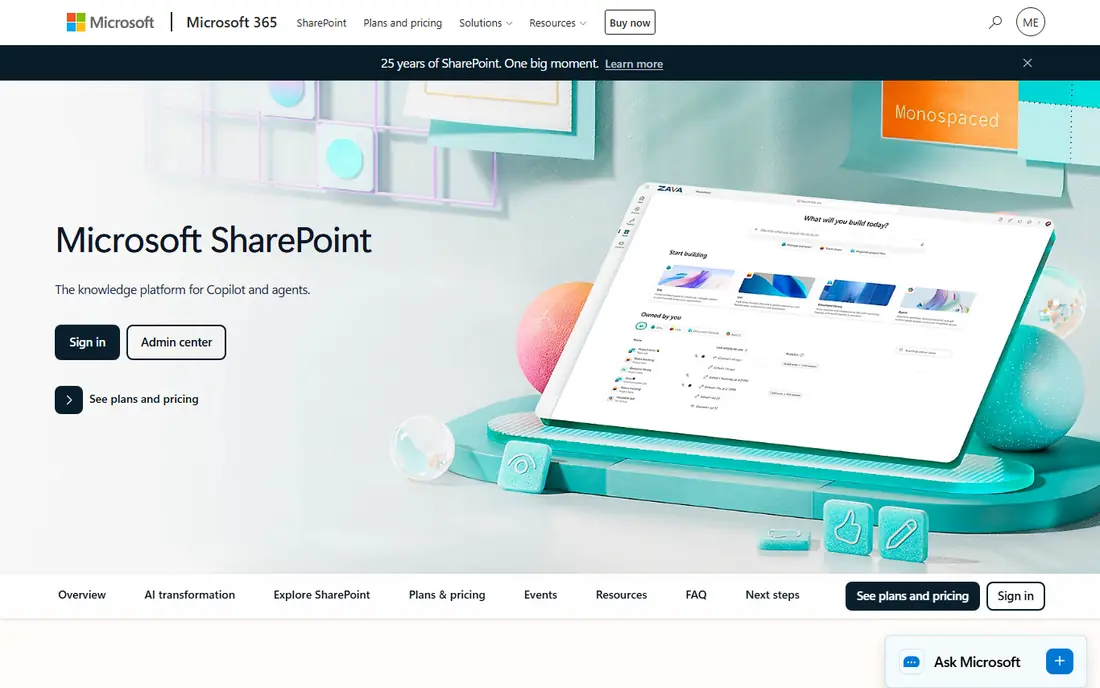
SharePoint is the natural ECM pick for firms already on Microsoft 365, because it comes with many business and enterprise plans. Team sites, document libraries, version history, permissions and co-authoring work inside Word, Excel, Teams and Outlook, so staff do not need to learn a separate system for basic work. For straightforward document needs, that integration saves training time and keeps content close to daily tools.
The challenge is governance at scale. Without clear site design, permission rules and retention policies, SharePoint libraries can grow messy, and search can suffer. Large firms often need SharePoint expertise or a partner to set up structure, workflows and compliance rules. Even with that work, SharePoint is hard to beat for Microsoft shops that want content management without adding a separate platform.
- Deep Microsoft 365 and Teams integration
- Team sites and document libraries
- Versioning built into libraries
- Complex to govern at scale
- Intranet design needs work
- Costs depend on Microsoft 365 plan
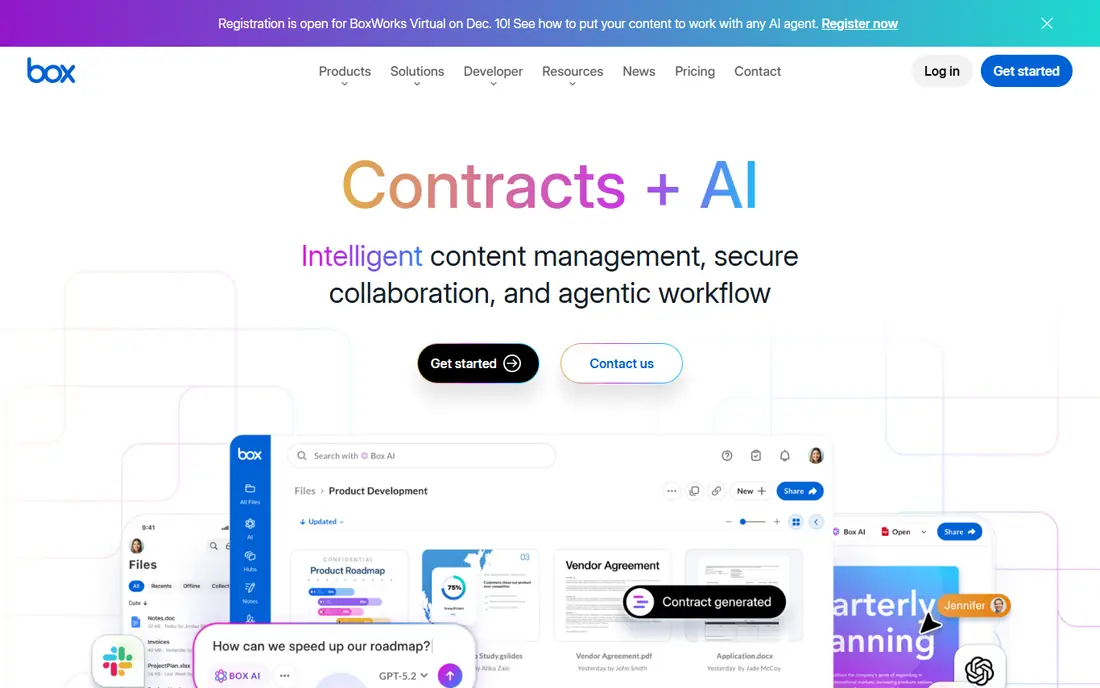
Box is a cloud content platform built for secure sharing, especially with clients and partners outside your firm. Permissions, link controls, watermarking and governance tools help firms share sensitive files without losing control, and Box AI and workflow tools add search and automation on business plans. It also works with Microsoft 365 and Google files, so teams can keep their editors while Box controls storage and sharing.
The limit is scope. Box is a file platform, not a wiki or intranet, so firms that need knowledge pages and internal publishing may need another tool beside it. Business plans start from $5 per user per month with a 3-user minimum, and the individual plan is free with limited storage. For firms that share files externally all day, Box is a strong pick.
- Strong external sharing controls
- Unlimited storage on higher business plans
- Broad app integrations
- Minimum 3 users on business plans
- File platform rather than intranet
- Advanced governance costs more
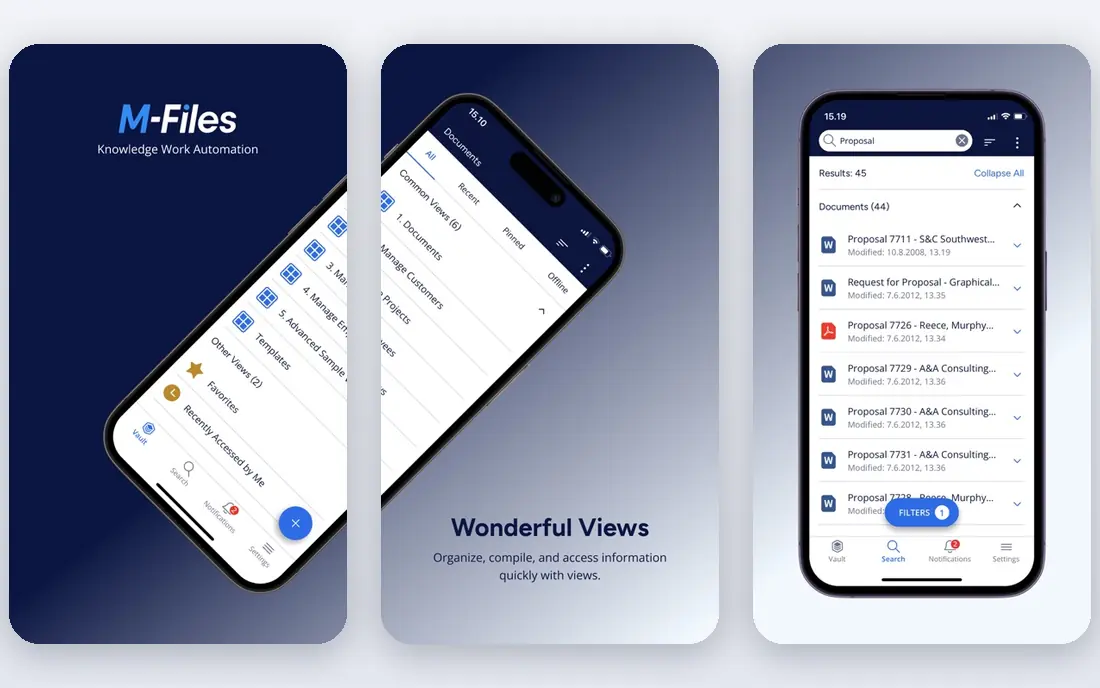
M-Files takes a different approach from folder-based ECM. Documents are organized by metadata, such as client, project, document type and date, so staff can find a file by what it is rather than remembering where it was saved. That model helps firms with large, messy libraries, and it supports workflows, permissions and audit trails for compliance. Integration with Microsoft 365, Teams and Copilot also helps staff work without leaving familiar tools.
The trade is planning. Metadata design takes time, and staff who are used to folders need training to trust search and metadata views. Pricing is quote-based, so you need a sales quote tied to user count and features. If your firm struggles to find documents in folders, M-Files is worth a pilot, because it solves that problem directly.
- Finds documents by what they are, not folder location
- Strong Microsoft 365 integration
- Audit trails and permissions
- Quote-based pricing
- Setup needs metadata planning
- Learning curve for staff used to folders
Laserfiche suits mid-size and large firms that need records compliance plus workflow automation in one platform. Forms, process automation, retention policies and audit trails are built in, which helps education, government and regulated firms manage approvals and records from one system. Published pricing starts at higher per-user rates than simple file tools, but the transparency helps budgeting compared with quote-only rivals.
The cost is complexity and price. Low-code tools still need design work, and per-user pricing adds up for large staff counts. Laserfiche is also more than a simple file store, so firms that only need sharing may find it heavy. For firms that need compliant records and automated approvals, it is one of the strongest ECM options.
- Published pricing tiers
- Low-code forms and workflow
- Records management and audit trails
- Costs rise with user count
- Implementation takes time
- Less suited to simple file sharing
OpenText Content Management, formerly part of the Documentum and Content Suite lines, serves very large firms with complex systems. It integrates content with SAP, Salesforce, Microsoft and other enterprise apps, so documents can follow business processes rather than sitting in a separate store. Governance, retention, security and audit tools suit regulated firms with strict compliance needs, and the platform scales for large content volumes.
The trade is cost and complexity. Pricing is by quote, implementation often needs a partner, and day-to-day admin needs skilled staff. Small and mid-size firms will likely find it heavy and costly. For a large firm already centered on SAP or Salesforce, OpenText is a credible enterprise pick that can tie content to core business systems.
- Deep SAP, Salesforce and Microsoft integrations
- Strong governance and compliance
- Scales for very large firms
- Quote-based pricing
- Complex implementation
- Needs skilled admins
Hyland offers several content platforms, including OnBase, Alfresco and Nuxeo, with OnBase as the low-code option for many regulated firms. Workflow automation, case management and document capture help healthcare, insurance, finance and government teams process claims, applications and records with audit trails. That industry depth is why Hyland appears often in regulated ECM shortlists.
The challenge is choice. Hyland's several platforms overlap, so buyers need guidance on which one fits their stack and scale. Pricing is by quote, and implementation needs process design. If you work in a regulated industry and need workflow plus content control, Hyland is worth a detailed demo, but ask clearly which platform you are being quoted for.
- Low-code workflow for regulated work
- Strong healthcare and finance use
- Several Hyland platforms to choose from
- Quote-based pricing
- Platform choice can confuse buyers
- Implementation needs planning
DocuWare suits mid-size firms that want document control without enterprise complexity. Intelligent indexing reads key fields from scanned and digital documents, workflow routes approvals, and permissions control who sees what. Cloud plans start around $300 per month, which gives a clearer entry price than many quote-only ECM rivals, and the interface is simpler than large enterprise platforms.
For very large or highly regulated firms, DocuWare may lack some depth of OpenText or Hyland, and plan limits on users and storage need checking. Migration from shared drives also needs time to set up indexing and workflows correctly. If your firm wants a practical ECM step up from shared folders, DocuWare is a strong mid-market pick.
- Clear starting price for cloud plans
- Intelligent indexing
- Workflow and approval tools
- Less depth for very large enterprises
- Storage and user limits depend on plan
- Migration needs planning
Google Workspace is not a full ECM platform in the same sense as OpenText or Laserfiche, but it serves many firms as their content system, especially smaller enterprises. Shared drives, real-time co-editing, search and version history cover daily collaboration well, and admin is simpler than SharePoint for many teams. Business Starter starts around $7 per user per month, with higher tiers adding storage and governance tools.
The limits matter at scale. Business plans cap at 300 users, and Drive lacks the deep records, retention and workflow depth of dedicated ECM tools, though Vault and higher tiers add some governance. Firms that keep Outlook and Teams may also find a split stack awkward. For a cloud-first firm that values simple collaboration over deep compliance, Google Workspace is a practical content choice.
- Simple real-time collaboration
- Drive, Docs and Gmail in one suite
- Easy admin for smaller firms
- Business plans cap at 300 users
- Drive is a file store, not full ECM
- Advanced governance costs more
How we picked these
We compared official ECM feature pages, pricing pages and current enterprise guides for platforms that serve large firms in 2026. We favored platforms with clear governance, workflow, search and retention tools, and we included both dedicated ECM platforms and suite tools that many firms actually use for content. We left out headless CMS tools such as Contentful from this list, because they serve web publishing more than enterprise document control, even though they appear in some ECM lists.
We also weighed total cost, not just license price. Migration, metadata design, training and admin time can exceed license costs in the first year, so we note where pricing is quote-based and where implementation needs a partner. A pilot on one department is the safest way to test those costs before a firm-wide rollout.
What to check before you buy
Map your content and processes first
List the content types you manage, who creates and approves them, how long you must keep them, and who must not see them. That map decides whether you need deep retention, workflow, external sharing or simple collaboration. A platform that looks strong on storage can still fail on one of those process needs.
Test search, permissions and retention in a pilot
Give a pilot team real documents and real tasks, such as finding an old contract, approving an invoice and placing a legal hold. Check that permissions work as expected, that version history is clear, and that retention rules apply without manual work. A pilot with real work reveals gaps that a sales demo will not show.
Budget for migration and training
Plan time and cost for moving content, cleaning duplicates, setting metadata and training staff. Firms that skip this step often end up with a new system holding old mess, and staff return to shared drives. A phased rollout, with one department first, gives time to fix structure before the whole firm moves.
FAQ
What is the best enterprise content management software?
SharePoint is the best pick for Microsoft 365 firms, Box is the best pick for secure external sharing, and M-Files, Laserfiche and OpenText suit compliance-heavy firms. The best enterprise content management platform for your firm depends on your existing stack, industry rules and workflow needs, so pilot two options with real documents before you commit.
What is the difference between ECM and a file storage tool?
ECM adds version control, permissions, workflow, retention and audit trails to storage, while a file tool mainly stores and shares files. That extra control matters for audits, legal holds and regulated work, where you must prove who changed a document and when. If you only need sharing and collaboration, a file platform may be enough.
How much does enterprise content management software cost?
Costs range from $5 to $7 per user per month for basic cloud plans to quote-based enterprise pricing that can be far higher per user. Published prices often exclude migration, implementation and training, so ask for a total first-year cost for your user count and content volume. A pilot helps you estimate those extra costs before a full purchase.
Is SharePoint an ECM platform?
Yes, SharePoint serves as an ECM platform for many firms, with document libraries, versioning, permissions, workflows and retention tools inside Microsoft 365. It works best for firms already on Microsoft tools, but large firms need governance design to keep libraries tidy at scale. Firms with very strict records needs may still pair SharePoint with a dedicated records tool.
How long does an ECM rollout take?
A pilot can run in weeks, while a firm-wide rollout often takes months, depending on content volume, migration needs and workflow design. Phased rollouts, starting with one department, reduce risk and give time to fix metadata and permissions. Firms that rush a full migration without cleaning content often face search and adoption problems later.