Best Embedded Analytics Platforms in 2026: 8 Tools Compared
Compare the best embedded analytics platforms in 2026 for dashboards inside your product, with Looker, Tableau, Power BI, Sisense and Metabase, and pricing.
- Editor's choice
 Looker
Governed metrics inside products
Starts atSee websiteVisit cloud.google.comFull review - Great alternative
 Tableau Embedded
Rich visual exploration
Starts atSee websiteVisit tableau.comFull review - Also consider
 Power BI Embedded
Microsoft ecosystems and scale
Starts atSee websiteVisit powerbi.microsoft.comFull review
TL;DR:
- Looker and Tableau offer deep governance and visual depth, but both usually require a sales conversation for embedded pricing.
- Power BI Embedded fits Microsoft-centered teams that want usage-based capacity rather than per-user seats for viewers.
- Metabase and GoodData are strong lower-cost starting points for teams that need working embedded dashboards quickly.
- ThoughtSpot and Sigma suit different users, with search-driven questions on one side and spreadsheet-style analysis on the other.
- White-labeling, row-level security and performance under load matter more than chart variety alone.
Quick comparison
| Tool | Best for | Starts at | Free plan? | |
|---|---|---|---|---|
| Looker | Governed metrics inside products | See website | No | Visit |
| Tableau Embedded | Rich visual exploration | See website | No | Visit |
| Power BI Embedded | Microsoft ecosystems and scale | See website | No | Visit |
 Sisense | White-labeled product analytics | See website | No | Visit |
 ThoughtSpot Embedded | Search-driven customer analytics | See website | No | Visit |
 Metabase | Budget-friendly embedded dashboards | From $100 per month | Yes | Visit |
 Sigma | Spreadsheet-style warehouse analytics | See website | No | Visit |
 GoodData | API-first embedded analytics | See website | Yes | Visit |
The best embedded analytics platforms
We selected platforms that can live inside another product, not just tools for internal reporting. Each one below supports embedding, customer-facing use and some form of access control, even if pricing and developer effort differ.

Looker is a strong choice when metric consistency is the main risk. Its LookML layer lets teams define measures once, then reuse them across embedded dashboards and reports. That control helps when customers compare numbers across views and expect the same answer every time. The platform works well for companies already using Google Cloud and BigQuery, though it is not limited to that stack. Developers can embed dashboards and explorations, while analysts keep control of definitions and permissions. That split helps product teams ship analytics without letting every dashboard become a separate source of truth. The trade-off is effort and cost, because modeling takes time and pricing is by quote. Small teams may find it heavy for a simple chart set. For larger products where trusted metrics matter, Looker is hard to beat.
- Strong semantic modeling with LookML, consistent metric definitions, good Google Cloud fit
- Pricing by quote, developer and modeling effort is real
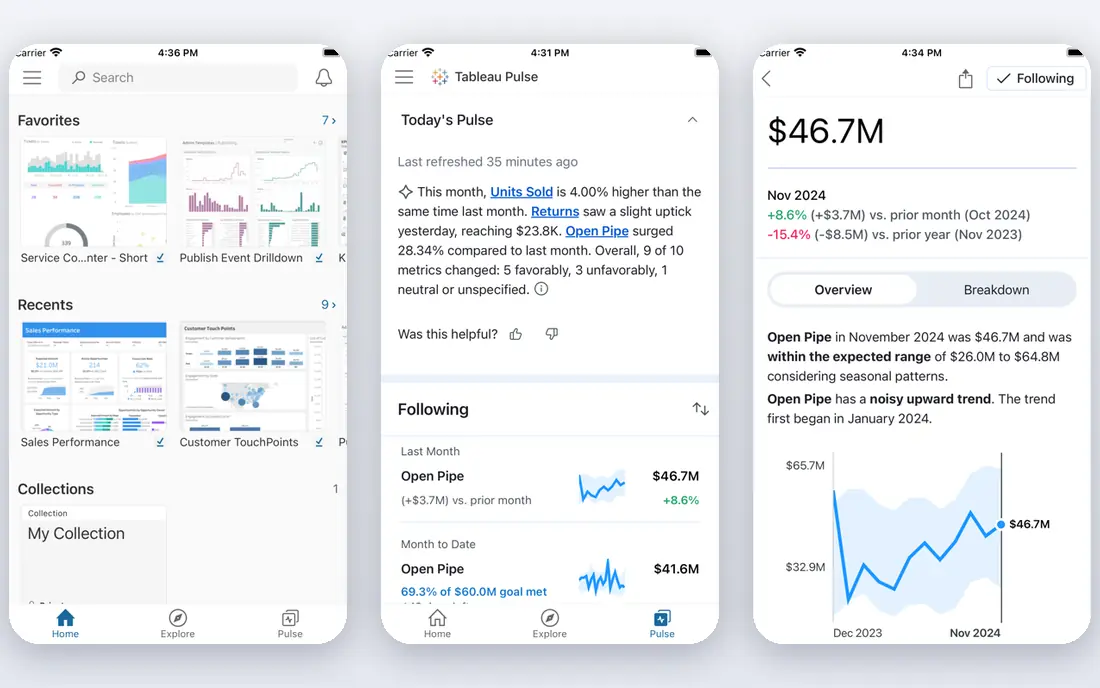
Tableau Embedded brings a mature visual analytics engine into customer-facing products. Analysts can build polished dashboards, and users can filter, drill and explore without learning a query language. That depth matters for products where customers expect more than a few static charts. The platform supports embedding through APIs and extensions, plus controls for branding and access. Teams can match dashboards to their product look and limit data by customer or user. Tableau also benefits from a large pool of analysts who already know how to build with it. Licensing is the main watchpoint, because viewer and creator models can be confusing when customer counts grow. Pricing is by quote for embedded use. For visual quality and exploration depth, Tableau remains a top-tier option.
- Deep visual design options, strong exploration, large analyst community
- Pricing by quote, licensing can get complex at scale

Power BI Embedded is built for software teams that want to show Power BI reports inside their own app without licensing every viewer separately. Capacity-based pricing in Azure can be more predictable for customer-facing use than per-user pricing. That model suits products with many occasional viewers. Teams already using Microsoft 365, Azure and SQL tools will find the workflow familiar. Report authors can use Power BI Desktop, then publish and embed reports with row-level security. The connector range covers common business systems, databases and cloud warehouses. The weakness is fit outside Microsoft environments, where setup and identity work can feel heavier. Capacity sizing also needs attention, because under-provisioning hurts performance and over-provisioning wastes money. For Microsoft-centered products, it is a practical and scalable choice.
- Familiar Microsoft tooling, capacity-based pricing, broad connector range
- Azure capacity planning takes care, less ideal outside Microsoft stacks
Sisense has long focused on embedding analytics into software products, and that focus shows in its SDKs and white-label controls. Product teams can build dashboards that feel like a native part of the app, with their own branding and navigation. Customers get interactive views without leaving the product. The platform supports data preparation, modeling and dashboard building in one system. Developers can embed full dashboards or smaller widgets, and administrators can control access by tenant. That combination helps SaaS companies serve many customers from one analytics layer. Sisense pricing is by quote, and complex data models still need design work. It is not the cheapest route to a few charts. For companies where analytics is a selling point, not an afterthought, Sisense is a serious contender.
- Purpose-built embedding, strong white-label options, developer SDKs
- Pricing by quote, implementation can be involved for complex models
ThoughtSpot Embedded takes a different approach by letting users ask questions in plain language and get charts back. That search-first style suits customers who do not want to learn filters, dimensions and measures. A sales manager can type a question about deals by region and get a usable answer in seconds. The platform also offers AI-assisted analysis and anomaly signals, which can help users notice changes without building reports first. For product teams, embedding search can reduce support requests for custom reports. It works best when data is modeled cleanly and questions stay within that model. The limit is presentation control, because ThoughtSpot favors exploration over highly designed, print-ready layouts. Pricing is by quote, so teams should test it with real customer questions. For self-service analytics, it is one of the most user-friendly options.
- Natural language search, fast ad hoc answers, useful AI assistance
- Pricing by quote, less suited to pixel-perfect reporting
Metabase is the fastest credible route to embedded dashboards for teams with limited budget. The open source version can be self-hosted at no license cost, while paid cloud plans add features and support. A small team can connect a database, build questions and embed dashboards in days rather than months. The visual query builder helps non-technical staff create charts without writing SQL, while technical users can still drop into SQL when needed. Embedding options include public links, signed embeds and interactive dashboards, depending on plan and security needs. That flexibility suits internal tools and early customer-facing analytics. Governance is lighter than Looker or Tableau, so metric consistency depends on team discipline. Large, multi-tenant products may outgrow it. For startups and small SaaS teams, Metabase offers a strong balance of cost, speed and capability.
- Open source option, fast setup, simple visual query builder
- Governance is lighter than enterprise tools, advanced modeling needs SQL
Sigma appeals to teams that think in spreadsheets but need live data from a cloud warehouse. Users can build tables, pivot views and formulas in an interface that feels familiar, without exporting data to a file. That familiarity shortens training time for business users. For embedded use, Sigma lets product teams show warehouse-backed analysis inside their app, with permissions and row-level controls. Because queries run against the warehouse, results stay current without a separate extract step. Collaboration features help analysts and product managers refine views together. The main limits are pricing by quote and a stronger fit for warehouse-centered stacks. Teams without Snowflake, BigQuery, Databricks or a similar warehouse will get less value. For warehouse-native products, Sigma is a distinctive and practical choice.
- Familiar spreadsheet interface, live warehouse queries, strong collaboration
- Pricing by quote, best with cloud warehouses
GoodData is designed for software companies that need analytics as a product feature, with APIs and multi-tenant controls at the center. Developers can define metrics, build dashboards and embed them across many customer workspaces. That structure helps when each customer needs isolated data and branding. The platform supports a free tier for getting started, which lets teams test the model before committing to a paid plan. Its analytics-as-code approach suits teams that want version control and repeatable deployments. Product teams can also use reusable components rather than rebuilding every dashboard by hand. The trade-off is developer effort, because API-first flexibility still requires planning and build time. Pricing varies by deployment, so confirm costs at your tenant count. For engineering-led SaaS teams, GoodData is a flexible embedded option.
- API-first design, multi-tenant support, flexible embedding
- Developer effort for custom builds, pricing varies by deployment
How we picked these
We focused on platforms with current embedded offerings, customer-facing controls and a clear way to secure data by user or tenant. We included governed, visual, search-driven and budget options rather than only enterprise suites. Where a vendor does not publish embedded pricing, we used See website instead of guessing.
What to check before you buy
Define the user experience first
Decide whether customers need static dashboards, deep exploration or natural language search. That choice narrows the field fast. A search-first tool will frustrate users who need designed reports, and a visual suite may be overkill for simple KPI views.
Test multi-tenant security early
Row-level security, tenant isolation and single sign-on should be tested with real customer data shapes, not demo data. Ask how permissions flow from your app to the analytics layer. Security gaps found after launch are far harder to fix.
Check performance under load
Embedded dashboards must load quickly when many customers open them at once. Test concurrent use, large datasets and mobile views. Capacity pricing, caching and query design all affect the experience, so run a realistic load test before signing.
Count total cost, not just licenses
Include developer time, warehouse costs, capacity charges and support. A cheap license can become expensive if every dashboard needs custom code. A quoted enterprise tool can be cheaper overall if it reduces build and maintenance work.
FAQ
What is embedded analytics?
Embedded analytics puts dashboards, charts or search inside another software product, so users see insights without opening a separate BI tool. It usually includes branding, permissions and tenant isolation. The goal is to make analytics feel like part of the product, not an add-on.
How is embedded pricing different from internal BI pricing?
Internal BI often prices per user, while embedded pricing may use capacity, tenant counts or custom quotes. Customer-facing viewers are often occasional users, so per-seat pricing can be wasteful. Ask vendors to model cost at your expected customer and viewer counts.
Do I need developers to embed analytics?
Most platforms need some developer work for authentication, permissions and embedding, even when dashboards are built visually. API-first tools need more engineering, while simpler tools need less. Budget developer time for the first release and for ongoing maintenance.
Can embedded analytics be white-labeled?
Many tools in this guide support white-labeling, including custom colors, logos and domains on suitable plans. The depth varies, so check whether navigation, emails and loading screens can also be branded. White-labeling is often gated to higher tiers.
What data sources work best?
Cloud warehouses, databases and common SaaS systems work well with most embedded tools. Live warehouse connections suit Sigma and Looker, while extract-based models suit other tools. Choose based on data freshness needs and query volume.
Is Metabase enough for a SaaS product?
Metabase can be enough for early products, internal tools and simple customer dashboards. It becomes harder when you need strict metric governance, complex multi-tenant rules or heavy customization. At that point, a governed or API-first platform may fit better.
Sources
https://cloud.google.com/looker https://www.tableau.com https://powerbi.microsoft.com https://www.sisense.com https://www.thoughtspot.com https://www.metabase.com https://www.sigmacomputing.com https://www.gooddata.com