6 Top Email Sending Software Options Compared (2026)
Best email sending software: 6 contenders ranked by fit, with entry costs and free tiers. Every pick includes one clear drawback. Reviewed in November 2026.

- Editor's choice
 Amazon SES
High-volume senders already on AWS who want the lowest per-email cost
Starts atPay-as-you-go per email (see vendor pricing page)Visit aws.amazon.comFull review - Great alternative
 Resend
Modern developer teams that want a clean, straightforward email API
Starts atFrom $0 (per vendor site)Visit resend.comFull review - Also consider
 Loops
SaaS teams wanting marketing, product and transactional email in one product
Starts atFree to start (per vendor site)Visit loops.soFull review
Direct answer
For high-volume senders already on AWS who want the lowest per-email cost, Amazon SES is where this list starts. For a different need, Resend covers modern developer teams that want a clean, straightforward email API and Loops covers SaaS teams wanting marketing, product and transactional email in one system. Prices, free plans and limits for all 6 tools follow.
TL;DR:
- Top of the list is Amazon SES, which targets high-volume senders already on AWS who want the lowest per-email cost.
- Postmark suits transactional email where inbox placement and speed matter most.
- For the cheapest start, look at Postmark: From $15/month.
- One limit worth knowing about MailerSend: less established than SendGrid or Mailgun at enterprise scale.
Quick comparison
| Tool | Best for | Starts at | Free plan? | |
|---|---|---|---|---|
| Amazon SES | High-volume senders already on AWS who want the lowest per-email cost | Pay-as-you-go per email (see vendor pricing page) | Yes | Visit |
| Resend | Modern developer teams that want a clean, straightforward email API | From $0 (per vendor site) | Yes | Visit |
| Loops | SaaS teams wanting marketing, product and transactional email in one product | Free to start (per vendor site) | Yes | Visit |
 MailerSend | Teams wanting transactional email with a free level and clean tooling | Free plan (500 emails/month); premium from $5.60/month (Hobby, annual billing) | Yes | Visit |
 SendGrid | Teams that require transactional email and marketing campaigns in one product | See website (flexible pricing, plan-based) | Free trial | Visit |
 Postmark | Transactional email where inbox placement and speed matter most | From $15/month (per vendor site) | Free trial | Visit |
6 options for email sending software in detail
Short on time? The summary and table above give the quick view of 6 tools for email sending software, and the profiles that follow give the detail behind each entry.
Amazon SES
Best for: High-volume senders already on AWS who want the lowest per-email cost
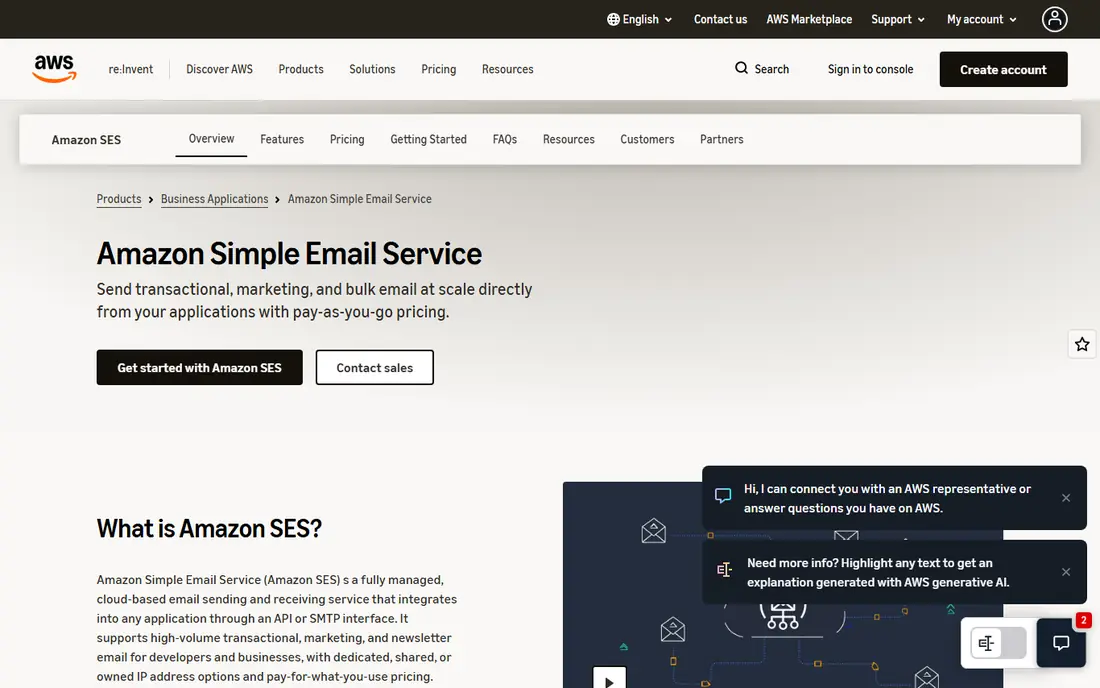
Pick Amazon SES if this describes you: high-volume senders already on AWS who want the lowest per-email cost. Amazon SES (Simple Email Service) is the cost leader for high-volume sending: pay per email with no subscription, running on AWS infrastructure, with a free usage level to start. In practice, for a team already in AWS, it suits naturally with IAM permissions, VPC configuration and existing billing.
The price per thousand emails undercuts every dedicated system at serious volume. What you save in money you spend in effort. Worth adding: teams with AWS expertise and high volume love it; everyone else should price their engineering time before calling it cheap. Amazon SES cost at the entry level: Pay-as-you-go per email. Amazon SES offers a free plan.
Points against: Bare-bones console and tooling compared to dedicated email platforms.
- Pay-as-you-go with no monthly commitment
- Integrates naturally with AWS infrastructure and IAM controls
- Templates and analytics need more DIY effort
Resend
Best for: Modern developer teams that want a clean, straightforward email API

Resend is a good fit for modern developer teams that want a clean, straightforward email API. Onboarding is quick, the dashboard is clear, and the vendor site prices from $0, so small projects start free. Resend is the modern answer to transactional email: a clean API, thoughtful documentation and React Email for building templates in code.
In daily use, for startups and product teams starting fresh, Resend's simplicity is the appeal; for complicated enterprise needs, the incumbents still lead. Also, check the current premium plans on resend.com. Starting cost for Resend: From $0. Resend offers a free plan.
Points against: Younger product with a smaller feature set than incumbents.
What works well: Test mode for safe experimentation.
- Clean
- Modern API design with very good developer experience
- Premium tiers must be confirmed on the vendor site
Loops
Best for: SaaS teams wanting marketing, product and transactional email in one product

Loops is built with SaaS teams wanting marketing, product and transactional email in one platform in mind. Loops is the email product made for SaaS teams: marketing campaigns, lifecycle workflows and transactional email in one place, with contacts kept in sync with product data.
More specifically, the positioning is deliberately narrow: SaaS businesses sending lifecycle email. The vendor site says free to start with no credit card required, which makes trying it frictionless. Price to start with Loops: Free to start. Loops has a free plan.
Drawbacks to consider: SaaS-focused, so less suited to non-software senders. Strengths: One product for marketing.
- Lifecycle and transactional email
- Free to start with no credit card
- Premium levels must be confirmed on the vendor site
MailerSend
Best for: Teams wanting transactional email with a free level and clean tooling
Where MailerSend fits: teams wanting transactional email with a free level and clean tooling. The product includes transactional email via API or SMTP, with templates, inbound routing, email verification, scheduled sending and analytics in a clean dashboard.
MailerSend starts at: Free plan. MailerSend offers a free plan.
What to check first: Less established than SendGrid or Mailgun at enterprise scale.
- Clean API and SMTP relay with good documentation
- Free plan with 500 emails a month
- Higher levels ($28 to $88/month) add up for heavy senders
SendGrid
Best for: Teams that require transactional email and marketing campaigns in one product
Think of SendGrid for teams that require transactional email and marketing campaigns in one system. The system is proven at enormous scale, and the documentation and SDK coverage mean most stacks integrate in an afternoon.
Honest limits: Email API and Marketing Campaigns are separate subscriptions, which complicates pricing.
This comparison lists no price for SendGrid; ask the vendor. As for free access: Free trial.
- Email API plus SMTP relay plus marketing campaigns in one account
- Deep documentation and official client libraries
- No permanent free level
Postmark
Best for: Transactional email where inbox placement and speed matter most
Postmark is designed for transactional email where inbox placement and speed matter most. Pricing begins from $15 per month on the vendor site, with a free trial to test it. When the emails that must arrive are the entire job, Postmark is the specialist pick.
The entry price is clear enough to budget without a sales call. As for the details, Postmark built its name on one promise: transactional email delivered quick and placed in the inbox, not the spam folder. It keeps transactional and broadcast traffic on separate streams so a newsletter never harms password-reset deliverability. The analytics present exactly what happened to every message. From a buyer's view, Postmark does not want to be your marketing product. If you need newsletters and automation, pair it with something else. Teams that have been burned by promotional mail hurting transactional reputation appreciate that architecture. Postmark starts at: From $15/month. Trial and free access: Free trial.
Where it is weaker: Strictly transactional focus, so marketing email needs another tool.
- In-depth delivery analytics and webhook events
- Reputation for quick delivery and solid inbox placement on transactional mail
- Premium from the start after the trial
What went into this list
We compared the tools on published pricing, free plan or trial availability, feature coverage for email sending software, and the limits each vendor documents. Seat minimums, billing terms and add-ons can move the real cost, so the starting prices here are a guide and not a quote. The order reflects how well each tool fits the most common buying scenario for email sending software, then price clarity, then free plan access. It is a starting point, not a verdict.
A buyer's checklist
- Ask SendGrid for a written quote, since no starting price is shown.
- Look at free plan limits closely: Amazon SES, Resend, Loops and MailerSend have one, and the caps decide whether it is usable for real work.
- Run a trial of SendGrid and Postmark with real work before paying for a year; your own workflow is the best test.
- Read the limits listed for Amazon SES first: bare-bones console and tooling compared to dedicated email products.
- Read the plan comparison for Loops carefully; key features often start on a higher tier.
- Ask Resend about contract length, onboarding fees and user minimums before you sign.
FAQ
Can I try these options before paying?
Often, yes. Amazon SES, Resend, Loops and MailerSend have a free plan and SendGrid and Postmark offer a free trial. Use your own data and a real task during the test, and check what the free tier or trial limits before you rely on it.
What is the difference between transactional and marketing email?
Transactional email is triggered by user actions: password resets, receipts, signup confirmations. Marketing email is bulk campaigns: newsletters, promotions. They have different deliverability requirements, which is why specialists like Postmark keep them on separate sending streams.
Do these tools publish their prices?
Not all of them. SendGrid publishes no starting price, so expect a quote request for it. The rest, Amazon SES included, show a starting price, though seats and billing terms still change the final cost.
Which options for email sending software have a free plan?
Amazon SES, Resend, Loops and MailerSend offer a free plan in this list. Free plans usually cap users, projects or features, so check the limits on the vendor page. Several others offer a trial instead.
How are the tools for email sending software ordered?
The order follows typical fit for email sending software, with Amazon SES first and Postmark last, then price clarity and free access. It is editorial judgement, not a score, so another team could rank the tools differently.