Best Email Finder Tools for Sales Teams in 2026: 8 Tools Compared
We compared the best email finder tools for sales teams on accuracy, verification, credits and CRM links, so your outreach starts with valid contacts.

- Editor's choice
 Hunter
Domain search and verification
Starts at$34 per monthVisit hunter.ioFull review - Great alternative
 Apollo
Large database plus outreach
Starts at$49 per user per monthVisit apollo.ioFull review - Also consider
 Snov.io
Budget prospecting and sequences
Starts at$39 per monthVisit snov.ioFull review
TL;DR:
- Hunter and Apollo are strong starting points, because both combine finding, verification and a usable free tier.
- Credit rules differ widely, so compare cost per verified email, not only the monthly price.
- Phone data costs far more credits than email data on most tools, so check that separately if you call prospects.
- A finder is only one layer: verification, warm up and careful sending still decide whether mail reaches the inbox.
- Test any finder on your own target list before buying, since accuracy varies by industry and region.
Quick comparison
| Tool | Best for | Starts at | Free plan? | |
|---|---|---|---|---|
| Hunter | Domain search and verification | $34 per month | Yes | Visit |
| Apollo | Large database plus outreach | $49 per user per month | Yes | Visit |
| Snov.io | Budget prospecting and sequences | $39 per month | Free trial | Visit |
 Lusha | Email plus direct dials | $29 per user per month | Yes | Visit |
 RocketReach | Executive and company research | $80 per user per month | Free trial | Visit |
 Skrapp | LinkedIn prospecting on a budget | $39 per month | Yes | Visit |
 Findymail | Pay only for verified emails | $49 per month | Free trial | Visit |
 Voila Norbert | Simple bulk finding and verification | $49 per month | Yes | Visit |
The best email finder tools for sales teams
An email finder should do two jobs well: find a plausible work email for a person, and tell you whether that address is likely to accept mail. Tools that only do the first job will fill your list with bounces. The picks below were chosen for sales teams that prospect regularly, not for one off searches.

Hunter is the tool many sales teams start with because its workflow is easy to grasp. Enter a company domain and you see the email patterns used there, plus a list of people found for that domain. Enter a name and company and it returns a likely address with a confidence note and a verification result.
Paid plans start at $34 per month on annual billing, with a free tier offering a monthly credit allowance. The main cost trap is verification: a verification can cost extra credits, so finding and verifying one address uses more than one credit. For teams that value clean lists over raw volume, that is still a fair trade, but budget on verified contacts, not on searches.
- Clear domain search and pattern finding
- Built in email verification
- Useful Chrome extension
- Phone data is thin compared with rivals
- Verification costs extra credits on top of a find

Apollo is more than a finder: it is a prospecting platform with a large database, filters for job title and company size, sequences for outreach, and links to common CRMs. For a sales team that wants one tool for list building and first outreach, that breadth is appealing and can replace several smaller subscriptions.
Pricing starts around $49 per user per month, with a free tier that lets a small team test filters and accuracy. The drawback is credit complexity, since different credit types cover different actions and do not always pool. Test Apollo on your exact ideal customer profile, because accuracy in one industry does not guarantee the same result in another.
- Very large contact database
- Built in sequences and CRM links
- Generous free tier for testing
- Credit types are split across email, phone and export uses
- Data freshness varies by segment
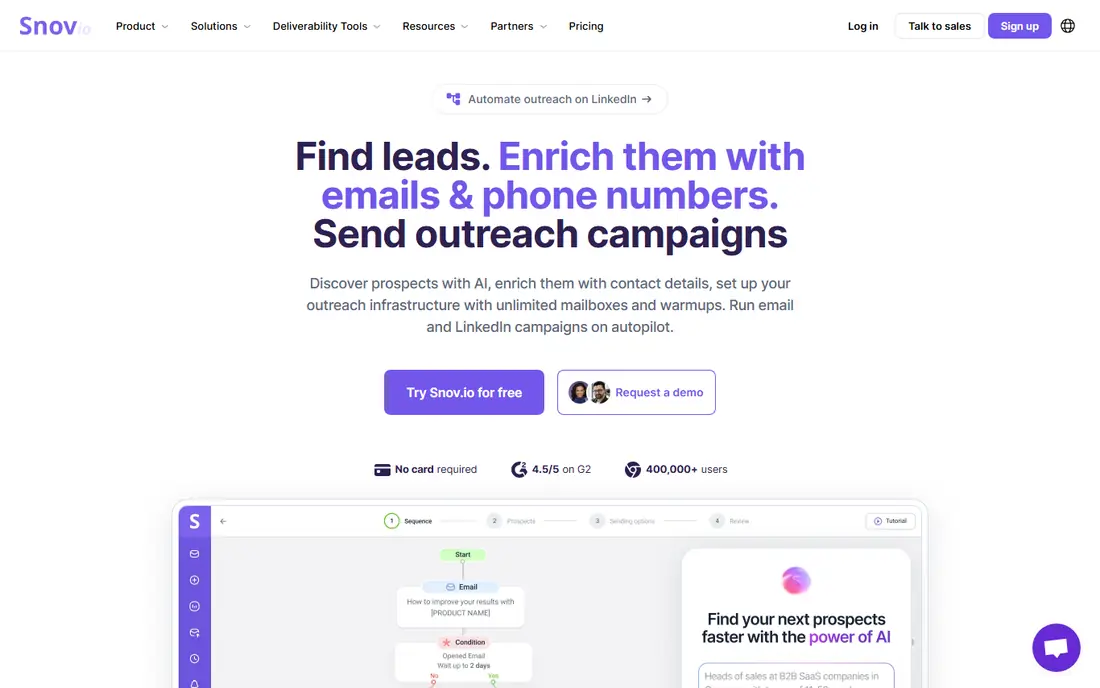
Snov.io suits small sales teams that need a full prospecting workflow without paying for an enterprise platform. You can find emails from domains and LinkedIn profiles, verify them, and run sequences from the same account. That keeps the workflow simple when one person handles both list building and outreach.
Paid plans start at $39 per month, with trial credits for testing. The catch is that credits cover several actions, so a team that finds, verifies and sends at volume can use them faster than the headline number suggests. For teams on a tight budget, Snov.io still offers strong value, provided you track credit use in the first month.
- Finder, verifier and email sequences in one plan
- Competitive price for small teams
- Good for international lists
- Phone data is limited
- Credit use across finding, verification and sending needs careful tracking
Lusha is the pick when phone outreach matters as much as email. Its extension surfaces contact details while you browse LinkedIn or a company site, which fits reps who prospect live rather than building large lists in bulk. That in the moment workflow can save a lot of tab switching.
Entry pricing is around $29 per user per month on annual billing, with a small free credit allowance. The honest limitation is credit cost for phones: a direct dial can cost ten times the credits of an email, so a plan that looks generous for email can shrink fast if you call often. Check the credit table for phones before you commit.
- Useful direct dial data alongside emails
- Simple browser extension
- Good for teams that call as well as email
- Phone numbers cost many more credits than emails
- Entry plans have modest credit allowances
RocketReach is built for research heavy prospecting, especially when you need to reach senior people at larger companies. Its database and search filters help a rep build an account map, find the right titles, and check contact details before outreach. For enterprise sales teams, that depth can justify a higher price.
Plans start around $80 per user per month, with a trial for testing. There is no generous permanent free tier, and lookups beyond plan limits are billed per lookup. That makes RocketReach a poor fit for high volume list building on a small budget, but a strong fit for targeted account work where each contact is worth more.
- Strong coverage for executives and larger companies
- Company and people search in one place
- Useful for account research
- High per user price
- Per lookup cost beyond plan limits adds up quickly
Skrapp keeps prospecting simple: open a LinkedIn profile or search, save the contact, and verify the email. For solo reps and small teams that live on LinkedIn, that focused workflow beats a large platform with features they never open. Setup is quick, and the interface does not require training.
Paid plans start at $39 per month, with a free tier offering a monthly credit allowance. The trade off is scale: Skrapp is less suited to building very large lists or running complex team workflows than Apollo or Lusha. If LinkedIn is your main source and volume is modest, Skrapp offers good value.
- Simple LinkedIn extension workflow
- Built in verification
- Free tier for occasional use
- Database is smaller than the largest platforms
- Bulk features are more limited than enterprise tools
Findymail appeals to teams that have been burned by paying for unverified contacts. Its model focuses on returning emails it can verify, rather than returning a larger pile of guesses. That can lower the effective cost per usable email, even when the monthly price looks higher than a budget rival.
Plans start around $49 per month, with a limited trial. The limitation is breadth: Findymail is primarily a finder and verifier, not a full outreach platform, so you will still need a sending tool and a CRM. If bounce rate is your main problem, that focus is a benefit, not a drawback.
- Charges mainly for verified results
- Multi step verification process
- Useful for teams tired of paying for bounces
- Higher entry price than budget finders
- Smaller feature set for outreach beyond finding
Voila Norbert has been around long enough to be a steady, predictable choice. You can search by name and domain, verify in bulk, and use an API to enrich lists automatically. For teams that already have a CRM and a sending tool, that narrow focus is enough, and it avoids paying for features they will not use.
Pricing starts at $49 per month, with a free tier offering a small number of searches. The interface is less modern than Apollo or Lusha, and it does not try to be a full sales platform. If you want a dependable finder and verifier with a clear credit model, Voila Norbert still earns a place on the shortlist.
- Straightforward bulk search and verification
- API for teams that automate enrichment
- Clear credit model
- Interface feels dated next to newer rivals
- Outreach features are limited compared with all in one platforms
How we picked these
We compared official pricing pages, feature descriptions and public comparisons for email finders that are live in October 2026. We looked for tools with verification built in, a free tier or trial, and a clear way to export results to a CRM or sending tool. We favoured tools suited to regular sales prospecting over one off lookup sites, and we noted credit rules where they change the real cost.
What to check before you buy
A finder test should use your real prospects, not a demo list. Pick 50 contacts from your target market, run them through two or three tools, and count verified results and bounces. That small test tells you more than any database size claim.
Accuracy and verification
Ask how verification works and what happens with catch all domains, where any address appears valid. A tool that returns a guess without a confidence note will inflate your list and your bounce rate. Keep a record of bounce rates by tool, so you can see which one performs best for your market.
Credits and total cost
Read the credit table before you pay. Some tools charge separately for finding, verifying and exporting, and phone numbers often cost far more than emails. Divide the monthly price by the number of verified emails you actually use, and compare that figure across tools.
Compliance and sending practice
Only email business contacts where you have a lawful basis, and follow the rules for your region, including opt out handling and sender authentication. Warm up new sending domains, keep daily volume modest at first, and stop mailing addresses that bounce. A finder does not make cold outreach compliant on its own, so pair it with good sending practice.
FAQ
What is the best email finder tool for a small sales team?
Hunter or Snov.io are strong starting points, because both offer verification and a manageable price. Apollo suits teams that also want sequences and a larger database in one place. Test two tools on your own prospects before choosing, since accuracy varies by market.
How accurate are email finder tools?
Accuracy varies by industry, company size and region, and no tool finds every address correctly. Tools that verify results and flag catch all domains tend to produce fewer bounces. The best check is a small test on your own list, followed by tracking bounce rates in your sending tool.
Do I need a separate verification tool?
Many finders now include verification, which is enough for most teams. A separate verifier can still help if you import lists from other sources or if your finder returns many catch all results. If you buy a separate verifier, check that it does not double charge for addresses your finder already verified.
Are email finder tools legal?
Finding publicly available business contact details is common in sales, but use must follow privacy and anti spam rules in your region. Provide a clear opt out, do not mail personal addresses without a lawful basis, and respect do not contact requests. When in doubt, check with whoever handles compliance for your company.
How many credits will my team actually use?
That depends on list size, verification and phone needs. A team that finds 500 emails a month and verifies them all will use more credits than a team that finds 500 and verifies only the top prospects. Track usage in the first month on a monthly plan before moving to annual billing.
Can these tools find personal email addresses?
Most business finders focus on work emails, and personal addresses are harder to find and riskier to mail. For business outreach, a work email is usually the right contact point. Avoid tools that promise large personal email databases, since those lists often raise privacy and deliverability problems.