The 6 Best Email Bulk Software for Personalization in 2026, Ranked
Best email bulk software for personalization, compared. 6 tools with published prices, free plans and limits. The catches are listed up front. Numbers first.
- Editor's choice
 GetResponse
Automation and landing pages together
Starts at$19 a monthVisit getresponse.comFull review - Great alternative
 ActiveCampaign
Advanced automation with AI agents
Starts atSee websiteVisit activecampaign.comFull review - Also consider
 Mailchimp
Behavior-based personalization for beginners
Starts at$13 a monthVisit mailchimp.comFull review
Direct answer
Our first pick is GetResponse, best for automation and landing pages together. Listed starting prices: GetResponse from $19 a month, Mailchimp from $13 a month and Klaviyo from $20 per month. Look at ActiveCampaign for advanced automation with AI agents, and at Mailchimp for behavior-based personalization for beginners. Details, prices and limits for the rest of the 6 tools are below.
TL;DR:
- Number one here is GetResponse, a fit for automation and landing pages together.
- Brevo is the lowest-priced starter here at $9 per month.
- A free plan is available from 3 of the 6 tools: Mailchimp, Klaviyo, Brevo.
- For all-in-one engagement on a budget, Brevo is worth a look.
Last checked November 2026. Prices and plan details were read from the vendors' own pages in November 2026; vendors change plans often, so confirm the current price on the vendor site before you buy.
Quick comparison
| Tool | Best for | Starts at | Free plan? | |
|---|---|---|---|---|
| GetResponse | Automation and landing pages together | $19 a month | Free trial | Visit |
| ActiveCampaign | Advanced automation with AI agents | See website | Free trial | Visit |
| Mailchimp | Behavior-based personalization for beginners | $13 a month | Yes | Visit |
 Klaviyo | Ecommerce personalization across email and SMS | $20 per month | Yes | Visit |
 MailerLite | Straightforward personalization for expanding audiences | $12 a month | Free trial | Visit |
 Brevo | All-in-one engagement on a budget | $9 per month | Yes | Visit |
The full email bulk software for personalization list
Choosing email bulk software for personalization usually comes down to price, fit and limits. This LinkVetted guide sets 6 tools side by side on those three points, with the facts kept short and checkable.
GetResponse is aimed squarely at automation and landing pages together. GetResponse is an email marketing product with automation and landing pages. Its homepage emphasizes automating sales, tracking revenue and converting leads into loyal customers.
Limits to weigh: Personalization depth varies by setup.
Worth adding: GetResponse handles numerous functions, so its interface can feel busy and its personalization depth relies on how carefully automations are built. In daily use, choose GetResponse when you want landing pages and email automation working together. On cost, GetResponse starts like this: $19 per month. Free plan details: Free trial.
- Email marketing with automation
- Landing pages for lead capture
- Interface can feel busy
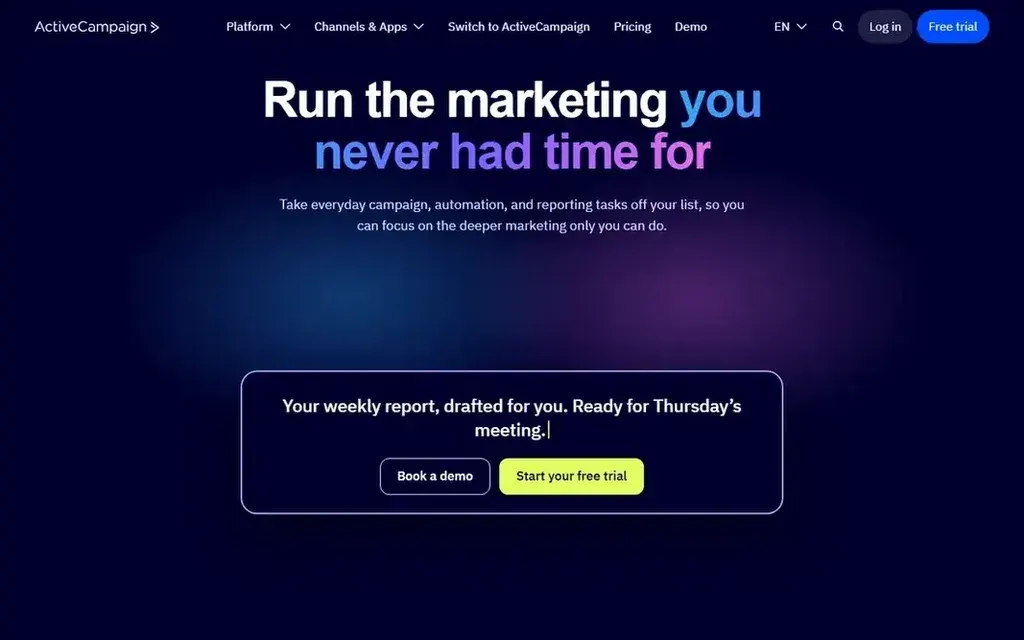
Where ActiveCampaign fits: advanced automation with AI agents. ActiveCampaign presents itself as an autonomous marketing system that goes beyond standard automation. Its AI agents run email, SMS, WhatsApp and other channels, drawing on large data sets to tailor outreach.
On top of that, the depth that makes ActiveCampaign capable also makes it harder to learn, and small senders may not need its automation layers. Pick ActiveCampaign when automation logic and multichannel journeys are central to your strategy. If you want fast, straightforward bulk email with light personalization, a lighter tool is simpler. This comparison lists no price for ActiveCampaign; ask the vendor. Free access: Free trial.
What to check first: Can be complicated to configure.
- Extends to WhatsApp channels
- Autonomous marketing product
- Overkill for straightforward sends
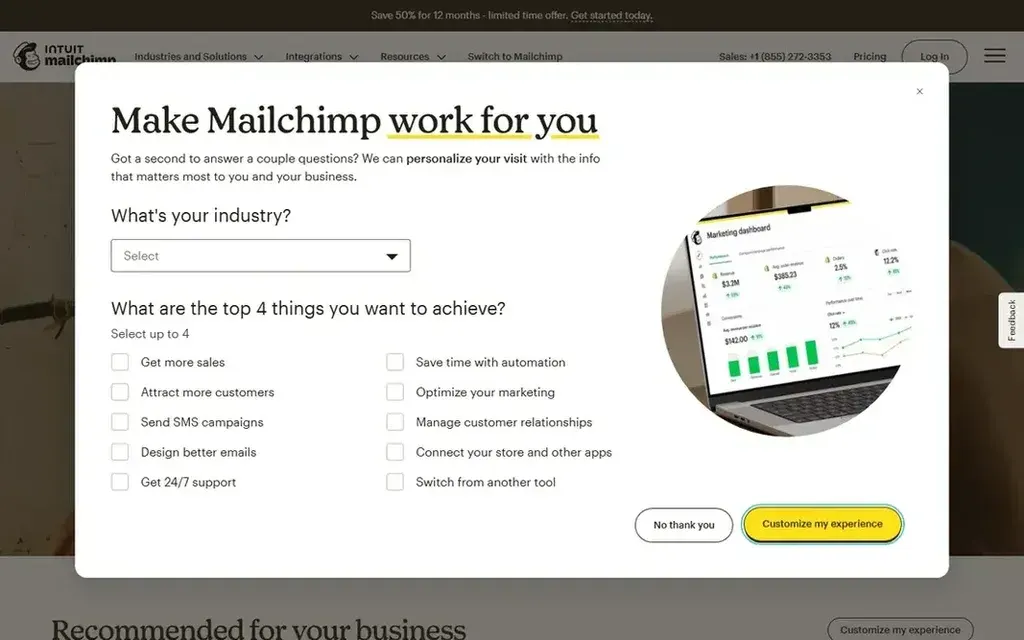
Mailchimp is a good fit for behavior-based personalization for beginners. Its homepage flags live user behavior data and artificial intelligence to help convert more customers, which makes it a practical starting point for personalizing bulk campaigns.
Downsides: Less deep than some rivals.
In practice, if you need deep behavioral branching or heavy ecommerce integration, a more specialized tool may serve you better. What you pay to start with Mailchimp: $13 per month. A free plan is available with Mailchimp.
- Simple to use for newcomers
- AI features to target and convert
- Advanced automation costs more
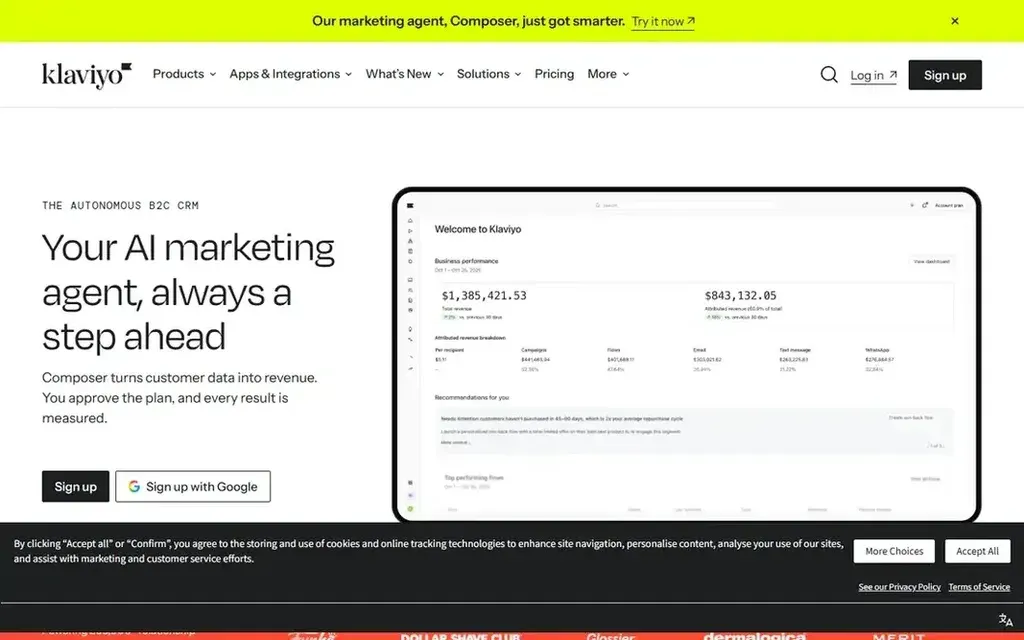
For ecommerce personalization across email and SMS, Klaviyo is a natural candidate. Klaviyo describes itself as an AI email marketing and SMS product and a B2C CRM.
It brings together email and SMS to drive growth and retention. Its K:AI Agents help build personalized, omnichannel experiences across WhatsApp, ecommerce and more. On cost, Klaviyo starts like this: $20 per month. Klaviyo has a free plan.
Limits to weigh: Setup needs data planning.
- AI-powered personalization
- Brings together email marketing and SMS
- Ecommerce-focused orientation
Where MailerLite fits: straightforward personalization for expanding audiences. Its focus is straightforward email marketing with the segmentation and personalization small teams actually use. Choose MailerLite when clarity and simplicity outweigh maximum feature depth.
Upsides: Support emphasized by vendor.
If you need advanced branching or tight product-data integration, a more automation-heavy product is a better fit. On top of that, MailerLite's more straightforward automation may not handle highly complicated behavioral journeys or deep ecommerce personalization. Entry price for MailerLite: $12 per month. Free access: Free trial.
Points against: Lighter advanced automation.
- Clean
- Tools to grow an audience
- Fewer omnichannel choices
Brevo is built with all-in-one engagement on a budget in mind. Brevo positions itself as an all-in-one customer engagement system including email and SMS marketing, automation, CRM, live chat and transactional email. That combination lets teams personalize across marketing and transactional messages from one place, which suits small and midsize companies that want a single easy-to-learn system instead of multiple separate tools.
Downsides: Wide scope needs planning.
More specifically, pick Brevo when an easy-to-learn, unified toolkit matters more than maximum depth. More specifically, since Brevo spreads across numerous functions, its personalization depth in any one area may trail specialists, especially for advanced ecommerce segmentation. Entry price for Brevo: $9 per month. You can start on Brevo without paying.
Upsides: Transactional email included.
- SMS and CRM together
- Fewer deep ecommerce features
What went into this list
The comparison looks at four things: starting price, free access, how well the feature set matches email bulk software for personalization, and the main limit of each tool. Treat prices as a snapshot: vendors change plans often, so check the vendor site for the figure that applies today. The ranking is editorial: typical fit first, then clear pricing, then free access. If your needs are unusual, read the profiles rather than relying on position.
What to check before you buy
- Ask ActiveCampaign for a written quote, since no starting price is shown.
- Read the fine print on the free plans from Mailchimp, Klaviyo and Brevo; seat, project and feature caps differ.
- Run a trial of GetResponse, ActiveCampaign and MailerLite with real work before paying for a year; your own workflow is the best test.
- Read the limits listed for GetResponse first: interface can feel busy.
- Pick one real project and run it in ActiveCampaign first; a small pilot shows fit faster than a checklist.
- Look at the help docs and support options for Brevo before you commit.
FAQ
Should ecommerce brands choose Klaviyo over Mailchimp?
Klaviyo is oriented toward B2C ecommerce, with AI email and SMS built around product and behavior data. Mailchimp emphasizes simplicity and behavior-based AI for a broader audience.
How are the tools for email bulk software for personalization ordered?
The order follows typical fit for email bulk software for personalization, with GetResponse first and Brevo last, then price clarity and free access. It is editorial judgement, not a score, so another team could rank the tools differently.
Is GetResponse the right pick for everyone comparing email bulk software for personalization?
No single tool suits every team. GetResponse comes first because it fits automation and landing pages together, while ActiveCampaign suits advanced automation with AI agents and Mailchimp suits behavior-based personalization for beginners. Match the tool to your own size, budget and workflow before deciding.
What makes email software a decent match for personalization?
Capable personalization relies on usable data, adaptable segmentation and automation that reacts to behavior. Look for systems that link to your customer records and let you tailor content by segment or individual activity.
Do these tools publish their prices?
Not all of them. ActiveCampaign publishes no starting price, so expect a quote request for it. The rest, GetResponse included, show a starting price, though seats and billing terms still change the final cost.
Can I try these tools before paying?
Often, yes. Mailchimp, Klaviyo and Brevo have a free plan and GetResponse, ActiveCampaign and MailerLite offer a free trial. Use your own data and a real task during the test, and check what the free tier or trial limits before you rely on it.
Sources
- https://www.getresponse.com
- https://www.activecampaign.com
- https://mailchimp.com
- https://www.klaviyo.com
- https://www.mailerlite.com
- https://www.brevo.com