Best E-Commerce Platforms for Startups in 2026: 9 Platforms Compared
Compare the best e-commerce platforms for startups, from Shopify and WooCommerce to BigCommerce, Squarespace and Wix, with prices, fees and total cost tips.
- Editor's choice
 Shopify
Most startups, fast launch
Starts at$29 per monthVisit shopify.comFull review - Great alternative
 WooCommerce
WordPress control
Starts atFreeVisit woocommerce.comFull review - Also consider
 BigCommerce
Scaling with built in features
Starts at$29 per monthVisit bigcommerce.comFull review
TL;DR:
- Shopify is the safest default for most startups, because it combines easy setup, reliable checkout, payments and a large app ecosystem.
- WooCommerce suits startups on WordPress that want full control and no platform transaction fees, provided someone can manage hosting and updates.
- BigCommerce suits startups that plan to scale fast and want more built in features, with no platform transaction fees on any plan.
- Squarespace and Wix suit design led startups with small catalogs, while Square Online suits sellers who already use Square in person.
- Our pick for most startups is Shopify, because it launches fast, scales well, and keeps the focus on selling rather than site maintenance.
Quick comparison
| Tool | Best for | Starts at | Free plan? | |
|---|---|---|---|---|
| Shopify | Most startups, fast launch | $29 per month | Free trial | Visit |
| WooCommerce | WordPress control | Free | Yes | Visit |
| BigCommerce | Scaling with built in features | $29 per month | Free trial | Visit |
 Squarespace | Design led small catalogs | See website | Free trial | Visit |
 Wix eCommerce | Beginner friendly design | See website | Free trial | Visit |
 Square Online | Square sellers going online | Free | Yes | Visit |
 Ecwid | Adding a store to an existing site | Free | Yes | Visit |
 Shift4Shop | Free with payment processing | Free | Yes | Visit |
 Big Cartel | Artists and small makers | Free | Yes | Visit |
The best e-commerce platforms for startups
A startup platform should let you launch in days, take payments safely, and grow without a painful migration in year one. The platforms below all serve startups, but they differ on ease of use, transaction fees, design control and long term costs. Compare total cost, including apps, payment fees and hosting, not just the monthly plan price.

Shopify is the default choice for most startups for a reason. You can launch a polished store in days, take payments through Shopify Payments or many other gateways, sell on social channels and marketplaces, and add apps for subscriptions, bundles, reviews and email. Hosting, security and checkout reliability are handled for you, so you can focus on products and marketing.
The costs to watch are transaction fees and apps. Shopify charges extra transaction fees if you use a third party payment provider, and popular apps add monthly fees that can double the base plan cost. Start with the Basic plan, use Shopify Payments where possible, and add apps only when a clear sales problem justifies the fee.
- Fast setup
- Reliable hosted checkout
- Large app store
- Multi channel selling
- Built in POS
- Transaction fees unless you use Shopify Payments
- App costs add up
- Theme customization limits

WooCommerce turns a WordPress site into a full store, with product pages, checkout, coupons, shipping and tax tools. It suits startups that already run WordPress, want full control over design and data, and do not want platform transaction fees. The plugin itself is free, and you can choose any host, theme and payment gateway.
That freedom comes with responsibility. You must arrange hosting, backups, security updates and plugin compatibility, and a poorly chosen host will slow checkout. WooCommerce fits best when you have technical help or are comfortable with WordPress, and when content marketing is central to your startup.
- Free plugin
- Full code and data ownership
- No platform transaction fees
- Huge plugin ecosystem
- Hosting, security and updates are your job
- Setup takes longer
- Plugin conflicts can occur
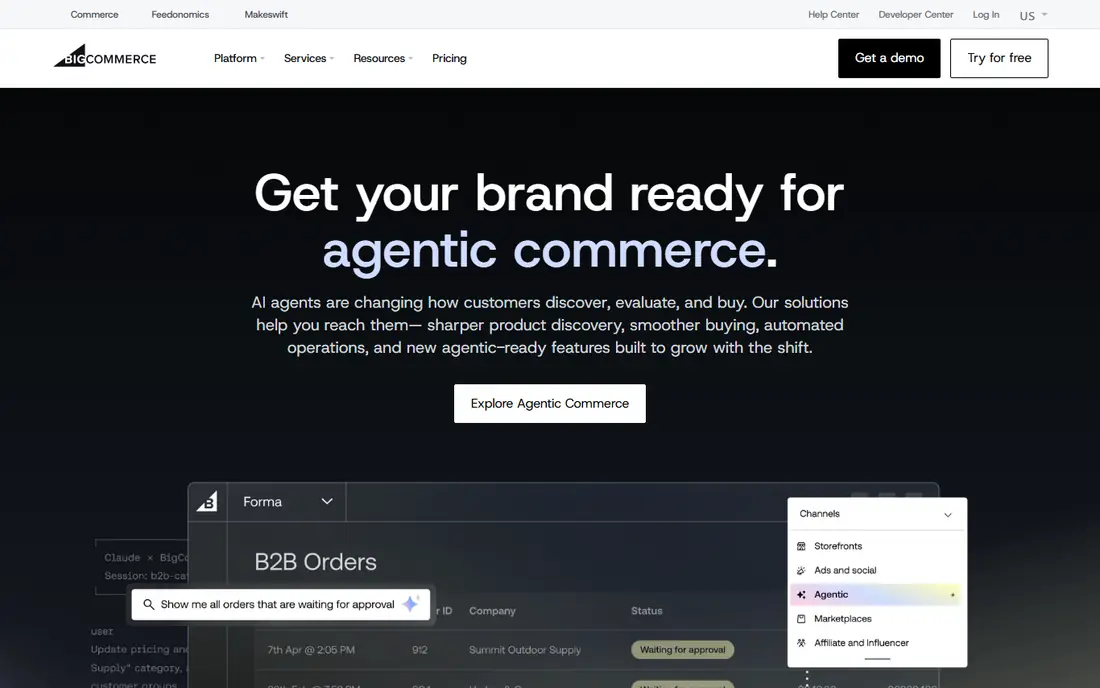
BigCommerce suits startups that want SaaS simplicity with more built in power than Shopify offers at the same price point. It charges no platform transaction fees on any plan, includes many features that require apps on Shopify, and offers native B2B tools for wholesale buyers. That built in depth helps as catalogs and order volumes grow.
The app ecosystem is smaller than Shopify, and theme design can feel less flexible for highly visual brands. BigCommerce fits best for product heavy startups, B2B and B2C hybrids, and founders who want fewer apps and more native features from day one.
- No platform transaction fees
- Strong built in features
- B2B tools
- Multi channel selling
- App ecosystem is smaller than Shopify
- Theme design options are narrower
Squarespace is the pick for design led startups with a small catalog, such as a fashion label, studio or food brand selling under 200 products. Templates look polished out of the box, the editor is easy to learn, and content tools help with storytelling and SEO basics. For a brand where visual identity drives sales, Squarespace can look better than a generic Shopify theme with less effort.
Ecommerce depth is the limit. Advanced discounting, subscriptions and multi channel tools are thinner than on Shopify or BigCommerce, and lower plans add transaction fees. Squarespace fits best when design and simplicity matter more than complex ecommerce features.
- Beautiful templates
- Easy editor
- Good for small catalogs
- Blogging and content tools
- Ecommerce features are more limited than Shopify
- Transaction fees on lower plans
- Fewer apps
Wix eCommerce suits first time founders who want a store plus a website in one easy builder. The drag and drop editor, templates and AI builder help you launch quickly without code, and ecommerce plans add product pages, checkout, payments and basic marketing tools. For a simple store with a small catalog, Wix is hard to beat for ease.
Advanced sellers may hit limits on inventory, discounting, B2B and app depth, and migrating a large Wix store later can be painful. Wix fits best for testing an idea, selling a small range, or running a service business with a simple shop attached.
- Very easy drag and drop editor
- Many templates
- AI site builder
- Good for simple stores
- Scaling and advanced ecommerce features trail Shopify
- App costs add up
- Migration is harder
Square Online suits startups that already sell in person with Square, such as cafes, retailers and market stalls. The free plan lets you launch a basic store quickly, inventory syncs with Square POS, and payments run through Square without a separate gateway setup. That integration saves time for omnichannel sellers.
Design flexibility and advanced ecommerce features are more limited than on Shopify, and Square payment fees still apply. Square Online fits best when in person sales come first and online is a second channel, rather than when online is your only sales channel from day one.
- Free starter plan
- Tight Square POS and payments integration
- Easy for in person sellers
- Design and ecommerce depth trail Shopify
- Transaction fees apply
- Fewer apps
Ecwid is different from the other platforms here, because it adds a store to an existing website rather than replacing it. You can embed products on WordPress, Wix, Squarespace or a custom site, sell on social channels, and start on a free plan with a small product limit. That makes Ecwid ideal for a startup that already has a site and audience.
Design control is limited on free and lower plans, and advanced features such as subscriptions and wholesale pricing need higher tiers. Ecwid fits best when your website already works and you want to add selling without rebuilding it, or when you want to test ecommerce before committing to a full platform.
- Free starter plan
- Embeds in any website
- Multi channel selling
- Easy to start
- Limited design control on lower plans
- Advanced features need paid plans
- Smaller app range
Shift4Shop, formerly 3dcart, offers a free ecommerce plan when you process payments through Shift4, with a full feature set including product management, SEO tools, marketing and shipping options. For a startup that wants a complete store without a monthly platform fee, that deal is attractive, provided Shift4 payment rates suit your sales volume.
The catch is payment lock in. The free plan requires Shift4 processing, and leaving Shift4 can mean moving to a paid plan or migrating platforms. Theme design also feels less modern than Shopify or Squarespace, so budget for design work if visual polish matters to your brand.
- Free plan when using Shift4 payments
- Full ecommerce features
- US based support
- Free plan ties you to Shift4 payments
- Theme design is less modern than Shopify
Big Cartel suits artists, makers and small brands selling a handful of products, such as prints, apparel or handmade goods. The free plan covers up to 5 products, setup is simple, and the design feels made for creative sellers rather than generic retail. For a first online shop with a tiny catalog, Big Cartel removes cost and complexity.
It is not a scaling platform. Product limits, discounting, inventory and app features are far thinner than on Shopify or BigCommerce, and a growing brand will outgrow Big Cartel quickly. Use it to test demand, then migrate to Shopify or BigCommerce when sales justify the move.
- Free plan for up to 5 products
- Simple setup
- Artist friendly design
- No monthly fee to start
- Very limited product and feature range
- Not suited to scaling or complex stores
How we picked these
We compared official platform pricing pages, free plans, transaction fees, app ecosystems, design tools and public startup guides for 2026. We favored platforms with current startup plans, reliable hosted checkout or clear self hosting guidance, and a realistic path to scale. We did not launch a store on every platform, and prices change, so we advise confirming plan and payment fees on the vendor site.
We also weighed total cost, not just headline plan price. A free plugin with paid hosting and apps can cost more than a 29 dollar SaaS plan, and a cheap plan with high transaction fees can cost more at scale. That total cost view is why Shopify and BigCommerce rank above cheaper looking options for most startups.
How to choose a platform for your startup
Start with your catalog, sales channels and technical comfort. A small design led catalog points to Squarespace or Wix, a WordPress content site points to WooCommerce, and a growth focused D2C brand points to Shopify or BigCommerce. List must have features, such as subscriptions, wholesale pricing or multi channel selling, and rule out any platform that needs three paid apps to cover one must have feature.
Costs beyond the monthly plan
Budget for payment processing fees, which usually run around 2.9 percent plus 30 cents per transaction in the US, plus any platform transaction fees. Add domain, email, theme, app and photography costs, and allow for shipping and tax tools if you sell across states. A startup budget that only counts the monthly plan will understate true costs by a wide margin.
When to migrate, and when to stay
Stay on your first platform while it handles your catalog, traffic and checkout reliably, even if a rival looks slightly cheaper. Migrate when you hit hard limits on features, speed, apps or support, and plan the migration around SEO redirects, customer accounts and order history. A rushed migration during peak sales can cost more than a year of platform fees.
FAQ
What is the best e-commerce platform for startups?
Shopify is best for most startups because it launches fast, handles hosting and checkout, and scales with apps and multi channel selling. WooCommerce is best for WordPress users who want control, while BigCommerce is best for scaling brands that want built in features and no platform fees.
How much does it cost to start an online store?
A basic Shopify or BigCommerce store starts at 29 dollars per month billed annually, plus payment fees and optional apps. WooCommerce is free as a plugin but needs hosting, while Square Online, Ecwid, Shift4Shop and Big Cartel offer free starter plans. Budget 500 to 2,000 dollars for a first year including domain, theme and apps.
Is Shopify or WooCommerce better for a startup?
Shopify is better for startups that want speed, reliability and low maintenance, since hosting and checkout are handled for you. WooCommerce is better for startups on WordPress that need full control and want to avoid platform transaction fees, provided you can manage hosting and updates. Choose by technical comfort, not by price alone.
Can I start an online store for free?
Yes, Square Online, Ecwid, Shift4Shop and Big Cartel offer free starter plans, and WooCommerce is free as a plugin with paid hosting. Free plans limit products, features or design, and payment fees still apply, so treat free as a testing stage, not a permanent home for a growing store.
What are transaction fees on e-commerce platforms?
Transaction fees are charges on top of payment processing fees. Shopify charges up to 2 percent if you use a third party gateway instead of Shopify Payments, while BigCommerce and WooCommerce charge no platform transaction fees. Squarespace charges transaction fees on lower plans, so check plan terms before you choose.
How do I choose between Squarespace and Shopify?
Choose Squarespace for a design led store with a small catalog and simple selling needs. Choose Shopify for a larger catalog, subscriptions, multi channel selling, POS and a bigger app ecosystem. If you expect rapid growth or complex ecommerce features, Shopify is the safer long term choice.