Best Document Management Software for Medical Clinics (2026): 5 Picks Checked on Vendor Pages
5 products for the best document management software for medical clinics, ranked by fit, with starting costs and free tiers. Caveats come with every verdict.

- Editor's choiceeFileCabinet
Straightforward document storage
Starts at$25 per user a monthVisit efilecabinet.comFull review - Great alternativeOnBase
Content management at scale
Starts atSee websiteVisit hyland.comFull review - Also consider
 Revver
Cloud document workflows
Starts at$25 per user a monthVisit revverdocs.comFull review
Direct answer
If you need straightforward document storage, eFileCabinet is the first tool to look at here. Listed starting prices: eFileCabinet from $25 per user a month, Revver from $25 per user a month and Laserfiche from $42 per user a month. OnBase fits content management at scale; Revver fits cloud document workflows. The other 2 tools in the list cover narrower or pricier cases.
TL;DR:
- Number one here is eFileCabinet, a fit for straightforward document storage.
- The main caution on Laserfiche: configuration effort for forms and workflows.
- For clinics wanting document workflows, DocuWare is worth a look.
- None of the 5 tools, from eFileCabinet to DocuWare, has a free plan, so budget for a subscription or use a trial.
Last checked November 2026. Prices and plan details were read from the vendors' own pages in November 2026; vendors change plans often, so confirm the current price on the vendor site before you buy.
Quick comparison
| Tool | Best for | Starts at | Free plan? | |
|---|---|---|---|---|
| eFileCabinet | Straightforward document storage | $25 per user a month | Free trial | Visit |
| OnBase | Content management at scale | See website | Not stated | Visit |
| Revver | Cloud document workflows | $25 per user a month | Free trial | Visit |
 Laserfiche | Forms and process automation | $42 per user a month | Not stated | Visit |
 DocuWare | Clinics wanting document workflows | See website | Not stated | Visit |
The 5 tools in detail
Choosing document management software for medical clinics usually comes down to price, fit and limits. This LinkVetted guide sets 5 tools side by side on those three points, with the facts kept short and checkable.
eFileCabinet
Best for: Straightforward document storage
Think of eFileCabinet for straightforward document storage. Clinics needing deep workflow automation or intelligent extraction may outgrow a storage-first approach. eFileCabinet is document management software oriented toward storing and organizing files digitally, following a file-cabinet model that plenty of clinic staff find familiar.
Limits to weigh: Confirm clinic-specific needs with vendor.
Teams wanting core storage and organization before advanced automation are the natural audience. As for the details, compare DocuWare or Square 9 if processing steps matter more than storage. On cost, eFileCabinet starts like this: $25 per user per month. As for free access: Free trial.
- Suited to paper-to-digital transitions
- Familiar file-cabinet approach
- Less emphasis on advanced automation
OnBase
Best for: Content management at scale
OnBase is aimed squarely at content management at scale. For medical clinics, it suits organizations that want a content management foundation handling documents and process needs together, especially clinics that expect to grow or that already run other Hyland options.
What to check first: May need implementation support.
Confirm fit with the vendor before committing to a rollout plan. Pricing for OnBase is not stated here, so ask the vendor for current figures. As for free access: Not stated.
- Backed by Hyland
- Content management for information
- Enterprise-oriented product
Revver is aimed squarely at cloud document workflows. For medical clinics, the cloud model suits teams that work across locations or want records accessible without on-site servers.
Where it falls short: Confirm clinic requirements with vendor.
It fits clinics that want document organization and process support in one hosted system. Entry price for Revver: $25 per user per month. Trial and free access: Free trial.
- Suited to distributed teams
- Cloud-based document management
- Feature depth varies by configuration

Laserfiche is a good fit for forms and process automation. Laserfiche supplies document management and process automation, with workflows, electronic forms and analytics.
Trade-offs to know: Feature depth may exceed small clinic needs.
Also, DocuWare and OnBase are reasonable alternatives based on whether workflow or content management is the priority. Laserfiche cost at the entry level: $42 per user per month. Trial and free access: Not stated.
- Workflow automation
- Electronic forms alongside document management
- Configuration effort for forms and workflows
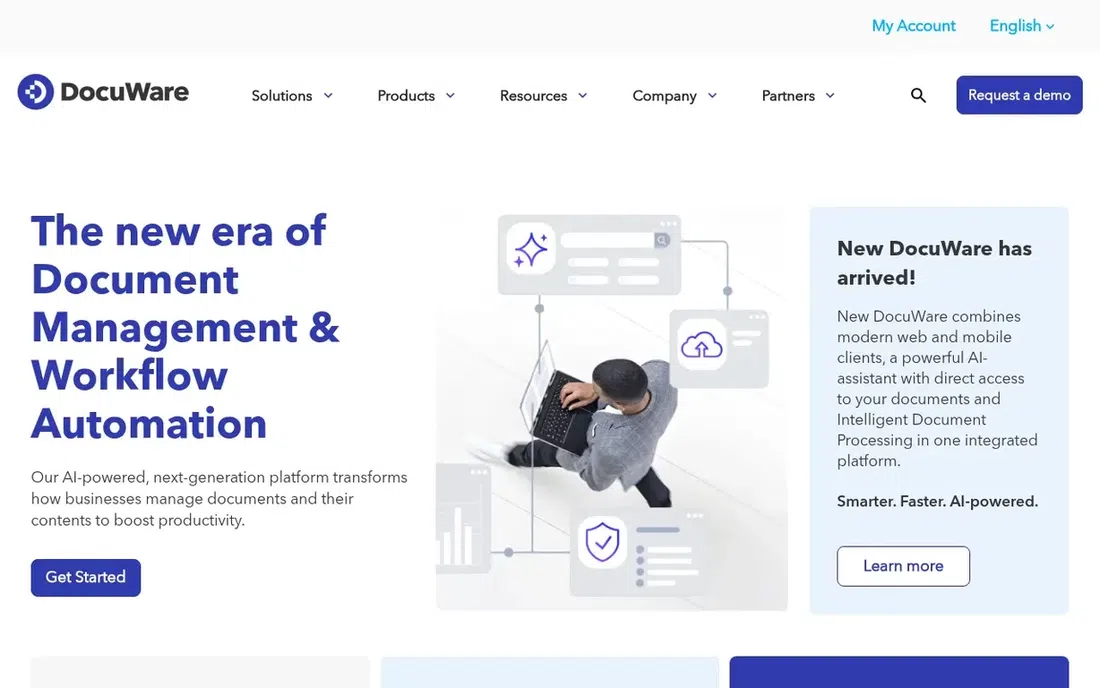
DocuWare was built for clinics wanting document workflows. For a medical clinic, that combination suits teams that want records and administrative paperwork stored centrally and routed through defined steps instead of handled by hand.
In practice, setup and process design take effort, and clinics without staff to configure workflows should weigh more straightforward options. The system is wide, so smaller clinics may find the workflow layer more than they need at the start. This comparison lists no price for DocuWare; ask the vendor. Free plan details: Not stated.
Where it falls short: Wide system may need configuration for clinic needs.
- Workflow automation for document processing
- Positioned for improving processing speed
- Workflow setup needs planning
Selection criteria
Questions to settle before buying
- Ask OnBase and DocuWare for a written quote, since no starting price is shown.
- Run a trial of eFileCabinet and Revver with real work before paying for a year; your own workflow is the best test.
- Read the limits listed for eFileCabinet first: less emphasis on advanced automation.
- Check how data leaves Laserfiche: formats, limits and whether exports are available on every plan.
- List the apps you already depend on and check that DocuWare supports each one on the plan you would buy.
FAQ
Does any tool for document management software for medical clinics here have a free plan?
A permanent free plan is not offered by eFileCabinet, DocuWare or the other tools here. eFileCabinet, Revver offer a trial. Plan a short evaluation period instead.
Do these tools publish their prices?
Not all of them. OnBase and DocuWare publish no starting price, so expect a quote request for those. The rest, eFileCabinet included, show a starting price, though seats and billing terms still change the final cost.
Can I try these tools before paying?
Often, yes. eFileCabinet and Revver offer a free trial. Use your own data and a real task during the test, and check what the free tier or trial limits before you rely on it.
Is cloud or on-site deployment better for a clinic?
Cloud options like Revver suit clinics that want access across locations without maintaining servers. On-site deployments can appeal to clinics with strict internal infrastructure preferences.
What is the cheapest option for document management software for medical clinics in this list?
On published monthly entry prices, eFileCabinet is the lowest here at $25 per user per month. Entry price is only part of the cost, because seats, add-ons and billing terms can change the total.
Sources
- https://www.efilecabinet.com
- https://www.hyland.com/en/solutions/products/onbase
- https://www.revverdocs.com
- https://www.laserfiche.com
- https://start.docuware.com