Best Discrete ERP Software in 2026: 8 Tools Compared
Compare the best discrete erp software for makers of distinct items, covering bills of material, work orders, planning, inventory and current pricing.

- Editor's choice
 SAP S/4HANA
Large global discrete manufacturers
Starts atSee websiteVisit sap.comFull review - Great alternative
 Oracle NetSuite
Growing mid-sized manufacturers
Starts at$99 per user per monthVisit netsuite.comFull review - Also consider
 Microsoft Dynamics 365 Business Central
Small and mid-sized manufacturers on Microsoft tools
Starts at$70 per user per monthVisit microsoft.comFull review
TL;DR:
- Discrete ERP choice starts with bills of material, routings and work orders, not with finance alone.
- Cloud mid-market options suit growing makers, while large global plants often need SAP S/4HANA, Infor or IFS.
- Starting user prices hide module and implementation costs, so request a full quote for your plant count and user mix.
- Run a pilot with your hardest product, not your simplest one, before you commit.
Quick comparison
| Tool | Best for | Starts at | Free plan? | |
|---|---|---|---|---|
| SAP S/4HANA | Large global discrete manufacturers | See website | No | Visit |
| Oracle NetSuite | Growing mid-sized manufacturers | $99 per user per month | No | Visit |
| Microsoft Dynamics 365 Business Central | Small and mid-sized manufacturers on Microsoft tools | $70 per user per month | Free trial | Visit |
 SAP Business One | Small manufacturers wanting SAP reliability | $95 per user per month | No | Visit |
 Epicor Kinetic | Mid-market discrete manufacturers | See website | No | Visit |
 Infor CloudSuite | Complex mid-market and large manufacturers | See website | No | Visit |
 Acumatica | Growing makers wanting flexible licensing | See website | No | Visit |
 IFS Cloud | Asset-heavy and project-based manufacturers | See website | No | Visit |
The best discrete ERP software
Discrete manufacturers build distinct items from parts, assemblies and subassemblies. Their ERP system must handle bills of material, routings, work orders and shop-floor reporting, alongside finance and inventory.

First, consider SAP S/4HANA. SAP S/4HANA fits large manufacturers with complex plants, many sites and global finance needs.
Its manufacturing depth covers planning, production and quality in one system, and its finance tools handle multi-entity and multi-currency operations at scale.
Implementation is a major project, not a quick rollout. Smaller makers should expect a long timeline and should compare a mid-market SAP option first.
- Deep manufacturing and planning depth
- Global finance and compliance coverage
- Broad partner network
- Long implementation
- Quote-based pricing suits larger budgets
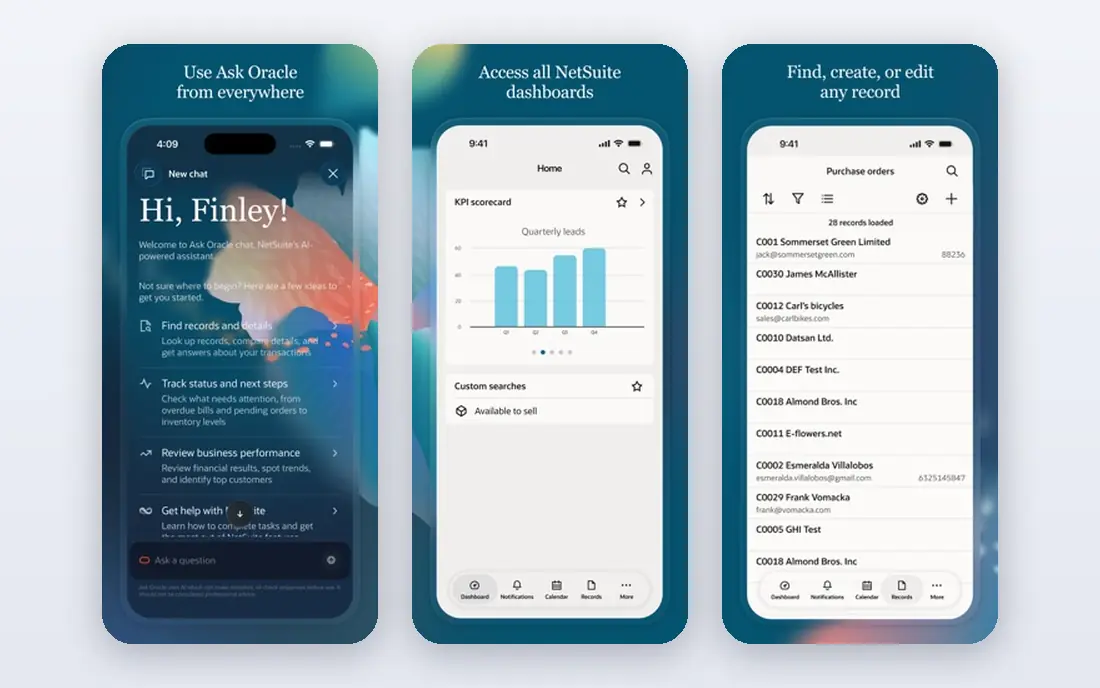
Next, look at Oracle NetSuite. Oracle NetSuite fits growing manufacturers that want a cloud system for finance, orders, inventory and production without managing servers.
The modular design helps teams start with core finance and add manufacturing, warehouse and planning tools as they grow, while dashboards track production costs.
Buyers should price the full module set, not just the base user fee. Advanced inventory and manufacturing add-ons can raise the total well above the starting price.
- Cloud ERP with finance, inventory and production in one system
- Multi-entity support
- Manufacturing depth varies by module
- Implementation costs add up
Microsoft Dynamics 365 Business Central
Best for: Small and mid-sized manufacturers on Microsoft tools
Another strong option is Microsoft Dynamics 365 Business Central. Microsoft Dynamics 365 Business Central fits small and mid-sized makers that already use Microsoft 365 and want a familiar interface.
Production orders, bills of material and warehouse tools cover common discrete work, and Power BI links help managers report on costs and output.
Very complex plants may hit limits in planning and shop-floor depth, and partners often add custom work to close those gaps, so scope that work early.
- Production orders, bills of material and inventory
- Close Microsoft 365 links
- Manufacturing depth is lighter than large ERP suites
- Custom work may be needed
For a different fit, SAP Business One. SAP Business One fits small manufacturers that want an integrated SAP system without the scale of S/4HANA.
Finance, inventory, purchasing and production orders sit in one system, which helps small teams replace spreadsheets and separate tools.
Highly custom or engineer-to-order work may need partner extensions, and buyers should test bills of material and routing depth against their real products.
- Integrated finance, inventory and production for smaller firms
- Partner ecosystem
- Make-to-stock focus
- Heavy custom work needs partner help
Teams with tighter budgets often check Epicor Kinetic. Epicor Kinetic fits mid-market makers that want manufacturing at the center of the system, rather than as an add-on to finance.
Planning, scheduling, job costing and quality tools reflect shop-floor work, and the product has a long history with discrete manufacturers.
Pricing is quote-based, so buyers should request a full quote for users, modules and implementation, and check partner experience in their industry.
- Manufacturing-first design
- Planning, scheduling and quality tools
- Industry focus
- Quote-based pricing
- Implementation needs an experienced partner
A further option is Infor CloudSuite. Infor CloudSuite fits manufacturers with industry-specific needs, such as automotive, aerospace or industrial equipment work.
Industry editions bring prebuilt workflows for common manufacturing patterns, which can shorten design work compared with a generic ERP build.
The breadth of the suite can make rollout long, so buyers should phase the project by plant or process and agree on success measures for each phase.
- Industry-specific manufacturing tools
- Cloud deployment
- Broad supply chain coverage
- Large scope can lengthen rollout
- Pricing is quote-based
If scale matters most, Acumatica. Acumatica fits growing manufacturers that prefer a licensing model based on usage rather than a strict per-user count.
That model can help firms with many occasional users, such as shop-floor staff who log in for short tasks, while still covering finance and manufacturing.
Buyers should confirm which manufacturing features sit in their edition, and test work orders, bills of material and planning with their own data.
- Consumption-based licensing option
- Manufacturing and distribution tools
- Cloud access
- Manufacturing depth depends on edition and partner
- Pricing needs a quote
Finally, consider IFS Cloud. IFS Cloud fits manufacturers that also service equipment, run projects or manage complex assets alongside production.
Combining manufacturing with service and asset management helps firms that sell equipment and then support it for years after delivery.
The platform is broad, so smaller makers may find it more than they need. A phased plan, starting with core production and finance, keeps the project manageable.
- Manufacturing, service and asset tools in one platform
- Project and field service links
- Enterprise scope suits larger teams
- Rollout planning is essential
How we picked these
We reviewed official feature pages, pricing pages, app store listings, privacy policies and public user reviews for each product, and kept only tools that are available today and that fit the topic directly. We checked that each product offers the core capability in its category, such as SLA rules, key rotation, work orders, pay cycles, supplier mapping, membership billing, route settlement, dunning or order screening, rather than a related feature in a general tool.
We did not claim hands-on testing, and we did not invent prices, awards or ratings. Where a vendor does not publish a starting price, we show See website, and we note where higher tiers carry the features buyers often need. Prices can change, so we recommend confirming the current price on the vendor site before you buy.
We also looked at whether each vendor explains its security, privacy and support terms in plain language on its own site. A clear privacy policy, a named support route and published status information help buyers judge a vendor before a trial, and they matter most when the tool will hold sensitive customer, employee or payment data.
How to test discrete ERP tools on real factory work
Bring a real product to every demo. Ask the vendor to build its bill of material, set up routings, create a work order, issue material, record labour and close the job, using your part numbers and units. That single flow reveals gaps in planning, costing and shop-floor reporting faster than a slide deck.
Also check planning behaviour. Material requirements planning should handle lead times, safety stock, scrap and multi-level bills, and scheduling should show capacity by work center. Ask how the system handles engineering changes, revisions and substitute parts, since those events happen often in discrete work and cause costly errors when handled by hand.
Before you sign, ask for a written quote that lists every user, module, add-on and support tier you will need in the first year. Confirm what happens when you add users, change plans or cancel, and check whether data export is included. A clear quote makes it easier to compare tools fairly, and it avoids surprises when the first renewal arrives.
FAQ
What is discrete ERP software?
Discrete ERP software manages the making of distinct items, such as machines, electronics or furniture, from parts and assemblies. It covers bills of material, routings, work orders, inventory, planning and costing, alongside finance and sales. Process ERP, by contrast, handles formulas and batches for food, chemicals and similar goods.
How is discrete ERP different from general ERP?
General ERP covers finance, purchasing and inventory, but discrete ERP adds manufacturing depth for parts, assemblies and shop-floor jobs. That depth includes multi-level bills, routing steps, work center capacity and job costing. Without it, makers often fill gaps with spreadsheets, which break as volume grows.
How long does implementation take?
Timelines vary widely, from a few months for a small cloud rollout to a year or more for a large multi-plant project. Data cleanup, bills of material accuracy and staff training drive much of the time. A phased rollout by plant or process usually lowers risk compared with a single big switch.
Should we choose cloud or on-premises ERP?
Cloud ERP suits most growing makers, since the vendor handles upgrades and infrastructure, and remote plants can connect more easily. On-premises deployment still fits firms with strict data rules or deep custom work. Weigh upgrade effort, integration needs and long-term support, not just the first-year fee.
What drives the total cost?
User licenses are only part of the total. Modules, implementation, data migration, training and partner support often cost as much as, or more than, the first year of licenses. Ask for a written total for your user count, plants and modules, and confirm what is included in support.
How long does implementation usually take?
Implementation time varies with team size, data quality and the number of integrations. A small team with clean data can often go live in weeks, while a larger rollout with migration and training can take months. Ask each vendor for a phased plan with clear milestones, and allow time for staff training before the old system is switched off.